
Produto rematadoview
The Monster Open AC601 Wireless Earbuds are designed to provide a high-fidelity audio experience with advanced features for everyday use. These clip-on earbuds offer comfort, stable connectivity, and environmental noise cancellation for clear communication.

Image: Monster Open AC601 Wireless Earbuds and their compact charging case.
Características principais:
- Puro son de monstro: Features 13mm PVK composite sound film for Hi-Fi audio with powerful low frequencies and clear highs.
- Enhanced Call Quality with ENC: Advanced Environmental Noise Cancellation technology reduces background noise for clear conversations.
- Bluetooth avanzado 5.4: Ensures stable connection, synchronized audio-video playback, low latency, and 90% faster transmission rate.
- Quick Charging & Long Battery Life: Total battery life of 32 hours with the charging case, designed for all-day use.
- Impermeable IPX5: Protects against rain and sweat, suitable for active lifestyles.
- Smart Touch Design: Easy touch controls for calls, track switching, and volume adjustment.
- Comfortable Clip-on Design: Open ear clip design provides a secure, stress-free, and comfortable fit.
Guía de configuración
1. Cargar os auriculares
Before first use, fully charge your Monster Open AC601 earbuds and charging case. Place the earbuds into their respective slots in the charging case. The indicator lights on the case will show the charging status. A full charge provides up to 32 hours of total playtime with the case.
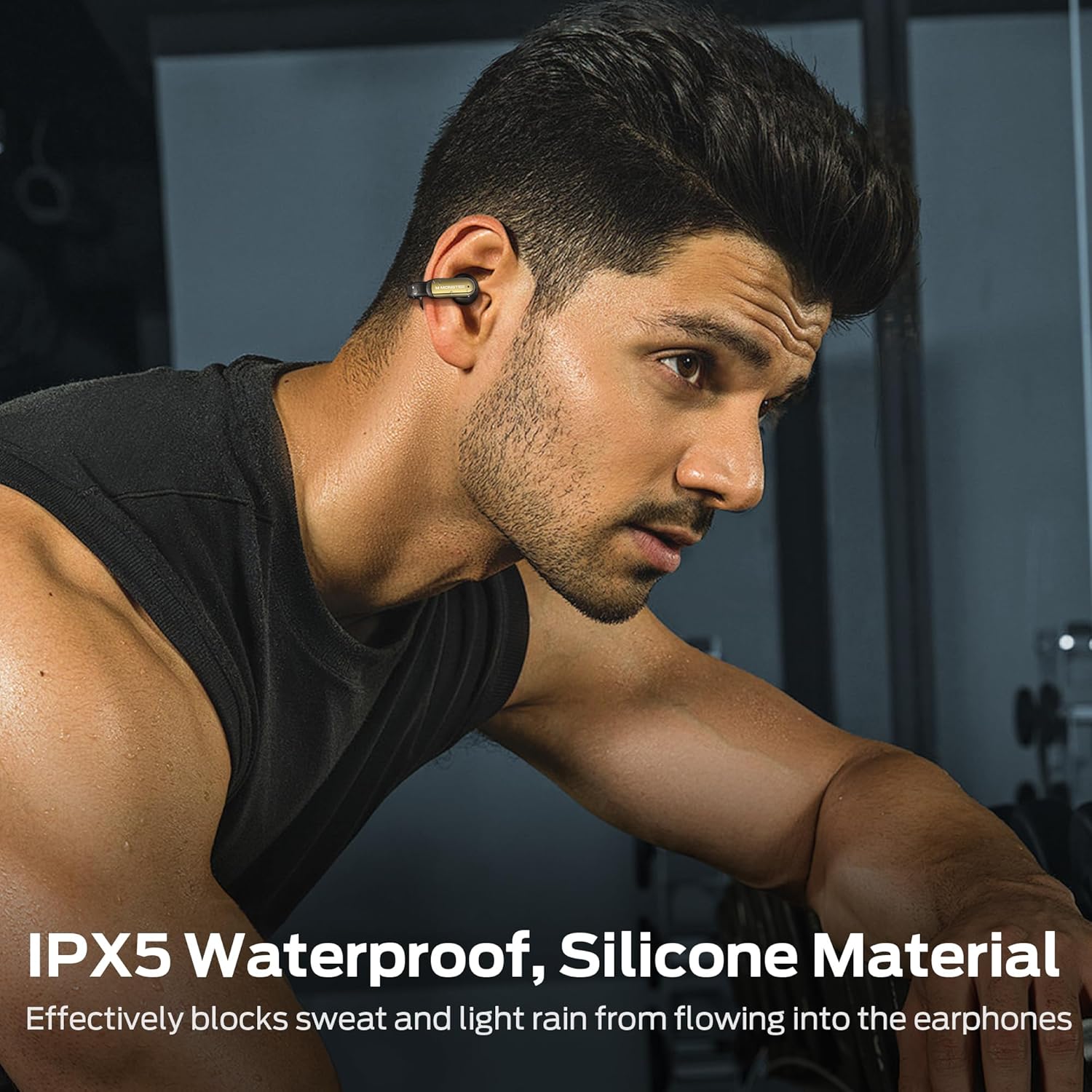
Image: The earbuds and charging case highlighting the 32-hour total playtime and fast charging capability.
2. Usando os auriculares
The Monster Open AC601 earbuds feature a unique clip-on design for secure and comfortable wear. To wear them:
- Place the smaller part of the earbud into your ear canal.
- Clip the larger, curved part of the earbud gently behind your ear.
- Adjust the earbud to a comfortable and secure position. The flexible design ensures a snug fit without causing discomfort, even during vigorous activities.

Image: Step-by-step diagram illustrating the correct way to wear the clip-on earbuds.

Image: A woman demonstrating the comfortable and secure fit of the Monster Open AC601 earbuds.
3. Emparellamento Bluetooth
Para emparellar os auriculares cun dispositivo:
- Abre a caixa de carga. Os auriculares entrarán automaticamente no modo de emparellamento.
- No teu dispositivo (teléfono intelixente, tableta, portátil), activa o Bluetooth.
- Busca "Monster Open AC601" na lista de dispositivos Bluetooth dispoñibles.
- Select it to connect. Once connected, you will hear an audible confirmation.
The earbuds utilize Bluetooth 5.4 for a stable and fast connection, ensuring low latency and synchronized audio-video playback.

Image: Diagram illustrating the advanced Bluetooth 5.4 technology for enhanced connectivity and transmission speed.
Instrucións de funcionamento
Funcións de control táctil
The Monster Open AC601 earbuds feature intuitive touch controls on each earbud. The following table outlines the common functions:

Image: Visual guide to the touch control functions available on the earbuds.
| Acción | Función |
|---|---|
| Tap x2 (L/R) | Answer/End Call, Play/Pause |
| Tap x3 (L) | Decline Phone Call, Previous Song |
| Tap x3 (R) | Próxima canción |
| Tap x1 (R) | Aumentar o volume |
| Tap x1 (L) | Reducir o volume |
| Tap x2s (L/R) | Asistente de voz |
Xestión de chamadas
The earbuds are equipped with Environmental Noise Cancellation (ENC) technology to ensure crystal-clear calls by effectively reducing ambient background noise.

Image: A woman using the earbuds for a call, illustrating the ENC Call Noise Reduction feature.
Reprodución de audio
Experience Hi-Fi level sound quality with the 13mm PVK composite sound film, delivering rich bass and clear treble for an immersive listening experience.

Imaxe: Unha explosión view diagram showcasing the internal components of the earbud's 13mm dynamic speaker for upgraded Hi-Fi sound quality.
Coidados e Mantemento
Proper care ensures the longevity and optimal performance of your Monster Open AC601 earbuds.
Limpeza
- Limpe con coidado os auriculares e a funda de carga cun pano suave, seco e sen fiapos.
- Non use produtos químicos agresivos, disolventes de limpeza ou deterxentes fortes.
- Manteña os contactos de carga limpos e libres de residuos.
Resistencia á auga (IPX5)
The earbuds are rated IPX5 waterproof, meaning they are protected against low-pressure water jets from any direction. This makes them suitable for workouts and light rain.
- Non mergulles os auriculares na auga.
- Asegúrate de que os auriculares estean secos antes de volvelo colocar na caixa de carga para evitar danalos.

Image: A man wearing the earbuds during a workout, demonstrating their IPX5 waterproof capability against sweat and light rain.
Resolución de problemas
If you encounter issues with your Monster Open AC601 earbuds, refer to the following common solutions:
- Sen son/Volume baixo: Asegúrate de que os auriculares estean cargados, conectados ao dispositivo e que o volume estea activado tanto nos auriculares como no dispositivo.
- Non se pode emparellar: Asegúrate de que o Bluetooth estea activado no teu dispositivo e que os auriculares estean en modo de emparellamento. Tenta desactivar o Bluetooth e activalo de novo no teu dispositivo.
- Conexión intermitente: Asegúrate de que os auriculares estean dentro do alcance do teu dispositivo (normalmente 10 metros/33 pés). Evita os obstáculos que poidan interferir co sinal Bluetooth.
- Os auriculares non se cargan: Check if the charging case has power. Ensure the earbuds are correctly seated in the charging case and the charging contacts are clean.
- Os controis táctiles non responden: Ensure your fingers are clean and dry. Try resetting the earbuds (refer to the full manual for specific reset instructions if needed).
Especificacións técnicas
| Característica | Especificación |
|---|---|
| Marca | Monstro |
| Nome do modelo | E62 |
| Tecnoloxía de conectividade | Sen fíos (Bluetooth) |
| Versión Bluetooth | 5.4 |
| Forma do auricular | Clip-on |
| Tamaño do controlador de audio | 13 milímetros |
| Tipo de controlador de audio | Driver dinámico |
| Nivel de resistencia á auga | IPX5 (Impermeable) |
| Método de control | Toca |
| Peso do elemento | 5.3 onzas |
| Batería | Requírese 1 batería de iones de litio (incluída) |
| Tempo de reprodución total (con estuche) | Ata 32 horas |
| Cor | Negro |
| Dispositivos compatibles | Teléfono intelixente, tableta, portátil, escritorio |
Vídeos oficiais de produtos
Neste momento non hai vídeos oficiais do vendedor dispoñibles para este produto.
Garantía e Soporte
For warranty information and customer support, please refer to the documentation included in your product packaging or visit the official Monster websitio. Garda o comprobante de compra para calquera reclamación de garantía.