
GGSTOPWATER JM13
Manual do usuario dos auriculares abertos sen fíos Bluetooth 5.4
Model: JM13 | Brand: GGSTOPWATER
1. Introdución
Thank you for choosing the GGSTOPWATER Open Ear Headphones. These wireless earbuds are designed to provide a comfortable listening experience while maintaining awareness of your surroundings. Featuring advanced Bluetooth 5.4 technology and an IPX5 waterproof rating, they are ideal for various activities including sports, running, workouts, and driving.

The open-ear design ensures comfort and awareness of your environment.

Key features of the GGSTOPWATER Open Ear Headphones.
2. Que hai na caixa
Comprobe o contido do paquete para asegurarse de que estean presentes todos os elementos:
- True Wireless Bluetooth Headphones (2 units)
- Headset Charging Compartment (1 unit)
- Cable de carga tipo C (1 unidade)
- Manual de usuario (1 unidade)
- Silicone Lanyard (1 unit)
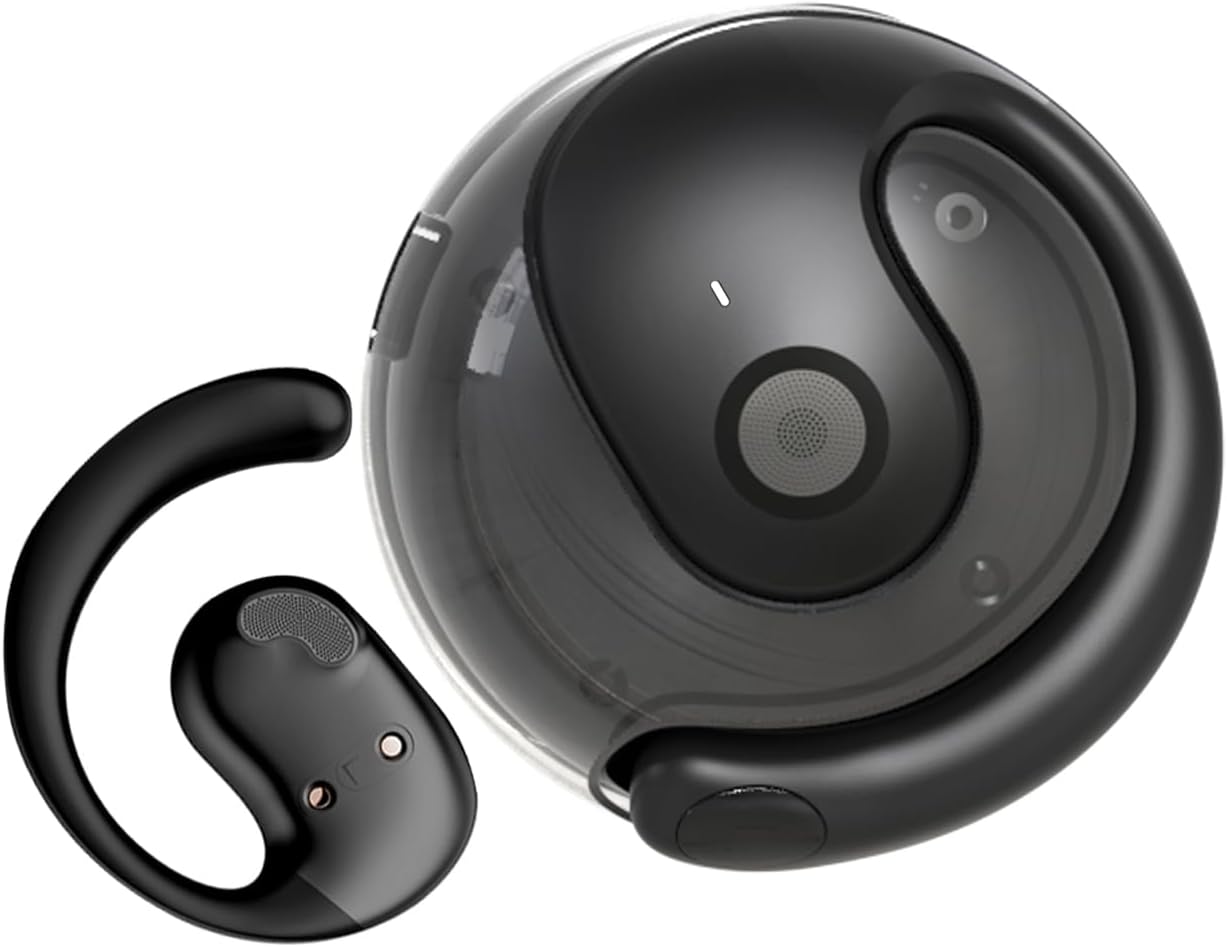
The GGSTOPWATER Open Ear Headphones and their compact charging case.
Mira este vídeo para verte un finalview do produto e dos seus compoñentes.
3. Configuración e emparellamento
3.1 Emparellamento inicial
- Ensure the headphones are charged (refer to Section 4).
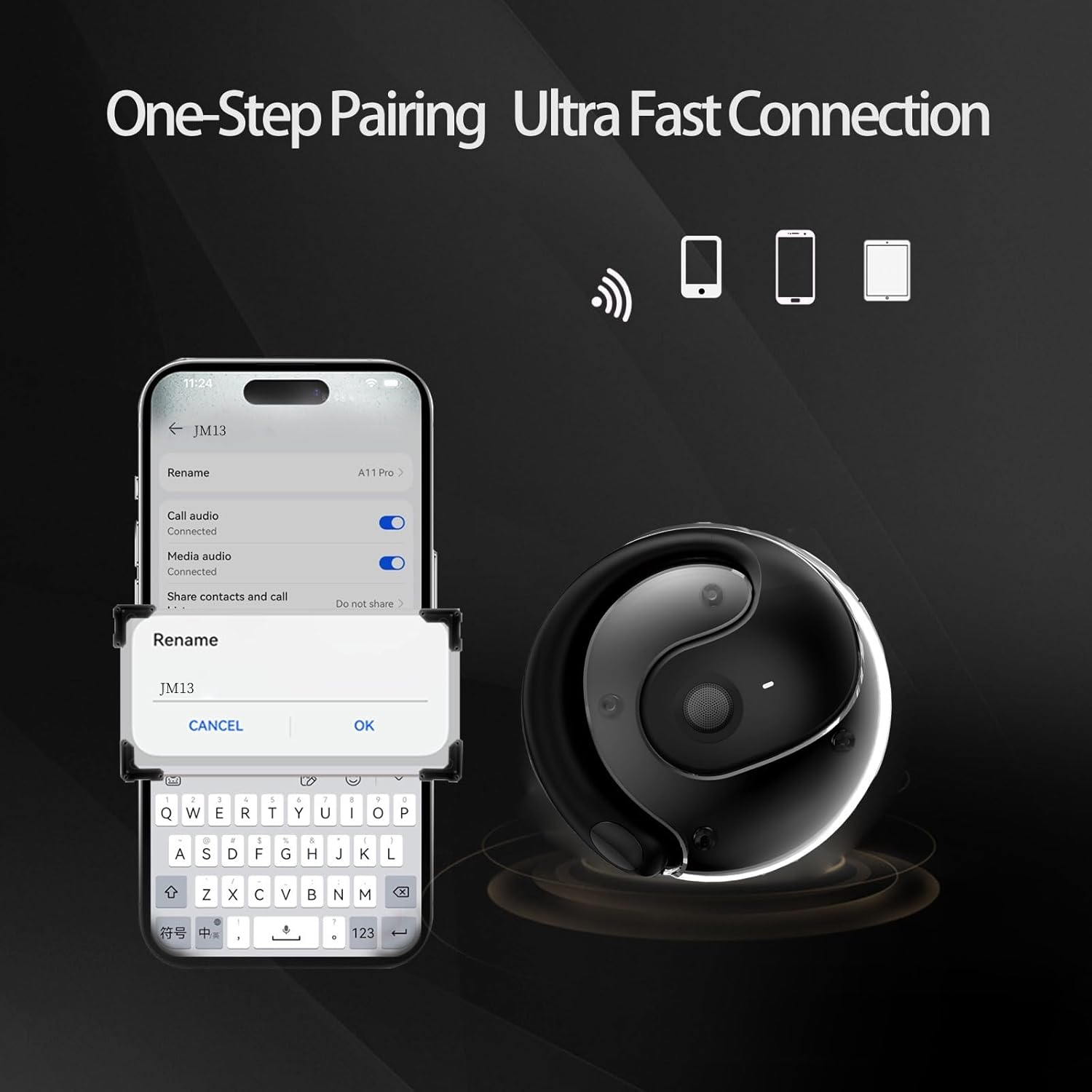
- Abre a caixa de carga. Os auriculares acenderanse automaticamente e entrarán no modo de emparellamento.
- No teu dispositivo (teléfono intelixente, tableta, portátil), activa o Bluetooth.
- Busca "JM13" in the list of available Bluetooth devices.
- Select "JM13" to connect. A voice prompt will confirm successful pairing.
3.2 Como usar os auriculares
For optimal comfort and sound, follow these steps to wear your headphones:

Ergonomic design for easy and comfortable wear.
4. Instrucións de funcionamento
The GGSTOPWATER Open Ear Headphones feature intuitive touch controls on each earbud. Refer to the diagram and descriptions below for common functions:

Detailed touch control commands for your headphones.
This video demonstrates the touch controls for music playback and call management.
4.1 Telephone Mode
- Rexeitar a chamada: Mantén presionado durante 2 segundos.
- Incoming Call (Answer): Single click to answer.
- Incoming Call (Hang Up): Single click to hang up.
4.2 Modo de música
- Reproducir/Pausa: Toque único.
- Canción anterior: Double touch (Left earbud).
- Próxima canción: Double touch (Right earbud).
4.3 Binaural Mode (General Controls)
- Encendido: Mantén presionado durante 3 segundos.
- Apagado: Mantén presionado durante 5 segundos.
- Baixar volume: Three touches (Left earbud).
- Subir volume: Three touches (Right earbud).
5. Batería e carga
The headphones and charging case are equipped with high-capacity batteries for extended use. The charging case has a 300mAh capacity.
- Headset Usage Time: Aproximadamente 4 horas.
- Tempo de carga: Approximately 1.5 hours for the case.
- Tempo de espera: Ata 120 horas.
To charge the case, connect the provided Type-C charging cable to the charging port on the case and a compatible USB power source.
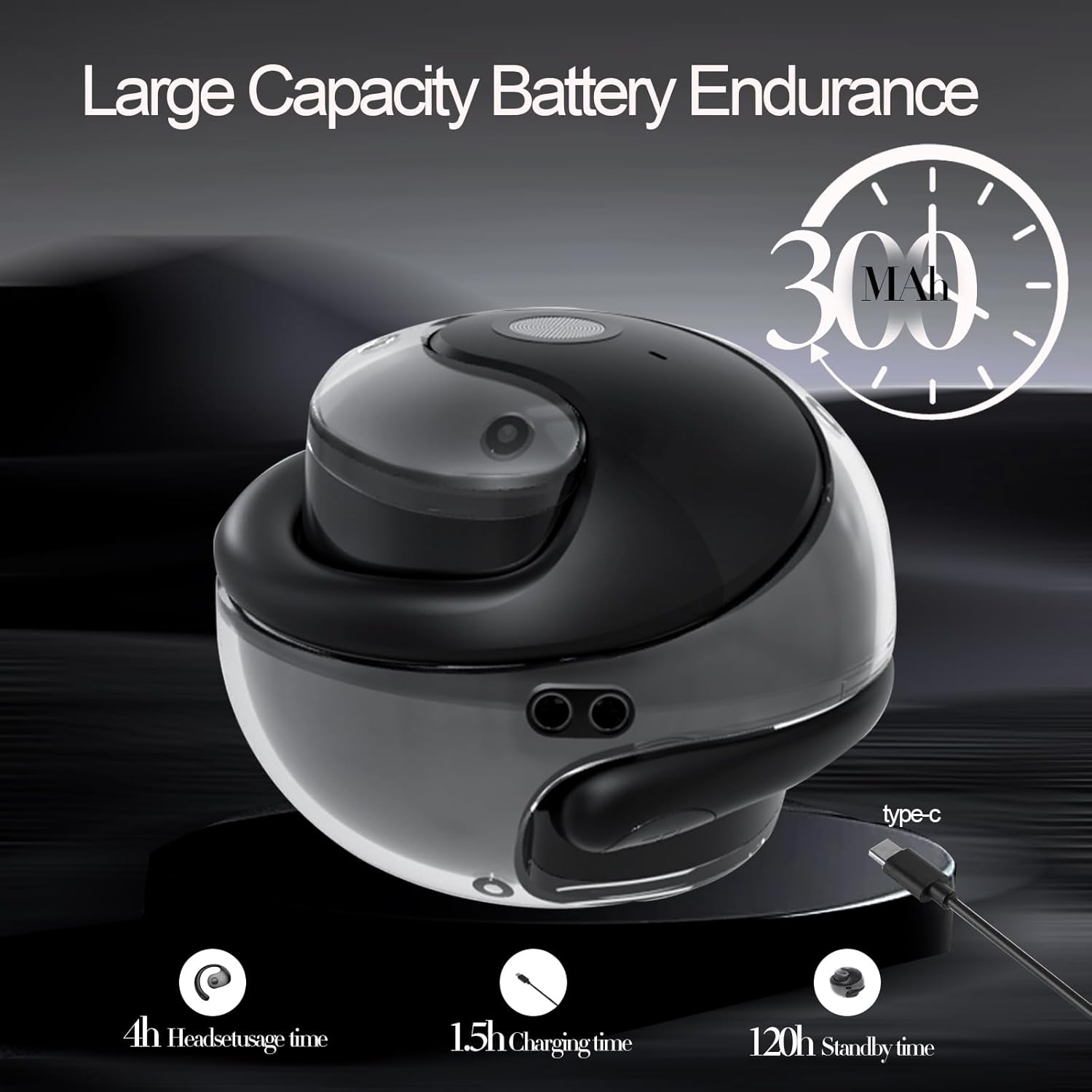
Battery life and charging indicators.
6. Mantemento e coidados
To ensure the longevity and optimal performance of your GGSTOPWATER Open Ear Headphones, please follow these maintenance guidelines:
6.1 Impermeabilización (IPX5)
The headphones feature an IPX5 waterproof rating, meaning they are protected against low-pressure water jets from any direction. This makes them suitable for protection against daily sweat and light rain. However, they are not designed for submersion in water or use during heavy rainfall.
The IPX5 rating protects against sweat and light rain.
6.2 Limpeza
Wipe the headphones and charging case with a soft, dry, lint-free cloth. Do not use abrasive cleaners, alcohol, or chemical sprays.
6.3 Almacenamento
Garda os auriculares na súa funda de carga cando non os uses para protexelos do po e dos danos. Evita temperaturas extremas.
7 Solución de problemas
Se tes problemas cos teus auriculares, proba as seguintes solucións:
- Sen problemas de son/conexión:
- Asegúrese de que os auriculares estean cargados.
- Desactiva e activa o Bluetooth no teu dispositivo.
- Forget "JM13" in your device's Bluetooth settings and re-pair.
- Reinicia o teu dispositivo.
- Un auricular non funciona:
- Volva colocar os dous auriculares na caixa de carga, peche a tapa, agarde uns segundos e, a seguir, sáqueos.
- Asegúrate de que os dous auriculares estean cargados.
- Problemas de carga:
- Comprobe se o cable de carga e o adaptador están danos.
- Asegúrate de que o porto de carga da carcasa estea limpo e libre de residuos.
8. Especificacións
| Característica | Especificación |
|---|---|
| Nome do modelo | JM13 |
| Marca | GGSTOPAUGA |
| Tecnoloxía de conectividade | Sen fíos (Bluetooth) |
| Versión Bluetooth | 5.4 |
| Colocación do oído | Orella aberta |
| Nivel de resistencia á auga | IPX5 (resistente á auga) |
| Tipo de controlador de audio | Controlador dinámico (16 mm) |
| Rango de frecuencias | 20 Hz - 20,000 Hz |
| Impedancia | 32 ohmios |
| Método de control | Remote (Touch) |
| Compoñentes incluídos | Estuche de carga sen fíos |
| Peso do elemento | 3.52 onzas |
| Fabricante | GGSTOPAUGA |
9. Información de seguridade
When using your GGSTOPWATER Open Ear Headphones, always prioritize your safety and the safety of others. The open-ear design enhances spatial awareness, allowing you to hear your surroundings, which is particularly beneficial for outdoor activities.
- Do not use at excessively high volumes for prolonged periods to prevent hearing damage.
- Be aware of your surroundings, especially when operating vehicles, cycling, or walking in traffic.
- Keep the headphones away from extreme temperatures, direct sunlight, and moisture.
- Non intente desmontar nin modificar os auriculares.
10. Garantía e soporte
GGSTOPWATER is committed to providing high-quality products. For warranty information, technical support, or any inquiries regarding your Open Ear Headphones, please refer to the contact details provided in your product packaging or visit the official GGSTOPWATER store on Amazon.
Note: Specific warranty terms and support contact information may vary by region and purchase location. Please retain your proof of purchase.
Ask a question about this manual
Ask about setup, troubleshooting, compatibility, parts, safety, or missing instructions. Manuals+ will review the question and use this page’s manual context to help answer it.