
1. Introdución
Thank you for choosing the GGSTOPWATER JM13 Open Ear Headphones. These innovative earbuds are designed for comfort and safety, allowing you to enjoy high-quality audio while remaining aware of your surroundings. Their non-intrusive design reduces ear fatigue, making them ideal for extended wear during various activities.

Figure 1: Open-ear design for comfort and awareness.
2. Que hai na caixa
Your GGSTOPWATER JM13 package includes the following items:
- True Wireless Bluetooth Headphones (2 units)
- Headset Charging Compartment (1 unit)
- Cable de carga tipo C (1 unidade)
- Manual de usuario (1 unidade)
- Silicone Lanyard (1 unit)

Figura 2: Todos os compoñentes incluídos no paquete.
3. Guía de configuración
3.1 Carga dos auriculares e da funda
Before first use, fully charge the earbuds and the charging case. The case features a Type-C charging port for convenient power input.
- Place the earbuds into their respective slots in the charging case. They are magnetized to ensure proper placement.
- Conecta o cable de carga tipo C fornecido á caixa de carga e a unha fonte de alimentación.
- As luces indicadoras da caixa mostrarán o estado da carga. Unha vez que se carga completamente, as luces indicarán que se completou.

Figure 3: Charging the earbuds and case.
3.2 Emparejamento Bluetooth
The JM13 headphones utilize advanced Bluetooth 5.4 technology for a fast and stable connection.
- Asegúrate de que os auriculares estean cargados e retirados da caixa de carga. Entrarán automaticamente no modo de emparellamento.
- No teu dispositivo (teléfono intelixente, tableta, portátil), vai á configuración de Bluetooth e activa Bluetooth.
- Busca available devices and select "JM13" from the list.
- Unha vez conectado, unha mensaxe de voz confirmará o emparellamento correcto.

Figure 4: Bluetooth connection process.
The headphones support multi-device linking, compatible with iOS, Android, and Windows systems, allowing seamless switching between devices.
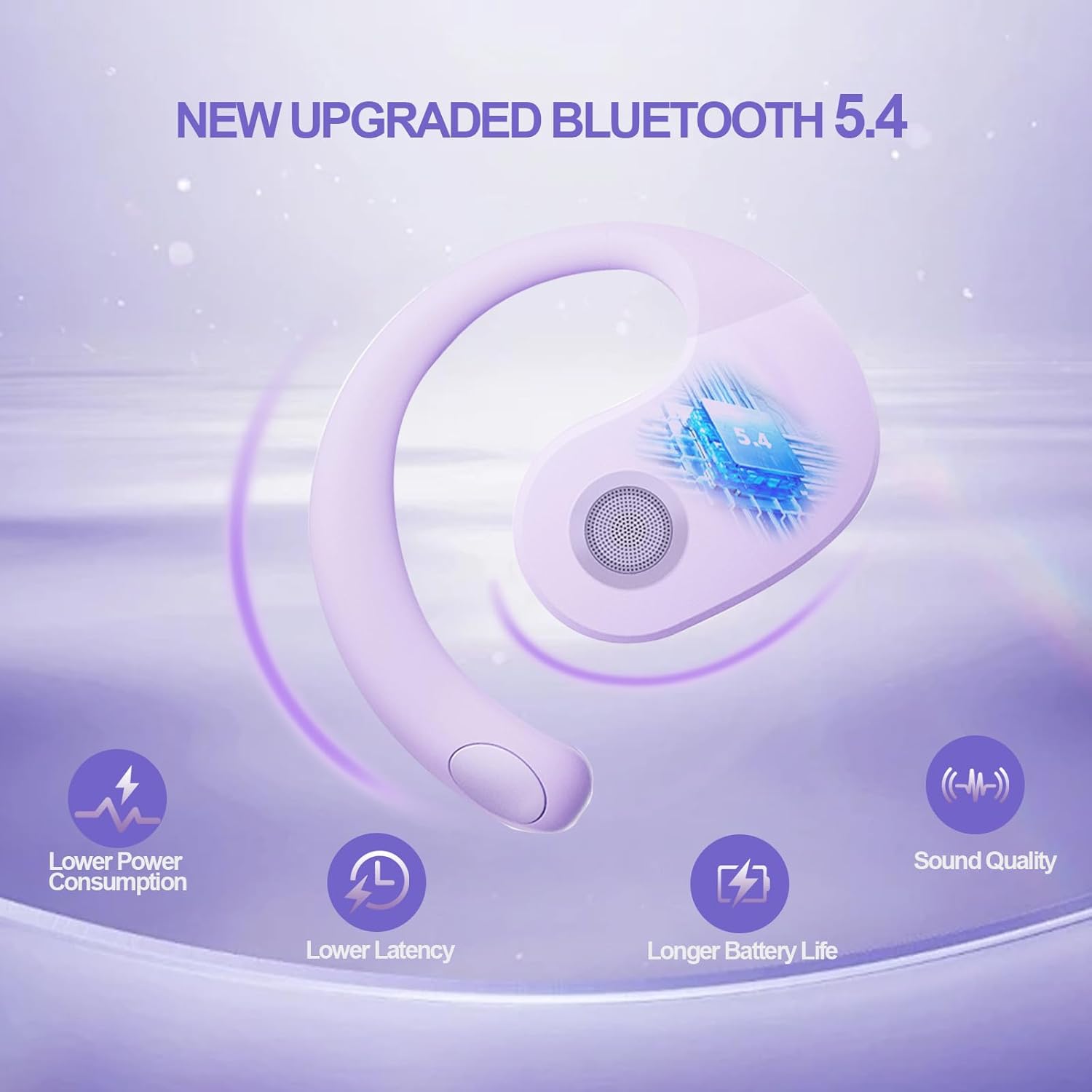
Figure 5: Benefits of Bluetooth 5.4 connectivity.
4. Instrucións de funcionamento
4.1 Controis táctiles
The JM13 earbuds feature intuitive touch controls for managing calls and music:
| Acción | Comando |
|---|---|
| Reproducir/Pausa música | Single touch (either earbud) |
| Canción anterior | Double touch (Left earbud) |
| Próxima canción | Double touch (Right earbud) |
| Baixar o volume | Triple touch (Left earbud) |
| Subir volume | Triple touch (Right earbud) |
| Responder/Finalizar chamada | Click to answer, then click to hang up |
| Rexeitar a chamada | Mantén premido durante 2 segundos |
| Encender | Mantén premido durante 3 segundos |
| Apagado | Mantén premido durante 5 segundos |
4.2 Escenarios de uso
The open-ear design and secure fit make these earbuds suitable for a variety of activities:
- Sports & Fitness: The flexible ear hooks and IPX5 waterproof rating ensure they stay secure and protected during workouts, running, and other physical activities.
- Actividades ao aire libre: Maintain spatial awareness to hear approaching vehicles or people, enhancing safety during outdoor sports or walks.
- Office & Daily Use: Enjoy audio content or take calls comfortably without blocking out important ambient sounds.

Figure 6: Versatile use for various scenarios.
4.3 Official Product Video: Touch Controls & Features
Video Description: This video demonstrates the physical product, its open-ear design, and how to use the touch controls for music playback and call management. It also highlights the secure fit and portability of the earbuds.
5. Mantemento e coidados
5.1 Impermeable e resistente ao po
The JM13 earbuds are rated IPX5 waterproof, meaning they are protected against low-pressure water jets from any direction. They are also dustproof.
- Wipe the earbuds clean with a soft, dry cloth after each use, especially after workouts or exposure to moisture.
- Non mergulles os auriculares en auga nin os expoñas a chorros de auga a alta presión.
- Avoid exposing the charging case to water or excessive dust, as it is not waterproof.

Figure 7: IPX5 waterproof and dustproof protection.
5.2 Almacenamento
Garda os auriculares no seu estoxo de carga cando non os uses para protexelos do po e dos danos, e para mantelos cargados.
6 Solución de problemas
If you encounter issues with your GGSTOPWATER JM13 headphones, please refer to the following common solutions:
- Sen son/Volume baixo: Ensure the earbuds are properly connected to your device. Check the volume levels on both the earbuds (via touch controls) and your connected device.
- Non se pode emparellar: Make sure the earbuds are in pairing mode (alternating flashing white and green lights). Turn off and on your device's Bluetooth, then try searching again. Ensure no other devices are currently connected to the earbuds.
- Problemas de carga: Verify that the Type-C cable and power source are working correctly. Ensure the earbuds are correctly seated in the charging case and that the case itself has power. Clean the charging contacts on both the earbuds and the case if necessary.
- Voice Prompts Not in English: If voice prompts are in an unexpected language, refer to the full instruction manual (included in the box) for language setting adjustments, or perform a factory reset if available.
- Conexión intermitente: Move closer to your connected device to reduce signal interference. Ensure there are no major obstructions between the earbuds and your device.
Se o problema persiste, póñase en contacto co servizo de atención ao cliente.
7. Especificacións
| Característica | Detalle |
|---|---|
| Nome do modelo | JM13 |
| Marca | GGSTOPAUGA |
| Tecnoloxía de conectividade | Sen fíos (Bluetooth 5.4) |
| Colocación do oído | Orella aberta |
| Factor de forma | On Ear (with ear hooks) |
| Control de ruído | Cancelación activa de ruído |
| Tipo de controlador de audio | Controlador dinámico (16 mm) |
| Rango de frecuencias | 20 Hz - 20,000 Hz |
| Impedancia | 32 ohmios |
| Duración da batería (total coa funda) | Ata 48 horas |
| Clasificación impermeable | IPX5 |
| Material | Silicona, Plástico |
| Peso do elemento | 3.52 onzas |
| Cor | Roxo |
8. Garantía e soporte
GGSTOPWATER products come with a standard manufacturer's warranty. For detailed warranty information, product support, or service inquiries, please refer to the warranty card included in your package or visit the official GGSTOPWATER websitio.
For direct assistance, you may contact our customer support team via the contact information provided in your product documentation.