
Introdución
Welcome to your Maxwell Fusion Smart Watch. This manual provides essential information for setting up, operating, and maintaining your device. Please read it carefully to ensure optimal performance and longevity of your smartwatch.
O que hai na caixa
- Maxwell Fusion Smart Watch
- Cargador sen fíos
- Correa
- Manual de usuario (este documento)
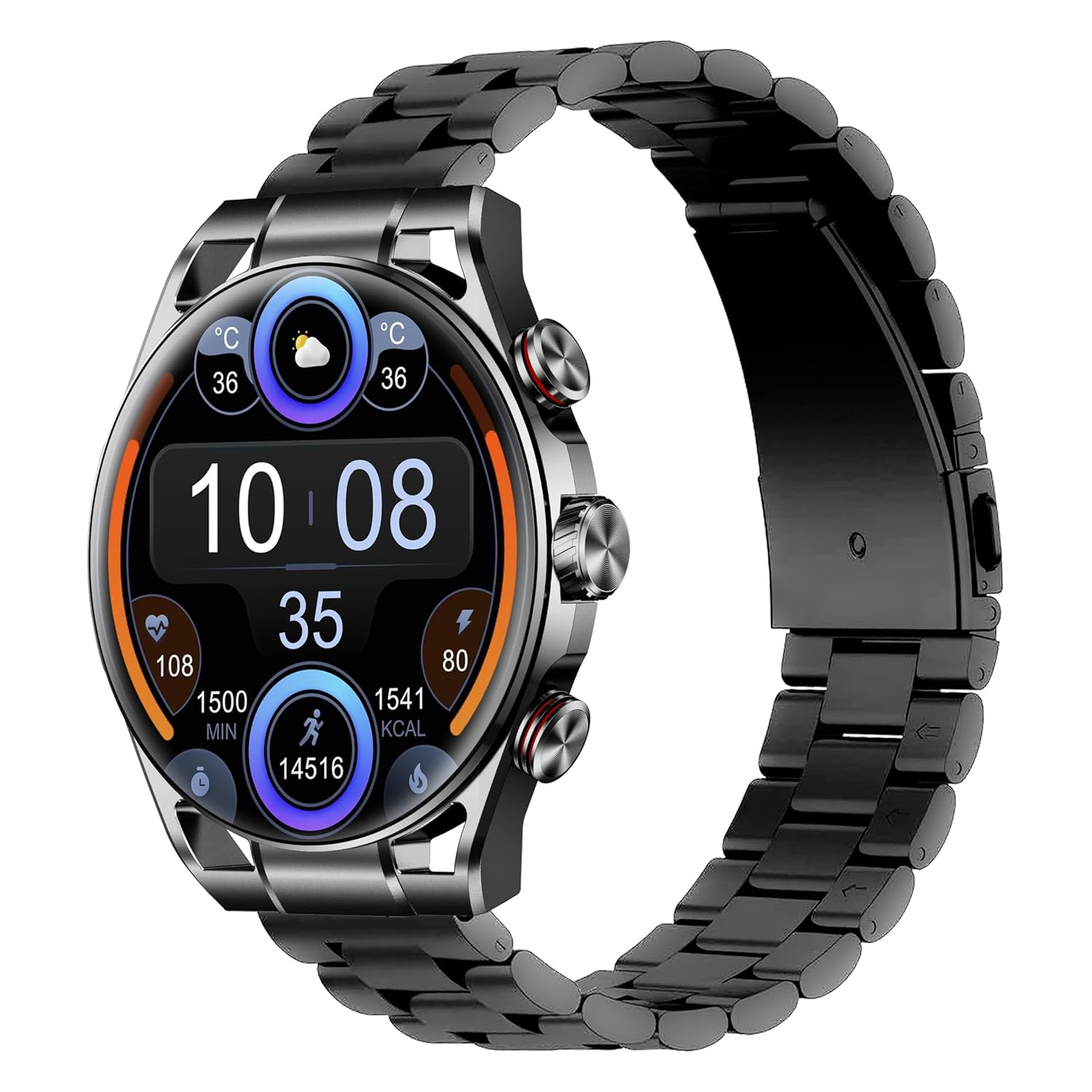
Image: The Maxwell Fusion Smart Watch with a black metal strap, displaying time and fitness metrics.
Configuración
1. Carga do reloxo intelixente
Before first use, fully charge your Maxwell Fusion Smart Watch. Connect the wireless charger to a power source and place the watch onto the charging pad. The watch will indicate charging status. A full charge typically takes approximately 2 hours.
The watch offers an extended standby time of up to 40 days on a single charge.
2. Instalación da aplicación
To unlock the full functionality of your smartwatch, download and install the companion application on your smartphone. Scan the QR code below with your phone's camera or visit the provided links.

Image: Product packaging displaying technical specifications and QR codes for the companion app.
Descarga a aplicación:
3. Emparellamento co teu teléfono intelixente
- Asegúrate de que o Bluetooth do teu teléfono intelixente estea activado.
- Open the installed companion app on your phone.
- Follow the in-app instructions to search for and connect to your Maxwell Fusion Smart Watch. The watch uses Bluetooth 5.2 for a stable connection.
- Confirma a solicitude de emparellamento tanto no reloxo como no teléfono intelixente.
The Maxwell Fusion Smart Watch is compatible with both iOS and Android devices.
Instrucións de funcionamento
Navegación básica
The Maxwell Fusion Smart Watch features a responsive AMOLED Retina touchscreen and three physical buttons for navigation. Swipe across the screen to access different functions and menus. Press the buttons for specific actions such as returning to the home screen or accessing quick settings.

Image: The Maxwell Fusion Smart Watch showcasing its Super AMOLED Retina screen with bright, clear visuals.
Call and SMS Functionality
Once paired with your smartphone, you can dial and answer calls directly from your wrist. You will also receive SMS notifications on your watch. Ensure your watch is within Bluetooth range of your phone for these features to work.
Modos deportivos e seguimento da actividade
The watch includes various sports modes to track your physical activities. Access these modes through the watch menu to monitor metrics such as steps, distance, calories burned, and activity duration. The watch supports custom activity tracking.

Image: The Maxwell Fusion Smart Watch face with icons indicating features such as water resistance, iOS/Android compatibility, sport mode, 1400 NITS brightness, and heart rate monitoring.
Vixilancia da Saúde
The Maxwell Fusion Smart Watch is equipped with a Heart Rate Monitor and supports Cycle Tracking. Access these features through the watch or the companion app to monitor your health data.
Resistencia á auga (IP68)
Your smartwatch has an IP68 waterproof rating, making it suitable for swimming and other water-related activities. It can withstand immersion up to 1.4 meters. Avoid hot water or steam, as this can compromise the seal.

Image: A person wearing the Maxwell Fusion Smart Watch in a swimming pool, emphasizing its IP68 waterproof rating.
Brillo da pantalla
The AMOLED Retina screen offers a brightness of up to 1400 NITS, ensuring clear visibility even in bright sunlight. Adjust the brightness settings through the watch menu for optimal viewen diversos entornos.
Mantemento
Limpeza
Limpa o reloxo e a correa regularmente cun pano suave eamp cloth. Avoid using harsh chemicals or abrasive materials, which can damage the finish or sensors.
Coidado da batería
To prolong battery life, avoid fully discharging the watch frequently. Charge it when the battery level is low. Store the watch in a cool, dry place if not used for extended periods.
Precaucións de resistencia á auga
While the watch is IP68 waterproof, it is not suitable for diving or high-pressure water activities. Do not expose the watch to hot water, steam, or detergents, as this may compromise its water resistance.
Resolución de problemas
- O reloxo non se acende: Asegúrate de que o reloxo estea completamente cargado. Conéctao ao cargador sen fíos durante polo menos 30 minutos.
- Non se pode emparellar co teléfono:
- Asegúrate de que o Bluetooth estea activado no teléfono e no reloxo.
- Asegúrate de que o reloxo estea dentro do alcance do teu teléfono.
- Reinicia tanto o reloxo como o teléfono e, a seguir, tenta emparellalos de novo.
- Comproba se a aplicación complementaria está actualizada á última versión.
- Non aparecen as notificacións:
- Verify that notifications are enabled in the watch's settings and the companion app.
- Ensure the watch is properly connected to your phone via Bluetooth.
- Check your phone's notification settings to allow the app to send notifications.
- Datos sanitarios inexactos: Ensure the watch is worn snugly on your wrist, but not too tight. Clean the sensors regularly.
Especificacións
| Característica | Detalle |
|---|---|
| Número de modelo | Fusión |
| Tipo de visualización | AMOLED Retina Screen |
| Conectividade | Bluetooth 5.2, Wi-Fi |
| Capacidade da batería | 360 mAh |
| Duración da batería (en espera) | Ata 40 días |
| Tempo de carga | Aprox. 2 horas |
| Resistencia á auga | IP68 (Waterproof up to 1.4 meters) |
| Capacidade de almacenamento da memoria | 64 MB |
| Dispositivos compatibles | iOS & Android Smartphones |
| Entrada da interface humana | Touchscreen, 3 Buttons |
| Métricas medidas | Heart Rate, Activity |
| Material | Silicone (Band) |
| Peso | 200 gramos |
Garantía e Soporte
Maxwell provides a standard manufacturer's warranty for this product. Please refer to the warranty card included in your packaging or visit the official Maxwell websitio web para obter información detallada sobre os termos e condicións da garantía.
For technical support, troubleshooting assistance, or service inquiries, please contact Maxwell customer support through their official channels.