
1. Introdución
Thank you for choosing the XIAOMI Flexible Rechargeable LampEste manual proporciona información esencial para o uso seguro e eficiente do seu novo lampLéao detidamente antes da operación e gárdeo para futuras consultas.

Figure 1: XIAOMI Flexible Rechargeable Lamp
2. Información de seguridade
- Non desmonte, repare nin modifique o lamp ti mesmo.
- Manteña o lamp away from water, moisture, and high temperatures.
- Use só o cable de carga fornecido ou un cable USB-C certificado para cargar.
- Avoid direct eye exposure to the light source for extended periods.
- Desfágase do produto e da súa batería de forma responsable segundo a normativa local.
3. Contido do paquete
Verifica que todos os elementos estean presentes no paquete:
- XIAOMI Flexible Recargable Lamp Unidade
- Lamp Base
- Clamp Anexo
- Cable de carga USB-C
- Manual de usuario (este documento)
4. Produto rematadoview
The XIAOMI Flexible Rechargeable Lamp is designed for versatile illumination, functioning as a desk lamp, clip-on lamp, or handheld light source. It features a magnetic attachment for easy angle adjustment and multiple lighting modes.

Figure 2: Versatile Usage Modes

Figure 3: Design Details (Charging Port, Button, Anti-slip Strip)
5. Configuración
- Carga inicial: Antes do primeiro uso, cargue completamente o lamp using the provided USB-C cable. Connect the cable to the lamp's Type-C port and a compatible USB power adapter (not included). The battery status indicator will show charging progress.
- Assembly (Desk Lamp): Coloque o lamp unit onto the circular lamp base. The magnetic connection will secure it.
- Assembly (Clip-on Lamp): Adxunta o clamp accessory to a suitable surface (e.g., desk edge, shelf). Then, magnetically attach the lamp unit to the designated area on the clamp.
6. Instrucións de funcionamento
6.1 Acendido/apagado e selección de modo
- Prensa curta: Briefly press the power button to turn the lamp ON ou OFF.
- Prensa longa: Press and hold the power button to cycle through the four available lighting modes.

Figure 4: Four Lighting Modes
6.2 Axuste do ángulo
O lamp head is attached magnetically, allowing for flexible positioning:
- Rotación vertical: Axuste o lamp head up or down by up to 180 degrees.
- Rotación horizontal: Xire o lamp head horizontally by up to 360 degrees.
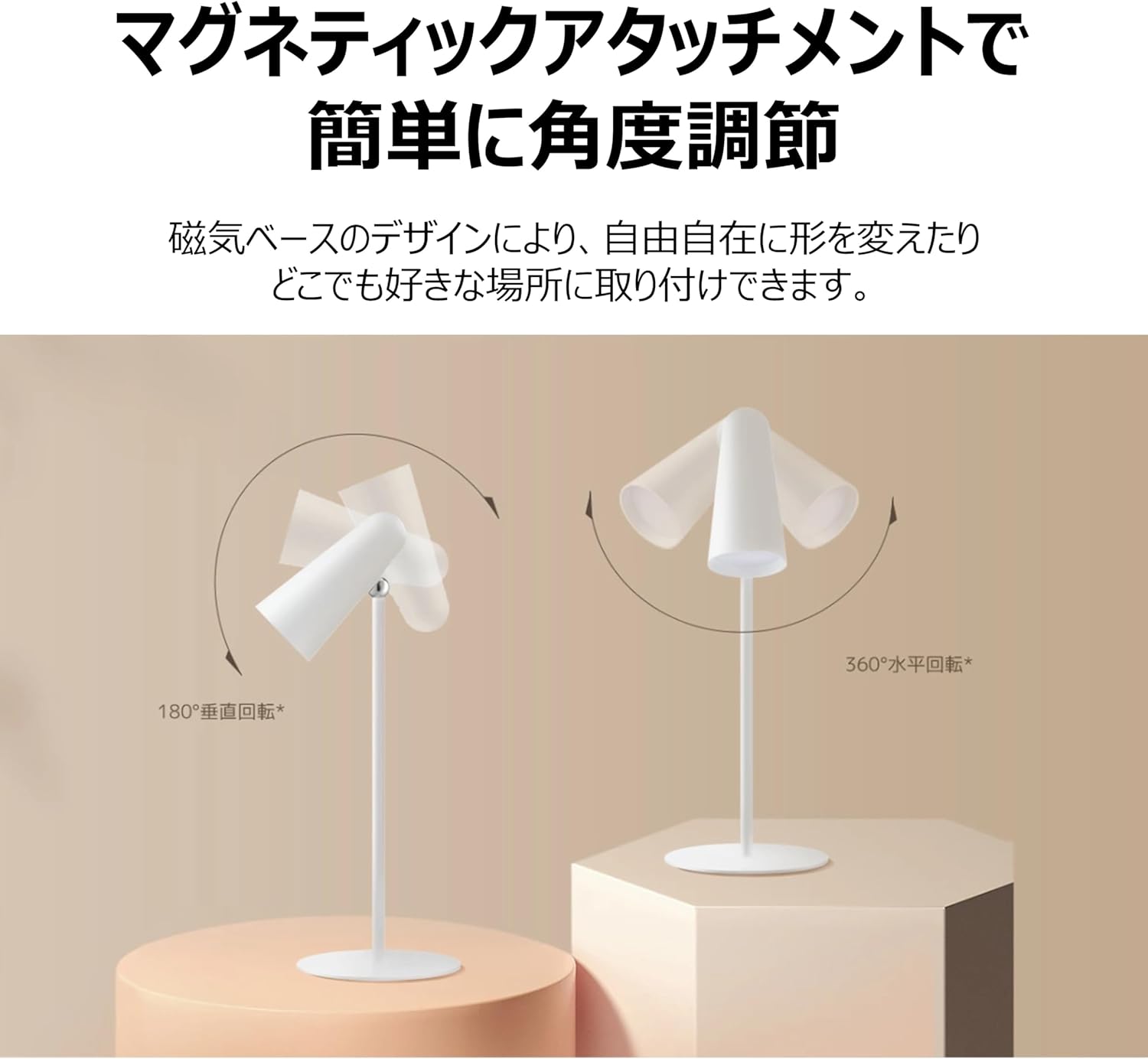
Figure 5: Magnetic Angle Adjustment
6.3 Carga
Conecta o lamp to a power source using the USB-C cable. The lamp maintains consistent brightness even while charging. A full charge provides over 40 hours of illumination at the lowest brightness setting.

Figure 6: Charging the Lamp
7. Mantemento
- Limpeza: Limpe o lamp cun pano suave e seco. Non empregue produtos de limpeza abrasivos nin disolventes.
- Almacenamento: Garda o lamp nun lugar fresco e seco cando non se utilice durante períodos prolongados.
- Coidado da batería: Para prolongar a duración da batería, evite descargala completamenteamp frequently. Charge it regularly, even if not in constant use.
8 Solución de problemas
| Problema | Causa posible | Solución |
|---|---|---|
| Lamp non acende | Batería baixa; o botón de acendido non se premeu correctamente | Carga o lamp; Ensure a firm short press on the power button. |
| Lamp non cargando | Cable ou adaptador defectuoso; Conexión solta | Check USB-C cable and adapter; Ensure connections are secure; Try a different cable/adapter. |
| A luz é tenue ou parpadea | Batería baixa | Carga o lamp plenamente. |
| Magnetic attachment feels loose | Lamp not properly seated on base/clamp | Re-seat the lamp unit firmly onto the magnetic base or clamp. |
9. Especificacións
| Característica | Especificación |
|---|---|
| Número de modelo | BHR8959GL |
| Dimensións (D x W x H) | 4.72" x 2.21" x 11.42" |
| Peso do elemento | 14.1 onzas (400 gramos) |
| Fonte de enerxía | Alimentado por batería (ión de litio) |
| Duración da batería | Up to 40 Hours (lowest brightness) |
| Tipo de fonte de luz | LED |
| Wattage | 5 vatios |
| Voltage | 5 voltios |
| Material | Plastic (Acrylonitrile Butadiene Styrene base) |
| Método de control | Touch (Magnetic Switch) |
| Índice de reproducción da cor (CRI) | Ra90 |
| Compoñentes incluídos | Stand, Clamp |
10. Garantía e soporte
This XIAOMI product is covered by a limited warranty. For detailed warranty terms and conditions, please refer to the warranty card included with your purchase or visit the official XIAOMI websitio.
For technical support, troubleshooting assistance, or service inquiries, please contact XIAOMI customer support through their official channels. Contact information can typically be found on the XIAOMI websitio web ou a documentación da súa compra.