
BVTVRemote-01
Manual de usuario do control remoto universal para TV
Model: BVTVRemote-01
1. Introdución
This manual provides comprehensive instructions for the setup, operation, maintenance, and troubleshooting of your new Universal TV Remote Control. Designed for ease of use, this remote is compatible with a wide range of major TV brands, offering a convenient replacement for your original remote.
Lea este manual detidamente antes de usar o mando a distancia para garantir un rendemento e unha lonxevidade óptimos.

Figure 1: Universal TV Remote Control

Figure 2: Compatible with Major TV Brands
2. Instrucións de configuración
Before first use, insert two AAA batteries into the remote control. Ensure correct polarity (+/-) as indicated inside the battery compartment.
2.1. Brand Setting (Recommended Method)
This method is recommended for major TV brands that have a dedicated button on the remote control (e.g., Samsung, LG, Sony, TCL, Vizio, Hisense, Sanyo, Insignia, Philips, Panasonic, Sharp, Toshiba, Hitachi, JVC, Vestel, Seiki, RCA, Magnavox, Westinghouse, Haier).
- Identify the button on the remote control corresponding to your TV brand.
- Press and hold the corresponding brand button for approximately 3 seconds.
- The LED indicator on the remote will flash three times, indicating that the setting is complete.

Figure 3: Brand Setting Method
Consello útil: Under the Initial Setting Mode, this remote can directly control many TV brands, including LG, SAMSUNG, PHILIPS, SONY, PANASONIC, SHARP and other TV brands listed on the remote control.
2.2. Code Setting Method
Use this method for TV brands that do not have a dedicated brand button on the remote, or if the Brand Setting method does not work.
- Manteña premido o Silenciar botón e o Poder botón simultáneamente durante uns segundos.
- Release both buttons when the LED indicator light illuminates.
- Refer to the provided code list in the physical manual (not included here) and enter the 3 or 4-digit code for your TV brand using the number buttons.
- If the code is correct, the LED will turn off, indicating successful setup. If the code is incorrect, the LED will remain lit, and you will need to re-enter the code.

Figure 4: Code Setting Method
Nota: The new chip provides stronger power-off memory. Once set up, the TV brand memory will be maintained permanently, even after power off.
3. Instrucións de funcionamento
Once set up, your universal remote control functions similarly to your original TV remote. Below are some common button functions:

Figure 5: Other Button Functions
- Botón de encendido: Acende ou apaga o televisor.
- Botón de entrada: Cycles through video input sources (HDMI, AV, etc.).
- Botón CC (subtítulos): Activa ou desactiva os subtítulos.
- Botón intelixente: Accesses the Smart TV hub or home screen.
- Botón de NETFLIX: Acceso directo á aplicación de Netflix.
- Botón 3D: Activates or deactivates 3D mode (if supported by TV).
- Panel de navegación (Arriba, Abaixo, Esquerda, Dereita, Aceptar): Úsase para a navegación e selección de menús.
- Botón de menú: Abre o menú principal do televisor.
- Apps Button: Accesses the TV's application list.
- Vol +/- Buttons: Axusta o nivel de volume.
- Ch +/- Buttons: Cambia a canle.
- Botón de silencio: Silencia ou activa o son do televisor.
- Botóns numéricos (0-9): Entrada directa de canle.
- Botón de saída: Sae do menú ou da aplicación actual.
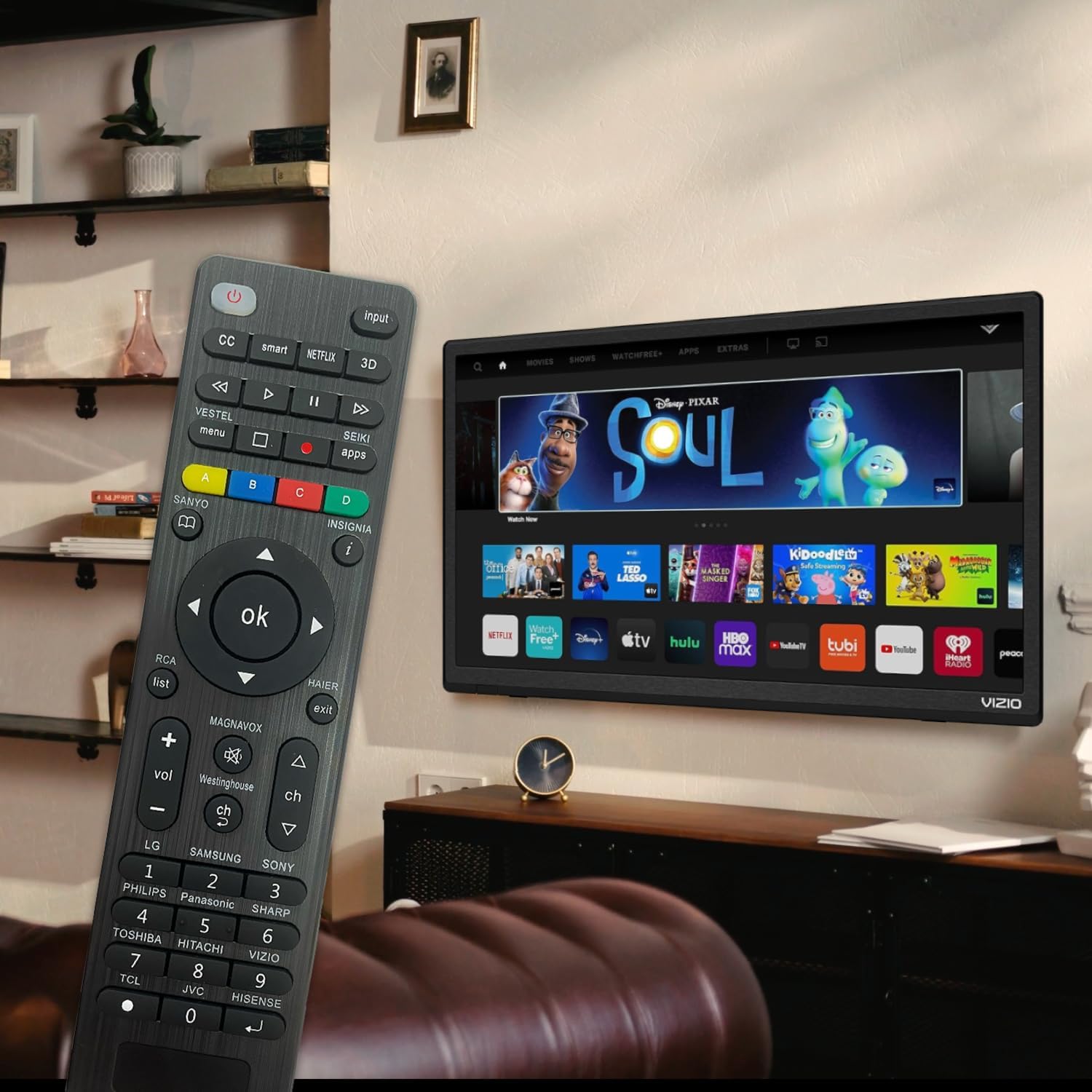
Figure 6: Remote in use with a Smart TV
4. Mantemento
- Limpeza: Empregue un pano suave e seco para limpar o mando a distancia. Non empregue produtos de limpeza líquidos nin materiais abrasivos, xa que poden danar a superficie ou os compoñentes internos.
- Substitución da batería: Replace batteries when the remote's response becomes sluggish or the LED indicator does not light up. Always replace both batteries at the same time with new AAA batteries. Do not mix old and new batteries or different types of batteries.
- Almacenamento: If the remote will not be used for an extended period, remove the batteries to prevent leakage and potential damage. Store the remote in a cool, dry place away from direct sunlight and extreme temperatures.
- Durabilidade: The remote features upgraded material with a metal dome added to the control buttons for enhanced flexibility and extended life. Avoid dropping the remote or exposing it to excessive force.
5 Solución de problemas
| Problema | Causa posible | Solución |
|---|---|---|
| O control remoto non funciona. | Batteries are dead or inserted incorrectly. Remote is not paired with the TV. Obstruction between remote and TV. | Check and replace batteries, ensuring correct polarity. Re-attempt Brand Setting or Code Setting. Ensure clear line of sight to TV's IR receiver. |
| Algúns botóns non funcionan. | Incorrect code or partial pairing. TV does not support certain functions. | Try a different code from the manual's code list. Verify if your TV model supports the specific function. |
| Remote is slow to respond. | Batería baixa. Interferencias. | Substitúa as pilas. Asegúrese de que non haxa fontes de luz fortes nin outros dispositivos de infravermellos. |
| LED indicator keeps lighting up during code setting. | Código introducido incorrecto. | Re-enter the correct 3 or 4-digit code from the manual's code list. |
| Cannot find my TV brand button. | Brand not listed on dedicated buttons. | Use the Code Setting Method (Section 2.2) with the provided code list. |
If issues persist, please refer to the original product packaging for customer support contact information or visit the manufacturer's websitio.
6. Especificacións
- Número de modelo: BVTVRemote-01
- Dimensións do produto: 1.38 x 0.6 x 6.5 polgadas
- Peso do artigo: 2.39 onzas
- Pilas necesarias: 2 x AAA (non incluído)
- Cor: Negro
- Característica especial: Programmable, Power-off Memory
- Número máximo de dispositivos compatibles: 3 (typically for TV, DVD/Blu-ray Player, though primarily designed for TV)
- Dispositivos compatibles: Television, DVD/Blu-ray Player (Universal compatibility with major TV brands)
- Fabricante: BoostVision
- País de orixe: China
7. Garantía e soporte
For warranty information, please refer to the documentation included with your purchase or contact the seller directly. This product is typically covered by a standard manufacturer's warranty against defects in materials and workmanship.
For technical support or further assistance, please contact BoostVision customer service through their official website or the contact details provided on the product packaging.
Vendedor: BoostVision TV Remote
Páxina de produtos de Amazon: https://www.amazon.com/dp/B0DHCZB2DT
Ask a question about this manual
Ask about setup, troubleshooting, compatibility, parts, safety, or missing instructions. Manuals+ will review the question and use this page’s manual context to help answer it.