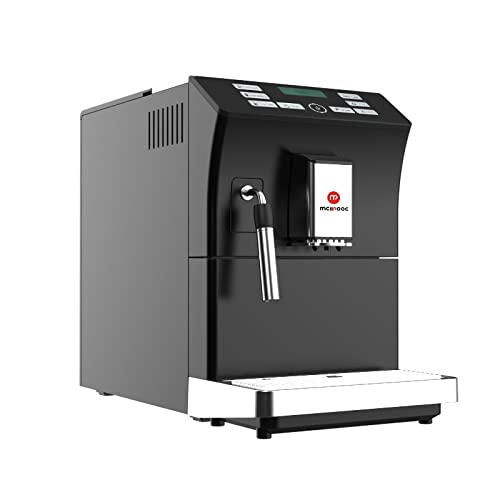
Mcilpoog WS-201 Automatic Espresso Machine User Manual
Model: WS-201 | Brand: Mcilpoog
1. Produto rematadoview
The Mcilpoog WS-201 is a fully automatic espresso machine designed for convenience and versatility. It supports both whole coffee beans and pre-ground coffee powder, offering a wide range of beverage options through its intuitive touch screen interface. Key features include an adjustable grinding thickness, automatic cleaning functions, and a manual steam wand for milk frothing.
Image 1: Product Features. This image highlights the main functionalities of the Mcilpoog WS-201, including the steam pipe, soy flour dual-purpose, adjustable brewing dose, bean/water shortage alarm, automatic cleaning, adjustable grinding thickness, and adjustable coffee outlet height.Image 2: Touch Screen Interface. Un primeiro plano view of the machine's full touch screen, showing various beverage options and control buttons for easy operation.
2. Components and Parts Diagram
Familiarize yourself with the various parts of your Mcilpoog WS-201 espresso machine.
Image 3: Product Parts Diagram. This diagram illustrates the main components of the WS-201 machine, including the Water Tank, Warm Cup area, Touch Screen, Water Pans, Manual Steam Pipe, Bean Box, Main Power Switch (Machine Back), Brewing Door, and Coffee Grounds Box.
Depósito de auga: Located at the side, holds water for brewing.
Warm Cup Area: Top surface for pre-warming cups.
Pantalla táctil: Front-facing display for selecting beverages and settings.
Water Pans: Collects excess water and drips.
Manual Steam Pipe: For frothing milk manually.
Bean Box: Compartimento superior para grans de café enteiros.
Interruptor principal de alimentación: Situado na parte traseira da máquina.
Brewing Door: Side access panel for the brewing unit.
Coffee Grounds Box: Recolle os posos de café usados.
3. Configuración
Desembalaxe: Carefully remove all packaging materials and protective films from the machine.
Colocación: Place the machine on a stable, flat surface away from heat sources and direct sunlight. Ensure adequate ventilation.
Depósito de auga: Remove the water tank, rinse it, and fill it with fresh, purified water up to the MAX level. Insert it back into the machine.
Bean Box: Open the lid of the bean box and fill it with your preferred whole coffee beans. Close the lid securely.
Conexión de alimentación: Enchufe o cable de alimentación a unha toma eléctrica conectada a terra.
Aclarado inicial: Acenda a máquina. Realizará un ciclo de enxague automático. Siga as instrucións que aparecen na pantalla.
Proba de dureza da auga: Perform a water hardness test using the provided strip (if included) and adjust the machine's settings accordingly for optimal performance and descaling reminders.
4. Instrucións de funcionamento
4.1. Preparación de café expreso
The machine offers various espresso options. Select your desired espresso type (e.g., Espresso, Double Espresso) from the touch screen. You can customize coffee strength and volume before brewing.
Image 4: Espresso Brewing. This image shows the machine dispensing a double espresso into a cup, demonstrating the brewing process.
4.2. Using Whole Beans or Ground Coffee
The Mcilpoog WS-201 supports both whole beans and pre-ground coffee. For whole beans, simply fill the bean box. For ground coffee, use the dedicated powder warehouse.
Image 5: Bean Tank and Powder Warehouse. This image displays the top compartments of the machine, showing the Bean Tank filled with whole coffee beans and the separate Powder Warehouse for pre-ground coffee.
Adjust the grinding thickness using the knob inside the bean box. Turn towards 'Fine' for high roast or cinnamon roast coffee beans, suitable for brewing fancy coffee. Turn towards 'Coarse' for full-city roast or high roast coffee beans, suitable for brewing black coffee.
4.3. Manual Milk Frothing
Utilize the manual steam pipe to froth milk for lattes, cappuccinos, or other milk-based beverages. Ensure the milk container is properly connected and the steam function is selected on the touch screen.
5. Mantemento
Un mantemento regular garante a lonxevidade e o rendemento óptimo da súa máquina de café expreso.
Limpeza automática: The machine features an auto-clean function. Follow the prompts on the touch screen to initiate cleaning cycles.
Emptying Coffee Grounds Box: Regularly empty the coffee grounds box to prevent overflow and maintain hygiene.
Cleaning Water Pans: Empty and clean the water pans as needed.
Descalcificación: The machine will indicate when descaling is required. Use a suitable descaling solution and follow the instructions in the service menu.
Brew Group Cleaning: The brewing unit can be removed for manual cleaning. Refer to the parts diagram for its location.
6 Solución de problemas
Se tes algún problema, consulta esta sección antes de contactar co servizo de asistencia.
Non se dispensa café: Check water tank level, coffee bean level, and ensure the brew group is correctly inserted.
Café débil: Adjust coffee strength settings, check grinding thickness (finer grind for stronger coffee), and ensure fresh beans are used.
A máquina non se acende: Verify power connection and check the main power switch at the back.
Mensaxes de erro: Follow on-screen instructions for specific error codes. Common issues include low water, full grounds box, or descaling required.
7. Especificacións
Característica
Detalle
Marca
Mcilpoog
Nome do modelo
WS-201
Cor
Negro
Dimensións do produto
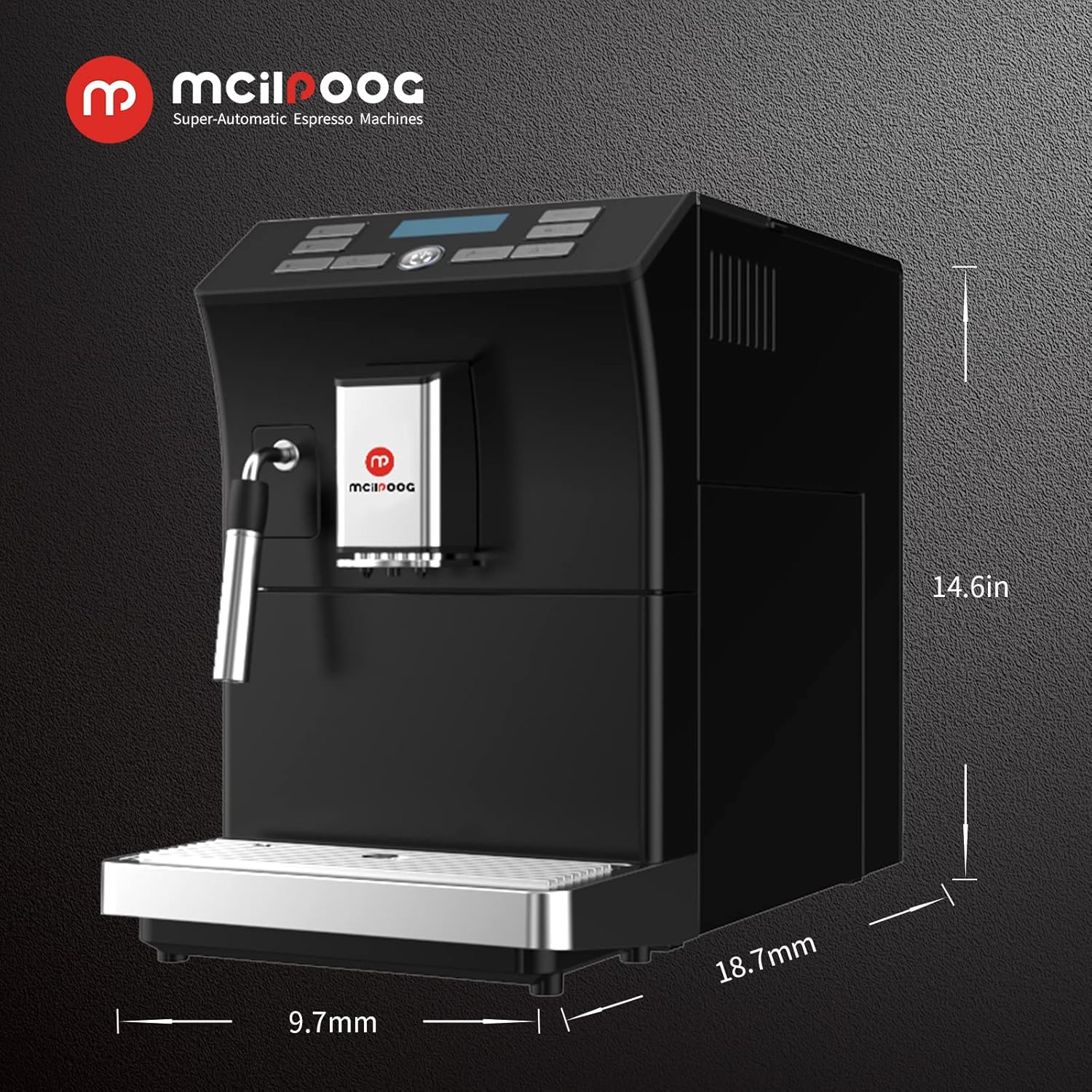
18.7" D x 9.7" W x 14.6" H
Peso do elemento
28 libras
Característica especial
Función de limpeza automática
Tipo de cafetera
Máquina espresso
Usos específicos do produto
Espresso
Compoñentes incluídos
Espumador de leite
Número de elementos
1
Capacidade
1.8 litros
Imaxe 6: Dimensións do produto. This image provides a visual representation of the machine's dimensions: 18.7 inches deep, 9.7 inches wide, and 14.6 inches high.
8. Garantía e soporte
For warranty information, technical support, or service inquiries, please refer to the documentation included with your product or contact Mcilpoog customer service directly. Keep your purchase receipt as proof of purchase.
Ask a question about this manual
Ask about setup, troubleshooting, compatibility, parts, safety, or missing instructions. Manuals+ will review the question and use this page’s manual context to help answer it.