1. Produto rematadoview
The V12 Black Tech Space Audio OWS In-Ear Bluetooth Headphones (Model: df52) are designed for an immersive audio experience with open-ear comfort. These headphones feature advanced noise cancellation and a stable Bluetooth connection, making them suitable for various activities including sports and travel.
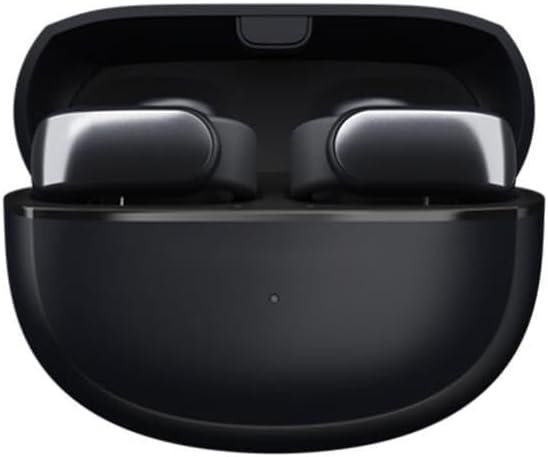
Figure 1: V12 Black Tech Space Audio OWS In-Ear Bluetooth Headphones in their charging case.
As características principais inclúen:
- HD Sound Quality: Utilizes V12 black technology spatial audio for a pure and realistic music experience.
- Cancelación intelixente de ruído: Effectively reduces external interference for clear audio and calls.
- Conexión sen fíos Bluetooth: Offers a transmission range of up to 10 meters for freedom of movement.
- Humanized Ear Clip Design: Provides comfortable and stable wear, suitable for extended use. Supports binaural stereo sound.
- Batería de longa duración: More than 8 hours of battery life on a single charge.

Figure 2: The ear clip design ensures a comfortable and secure fit for the headphones.
2. Que hai na caixa
Ao abrir o paquete, atoparás os seguintes elementos:
- V12 Black Tech Space Audio OWS In-Ear Bluetooth Headphones (1 pair)
- Estuche de carga
- Manual de usuario (este documento)
- Cable de carga USB
3. Configuración
3.1 Carga dos auriculares
Before first use, ensure the headphones and charging case are fully charged. Place the headphones into the charging case and connect the USB charging cable to the case and a power source. The indicator light on the case will show charging status and turn off when fully charged.
3.2 Emparellamento cun dispositivo Bluetooth
- Asegúrate de que os auriculares estean cargados e dentro da caixa de carga.
- Open the charging case. The headphones will automatically enter pairing mode, indicated by a flashing light (refer to specific light patterns in the quick start guide if available).
- No teu dispositivo (teléfono intelixente, tableta, ordenador), activa o Bluetooth.
- Busca available Bluetooth devices. Select "V12 Headphones" or similar name from the list.
- Once connected, the indicator light on the headphones will change (e.g., solid blue) and a voice prompt may confirm successful pairing.
Os auriculares volverán conectarse automaticamente ao último dispositivo emparellado ao sacalos da funda, se o Bluetooth está activado no dispositivo.
4. Instrucións de funcionamento
4.1 Encendido/apagado
- Encendido: Open the charging case, and the headphones will power on automatically.
- Apagado: Volve colocar os auriculares na caixa de carga e pecha a tapa. Apagaranse automaticamente.
4.2 Reprodución de música
The headphones feature touch controls for music management. Specific gestures may vary, but common controls include:
- Reproducir/Pausa: Toca un só auricular en calquera dos auriculares.
- Próxima pista: Toca dúas veces no auricular dereito.
- Pista anterior: Toca dúas veces no auricular esquerdo.
- Control de volume: As per specifications, volume control is available. Refer to your device's volume settings or specific headphone gestures if available (not detailed in product info).
4.3 Xestión de chamadas
Manage calls with simple touch gestures:
- Responder/Finalizar chamada: Toca un só auricular en calquera dos auriculares.
- Rexeitar a chamada: Mantén premido calquera dos auriculares durante 2 segundos.

Figure 3: The headphones offer HD call quality with intelligent noise reduction for clear communication.
4.4 Cancelación de ruído
The headphones feature intelligent noise cancellation technology to reduce ambient sounds. This feature is automatically active during use to enhance your listening and call experience.
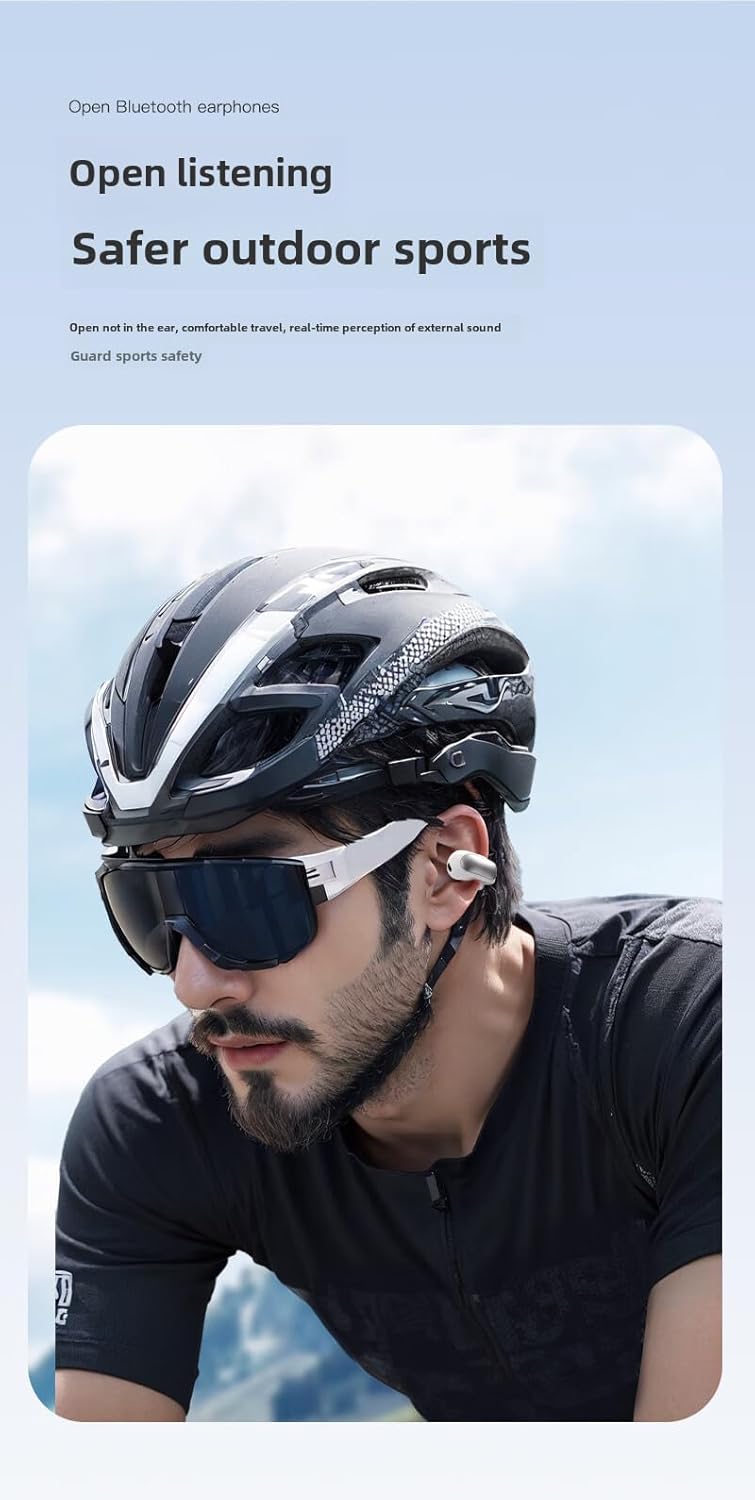
Figure 4: The open-ear design allows for awareness of surroundings, enhancing safety during outdoor activities.
5. Mantemento e coidados
- Limpeza: Usa un pano suave, seco e sen pelusa para limpar os auriculares e a caixa de carga. Non empregues produtos de limpeza abrasivos nin disolventes.
- Resistencia á auga: Please note that these headphones are Non resistente á auga as per product specifications. Avoid exposure to water, rain, sweat, or high humidity to prevent damage.
- Almacenamento: Cando non os uses, garda os auriculares na súa funda de carga para protexelos do po e dos danos. Garda nun lugar fresco e seco.
- Coidado da batería: Para prolongar a duración da batería, evite descargar completamente os auriculares con frecuencia. Cárgueos regularmente, mesmo se non os usa de forma constante.

Figure 5: The headphones are constructed from durable PC+ABS material. While the image may depict water, please note the product specifications indicate these headphones are Non resistente á auga.
6 Solución de problemas
| Problema | Posible Solución |
|---|---|
| Os auriculares non se acenden. | Asegúrate de que os auriculares estean cargados. Colócaos no estoxo de carga e conecta o estoxo a unha fonte de alimentación. |
| Non se pode emparellar co dispositivo. |
|
| Sen son ou volume baixo. |
|
| Headphones disconnect frequently. |
|
7. Especificacións
| Característica | Detalle |
|---|---|
| Nome do modelo | Auriculares |
| Número de modelo do artigo | df52 |
| Marca | Xenérico |
| Tecnoloxía de conectividade | Sen fíos |
| Tecnoloxía de comunicación sen fíos | Bluetooth |
| Versión Bluetooth | 5.0 |
| Alcance Bluetooth | 10 metros |
| Duración da batería | Máis de 8 horas |
| Colocación do oído | On Ear (Ear Clip Type) |
| Material | Policarbonato (PC), acrilonitrilo butadieno estireno (ABS) |
| Cor | Negro |
| Tipo de control | Control de volume, mando a distancia |
| Nivel de resistencia á auga | Non resistente á auga |
| Usos recomendados | Travel, Exercising, Sport |

Figure 6: Internal components and features, including the Bluetooth chip and sound technology.

Figura 7: detallada view of the 12mm moving ring speaker and sound enhancement technology.

Figure 8: The headphones are available in classic two-tone designs (black and white options shown).
8. Garantía e soporte
Specific warranty information for this product is not provided in the available data. For warranty claims or technical support, please refer to the contact information provided by your retailer or the manufacturer's official websitio.
Garda sempre o comprobante de compra para calquera consulta relacionada coa garantía.

