
Introdución
Thank you for choosing the SUNITEC BH880 Wireless Headset. This manual provides detailed instructions for setting up, operating, and maintaining your headset to ensure optimal performance and longevity. The BH880 headset is designed for clear communication and comfortable use in various environments, featuring advanced noise-cancelling technology and multiple connectivity options.

Image: SUNITEC BH880 Wireless Headset, showcasing its design with an adjustable microphone boom.
O que hai na caixa
Verifica que todos os elementos estean presentes no paquete:
- 1 x SUNITEC BH880 Bluetooth Computer Headset with Microphone
- 1 x cable de carga tipo C
- 1 x Bluetooth Audio USB-A Dongle Adapter
- 1 cable de audio de 3.5 mm
- 1 x Manual de usuario (este documento)

Image: The SUNITEC BH880 headset, USB-C charging cable, USB-A dongle, and 3.5mm audio cable, illustrating the package contents.
Produto rematadoview
Familiarize yourself with the components and controls of your SUNITEC BH880 headset.
Características principais:
- AI Noise Cancelling Microphone: Blocks 99% of ambient noise for clear voice transmission.
- Chipset Qualcomm QCC3034: Provides stable and fast Bluetooth transmission with aptX HD and aptX LL support.
- Deseño cómodo: Soft dual ear pads and an adjustable headband for extended wear.
- 270° Rotatable Boom Microphone: Can be positioned on either the left or right side.
- Batería de longa duración: Ata 45 horas de conversación cunha soa carga.
- Conectividade múltiple: Bluetooth, USB Dongle, and 3.5mm wired connection.

Image: Close-up of the memory foam earpads, highlighting the comfort feature of the headset.

Image: Detail of the individual mute button located on the microphone boom.

Imaxe: Unha interna view highlighting the Qualcomm QCC3034 chipset, responsible for stable and fast connections.
Configuración
1. Cargando os auriculares
Before first use, fully charge the headset. Connect the Type-C charging cable to the headset's charging port and the other end to a USB power source (e.g., computer USB port, wall adapter). The LED indicator will show charging status. A full charge takes approximately 2 hours and provides up to 45 hours of talk time or 400 hours of standby time.
2. Acendido/apagado
- Encendido: Manteña premido o botón de acendido durante uns segundos ata que o indicador LED se acenda.
- Apagado: Manteña premido o botón de acendido/apagado durante uns segundos ata que o indicador LED se apague.
3. Opcións de conectividade
The SUNITEC BH880 offers three ways to connect to your devices:
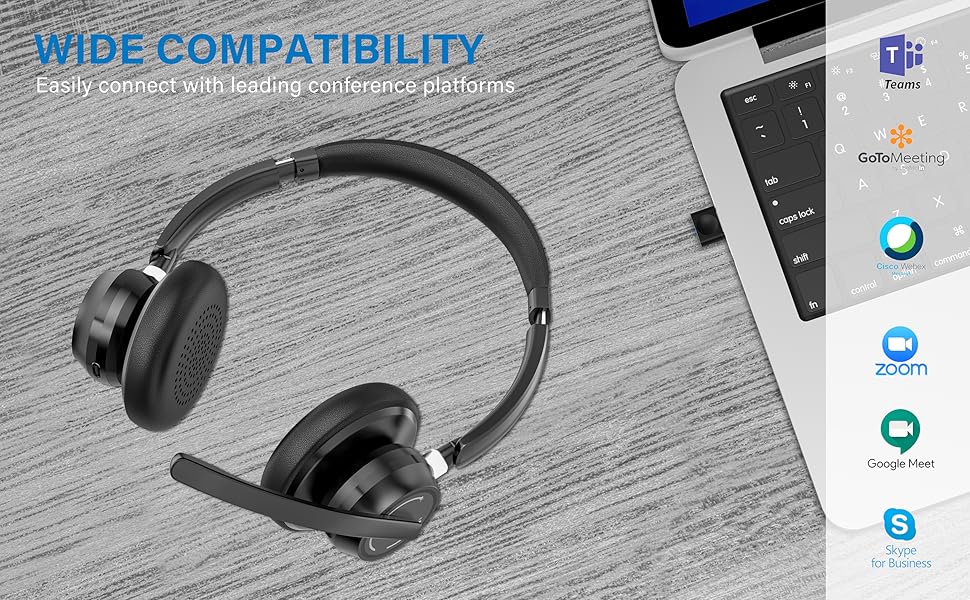
Image: Visual representation of Bluetooth, USB Dongle, and Wired connection methods for the headset.
Conexión Bluetooth:
- Asegúrese de que os auriculares están apagados.
- Manteña premido o botón de acendido/apagado ata que o indicador LED parpadee en azul e vermello alternativamente, o que indica o modo de emparellamento.
- No teu dispositivo (teléfono intelixente, tableta, ordenador), activa o Bluetooth e busca novos dispositivos.
- Select "SUNITEC BH880" from the list of available devices.
- Unha vez conectado, o indicador LED parpadeará azul lentamente.
Conexión do dongle USB:
This method is ideal for computers without built-in Bluetooth or for a more stable connection.
- Plug the USB-A Dongle Adapter into an available USB port on your computer.
- Power on the SUNITEC BH880 headset. It will automatically attempt to connect to the dongle.
- The LED indicator on the dongle and headset will show a solid blue light once connected.
- You may need to select the "SUNITEC BH880" as the audio input/output device in your computer's sound settings.

Image: A USB dongle being inserted into a laptop's USB port, demonstrating the dongle connection method.
Conexión por cable:
Use the included 3.5mm audio cable to connect the headset directly to devices with a 3.5mm audio jack. Note that the microphone function is not available when using the 3.5mm wired connection; the headset will function as headphones only.

Image: The headset shown with logos of popular communication platforms like Teams, Zoom, Google Meet, and Skype, indicating wide compatibility.
Instrucións de funcionamento
Funcións básicas:
- Subir/Baixar o volume: Use the dedicated volume buttons on the earcup.
- Reproducir/Pausa: Prema o botón multifunción unha vez.
- Próxima pista: Manteña premido o botón Subir volume.
- Pista anterior: Manteña premido o botón para baixar o volume.
Funcións de chamada:
- Responder/Finalizar chamada: Prema o botón multifunción unha vez.
- Rexeitar a chamada: Manteña premido o botón multifunción durante 2 segundos.
- Volver a marcar o último número: Prema dúas veces o botón multifunción.
Función de silencio do micrófono:
The headset features an individual mute button on the microphone boom for quick privacy control.
- Silenciar/Activar o silencio: Press the mute button on the microphone boom. The LED indicator on the microphone will show red when muted.
- Nota: For PC platforms, microphone mute functionality may also be controlled via the software application (e.g., Zoom, Teams).
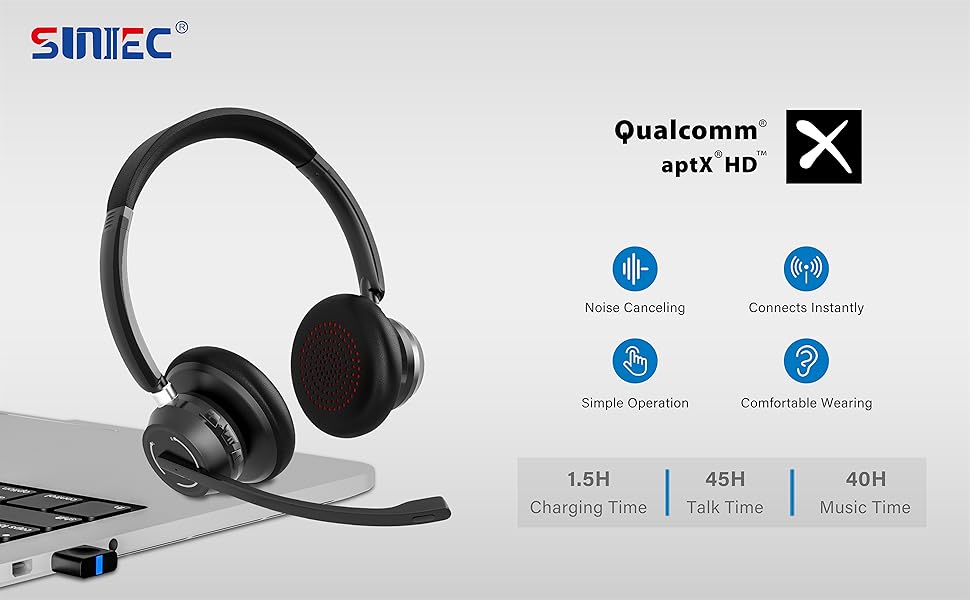
Image: A graphic demonstrating how the noise-cancelling microphone filters out background noise for clearer audio output.
Mantemento
Proper care ensures the longevity of your SUNITEC BH880 headset.
- Limpeza: Usa un pano suave e seco para limpar os auriculares. Non empregues produtos de limpeza abrasivos nin disolventes.
- Almacenamento: Garde os auriculares nun lugar fresco e seco, lonxe da luz solar directa e de temperaturas extremas.
- Coidado da batería: Para aforrar batería, evite descargar completamente os auriculares con frecuencia. Cárgueos regularmente, mesmo se non os usa durante períodos prolongados.
- Evitar a humidade: The headset is not water-resistant. Keep it away from liquids and high humidity.
Resolución de problemas
If you encounter issues with your SUNITEC BH880 headset, refer to the following common solutions:
| Problema | Solución |
|---|---|
| Os auriculares non se acende. | Ensure the headset is charged. Connect it to a power source using the Type-C cable. |
| Non se pode emparellar por Bluetooth. |
|
| Sen son ou mala calidade de son. |
|
| O micrófono non funciona. |
|
| USB Dongle not connecting. |
|
Especificacións
| Característica | Detalle |
|---|---|
| Nome do modelo | BH880 |
| Tecnoloxía de conectividade | Wireless (Bluetooth), Wired (3.5mm), USB Dongle |
| Tecnoloxía de comunicación sen fíos | Bluetooth 5.1 |
| Alcance Bluetooth | Ata 15 metros (49 pés) |
| Control de ruído | Adaptive Noise Cancellation (Microphone) |
| Tamaño do controlador de audio | 40 milímetros |
| Tipo de controlador de audio | Driver dinámico |
| Impedancia | 32 ohmios |
| Forma do auricular | Sobre orella |
| Duración da batería (tempo de conversa) | Ata 45 horas |
| Tempo de carga | Approximately 2 Hours (Type-C) |
| Peso do elemento | 280 gramos (9.9 onzas) |
| Dimensións do produto | 5.91 x 3.94 x 1.96 polgadas |
| Material | Plástico |
| Dispositivos compatibles | Computers, Communication Software (Skype, Zoom, MS Teams, Google Meet) |
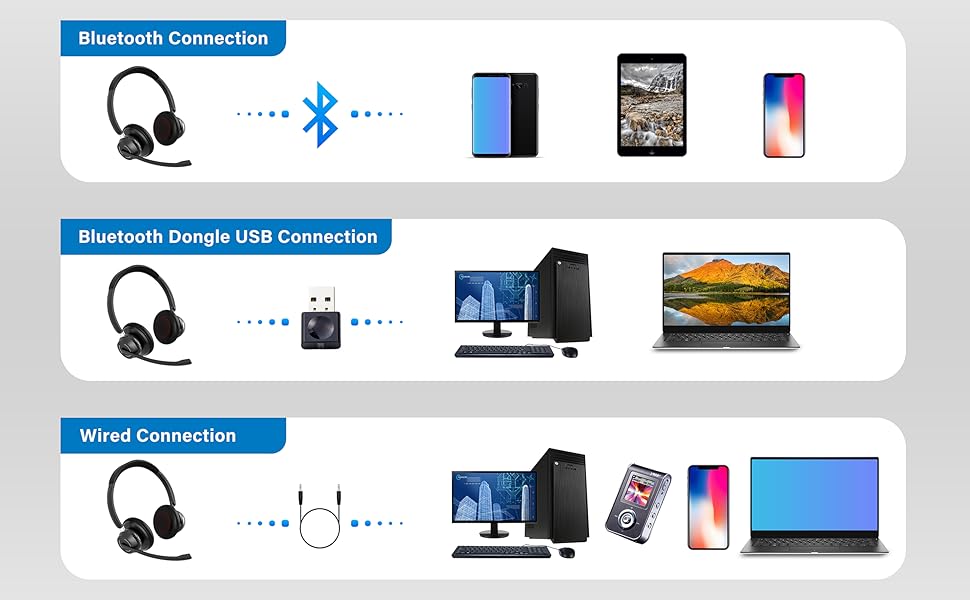
Image: An illustration highlighting the headset's battery performance, indicating up to 45 hours of wireless talk time.
Garantía e Soporte
SUNITEC products are designed for reliability and performance. For warranty information or technical support, please refer to the contact details provided with your purchase or visit the official SUNITEC websitio. Garde o recibo da compra como xustificante de compra para reclamacións de garantía.
For further assistance, you may contact SUNITEC customer service through their official channels.