
Vieta Pro VHP-NC510LB
Vieta Pro Calm 2 Headband Headphones User Manual
Model: VHP-NC510LB
Introdución
Thank you for choosing the Vieta Pro Calm 2 Headband Headphones. These headphones are designed to provide a superior audio experience with advanced features such as Bluetooth 5.4 connectivity, hybrid active noise cancellation, dual pairing, and an impressive 60-hour battery life. This manual will guide you through the setup, operation, and maintenance of your new headphones.

Image: Vieta Pro Calm 2 Headband Headphones in blue, showcasing o seu elegante deseño.
Información de seguridade
- Evite escoitar durante moito tempo a niveis de volume altos para evitar danos auditivos.
- Do not use the headphones in situations where inability to hear ambient sounds could be dangerous (e.g., while driving, cycling, or walking in traffic).
- Keep the headphones away from water and moisture. This product is not water resistant.
- Non intente desmontar nin modificar os auriculares. Isto podería anular a garantía e causar danos.
- Empregue só os cables de carga fornecidos ou certificados.
Contido do paquete
Marque a caixa para os seguintes elementos:
- Vieta Pro Calm 2 Headband Headphones
- Manual de usuario
- Cable de carga (USB-C)
- Audio Cable (3.5mm Jack)
- Ear Pads (pre-installed)
Produto rematadoview
Familiarize yourself with the various components and features of your Vieta Pro Calm 2 headphones.

Imaxe: Máis deview of Vieta Pro Calm 2 headphones highlighting key features such as Bluetooth 5.4, 60-hour battery, low latency mode, USB-C, hybrid ANC, transparency mode, dual connection, custom EQ, foldable design, wired microphone, Hi-Res audio, and auxiliary input.
The headphones feature an adjustable headband for a perfect fit and ultra-comfortable ear pads for extended listening sessions. They also boast a double-folding design for easy portability.

Image: A person wearing the Vieta Pro Calm 2 headphones, demonstrating their comfortable and perfect fit.

Image: The Vieta Pro Calm 2 headphones in their double-folded configuration, highlighting their portability.
Configuración
1. Carga dos auriculares
Antes do primeiro uso, carga completamente os auriculares.
- Conecta o cable de carga USB-C fornecido ao porto de carga dos auriculares.
- Conecta o outro extremo do cable a un adaptador de corrente USB (non incluído) ou ao porto USB dun ordenador.
- The LED indicator will show the charging status. A full charge provides up to 60 hours of playback.
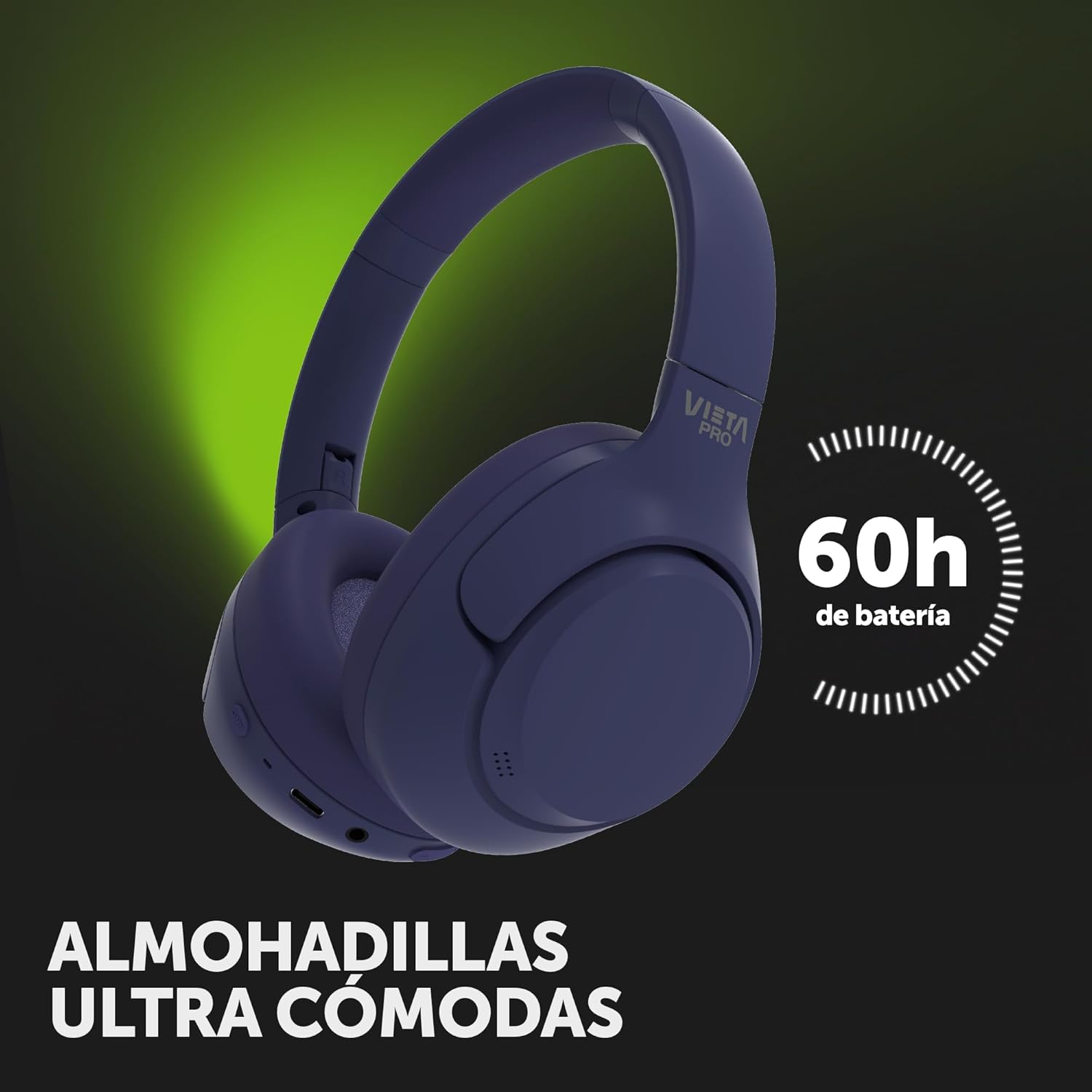
Image: Vieta Pro Calm 2 headphones with an overlay indicating their impressive 60-hour battery life.
2. Acendido/apagado
- To power on, press and hold the Power button until the LED indicator lights up.
- To power off, press and hold the Power button until the LED indicator turns off.
3. Emparellamento Bluetooth
The Calm 2 headphones utilize Bluetooth 5.4 for a stable and efficient wireless connection.
- Asegúrese de que os auriculares estean apagados.
- Manteña premido o botón de acendido/apagado durante aproximadamente 5 segundos ata que o indicador LED parpadee en azul e vermello, indicando o modo de emparellamento.
- On your device (smartphone, tablet, computer), enable Bluetooth and search for "Vieta Pro Calm 2" in the list of available devices.
- Select "Vieta Pro Calm 2" to connect. The LED indicator will turn solid blue once connected.
4. Dual Pairing Function
The dual pairing feature allows you to connect to two devices simultaneously and switch between them seamlessly.
- Emparella os auriculares co teu primeiro dispositivo como se describe arriba.
- Desactiva o Bluetooth no primeiro dispositivo. Os auriculares volverán entrar no modo de emparellamento.
- Pair the headphones with your second device.
- Volve activar o Bluetooth no primeiro dispositivo. Os auriculares deberían conectarse automaticamente aos dous dispositivos.
- To switch between devices, simply pause playback on the current device and start playback on the other.
5. Wired Connection (Aux-in)
For a wired connection or when the battery is depleted, use the 3.5mm audio cable.
- Conecta un extremo do cable de audio de 3.5 mm ao porto Aux-in dos auriculares.
- Connect the other end to the 3.5mm audio jack of your audio source.
- Os auriculares cambiarán automaticamente ao modo con fío.
En funcionamento
1. Controis
The headphones feature intuitive controls for managing your audio and calls.
| Botón/Acción | Función |
|---|---|
| Botón de encendido (presión prolongada) | Acender/Apagar, Acceder ao modo de emparellamento |
| Subir volume (+) | Aumentar o volume |
| Baixar volume (-) | Diminuír o volume |
| Botón multifunción (premer unha soa vez) | Reproducir/Pausar, Responder/Finalizar chamada |
| Botón multifunción (premer dúas veces) | Próxima pista |
| Botón multifunción (tripla pulsación) | Pista anterior |
| Botón ANC (premsión única) | Cycle ANC On / Transparency Mode / ANC Off |
2. Cancelación activa de ruído (ANC) e modo de transparencia
The hybrid active noise cancellation feature reduces ambient noise by up to -40 dB, providing an immersive listening experience. Transparency mode allows you to hear your surroundings without removing the headphones.
- Press the dedicated ANC button to cycle through the modes: ANC On, Transparency Mode, and ANC Off.
3. Modo de xogo de baixa latencia
Optimize your gaming experience with low latency mode, ensuring precise audio synchronization with on-screen action.
- Activate this mode via the Vieta Pro Audio app for reduced audio delay during gaming.
4. Aplicación de son profesional Vieta
Enhance your listening experience by downloading the Vieta Pro Audio app. The app allows for personalized audio settings, custom equalization (EQ), and firmware updates.

Image: Screenshot of the Vieta Pro Audio app, showing options for EQ adjustment, device finding, and game mode.
- Descarga a aplicación "Vieta Pro Audio" desde a tenda de aplicacións do teu dispositivo.
- Connect your headphones to your device via Bluetooth.
- Open the app to access advanced settings and features.
Mantemento
1. Limpeza
- Limpe os auriculares cun pano suave, seco e sen fiapos.
- Non empregue produtos de limpeza abrasivos, alcol nin disolventes químicos.
- The ear pads can be gently wiped with a slightly damp cloth and mild soap solution, then dried thoroughly.
2. Almacenamento
- Garde os auriculares nun lugar fresco e seco, lonxe da luz solar directa e de temperaturas extremas.
- When not in use for extended periods, it is recommended to fully charge the headphones every few months to preserve battery health.
- Utilize the double-folding design for compact storage.
Resolución de problemas
If you encounter issues with your Vieta Pro Calm 2 headphones, refer to the following common problems and solutions.
| Problema | Posible Solución |
|---|---|
| Os auriculares non se acenden. | Asegúrate de que os auriculares estean completamente cargados. Conéctaos a unha fonte de alimentación mediante o cable USB-C. |
| Non se pode emparellar por Bluetooth. |
|
| Sen son ou son intermitente. |
|
| O ANC non é eficaz. |
|
| Issues with Dual Pairing (e.g., sound dropouts when switching). |
|
Especificacións
| Característica | Detalle |
|---|---|
| Nome do modelo | Calma 2 |
| Número de modelo | VHP-NC510LB |
| Tecnoloxía de conectividade | Sen fíos (Bluetooth 5.4) |
| Conector para auriculares | Jack de 3.5 mm |
| Colocación do oído | Over-ear (Circumaural) |
| Control de ruído | Cancelación de ruído híbrida |
| Impedancia | 32 ohmios |
| Rango de frecuencias | 20 Hz - 40,000 Hz |
| Material | Plástico |
| Dispositivos compatibles | Laptop, Game Consoles, Desktop Computer, Phones |
| Nivel de resistencia á auga | Non resistente á auga |
| Duración media da batería | Ata 60 horas |
| Peso do produto | 470 g |
| Dimensións (paquete) | 21 x 18.5 x 6 cm |
Garantía e Soporte
Vieta Pro products are designed with quality and reliability in mind. For specific warranty details and support, please refer to the warranty card included in your package or visit the official Vieta Pro websitio.
As a product from a small business brand, your purchase supports independent innovation and quality craftsmanship.
Para obter máis axuda, podes contactar co servizo de atención ao cliente de Vieta Pro a través das súas canles oficiais.
Ask a question about this manual
Ask about setup, troubleshooting, compatibility, parts, safety, or missing instructions. Manuals+ will review the question and use this page’s manual context to help answer it.