
FINGERTIME Roam
FINGERTIME Retro Headphones
Manual de usuario
Modelo: Roam
Introdución
Thank you for choosing FINGERTIME Retro Headphones. These on-ear headphones combine a classic aesthetic with modern technology, featuring Hybrid Active Noise Cancelling, Bluetooth V5.4 connectivity, and an impressive battery life of up to 60 hours. Designed for comfort and superior audio, they include a built-in microphone for seamless calls and support multi-device connection. This manual provides detailed instructions to help you get the most out of your new headphones.

Image: The FINGERTIME Retro Headphones, showcasing their on-ear design and blue color.
O que hai na caixa
Your FINGERTIME Retro Headphones package includes the following items:
- FINGERTIME Retro Headphones (Roam)
- Cable de carga
- Manual de usuario
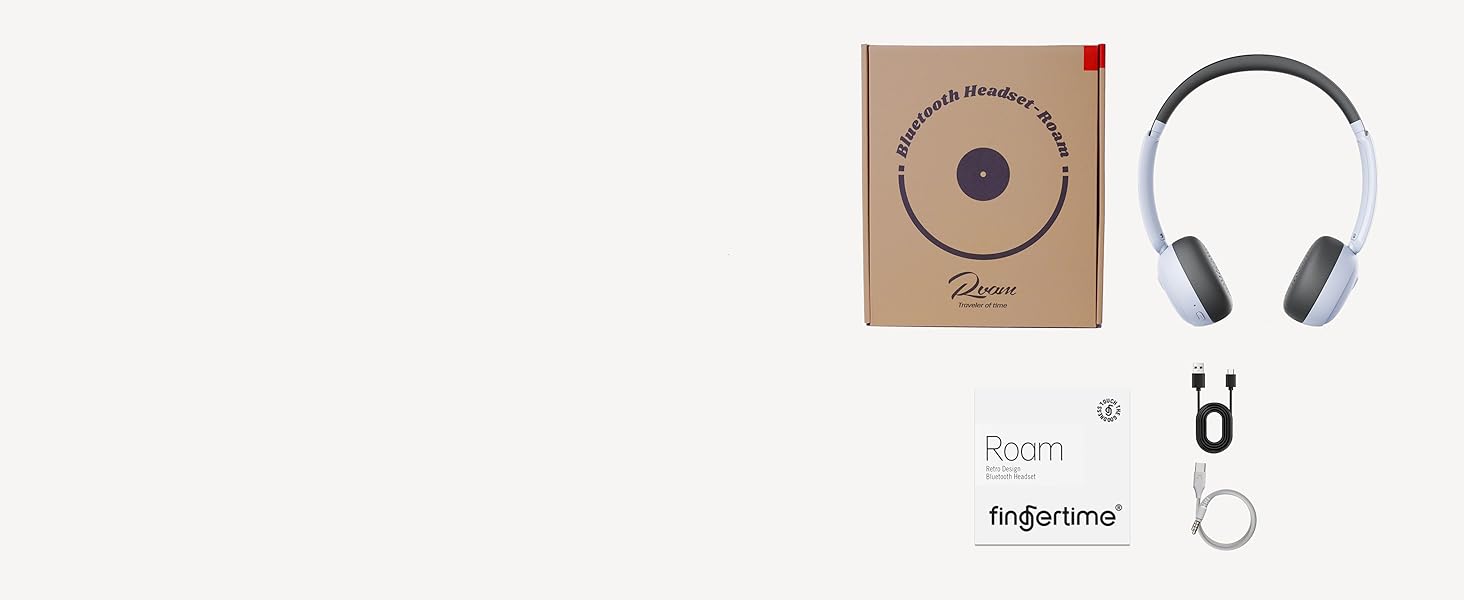
Image: A visual representation of the items included in the product packaging: the headphones, a charging cable, and the user manual.
Produto rematadoview
Familiarize yourself with the various components and controls of your headphones:
- Arcadas: Ultra-soft protein leather earcups for comfort.
- Diadema: Adjustable for different head shapes.
- Rotating Earcups: Multi-angle rotation for a customized fit.
- Botóns de control: Located on the earcups for power, volume, and noise reduction.
- Porto de carga: Para recargar a batería interna.
- Micrófono: Integrado para chamadas.
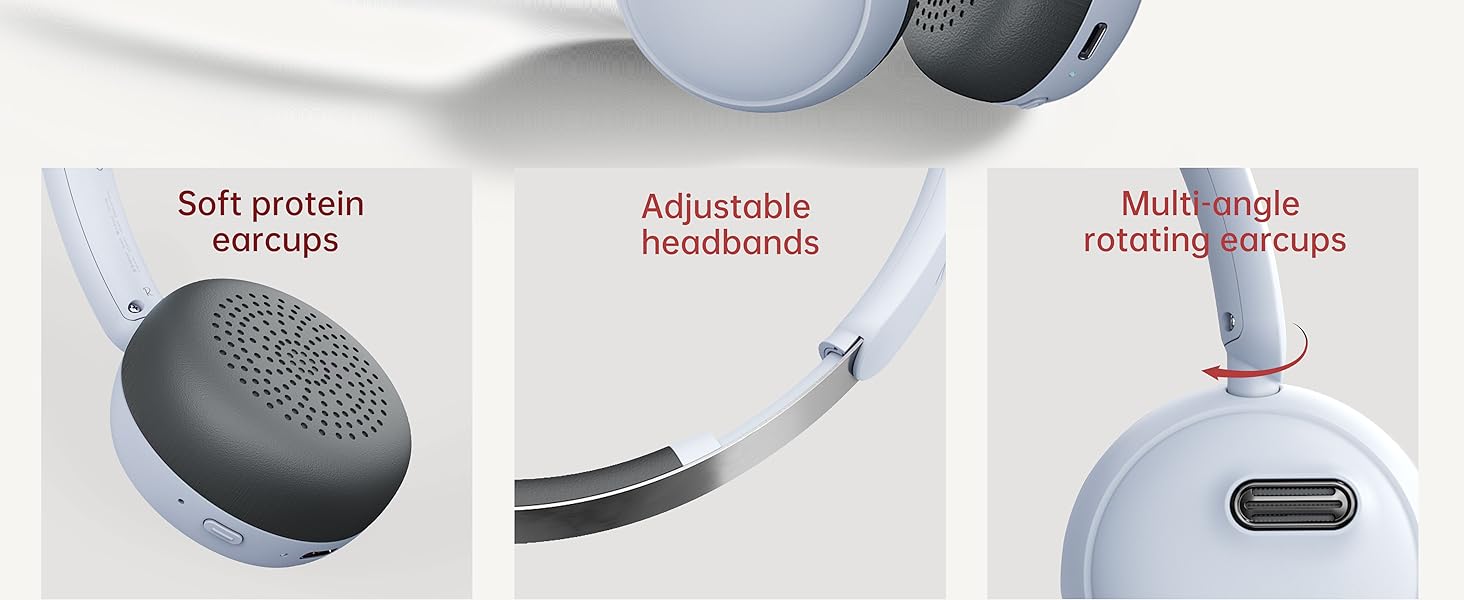
Imaxe: Detallada view of the headphone's comfort features, including soft earcups, adjustable headband, and rotating earcups.
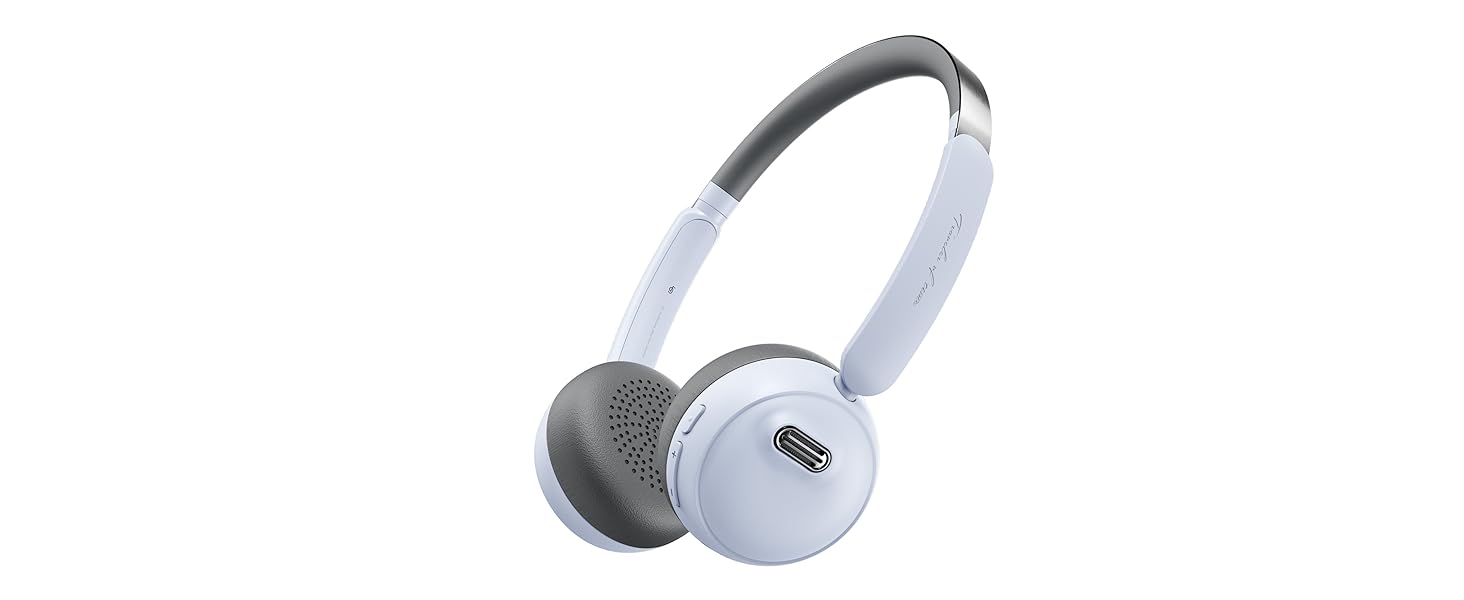
Image: An illustration detailing the functions of the power, volume, and noise reduction buttons on the headphones.
Configuración
Cargando os auriculares
Before first use, fully charge your headphones. Connect the provided charging cable to the charging port on the headphones and the other end to a USB power source. The indicator light will show charging status and turn off when fully charged. A full charge provides up to 60 hours of playtime.
Emparejamento Bluetooth
- Asegúrese de que os auriculares estean apagados.
- Press and hold the Power button for 3 seconds until the indicator light flashes, indicating pairing mode.
- No teu dispositivo (teléfono intelixente, tableta, ordenador), activa o Bluetooth e busca os dispositivos dispoñibles.
- Select "FINGERTIME Roam" from the list of devices.
- Unha vez conectado, o indicador luminoso deixará de parpadear.
The headphones utilize Bluetooth V5.4 technology for a stable and efficient connection.
Conexión multipunto
Your FINGERTIME Retro Headphones can connect to two devices simultaneously. After pairing with the first device, disable Bluetooth on that device. Then, pair with the second device. Once the second device is paired, re-enable Bluetooth on the first device. The headphones will automatically connect to both, allowing seamless switching between audio sources.
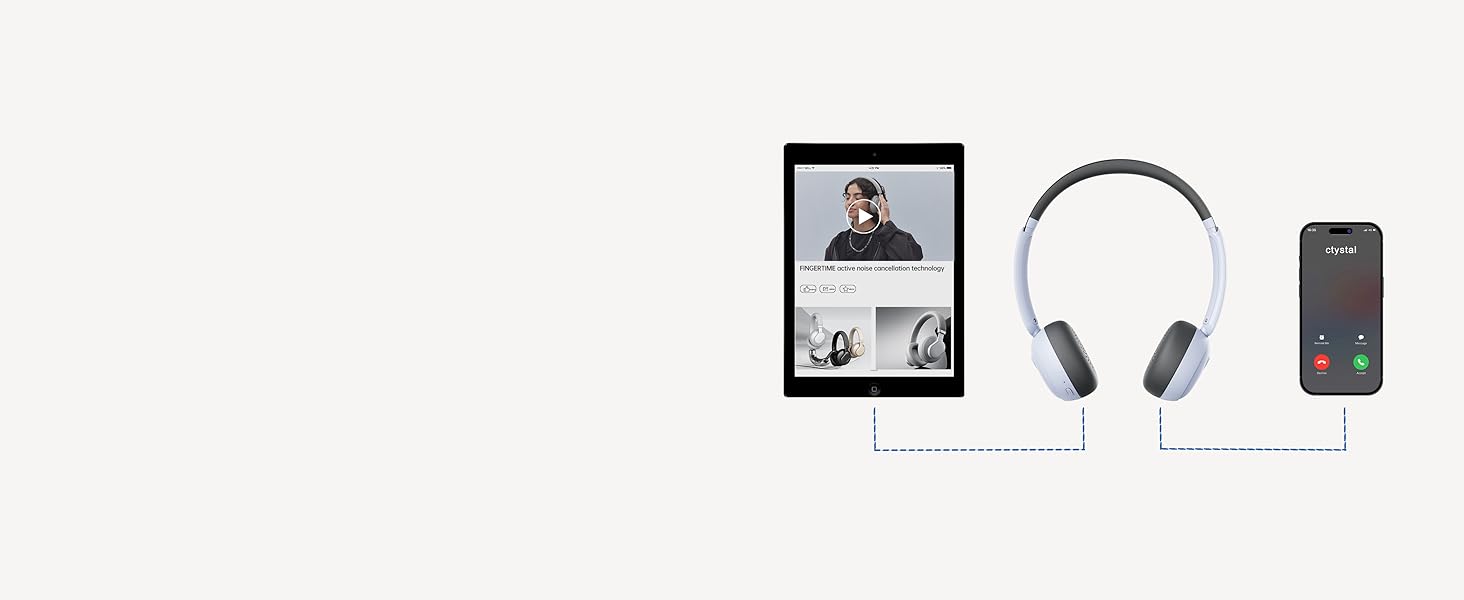
Image: A visual guide demonstrating how the headphones can maintain a connection with two devices, such as a tablet and a smartphone, simultaneously.
En funcionamento
Controis básicos
- Botón de encendido:
- Click: Pause/Play audio
- Double click: Answer/Hang up calls
- Triple click: Wake up voice assistant
- Long press for 3s: Switch on and off
- Botóns de volume (+/-):
- Click: Adjust volume up/down
- Long press "+": Next track
- Long press "-": Previous track
- Botón de redución de ruído:
- Click: Turn on/off ANC mode
Cancelación activa de ruído (ANC)
The Hybrid Active Noise Cancelling feature reduces ambient noise, providing a purer listening experience. Press the Noise Reduction button to toggle ANC on or off. This allows you to immerse yourself in your music or calls without distractions.

Image: A user demonstrating the comfortable fit and noise-cancelling capability of the headphones.
Fingertime App Integration
Enhance your audio experience by connecting your headphones to the Fingertime App. The app allows you to:
- Select different noise cancellation modes.
- Choose from 7 EQ presets or customize your own sound profile.
- Relax with various white noise sounds.
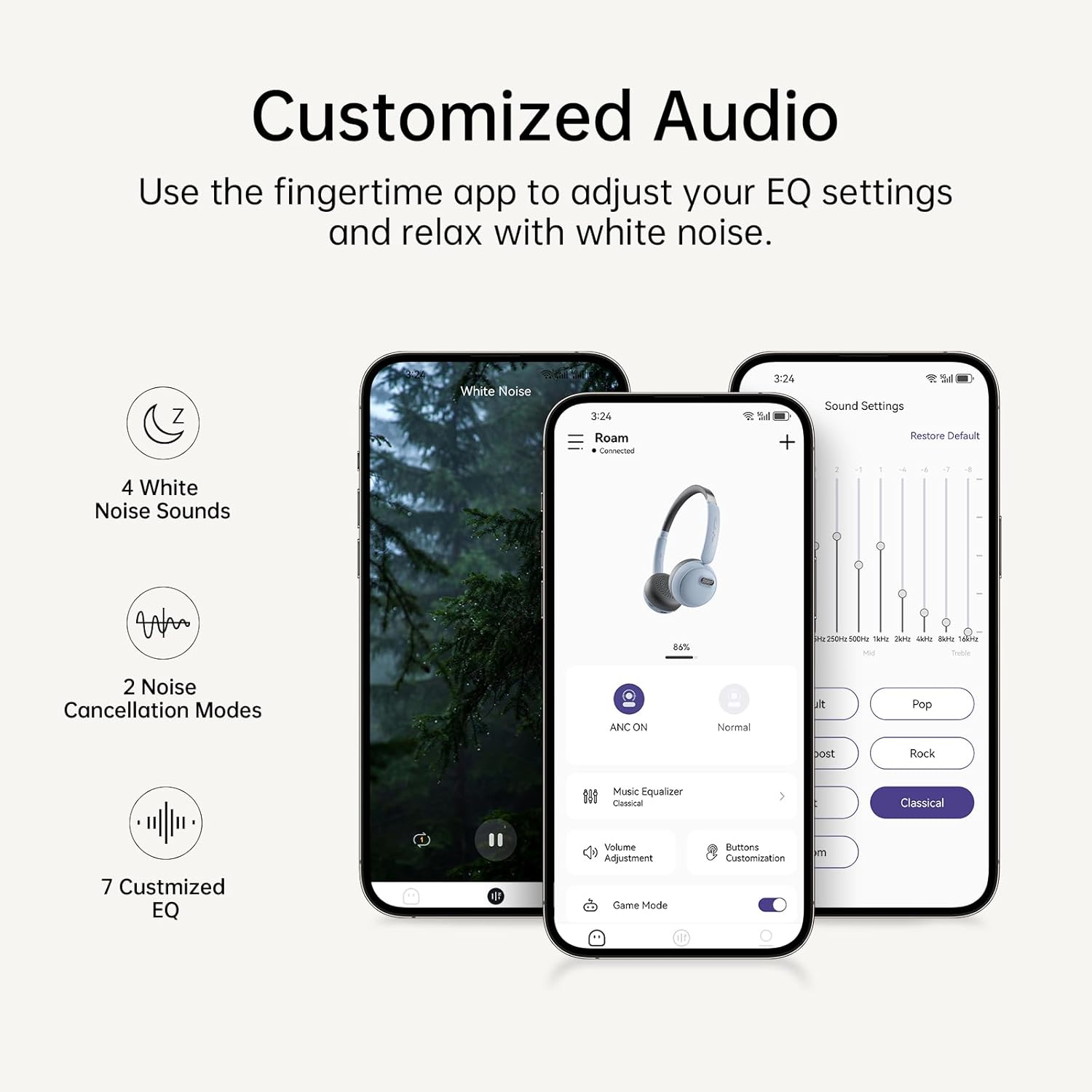
Image: The Fingertime app interface, displaying options for white noise, noise cancellation modes, and customizable EQ settings.
Mantemento
To ensure the longevity and optimal performance of your FINGERTIME Retro Headphones, follow these maintenance guidelines:
- Limpeza: Use a soft, dry cloth to wipe the headphones. For the earcups, a slightly damp cloth can be used, but ensure no moisture enters the speaker grilles or charging port. Avoid harsh chemicals or abrasive materials.
- Almacenamento: Store the headphones in a cool, dry place away from direct sunlight and extreme temperatures. When not in use for extended periods, ensure they are fully charged to preserve battery health.
- Manexo: Handle the headphones gently. Avoid dropping them or exposing them to excessive force, which can damage internal components or the retro design elements.
Resolución de problemas
Se tes algún problema cos teus auriculares, consulta os seguintes problemas e solucións comúns:
| Problema | Causa posible | Solución |
|---|---|---|
| Os auriculares non se acenderán | Batería baixa | Cargue os auriculares completamente. |
| Non se pode emparellar co dispositivo | Auriculares sen modo de emparellamento; Bluetooth do dispositivo desactivado; Interferencia | Ensure headphones are in pairing mode (flashing light). Turn Bluetooth off/on on your device. Move closer to the device. Forget previous pairings on your device and try again. |
| Sen son nin baixo volume | Volume too low; Not connected; Incorrect audio output | Increase volume on both headphones and device. Ensure headphones are properly connected. Check device's audio output settings. |
| ANC non funciona eficazmente | ANC is off; Improper fit | Press the Noise Reduction button to activate ANC. Adjust headphones for a snug fit over your ears. |
| Headphones slide off head | Axuste inadecuado | Adjust the headband for a tighter fit. Ensure earcups are rotated correctly for your ear shape. |
Especificacións
| Característica | Detalle |
|---|---|
| Nome do modelo | Vagar |
| Marca | TEMPO DE DEDOS |
| Cor | Azul |
| Tecnoloxía de conectividade | Sen fíos (Bluetooth V5.4) |
| Control de ruído | Cancelación activa de ruído |
| Colocación do oído | Na Orella |
| Factor de forma | Na Orella |
| Hora de xogo | Ata 60 horas |
| Micrófono | Integrado |
| Tipo de control | Volume Control, Play/Pause, Call Management, ANC Toggle |
| Peso do elemento | 0.27 quilogramos (9.6 onzas) |
| Baterías | 1 batería de iones de litio (incluída) |
| Material | Plastic (Carrying Case Material) |
| Nivel de resistencia á auga | Non resistente á auga |
Garantía e Soporte
FINGERTIME products are designed for reliability and performance. For any warranty claims, technical support, or further assistance, please refer to the contact information provided with your purchase or visit the official FINGERTIME websitio. Garde o comprobante de compra para efectos de garantía.
Ask a question about this manual
Ask about setup, troubleshooting, compatibility, parts, safety, or missing instructions. Manuals+ will review the question and use this page’s manual context to help answer it.