
Introdución
The Xiaomi Smart Camera C500 is an advanced indoor surveillance camera designed to provide comprehensive monitoring for your home. Featuring a dual-lens system, 4-megapixel resolution, and dual-band Wi-Fi 6 connectivity, it offers enhanced security features such as human tracking, crying detection, and pet tracking. This manual provides detailed instructions for setting up, operating, and maintaining your camera to ensure optimal performance.
Información de seguridade
- Asegúrate de que a cámara estea instalada nun lugar estable para evitar que caia.
- Use só o adaptador de corrente orixinal que se inclúe co dispositivo.
- Do not expose the camera to extreme temperatures, humidity, or direct sunlight.
- Keep the camera away from water or other liquids. This product is not water-resistant.
- Do not attempt to disassemble or repair the camera yourself. Contact authorized service personnel for assistance.
- Manter fóra do alcance dos nenos.
Contido do paquete
Verifica que todos os elementos estean presentes no teu paquete:
- 1 × Xiaomi Smart Camera C500 4MP Dual Lens with Wi-Fi 6 Dual-Band
- Adaptador de alimentación
- Mounting Accessories (if applicable for ceiling/wall mount)
- Manual de usuario
Produto rematadoview
The Xiaomi Smart Camera C500 features a compact dome design with dual lenses for extended coverage. It includes a power port, status indicator light, and a microSD card slot for local storage.
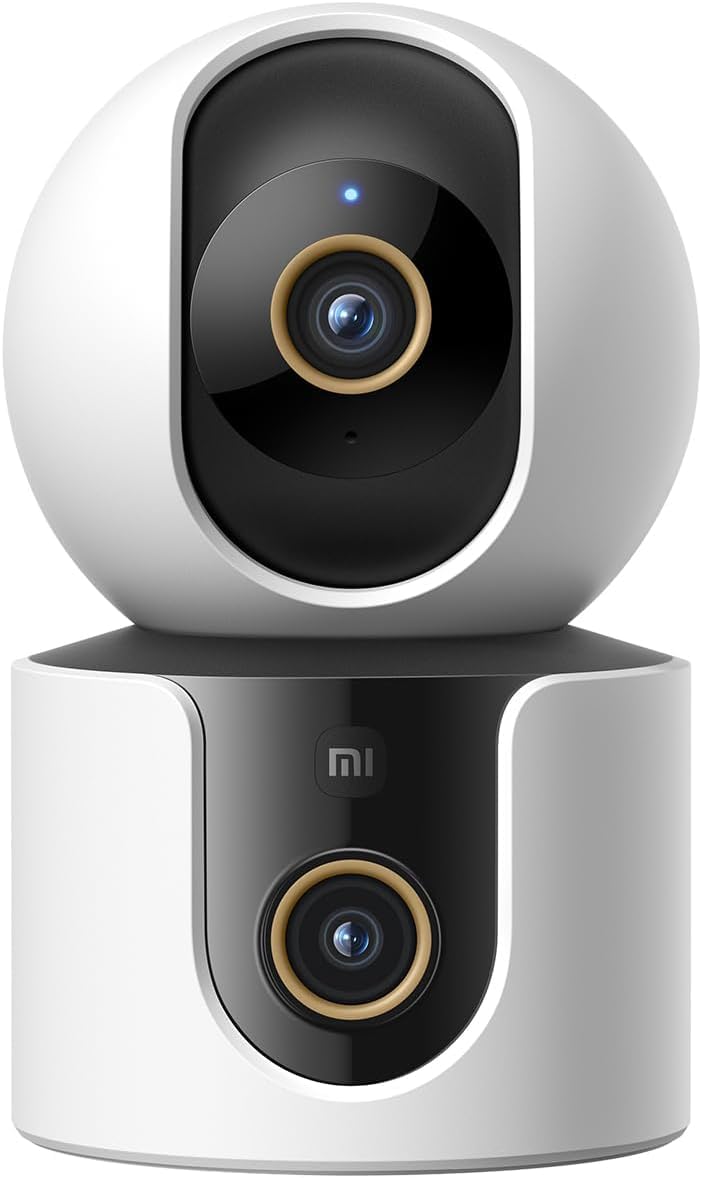
Figura 1: Fronte view of the Xiaomi Smart Camera C500, showing its dual-lens design and white and black casing.

Figura 2: De arriba abaixo view of the Xiaomi Smart Camera C500, highlighting its spherical upper section and ventilation holes.

Figura 3: Lateral view of the Xiaomi Smart Camera C500, showing the power input and other ports on the base.
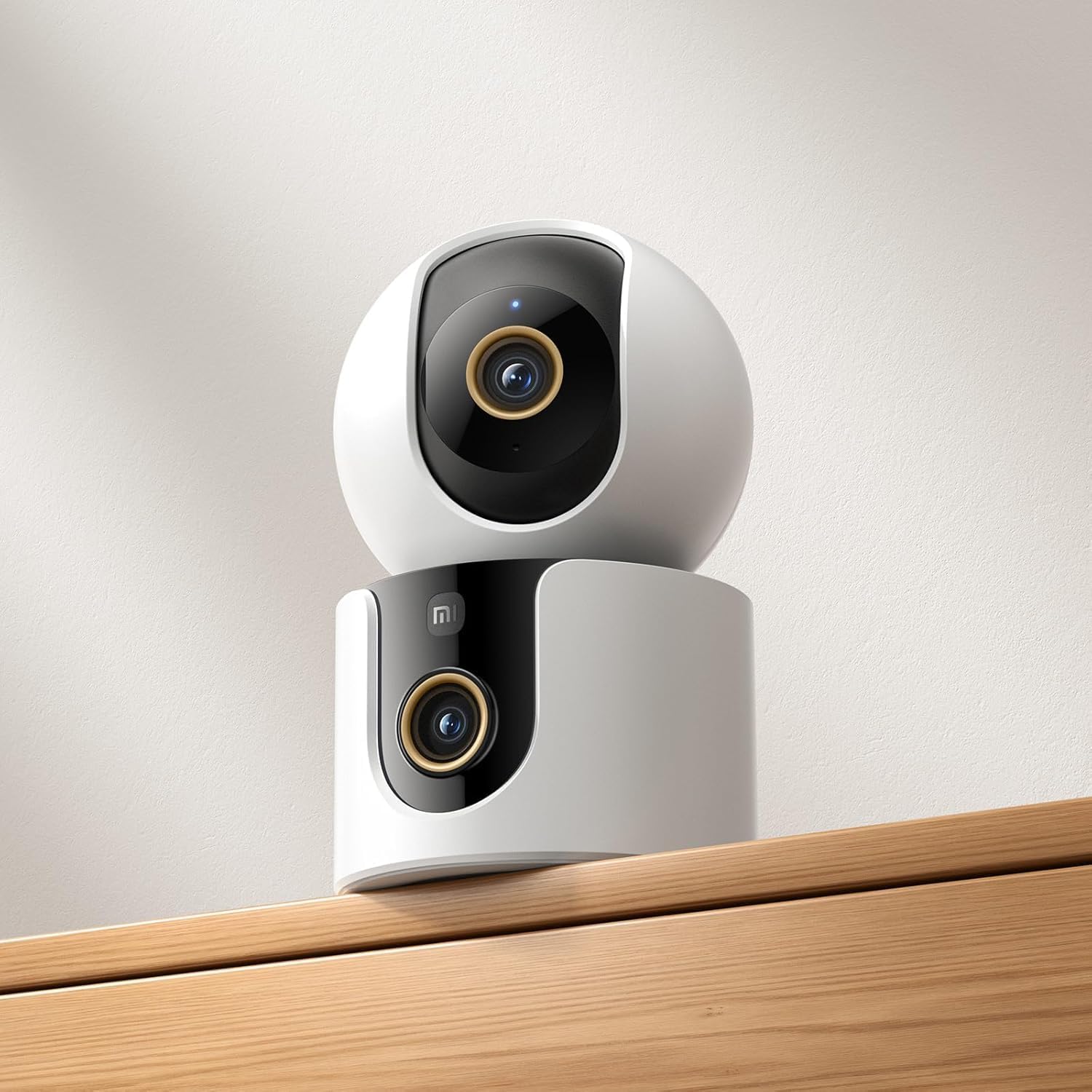
Figure 4: The Xiaomi Smart Camera C500 positioned on a wooden shelf, demonstrating its compact size and discreet placement.
Configuración
1. Acendido
- Conecta o adaptador de corrente ao porto de entrada de alimentación da cámara.
- Enchufe o adaptador de alimentación a unha toma de corrente.
- The camera will automatically power on, and the indicator light will begin to flash, indicating it is ready for connection.
2. Instalación da aplicación
- Descarga o Xiaomi Home app from your smartphone's app store (Google Play Store for Android or Apple App Store for iOS).
- Abre a aplicación e crea unha conta Xiaomi ou inicia sesión se xa tes unha.
3. Emparejamento coa aplicación
- In the Xiaomi Home app, tap the "+" icon in the top right corner to add a new device.
- Select the Xiaomi Smart Camera C500 from the list of available devices.
- Follow the on-screen instructions to connect the camera to your Wi-Fi network. Ensure your phone is connected to a 2.4GHz or 5GHz Wi-Fi network (the camera supports dual-band Wi-Fi 6).
- Scan the QR code displayed on your phone screen using the camera lens. You will hear a voice prompt confirming successful scanning.
- Unha vez conectada, podes nomear a túa cámara e asignala a unha sala específica.
4. Montaxe da cámara
The camera supports tabletop placement or ceiling/wall mounting.
- Montaxe de mesa: Place the camera on a flat, stable surface.
- Ceiling/Wall Mount: Use the provided mounting base and screws to secure the camera to a desired location. Ensure the camera is securely attached and has a clear field of view.
Instrucións de funcionamento
1. En directo View
Open the Xiaomi Home app and select your camera to view the live feed. You can pan and tilt the camera remotely using the controls in the app to achieve 360-degree coverage.
2. Gravación e reprodución
- Almacenamento local: Insert a microSD card (up to 256GB) into the camera's slot for continuous or event-triggered recording.
- Almacenamento na nube: Optional cloud storage services may be available through the Xiaomi Home app for secure backup of recordings.
- Reprodución: Acceso gravado footage through the app's playback feature, navigating by date and time.
3. Audio bidireccional
Use the microphone and speaker icon in the live view interface to enable two-way communication. This allows you to speak through the camera and hear audio from its location.
4. Motion Detection and Human Tracking
The camera can detect motion and intelligently track human figures. Enable these features in the app settings to receive alerts and automatically record when activity is detected.
5. Crying Detection
For parents, the crying detection feature can be enabled to send instant notifications to your phone when a baby's cry is detected, allowing for quick response.
6. Pet Tracking
The camera can also track pets, providing alerts and recording their movements. This feature is useful for monitoring your furry companions throughout the day.
7. Visión nocturna
The camera automatically switches to ultra-low light color mode or infrared night vision in dim conditions, ensuring clear visibility up to 15 meters even in complete darkness.
Mantemento
- Limpeza: Limpe con coidado a lente e o corpo da cámara cun pano suave e seco. Non empregue produtos químicos agresivos nin produtos de limpeza abrasivos.
- Actualizacións de firmware: Regularly check for and install firmware updates through the Xiaomi Home app to ensure optimal performance and access to new features.
- Tarxeta MicroSD: If using a microSD card, periodically check its status and format it if necessary to maintain recording quality and prevent data corruption.
Resolución de problemas
| Problema | Posible Solución |
|---|---|
| A cámara non se conecta á wifi | Ensure your Wi-Fi network is 2.4GHz or 5GHz. Check Wi-Fi password. Move camera closer to router. Reset camera and try pairing again. |
| Sen directo view ou gravación | Check power connection. Ensure Wi-Fi is stable. Verify microSD card is inserted correctly and not full. Check app permissions. |
| Poca calidade de vídeo | Clean the camera lens. Ensure adequate lighting. Check Wi-Fi signal strength. Adjust video resolution settings in the app. |
| Notificacións non recibidas | Check app notification settings on your phone. Ensure motion/crying detection is enabled in the camera settings. Verify app has necessary permissions. |
| O audio bidireccional non funciona | Check microphone and speaker settings in the app. Ensure phone volume is up. Avoid placing camera in noisy environments. |
Especificacións
| Característica | Detalle |
|---|---|
| Nome da marca | Xiaomi |
| Nome do modelo | Cámara de vixilancia |
| Número de modelo | C500 Dual |
| Usos recomendados para o produto | Seguridade interior |
| Tecnoloxía de conectividade | Sen fíos |
| Características especiais | Alta Definición |
| Uso interior/exterior | Interior |
| Dispositivos compatibles | Teléfono intelixente |
| Fonte de enerxía | Eléctrico con cable |
| Protocolo de comunicación | Rede Wi-Fi |
| Tipo de controlador | Amazon Alexa |
| Tipo de montaxe | Tabletop Mount, Freestanding |
| Cor | Branco |
| Factor de forma | Cúpula |
| Material | Acrilonitrilo Butadieno Estireno (ABS) |
| Nivel de resistencia á auga | Non resistente á auga |
| Forma do elemento | Cúpula |
| Tipo de alerta | Audio e movemento |
| Tipo de habitación | Oficina |
| Fonte de luz | Infravermello |
| Resolución do sensor de imaxe | 4 megapíxeles |
| Método de control | Vía App |
| Voltage | 5.0 |
| Wattage | 10.0 |
| Requírense baterías? | Non |
| Número de canles | 2 |
| Codificación de vídeo | H.265 |
| Formato de captura de vídeo | MPEG-4 |
| Range de visión nocturna | 15 metros |
| Visión Nocturna | Cor da noite |
| Number of Infrared LED Lights | 10 |
| Tipo de memoria flash | Micro SD |
| Maximum Supported Flash Memory Size | 256 GB |
| Número de elementos | 1 |
| Usos específicos do produto | Cobertura 360 graos, vixilancia |
| Fabricante | Xiaomi |
| Tecnoloxía de comunicación sen fíos | Wi-Fi |
| Resolución de captura de vídeo | 1080 p |
| Velocidade de cadros | 25 fotogramas por segundo |
| Viewángulo ing | 360 graos |
| Tipo de foco | Enfoque automático |
| Tecnoloxía do sensor de imaxe | CMOS |
| Dimensións do elemento | 7.8 x 7.8 x 11.5 cm |
| Peso do elemento | 327 gramos |
| Número de unidades | 1.0 Conta |
Garantía e Soporte
For warranty information, please refer to the warranty card included in your product packaging or visit the official Xiaomi website. For technical support, troubleshooting assistance, or to report issues, please contact Xiaomi customer service through their official channels or the Xiaomi Home app.
You can find additional resources and FAQs on the Xiaomi official support page.


