
KOFIRE UG-06
KOFIRE UG-06 Wireless Gaming Headset Instruction Manual
Modelo: UG-06 | Marca: KOFIRE
Introdución
Thank you for choosing the KOFIRE UG-06 Wireless Gaming Headset. This manual provides detailed instructions for setup, operation, and maintenance to ensure you get the best experience from your new headset. The UG-06 is designed to deliver superior audio performance and comfort for gaming, work, and entertainment across multiple platforms.
O que hai na caixa
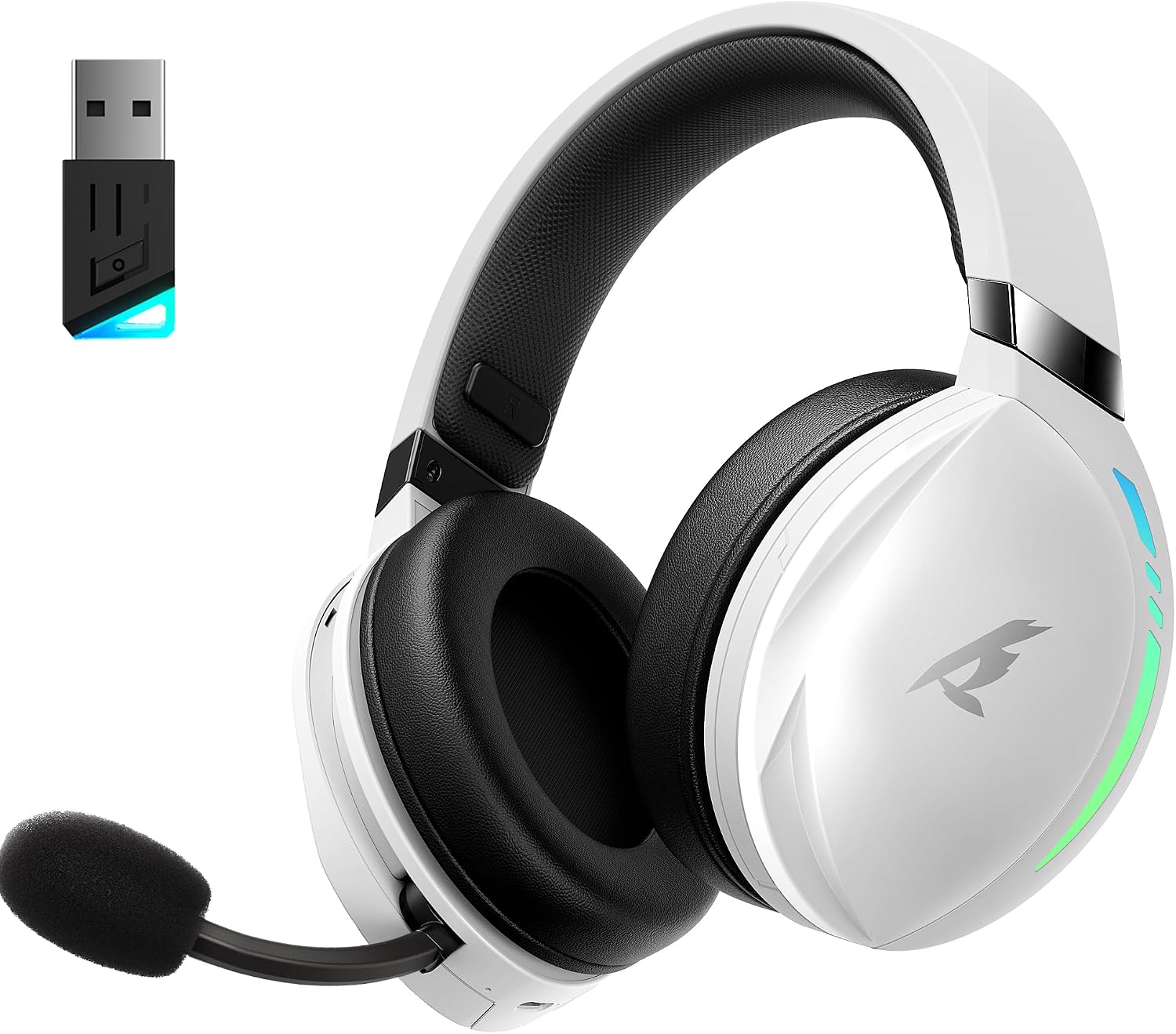
The KOFIRE UG-06 Wireless Gaming Headset in white and black, shown with its USB dongle.
- 1 x KOFIRE UG-06 Wireless Gaming Headset
- 1 x USB Dongle (2.4GHz Wireless Receiver)
- 1 x 0.8m TYPE-C Charging Cable
- 1 x Foam Mic Cover
- 1 cable de audio de 3.5 mm
- 1 x Manual de usuario (este documento)
Produto rematadoview e Características clave

A user wearing the headset, illustrating the immersive 3D spatial audio experience.

Un primeiro plano view of the retractable, hidden noise-canceling microphone.
- 50MM Driver & 3D Stereo Sound: Equipped with powerful 50mm drivers for excellent 3D stereo effects and high-fidelity sound, ensuring you hear every detail for an immersive gaming experience.
- 2.4Ghz Wireless Connection & Bluetooth 5.4: Advanced 2.4Ghz wireless technology and Bluetooth 5.4 provide a seamless and stable connection with ultra-low latency (15ms). Easily switch between Bluetooth and 2.4G dongle mode by triple-clicking the power button.
- Unmatched Comfort & Telescopic Noise Cancelling Mic: Ergonomic design with oversized, soft protein leather earmuffs for pressure reduction and effective noise isolation. The adjustable headband ensures a personalized fit. The noise-canceling microphone with a sponge cap blocks 80% of background noise, and its retractable design offers convenience.
- Extended Playtime & Cool RGB Design: Enjoy up to 65 hours of continuous play in music/video modes (lights off) or 40 hours with 2.4Ghz gaming. Dynamic breathing RGB lights enhance the gaming atmosphere. Note: RGB lighting doubles power consumption.
- Compatibilidade versátil: Supports three connection modes: lossless 2.4GHz USB dongle, Bluetooth 5.4, and 3.5mm wired connection. Compatible with PS4, PS5, PC, Switch, Mac, Phone, and tablet.

The headset demonstrating its compatibility with multiple gaming platforms and devices.
Instrucións de configuración
1. Carga inicial
Before first use, fully charge your headset using the provided USB Type-C charging cable. Connect the Type-C end to the headset's charging port and the USB-A end to a compatible power source (e.g., computer USB port, USB wall adapter). The charging indicator light will show charging status.
2. Connecting via 2.4GHz USB Dongle (Recommended for Gaming)
- Insert the 2.4GHz USB dongle into an available USB port on your device (PS4, PS5, PC, Mac, Switch).
- Power on the headset by pressing and holding the Power button until you hear a confirmation tone or see the indicator light.
- The headset should automatically pair with the dongle. A solid indicator light on both the headset and dongle typically signifies a successful connection.
- Ensure the headset is selected as the audio output and input device in your system's sound settings.
3. Conexión mediante Bluetooth 5.4
- With the headset powered on, triple-click the Power button to switch to Bluetooth mode. The indicator light will flash, indicating pairing mode.
- On your device (phone, tablet, PC), go to Bluetooth settings and search for "KOFIRE UG-06" (or similar).
- Selecciona os auriculares para emparellalos. Unha vez conectados, a luz indicadora acenderase de forma fixa.
4. Connecting via 3.5mm Wired Connection
- Conecta un extremo do cable de audio de 3.5 mm ao porto de 3.5 mm dos auriculares.
- Conecta o outro extremo á toma de son de 3.5 mm do teu dispositivo.
- The headset will operate in passive mode, drawing no power from its internal battery.
Instrucións de funcionamento
Controis dos auriculares

Detallado view of the control buttons and volume wheel on the headset's earcup.

The headset showcasing its dynamic breathing RGB lighting feature.
- Encendido/apagado: Manteña premido o botón de acendido durante 3 segundos.
- Control de volume: Use the scroll wheel on the earcup to adjust the volume up or down.
- Silenciar/Desactivar micrófono: Press the dedicated Mute button on the earcup to toggle the microphone on or off.
- Cambio de modo: Triple-click the Power button to switch between 2.4GHz wireless and Bluetooth modes.
- Iluminación RGB: Press the RGB button to cycle through lighting effects or turn them off. Note that turning off RGB lights extends battery life.
- Uso do micrófono: Pull the telescopic microphone down when speaking. Ensure the foam mic cover is in place to reduce plosives and background noise. Push the microphone back into the earcup when not in use.
Mantemento
- Limpeza: Use a soft, dry cloth to clean the headset. Avoid harsh chemicals or abrasive materials.
- Almacenamento: Garde os auriculares nun lugar fresco e seco, lonxe da luz solar directa e de temperaturas extremas.
- Coidado da batería: Para prolongar a duración da batería, evite descargar completamente os auriculares con frecuencia. Cárgueos regularmente, mesmo se non os usa de forma constante.
- Coidado do micrófono: Handle the retractable microphone gently to prevent damage.
Resolución de problemas
| Problema | Solución |
|---|---|
| No sound/microphone not working (2.4GHz) |
|
| Problemas de vinculación Bluetooth |
|
| Batería de curta duración |
|
| Sound quality issues (wired mode) |
|
Especificacións
| Característica | Detalle |
|---|---|
| Nome do modelo | UG-06 |
| Tecnoloxía de conectividade | 2.4Ghz Wireless, Bluetooth 5.4, 3.5mm Wired |
| Tamaño do controlador de audio | 50 milímetros |
| Duración da batería | Up to 65 Hours (music/video, lights off), 40 Hours (2.4Ghz gaming) |
| Tempo de carga | 3 horas |
| Latencia de audio | 15 milisegundos |
| Control de ruído | Sound Isolation, ENC Noise Canceling Mic |
| Dispositivos compatibles | PS4, PS5, PC, Switch, Mac, Phone, Tablet |
| Material | Leather, Plastic, Polycarbonate (PC), Soft Memory Sponge Cushions |
| Peso do elemento | 1.19 libras |
| Dimensións do produto | 7.5 x 1 x 7.9 polgadas |
Garantía e Soporte
KOFIRE provides a reliable 24-hour online service to ensure customer satisfaction. For any issues, questions, or support needs, please contact KOFIRE customer service through the retailer's platform or the official KOFIRE websitio.
Please refer to your purchase documentation for specific warranty details and duration.
Ask a question about this manual
Ask about setup, troubleshooting, compatibility, parts, safety, or missing instructions. Manuals+ will review the question and use this page’s manual context to help answer it.