
EIGIIS K22
EIGIIS K22 Smartwatch User Manual
Modelo: K22
1. Introdución
Welcome to the EIGIIS K22 Smartwatch user manual. This guide provides essential information for setting up, operating, and maintaining your new smartwatch. The EIGIIS K22 is a robust military-grade smartwatch designed for active lifestyles, featuring an AMOLED HD Always On Display, Bluetooth calling, comprehensive health monitoring, and over 100 sports modes.

Image: EIGIIS K22 Smartwatch, showcasinpolo seu deseño robusto e a súa pantalla vibrante.
2. Que hai na caixa
Comprobe o contido do paquete ao desembalar:
- EIGIIS K22 Smartwatch (with 1 Watch Band)
- Cable de carga
- Manual de usuario (este documento)
3. Configuración inicial
3.1 Cargar o reloxo intelixente
Before first use, fully charge your EIGIIS K22 Smartwatch. The device features a 400mAh battery that typically charges in approximately 2 hours.
- Conecta o cable de carga magnético aos contactos de carga da parte traseira do reloxo intelixente.
- Conecta o extremo USB do cable a un adaptador de corrente USB estándar (recoméndase 5 V/1 A) ou ao porto USB dun ordenador.
- A pantalla do reloxo indicará o estado de carga.

Image: The smartwatch displaying its charging status, indicating a 400mAh battery capacity and charging time.
3.2 Instalación da aplicación
Para desbloquear todas as funcionalidades do teu reloxo intelixente, descarga e instala o FitCloudPro aplicación no teu smartphone.
- Scan the QR code provided in the quick start guide or search for "FitCloudPro" in your smartphone's app store (Google Play Store for Android, Apple App Store for iOS).
- Install the app and grant necessary permissions for optimal performance.
3.3 Emparellamento co teu teléfono intelixente
After installing the app, pair your smartwatch with your phone via Bluetooth.
- Asegúrate de que o Bluetooth estea activado no teu smartphone.
- Open the FitCloudPro app and follow the on-screen instructions to add a new device.
- Select the EIGIIS K22 from the list of available devices.
- Confirma a solicitude de emparellamento tanto no teu teléfono como no reloxo intelixente.
4. Funcionamento do reloxo intelixente
4.1 Pantalla e navegación
The EIGIIS K22 features a 1.43-inch AMOLED HD Always On Display. You can navigate the watch interface using touch gestures and the physical buttons.
- Pase o dedo cara arriba/abaixo: Acceder á configuración rápida ou ás notificacións.
- Pase o dedo cara á esquerda/dereita: Cycle through widgets like activity data, heart rate, weather, etc.
- Prema o botón lateral: Return to the home screen or access the app menu.

Image: Close-up of the 1.43-inch AMOLED display, showing a detailed watch face with time and activity data.
4.2 Bluetooth Calling and Smart Notifications
The smartwatch allows you to make and receive calls directly from your wrist and receive notifications from your paired smartphone.
- Facer chamadas: Use the built-in dialer or access your contacts through the watch interface.
- Recepción de chamadas: Answer or reject incoming calls directly on the watch.
- Notificacións: Receive alerts for messages, social media, and other app notifications. Ensure notification permissions are enabled in the FitCloudPro app.

Image: The smartwatch displaying an incoming call and various app notification icons, illustrating its Bluetooth call and smart notification capabilities.
4.3 modos deportivos
The EIGIIS K22 supports over 100 sports modes to track your physical activities. Data such as calories burned, steps taken, and distance covered are recorded and synced to the FitCloudPro app.
- Access the Sports menu on your watch.
- Select your desired activity (e.g., Running, Cycling, Basketball).
- The watch will begin tracking your workout data.

Image: A user hiking while the smartwatch displays workout metrics like calories, distance, and steps, alongside icons for various sports modes.
4.4 Vixilancia da saúde
The smartwatch continuously monitors key health metrics.
- Frecuencia cardíaca: Seguimento da frecuencia cardíaca en tempo real.
- Presión arterial: Estimates blood pressure levels.
- Oxíxeno no sangue (SpO2): Mide a saturación de osíxeno no sangue.
- Monitorización do sono: Analyzes sleep patterns (Awake, Light Sleep, Deep Sleep) to provide insights into sleep quality.
All health data is synced to the FitCloudPro app for detailed analysis and historical trends.
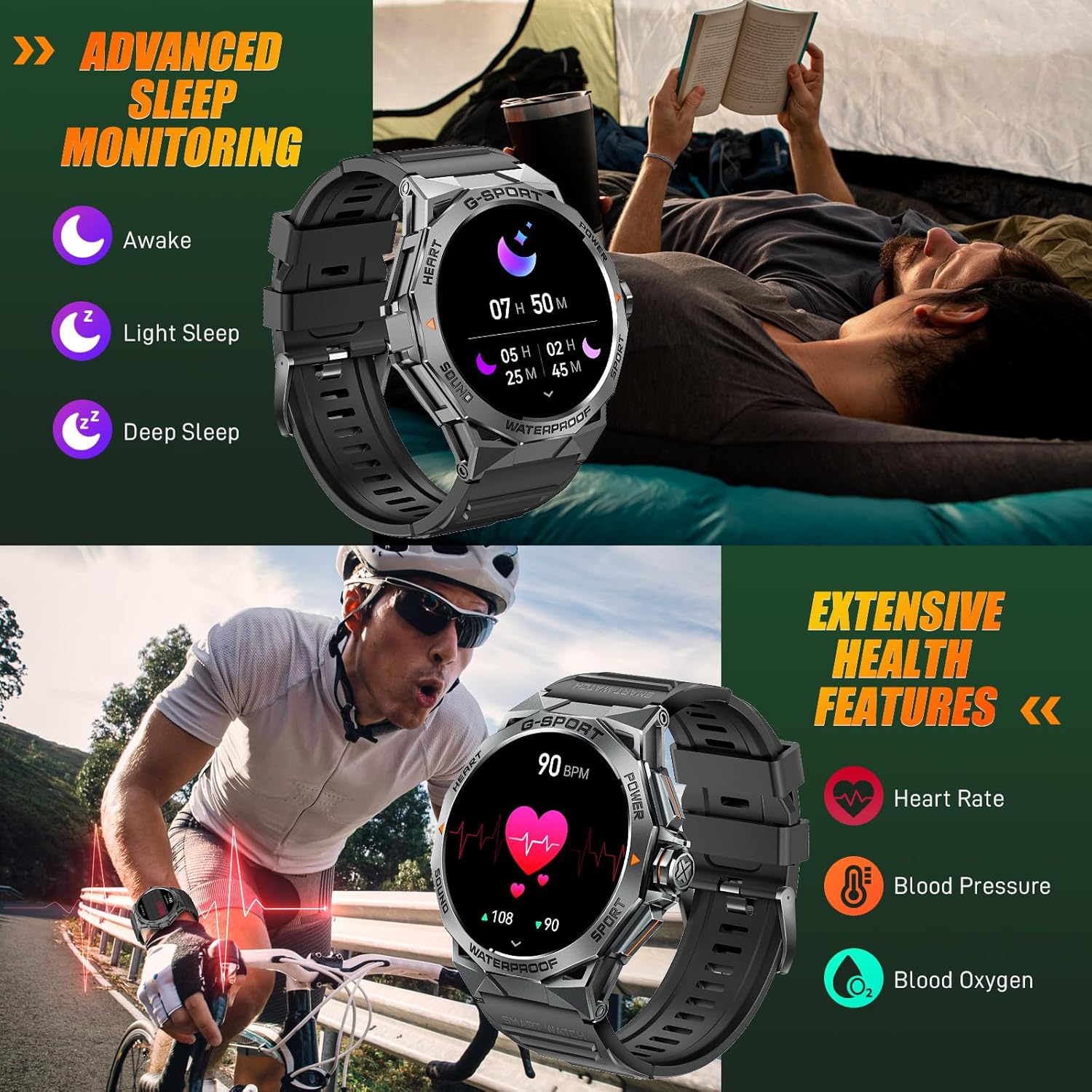
Image: The smartwatch displaying sleep data and heart rate monitoring, with icons for heart rate, blood pressure, and blood oxygen.
4.5 Outras funcións intelixentes
The EIGIIS K22 offers several additional features to enhance daily convenience:
- Control de música: Controla a reprodución de música no teu smartphone.
- Control remoto da cámara: Usa o reloxo como obturador remoto para a cámara do teléfono.
- Actualizacións do tempo: Get real-time weather forecasts.
- Espertador: Configura alarmas directamente desde o teu pulso.
- Buscar teléfono: Localiza o teu teléfono intelixente perdido.
- Recordatorios de sedentarismo: Recibir alertas para moverse despois de períodos de inactividade.
- Asistente de voz: Accede ao asistente de voz do teu teléfono.

Image: A collage showing the smartwatch controlling music, acting as a camera remote, displaying weather, and featuring stopwatch, alarm, and 'find phone' functions.
5. Mantemento e coidados
5.1 Resistencia á auga (IP68)
The EIGIIS K22 Smartwatch is IP68 waterproof, meaning it is resistant to dust and can withstand immersion in water up to 1.5 meters for 30 minutes. It is suitable for daily use, including washing hands and swimming.
- Avoid prolonged exposure to hot water, steam, or high-pressure water jets.
- Non accione os botóns baixo a auga.
- Seque ben o reloxo despois de expoñelo á auga.

Image: A person swimming while wearing the EIGIIS K22 Smartwatch, highlighting its IP68 waterproof rating.
5.2 Optimización da duración da batería
The 400mAh battery provides 4-7 days of typical usage and up to 25 days on standby. To maximize battery life:
- Axusta o brillo da pantalla a un valor máis baixo.
- Limit the use of the Always On Display feature if extended battery life is critical.
- Desactivar as notificacións innecesarias.
- Close background apps on the watch when not in use.
5.3 Limpeza
Regularly clean your smartwatch and watch band to prevent skin irritation and maintain performance.
- Limpe o reloxo e a correa cun pano suave eamp pano.
- Evite o uso de produtos químicos agresivos ou materiais abrasivos.
6 Solución de problemas
If you encounter issues with your EIGIIS K22 Smartwatch, refer to the following common solutions:
| Problema | Posible Solución |
|---|---|
| O reloxo non se acende | Asegúrate de que o reloxo estea completamente cargado. Conéctao ao cargador durante polo menos 30 minutos. |
| Non se pode emparellar co teléfono intelixente | Ensure Bluetooth is enabled on your phone. Restart both the watch and phone. Make sure the FitCloudPro app has Bluetooth permissions. |
| Notificacións non recibidas | Check notification settings in the FitCloudPro app and your phone's system settings. Ensure the app is running in the background. |
| Batería de curta duración | Disable the Always On Display feature. Reduce screen brightness. Limit frequent heart rate monitoring. See Section 5.2 for more tips. |
| Bluetooth audio defaults to watch speaker | This is a common behavior for smartwatches with built-in speakers. In your phone's Bluetooth settings, you may be able to disconnect the watch's audio profile while keeping the data connection. Alternatively, some apps allow you to select the audio output device. |
| Datos sanitarios inexactos | Ensure the watch is worn snugly on your wrist, about one finger's width above the wrist bone. Avoid excessive movement during measurements. Note that smartwatches are not medical devices and readings are for reference only. |
7. Especificacións
| Característica | Detalle |
|---|---|
| Número de modelo | K22 |
| Mostrar | 1.43 Inches AMOLED HD Always On Display |
| Capacidade da batería | 400 mAh |
| Duración da batería | 4-7 días (uso típico), ata 25 días (en espera) |
| Tempo de carga | Aproximadamente 2 horas |
| Resistencia á auga | IP68 |
| Conectividade | Bluetooth |
| Sistema Operativo | Wear OS |
| Compatibilidade | Android 4.4 e superior, iOS 8.0 e superior |
| Peso do elemento | 50 gramos (1.76 onzas) |
| Dimensións do produto | 6.69 x 4.33 x 1.18 polgadas |
8. Garantía e soporte
8.1 Garantía do produto
The EIGIIS K22 Smartwatch comes with a Garantía de calidade de 12 meses from the date of purchase. This warranty covers manufacturing defects and issues arising from normal use. It does not cover damage caused by misuse, accidents, unauthorized modifications, or failure to follow instructions.
8.2 Atención ao cliente
For any questions, technical assistance, or warranty claims, please contact EIGIIS customer support through the following channels:
- Refer to the contact information provided with your product packaging.
- Visit the official EIGIIS websitio para recursos de apoio.
- Contact the seller directly through the platform where you purchased the product.
Please have your purchase receipt and product model number (K22) ready when contacting support.
Ask a question about this manual
Ask about setup, troubleshooting, compatibility, parts, safety, or missing instructions. Manuals+ will review the question and use this page’s manual context to help answer it.