
1. Introdución
Grazas pola compraasing the Andoer 4K 30fps Tiny Action Camera. This compact and versatile camera is designed to capture your adventures in stunning 4K resolution. With its wide-angle lens, built-in WiFi, and various mounting options, it is ideal for a wide range of outdoor activities, including diving, surfing, and skiing.
This manual provides detailed instructions on how to set up, operate, and maintain your camera to ensure optimal performance and longevity. Please read this manual thoroughly before using the product and keep it for future reference.
2. Información de seguridade
Observe as seguintes precaucións de seguridade para evitar lesións ou danos no dispositivo:
- Do not expose the camera to extreme temperatures, direct sunlight for prolonged periods, or high humidity.
- Manteña a cámara e os seus accesorios fóra do alcance dos nenos e das mascotas.
- Use só o cable de carga e o adaptador de corrente especificados.
- Do not attempt to disassemble, repair, or modify the camera yourself. Contact authorized service personnel for assistance.
- Asegúrate de que a carcasa impermeable estea ben selada antes de mergullar a cámara na auga.
- Evite deixar caer a cámara nin someterla a impactos fortes.

Aviso: To avoid suffocation hazard, keep plastic bags away from babies and children.
3. Contido do paquete
Verifique que todos os elementos que se indican a continuación estean incluídos no seu paquete:
- 1 x Andoer 4K Tiny Action Camera
- 1 x Clip de atrás
- 1 x Magnetic Lanyard
- 1 x Camera Frame
- 1 x Funda impermeable
- 2 x Mounting Bases
- 1 x Buckle Mount
- 1 x Long Screw Mount
- 1 x soporte para manillar
- 1 adaptador de montaxe
- 1 x Correa
- 1 x cable de carga tipo C
- 1 x Manual de usuario (este documento)
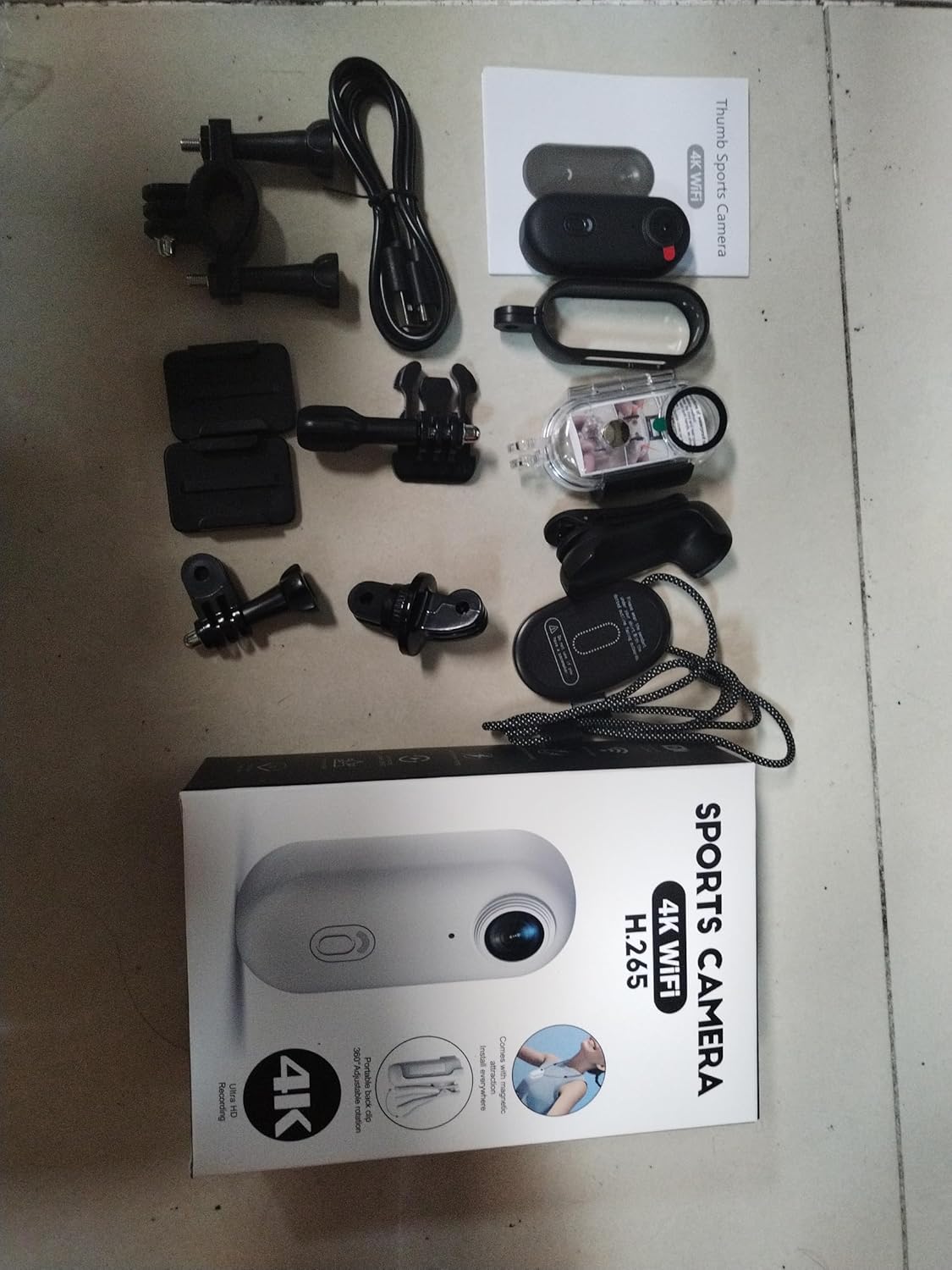
Illustration of the complete package contents.

Detallado view of the camera and its included accessories.
4. Produto rematadoview
The Andoer Tiny Action Camera is designed for portability and ease of use. Familiarize yourself with its main components:

Fronte view of the Andoer Tiny Action Camera.
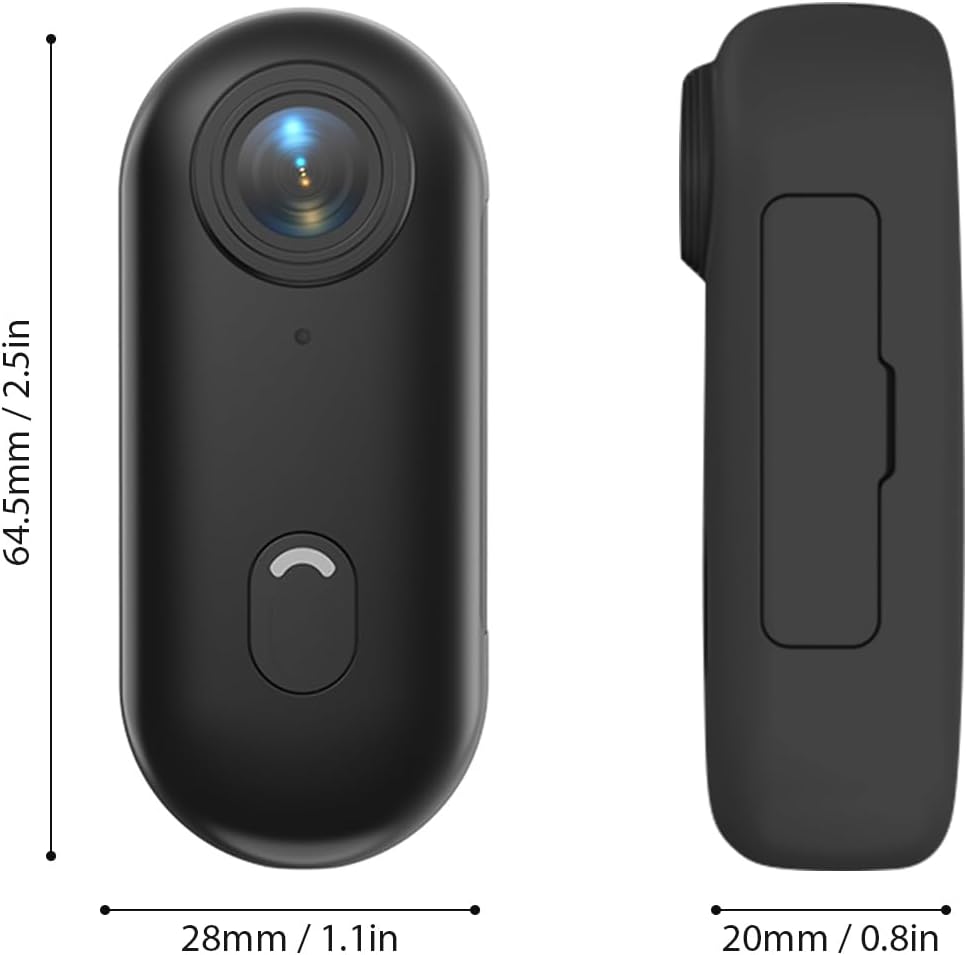
Dimensións físicas da cámara.
- Lente: 120° wide-angle lens for expansive shots.
- Botón de alimentación / modo: Used for powering on/off and switching modes.
- Luz indicadora: Displays camera status (recording, charging, WiFi connection).
- Micrófono: Captura audio.
- Porto USB-C: Para carga e transferencia de datos.
- Ranura para tarxetas MicroSD: Para a inserción de tarxetas de memoria.
5. Configuración
5.1 Carga da batería
The camera has a built-in 800mAh lithium battery. Before first use, fully charge the camera.
- Connect the included Type-C charging cable to the camera's USB-C port.
- Connect the other end of the cable to a 5V/2A USB power adapter (not included) or a computer USB port.
- The indicator light will show charging status (refer to the camera's light indicator guide for specific colors/patterns).
- Unha carga completa leva aproximadamente 120 minutos.
5.2 Inserción dunha tarxeta de memoria
A MicroSD (TF) card (not included) is required for recording videos and photos. The camera supports cards up to 256GB.
- Localiza a ranura para tarxetas MicroSD na cámara.
- Insert the MicroSD card with the contacts facing down until it clicks into place.
- Para retirala, empurre a tarxeta con coidado ata que saia de golpe.
Nota: It is recommended to format the MicroSD card in the camera before first use to ensure compatibility and optimal performance. Refer to the app or camera settings for formatting options.
5.3 Mounting Methods
The camera offers multiple versatile mounting options:
- Imáns incorporados: The camera has built-in magnets, allowing direct attachment to any iron surface.
- Cordón magnético: Attach the camera to the magnetic lanyard to wear it around your neck for convenient hands-free recording.

Using the magnetic lanyard for hands-free recording.
- Clip traseiro: Use the included back clip to securely attach the camera to your collar, pocket, or backpack strap.
- Funda impermeable: For underwater activities or protection from harsh elements, enclose the camera in the waterproof case. This case allows the camera to be submerged up to 30 meters. Ensure the case is properly sealed before use.
- Accesorios de montaxe: Utilize the camera frame, mounting bases, buckle mount, long screw mount, handlebar mount, and mount adapter to attach the camera to helmets, bicycles, and other equipment.

Examples of multiple installation methods for the camera.
6. Instrucións de funcionamento
6.1 Encendido/apagado
- Encendido: Press and hold the Power/Mode button for a few seconds until the indicator light illuminates.
- Apagado: Press and hold the Power/Mode button again for a few seconds until the indicator light turns off.
6.2 Gravación de vídeo
The camera records videos in 4K resolution at 30 frames per second (4K 30fps) in MP4 format.
- Ensure the camera is powered on and a MicroSD card is inserted.
- Press the Power/Mode button once to start video recording. The indicator light will change to indicate recording is in progress (e.g., flashing red).
- Press the Power/Mode button again to stop recording. The indicator light will return to standby mode.
6.3 Toma de fotografías
The camera captures photos at 3840x2160 resolution in JPEG format.
- Ensure the camera is powered on and a MicroSD card is inserted.
- (If in video mode, short press the Power/Mode button to switch to photo mode if applicable, or use the app).
- Press the Power/Mode button briefly to take a photo. The indicator light may flash once to confirm the capture.
6.4 Conexión wifi e uso da aplicación
The camera supports WiFi connection, allowing you to control it and view/share content via a smartphone application.
- Download the dedicated smartphone application (refer to the product packaging or manufacturer's website for the app name and download links).
- Acende a cámara.
- Activate WiFi on the camera (usually by a long press or specific button combination, refer to camera's light indicator guide). The camera will broadcast a WiFi network.
- On your smartphone, go to WiFi settings and connect to the camera's WiFi network (SSID and password typically found on the camera or in the app instructions).
- Open the app. You should now be able to see a live preview, control recording, adjust settings, and transfer files.
6.5 Gravación en bucle
The camera supports loop recording, which automatically overwrites the oldest files cando a tarxeta de memoria está chea, garantindo a gravación continua.
- This feature is typically enabled by default or can be configured via the smartphone app.
- When the memory card reaches its capacity, the camera will automatically delete the oldest video segments to make space for new recordings.
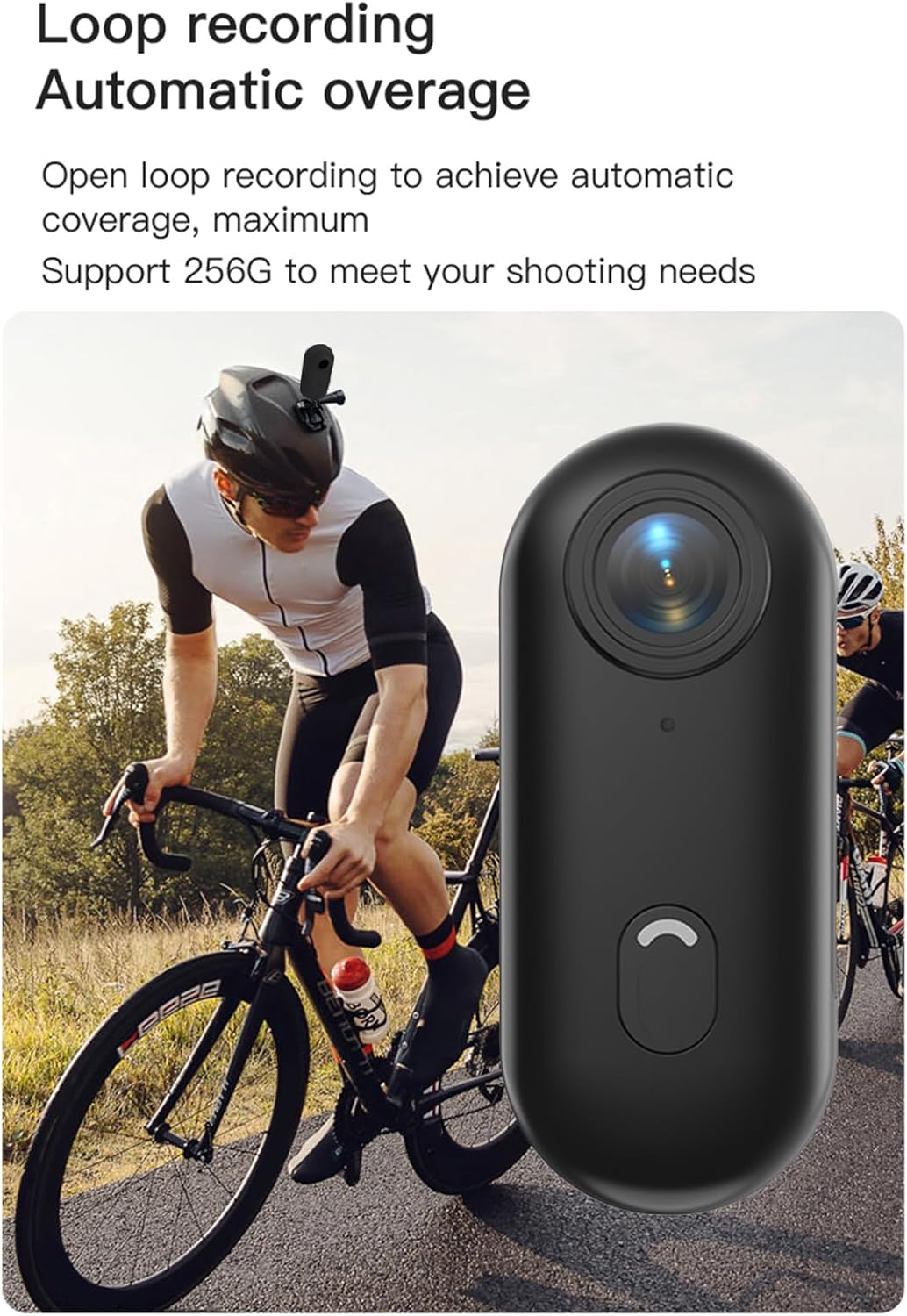
Loop recording functionality ensures continuous capture.
7. Mantemento
- Limpeza: Usa un pano suave e seco para limpar o corpo da cámara. Para a lente, usa un pano e unha solución de limpeza de lentes especializados. Non empregues produtos químicos agresivos nin materiais abrasivos.
- Almacenamento: When not in use, store the camera in a cool, dry place, away from direct sunlight and extreme temperatures.
- Coidado da batería: For long-term storage, charge the battery to about 50% every few months to maintain its health.
- Funda impermeable: After using the waterproof case in saltwater, rinse it thoroughly with fresh water and allow it to air dry. Check the O-ring seal regularly for any debris or damage.
8 Solución de problemas
| Problema | Causa posible | Solución |
|---|---|---|
| A cámara non se acende. | Batería baixa; batería defectuosa; problema co botón de acendido. | Charge the camera fully. If issue persists, contact support. |
| Non se pode conectar ao wifi. | WiFi not enabled on camera; incorrect password; app issue. | Ensure camera WiFi is active. Re-enter password. Restart camera and phone. Reinstall app. |
| A gravación detense inesperadamente. | Memory card full; slow memory card; battery low. | Check memory card space. Use a high-speed (Class 10 or U3) MicroSD card. Charge battery. |
| Mala calidade de vídeo/fotos. | Dirty lens; low light conditions; incorrect settings. | Clean the lens. Ensure adequate lighting. Check resolution settings in the app. |
| Fuga de auga na carcasa impermeable. | Improperly sealed case; damaged O-ring. | Ensure case is securely latched. Check O-ring for debris or damage and replace if necessary. |
9. Especificacións
| Característica | Detalle |
|---|---|
| Resolución de vídeo | 4K 30 fps |
| Resolución fotográfica | 3840x2160 |
| Formato de vídeo | MP4 |
| Formato fotográfico | JPEG |
| Ángulo da lente | Gran angular de 120° |
| Conectividade | WiFi |
| Capacidade da batería | Batería de litio de 800 mAh |
| Tempo de carga | Aprox. 120 minutos |
| Vol. De cargatage | 5 V/2 A |
| Soporte para tarxetas de memoria | Tarxeta TF, ata 256 GB |
| Tipo de interface | Tipo-C |
| Waterproof Depth (with case) | Ata 30M |
| Dimensións do produto | 64.5 x 28 x 20mm (2.54 x 1.1 x 0.8 polgadas) |
| Peso do elemento | Approx. 11.3 ounces (camera only) |
| Temperatura de funcionamento | -10 °C a 60 °C (14 °F a 140 °F) |
| Temperatura de almacenamento | -10 °C a 60 °C (14 °F a 140 °F) |
10. Garantía e soporte
Andoer products are manufactured to the highest quality standards. This product is covered by a limited warranty against defects in materials and workmanship from the date of purchase. Please retain your proof of purchase for warranty claims.
For technical support, troubleshooting assistance, or warranty inquiries, please contact Andoer customer service through the retailer where you purchased the product or visit the official Andoer websitio para información de contacto.
Websitio: Andoer Official Store on Amazon