
Beatfoxx CDB-1016U
Manual do usuario do Beatfoxx CDB-1016U BK Boombox
Model: CDB-1016U
Introdución
The Beatfoxx CDB-1016U Boombox is a versatile audio system designed for both home and portable use. It combines classic audio formats with modern connectivity options, offering a comprehensive listening experience. This manual provides detailed instructions for setting up, operating, and maintaining your device.

Figura 1: Fronte view of the Beatfoxx CDB-1016U BK Boombox, showing the speakers, control panel, and carrying handle.
Configuración
Alimentando o dispositivo
The Beatfoxx CDB-1016U Boombox can be powered using the included AC power cable or by batteries for portable use.
- Potencia CA: Insert the AC power cable into the AC IN jack on the back of the unit and plug the other end into a standard wall outlet (AC 230V ~ 50Hz).
- Potencia da batería: For portable operation, open the battery compartment on the bottom of the unit. Insert six (6) Type C (UM-2) batteries, ensuring correct polarity (+/-). Close the battery compartment securely.

Figure 2: The boombox operating on AC power, with an illustration of the required Type C batteries for portable use.
Instrucións de funcionamento
Máis controisview
Familiarize yourself with the main controls located on the top and front of the boombox.

Figura 3: detallada view of the boombox's control panel, cassette compartment, carrying handle, and CD compartment.
- Botón POWER: Acende / apaga a unidade.
- Botón MODE: Switches between CD, USB, Bluetooth, Radio (FM/AM), and AUX modes.
- Botón VOLUME: Axusta o nivel de saída de audio.
- Botón de afinación: Used for manual tuning in Radio mode.
- Botón REPRODUCIR/PAUSA: Inicia ou pon en pausa a reprodución.
- Botón STOP/EXPULSAR: Stops playback and opens the CD compartment or ejects cassette.
- Botóns SALTAR/BUSCAR (<< / >>): Skips tracks or fast forwards/rewinds.
- REPEAT/PROG Button: Repeats current track/all tracks or programs CD/USB playback order.
- FOLDER Button: Navigates through folders on USB.
- Botón REC: Initiates recording to cassette.
Selecting Playback Sources
The boombox supports multiple audio sources. Use the MODO botón para percorrelos cíclicamente.

Figure 4: Visual representation of the seven available playback sources on the boombox.
Reprodución de CD
- Preme o MODO para seleccionar o modo CD.
- Preme o PARAR/EXPULSIÓN button to open the CD compartment.
- Place a CD (CD, CD-R, CD-RW, MP3 CD) onto the spindle with the label side facing up.
- Close the CD compartment. The display will show "READING" and then the total number of tracks.
- Preme o REPRODUCIR/PAUSA botón para iniciar a reprodución.
- Usa o SALTAR / BUSCAR botóns para navegar entre as pistas.
- Preme REPETIR to repeat the current track or all tracks.
Reprodución e gravación de casetes
The boombox features a built-in cassette player and recorder.

Figure 5: The cassette compartment of the boombox shown open, ready for tape insertion.
Reprodución:
- Abra o compartimento do casete.
- Insira unha cinta de casete.
- Pecha o compartimento.
- Preme o XOGAR nos controis da casete para iniciar a reprodución.
- Use FWD or REW para avanzar ou rebobinar rapidamente.
- Preme PARAR/EXPULSIÓN to stop playback and eject the tape.
Gravación:
You can record from CD, USB, Radio, or AUX input to a cassette tape.
- Insert a blank or recordable cassette tape into the compartment.
- Select the desired source (CD, USB, Radio, or AUX) using the MODO botón.
- Iniciar a reprodución na fonte (por exemplo, reproducir un CD, sintonizar unha emisora de radio).
- Preme o REC button on the cassette controls. The unit will automatically start recording the audio from the selected source onto the cassette.
- Preme PARA on the cassette controls to end recording.
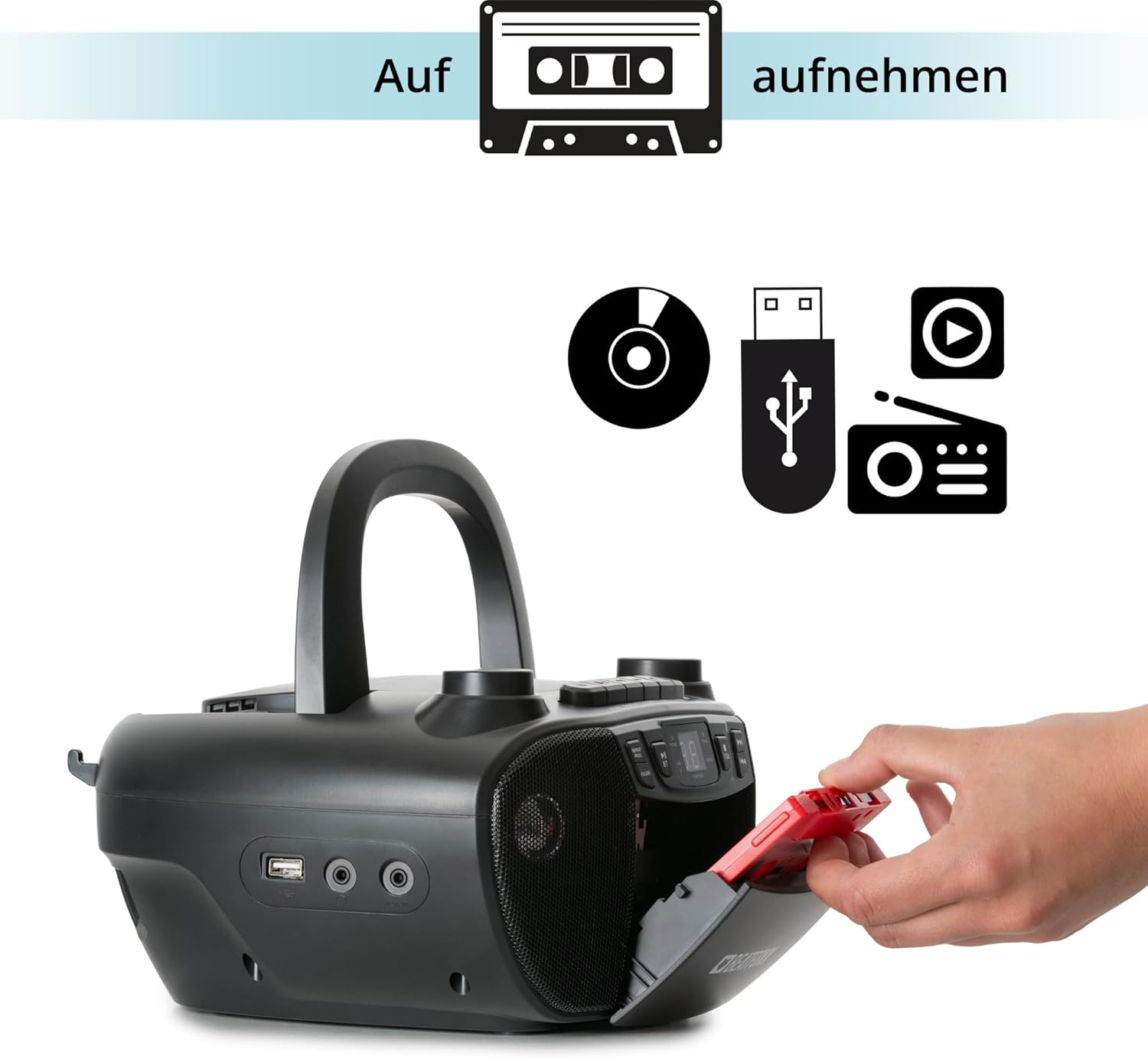
Figure 6: Illustration of the boombox's recording capability, showing a cassette tape being inserted for recording from CD, USB, or radio.
Radio (FM/AM)
- Extend the telescopic antenna for better FM reception.
- Preme o MODO button to select Radio mode (FM or AM).
- Usa o TUNING knob to manually tune to your desired radio station.
Conectividade Bluetooth
- Preme o MODO para seleccionar o modo Bluetooth. A pantalla mostrará "BT" e parpadeará, indicando que está en modo de emparellamento.
- No teu dispositivo con Bluetooth (teléfono intelixente, tableta), activa Bluetooth e busca os dispositivos dispoñibles.
- Select "Beatfoxx CDB-1016U" from the list of devices.
- Once paired, the "BT" indicator on the boombox will stop flashing and remain solid.
- You can now stream audio wirelessly from your device to the boombox.
Reproducción USB
- Inserir unha unidade flash USB que conteña son MP3 files no porto USB.
- Preme o MODO button to select USB mode. The unit will automatically start playing the first track.
- Usa o SALTAR / BUSCAR botóns para navegar entre as pistas.
- Usa o CARPETA button to navigate through folders on the USB drive.

Figura 7: detallada view of the boombox's connectivity options, including the USB port, headphone output, and AUX input.
Entrada AUX
Connect external audio devices (e.g., MP3 players, smartphones without Bluetooth) to the boombox using a 3.5mm audio cable (not included).
- Connect one end of the 3.5mm audio cable to the AUX IN jack on the boombox.
- Conecta o outro extremo á toma de auriculares ou á saída de audio do teu dispositivo externo.
- Preme o MODO botón para seleccionar o modo AUX.
- Reproduce audio desde o teu dispositivo externo. O son emitirase a través dos altofalantes do boombox.
Saída de auriculares
For private listening, connect standard 3.5mm headphones to the HEADPHONE jack. Audio will automatically mute from the speakers when headphones are connected.
Mantemento
Limpeza
- Desenchufe sempre a unidade da fonte de alimentación antes de limpala.
- Use un pano suave e seco para limpar as superficies exteriores.
- Non empregues produtos de limpeza abrasivos, ceras ou disolventes, xa que poden danar o acabado.
- Para a lente do CD, use un limpador de lentes de CD especializado.
- For the cassette head, use a cassette head cleaning kit.
Coidado da batería
- Retire as pilas se non vai usar a unidade durante un período prolongado para evitar fugas.
- Non mesture pilas antigas e novas, nin tipos diferentes de pilas.
- Elimina as baterías usadas de forma responsable segundo a normativa local.
Resolución de problemas
| Problema | Causa posible | Solución |
|---|---|---|
| Sen poder | Cable de alimentación non conectado; Pilas esgotadas ou inseridas incorrectamente. | Ensure AC cable is securely plugged in. Check battery polarity and replace if necessary. |
| Sen son | Volume demasiado baixo; Modo incorrecto seleccionado; Auriculares conectados. | Increase volume. Press MODE button to select correct source. Disconnect headphones. |
| O CD salta ou non se reproduce | CD is dirty or scratched; CD inserted incorrectly. | Clean CD with a soft cloth. Re-insert CD correctly. Try another CD. |
| Bluetooth non se sincroniza | Boombox not in pairing mode; Device too far; Bluetooth disabled on device. | Ensure boombox is in BT mode and "BT" is flashing. Move device closer. Enable Bluetooth on your device. |
| Mala recepción de radio | Antena non estendida; sinal débil. | Fully extend the telescopic antenna. Adjust antenna position. Try tuning to a stronger station. |
Especificacións
| Característica | Detalle |
|---|---|
| Marca | Beatfoxx |
| Número de modelo | CDB-1016U (Manufacturer Ref: 00104749) |
| Cor | Negro |
| Tecnoloxía de conectividade | Auxiliar, USB, Bluetooth |
| Dispositivos compatibles | Portable audio devices, MP3 players, Smartphones, Tablets |
| Tipo de altofalante | Estéreo |
| Fonte de enerxía | AC Power Cable, 6 x Type C Batteries |
| Potencia de saída de audio | 2 x 1.2 W |
| Formatos admitidos | CD, MP3, CD-R, CD-RW, Cassette, FM/AM Radio, Bluetooth, USB |
| Peso do elemento | 1.6 quilogramos |
| Dimensións (W x H x D) | 24 x 13 x 22.5 cm (aprox.) |
Garantía e Soporte
This Beatfoxx product comes with a standard manufacturer's warranty. Please refer to the warranty card included in your product packaging for specific terms and conditions.
For technical support, troubleshooting assistance, or warranty claims, please contact Beatfoxx customer service through their official website or the retailer where the product was purchased. Keep your proof of purchase for warranty validation.
Documentos relacionadosCDB-1016U


Ask a question about this manual
Ask about setup, troubleshooting, compatibility, parts, safety, or missing instructions. Manuals+ will review the question and use this page’s manual context to help answer it.