
1. Introdución
Thank you for choosing the Beatfoxx CDB-1016 Boombox. This versatile portable audio system combines a CD player, cassette player, and FM/MW radio, offering a wide range of classic music sources in one compact device. Enjoy your favorite music at home or on the go with flexible power options and convenient connectivity.
This manual provides detailed instructions for the proper setup, operation, maintenance, and troubleshooting of your device. Please read it thoroughly before use and keep it for future reference.
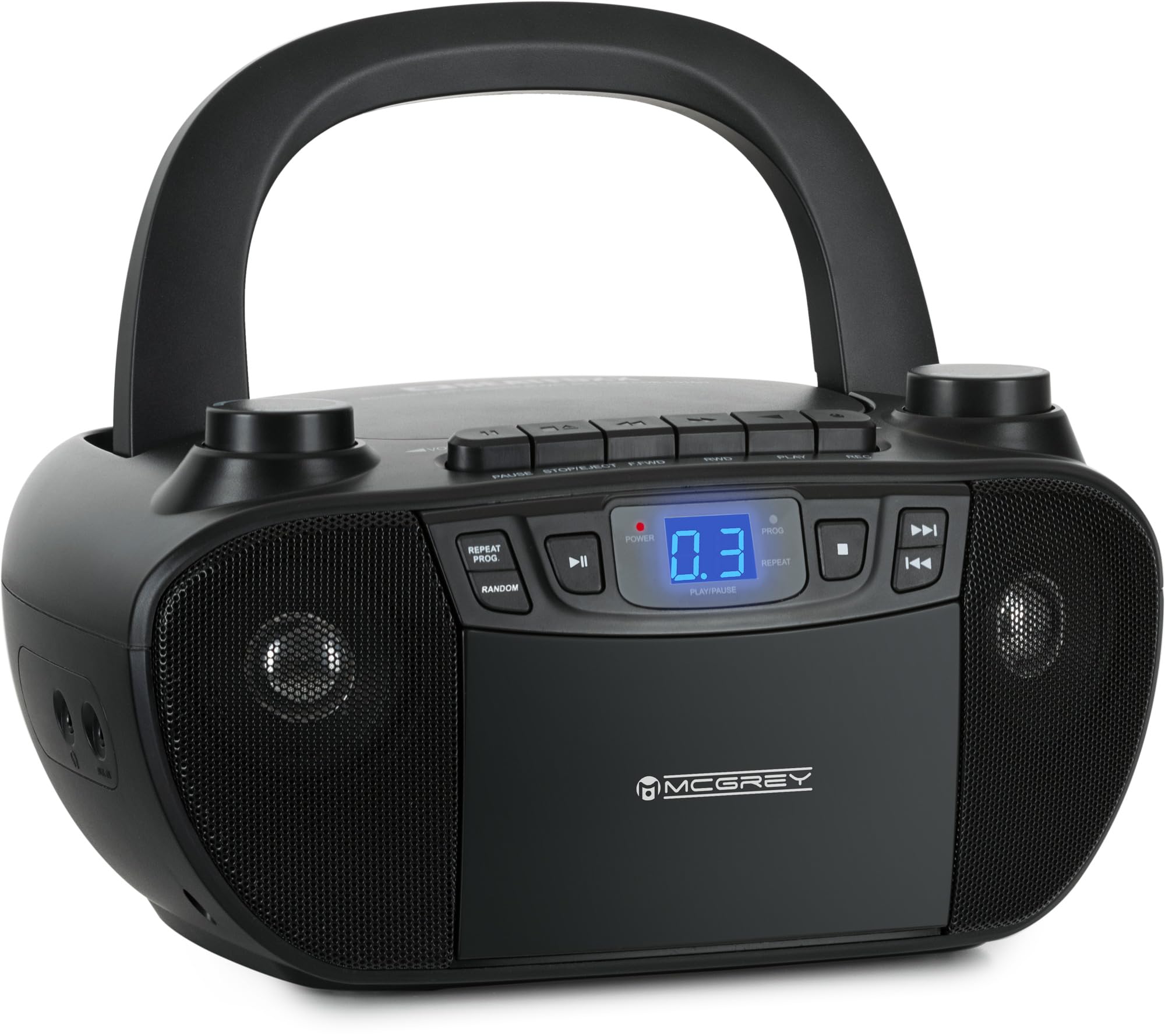
Image 1.1: The Beatfoxx CDB-1016 Boombox is suitable for various environments, from home to outdoor activities.
2. Produto rematadoview e Controis
The Beatfoxx CDB-1016 features an intuitive design with a blue backlit LCD display and analog controls for volume and station selection, ensuring clear and comfortable daily operation.

Image 2.1: Key components and controls of the Boombox, including top buttons, cassette and CD compartments, and the integrated handle.
2.1 Características principais
- Reproducción versátil: CD player (CD, CD-R, CD-RW), Cassette player/recorder, FM/MW Radio.
- Fácil operación: Blue backlit LCD display and analog controls.
- Conectividade flexible: 3.5mm AUX input for external devices, Headphone output for private listening.
- Portabilidade: Integrated handle, lightweight (approx. 1.6 kg), dual power options (AC or 6 C-type batteries).
- Saída de audio: 2 x 1.2 W music power.
3. Configuración
3.1 Alimentación do dispositivo
The Beatfoxx CDB-1016 Boombox can be powered in two ways:
- Potencia CA: Connect the supplied power cable to the AC input on the back of the unit and then to a standard wall outlet.
- Potencia da batería: For mobile use, insert 6 C-type batteries (not included) into the battery compartment located on the bottom of the unit. Ensure correct polarity (+/-) when inserting batteries.
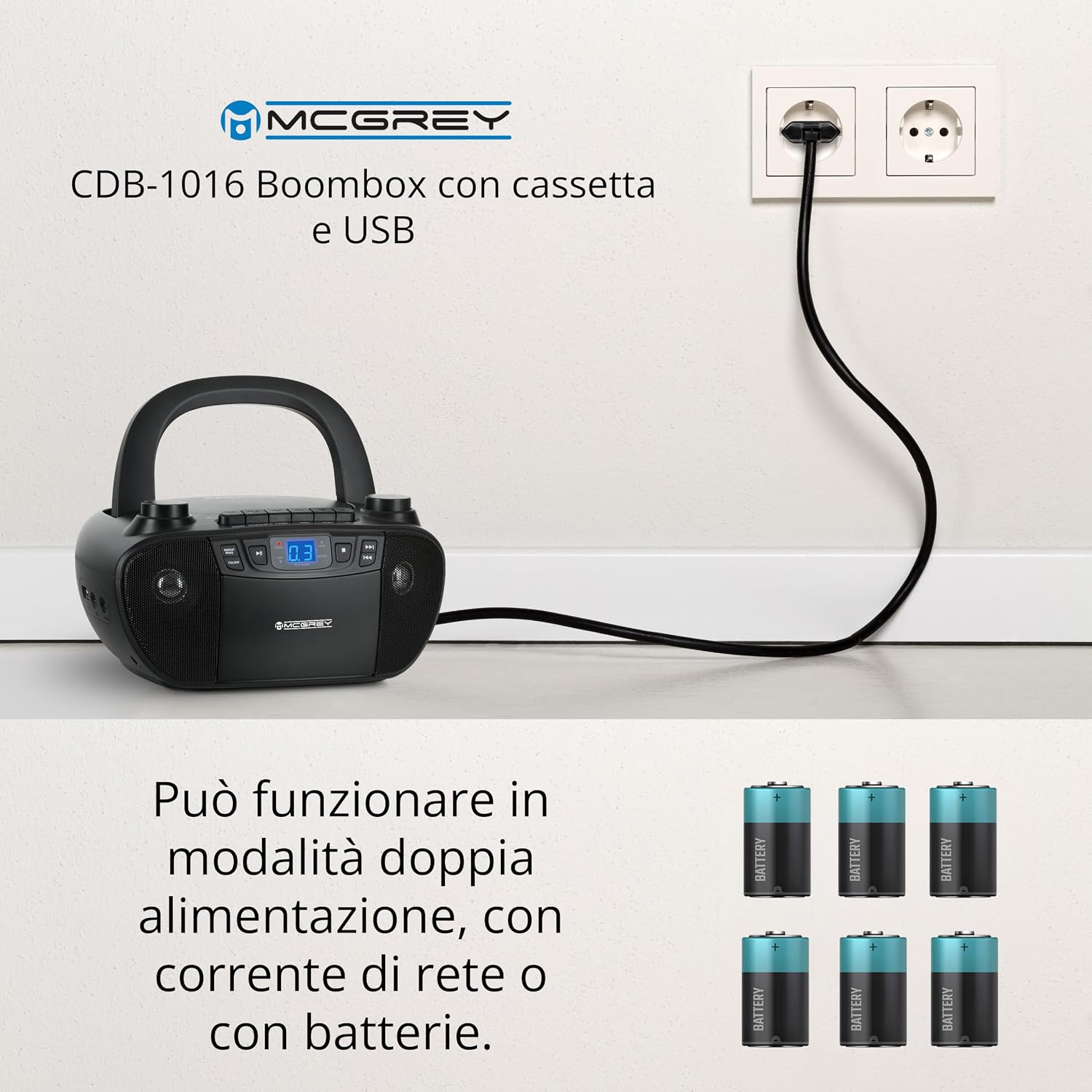
Image 3.1: The Boombox can be powered by the included AC cable or 6 C-type batteries for portability.
4. Instrucións de funcionamento
The Boombox offers multiple playback sources: CD, Cassette, Radio, and AUX input.
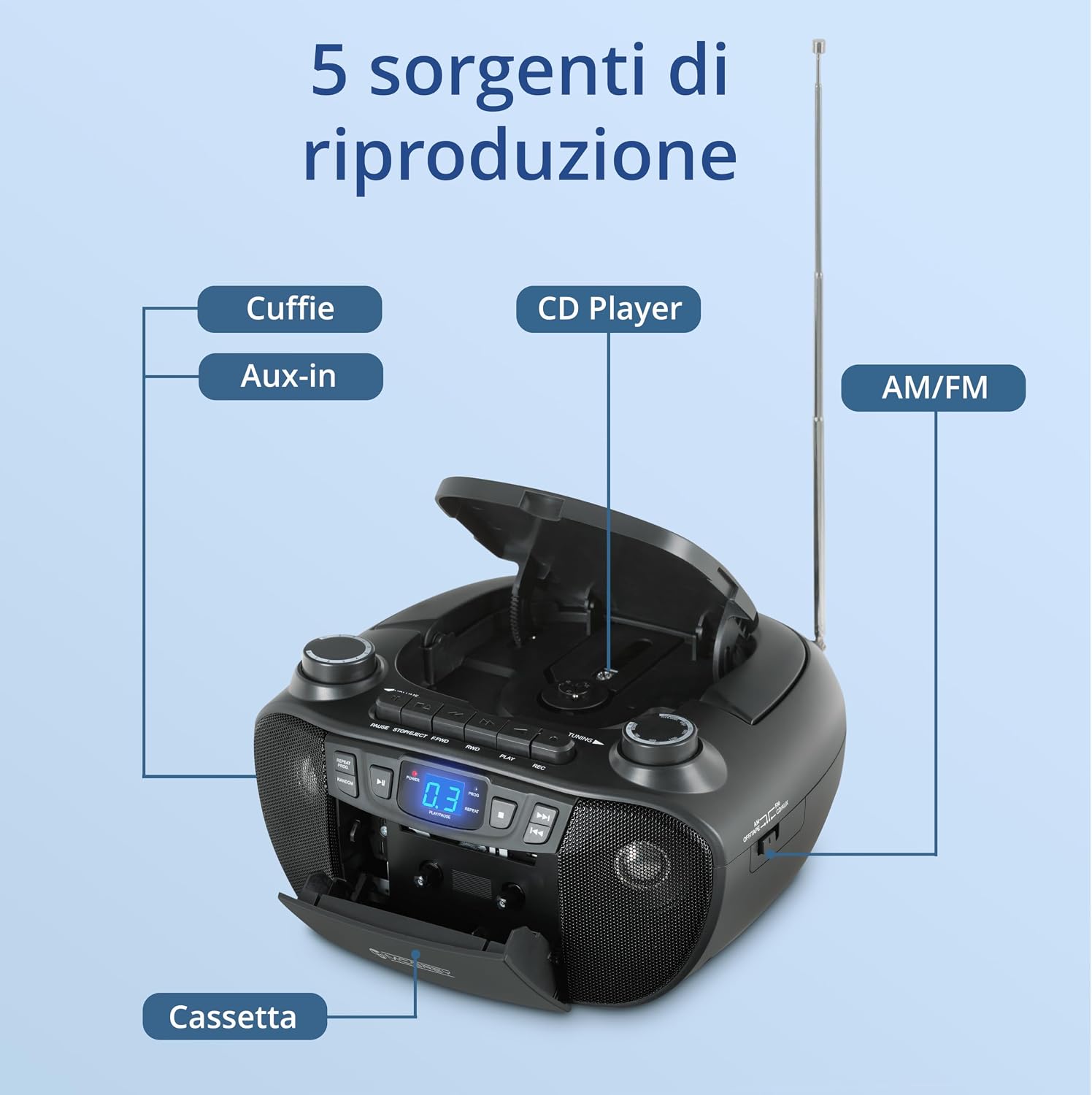
Imaxe 4.1: Acabadoview of the five available playback sources.
4.1 Funcionamento do reprodutor de CD
- Open the CD compartment lid located on the top of the unit.
- Coloque un CD (CD, CD-R ou CD-RW) no eixo coa etiqueta cara arriba.
- Peche ben a tapa do compartimento do CD.
- Preme o MODO para seleccionar o modo CD.
- Preme o REPRODUCIR/PAUSA botón para iniciar a reprodución.
- Usa o SALTAR botóns (◀◀ / ▶▶) para navegar entre as pistas.
- Preme o PARA botón para deter a reprodución.
- O REPETIR e ALEATORIO buttons allow for various playback options.
4.2 Funcionamento do reprodutor/gravador de casetes
- Preme o PARAR/EXPULSIÓN botón para abrir o compartimento do casete.
- Introduza unha cinta de casete coa beira aberta cara arriba.
- Pecha o compartimento do casete.
- Preme o MODO botón para seleccionar o modo TAPE.
- Preme o XOGAR botón para iniciar a reprodución.
- Usa o F.FWD e RWD buttons for fast forwarding and rewinding.
- Preme o PARAR/EXPULSIÓN button to stop playback or eject the tape.

Image 4.2: Inserting a cassette tape into the compartment.
4.2.1 Recording to Cassette
The Boombox allows recording from CD, Radio, or AUX input to a cassette tape.
- Insira unha cinta de casete en branco no compartimento.
- Select the desired source (CD, RADIO, or AUX) using the MODO botón.
- Start playback on the source (e.g., play a CD, tune to a radio station, or play audio from an AUX device).
- Preme o REC button on the Boombox. The XOGAR button will automatically engage, and recording will begin.
- Preme o PARAR/EXPULSIÓN botón para deter a gravación.

Image 4.3: The recording function allows capturing audio from various sources onto a cassette.
4.3 Funcionamento da radio
- Extend the telescopic antenna for optimal FM reception. For AM/MW, the internal antenna is usually sufficient.
- Preme o MODO botón para seleccionar o modo RADIO.
- Usa o BANDA switch (if available) to select between FM and MW bands.
- Xire o TUNING knob to search for desired radio stations.
- Axuste o volume empregando o VOLUME botón.
4.4 Entrada AUX
The 3.5mm AUX input allows you to connect external audio devices such as smartphones, MP3 players, or tablets.
- Connect one end of a 3.5mm audio cable (not included) to the AUX IN jack on the Boombox.
- Conecta o outro extremo do cable á toma de auriculares ou á saída de audio do teu dispositivo externo.
- Preme o MODO botón para seleccionar o modo AUX.
- Inicia a reprodución no teu dispositivo externo.
- Axuste o volume empregando o VOLUME knob on the Boombox and/or your external device.

Image 4.4: Connecting external devices via AUX input and headphones.
4.5 Saída de auriculares
For private listening, connect standard 3.5mm stereo headphones (not included) to the HEADPHONE jack on the Boombox. The built-in speakers will automatically mute when headphones are connected.
5. Mantemento
5.1 Limpeza
- Limpe o exterior da unidade cun suave, damp pano. Non use produtos de limpeza ou disolventes abrasivos.
- Para a lente do CD, use un limpador de lentes de CD especializado.
- Regularly clean the cassette head and pinch roller with a cotton swab lightly dampEnriquecido con alcohol isopropílico para garantir unha calidade de son óptima e evitar danos na cinta.
5.2 Coidado coa batería
- Retire as pilas se non vai usar a unidade durante un período prolongado para evitar fugas.
- Non mesture pilas antigas e novas, nin tipos diferentes de pilas.
- Elimina as baterías usadas de forma responsable segundo a normativa local.
6 Solución de problemas
| Problema | Causa posible | Solución |
|---|---|---|
| Sen poder | Cable de alimentación non conectado; Pilas esgotadas ou inseridas incorrectamente. | Ensure power cable is securely connected. Replace batteries or check polarity. |
| Sen son | Volume too low; Headphones connected; Incorrect source selected. | Increase volume. Disconnect headphones. Select correct mode (CD, TAPE, RADIO, AUX). |
| O CD salta ou non se reproduce | CD is dirty or scratched; CD compartment not closed properly. | Clean CD with a soft cloth. Try another CD. Ensure compartment lid is fully closed. |
| Mala recepción de radio | Antena non estendida; sinal débil. | Fully extend the telescopic antenna (FM). Reposition the unit for better signal. |
| Cassette playback distorted | Cassette head dirty or magnetized. | Clean the cassette head and pinch roller. Use a demagnetizer if necessary. |
7. Especificacións
- Marca: Beatfoxx
- Modelo: CDB-1016
- Tecnoloxía de conectividade: AUX
- Cor: Negro
- Tipo de altofalante: Estéreo
- Fonte de enerxía: AC (wired electric) or Battery (6 x C-type)
- Medios admitidos: CD, CD-R, CD-RW, Cassette Tape, FM/MW Radio, AUX Input
- Poder musical: 2 x 1.2 W
- Dimensións (W x H x D): Aproximadamente 24 x 13 x 22.5 cm
- Peso: Aproximadamente 1.6 kg
8. Garantía e soporte
For warranty information and technical support, please refer to the documentation provided with your purchase or visit the official Beatfoxx websitio. Garda o comprobante de compra para calquera reclamación de garantía.
If you encounter issues not covered in the troubleshooting section, please contact Beatfoxx customer service for assistance.


