
Ergear EGESD7W-CA
Manual do usuario do escritorio eléctrico de pé ErGear
Model: EGESD7W-CA | Brand: ErGear
Introdución
Thank you for choosing the ErGear Electric Standing Desk. This manual provides detailed instructions for assembly, operation, maintenance, and troubleshooting to ensure optimal performance and longevity of your desk. Please read this manual thoroughly before installation and use, and retain it for future reference.
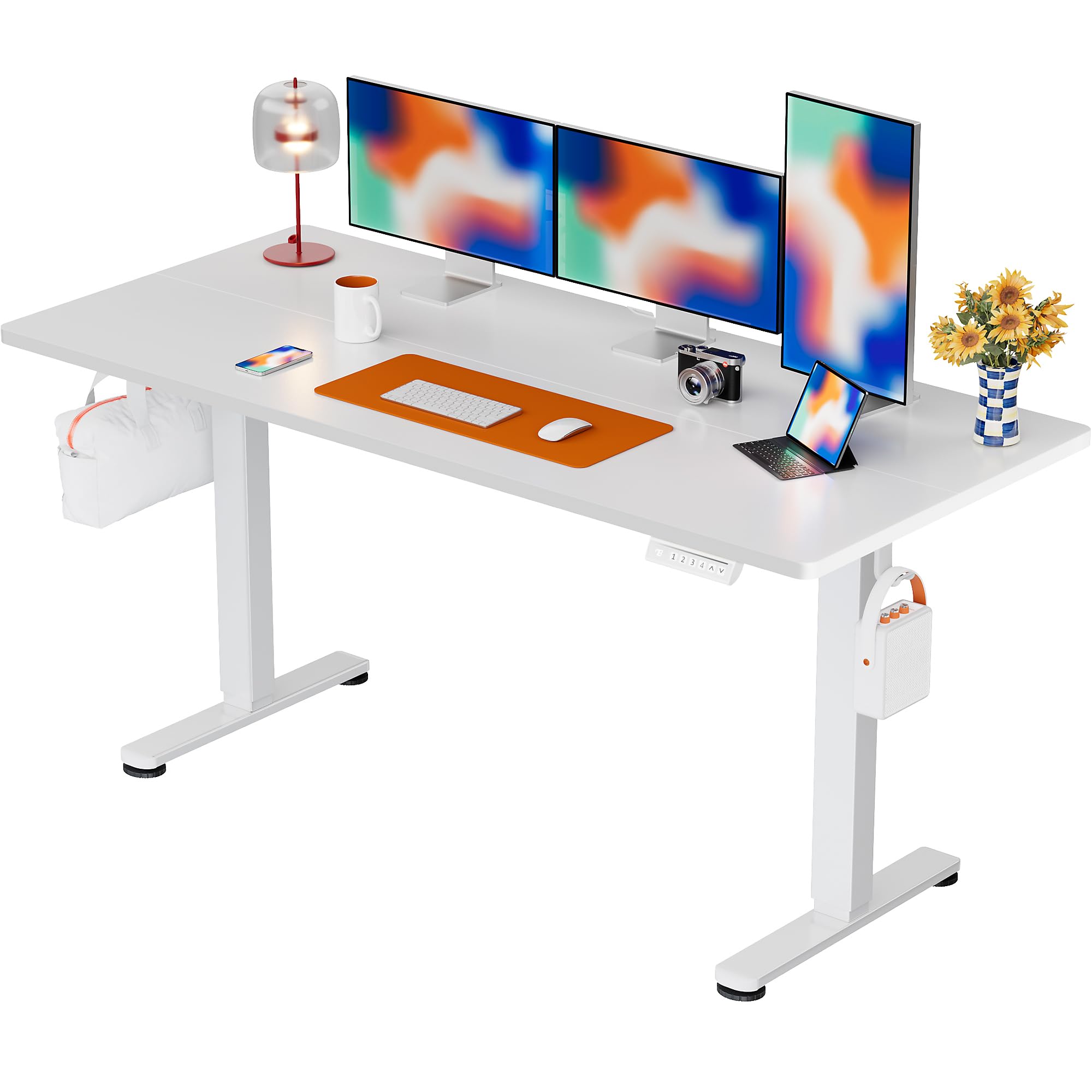
The ErGear Electric Standing Desk, 63x28 inch, in a white finish, featuring a spacious desktop and electric height adjustment capabilities.
Información de seguridade
- Asegúrate de que todos os compoñentes estean presentes e intactos antes da montaxe. Non o uses se falta algunha peza ou se está defectuosa.
- Manteña os nenos e as mascotas lonxe da mesa durante o funcionamento para evitar lesións.
- Do not overload the desk. The maximum weight recommendation is 176 pounds (80 kg).
- Ensure the power cord is not pinched or damaged. Connect to a grounded outlet.
- Evite colocar líquidos directamente sobre o panel de control ou preto de compoñentes eléctricos.
- Comprobe regularmente todos os parafusos e conexións para asegurarse de que estean ben axustados e seguros.
- Esta mesa está deseñada só para uso en interiores.
Contido do paquete
Antes de comezar a montaxe, comproba que todos os seguintes compoñentes estean incluídos no paquete:
- Desktop Boards ×2
- Leg with Motor ×1
- Perna × 1
- Leg Bases ×2
- Crossbar & Transmission Rod
- Controller & Power Cable
- Todas as ferramentas de montaxe e hardware necesarios
Instrucións de montaxe
Follow these steps carefully to assemble your ErGear Electric Standing Desk. An assembly video is also provided for visual guidance.
Official ErGear Electric Standing Desk Assembly Video. This video demonstrates the step-by-step process for setting up your desk.
Step 1: Assemble the Desk Legs
Attach the leg bases to the desk legs using the provided screws. Ensure they are securely fastened.

The stable T-shaped desk legs provide a sturdy foundation for the electric standing desk.
Step 2: Attach Side Plates and Transmission Rod
Connect the side plates to the desk legs. Insert the transmission rod fully into the left leg and secure it. If the two desk legs are not at the same height, insert the rod into the left leg and turn to adjust.
Step 3: Assemble and Attach the Desktop
Place the two desktop boards together, aligning the dowels. Secure the desktop to the assembled frame using the provided screws and brackets. Ensure all connections are tight.
Paso 4: Conecte os cables
Connect the motor and control panel cables to the main control box. Ensure all connections are firm and correctly oriented.
Step 5: Install Cable Hole Covers
Place the cable hole covers into the designated openings on the desktop to manage wires neatly.

Ergonomic guidelines for using the standing desk, showing optimal monitor and arm positions for both sitting and standing.
Instrucións de funcionamento
Panel de control rematadoview
The desk features an intuitive control panel with height adjustment buttons and memory presets.
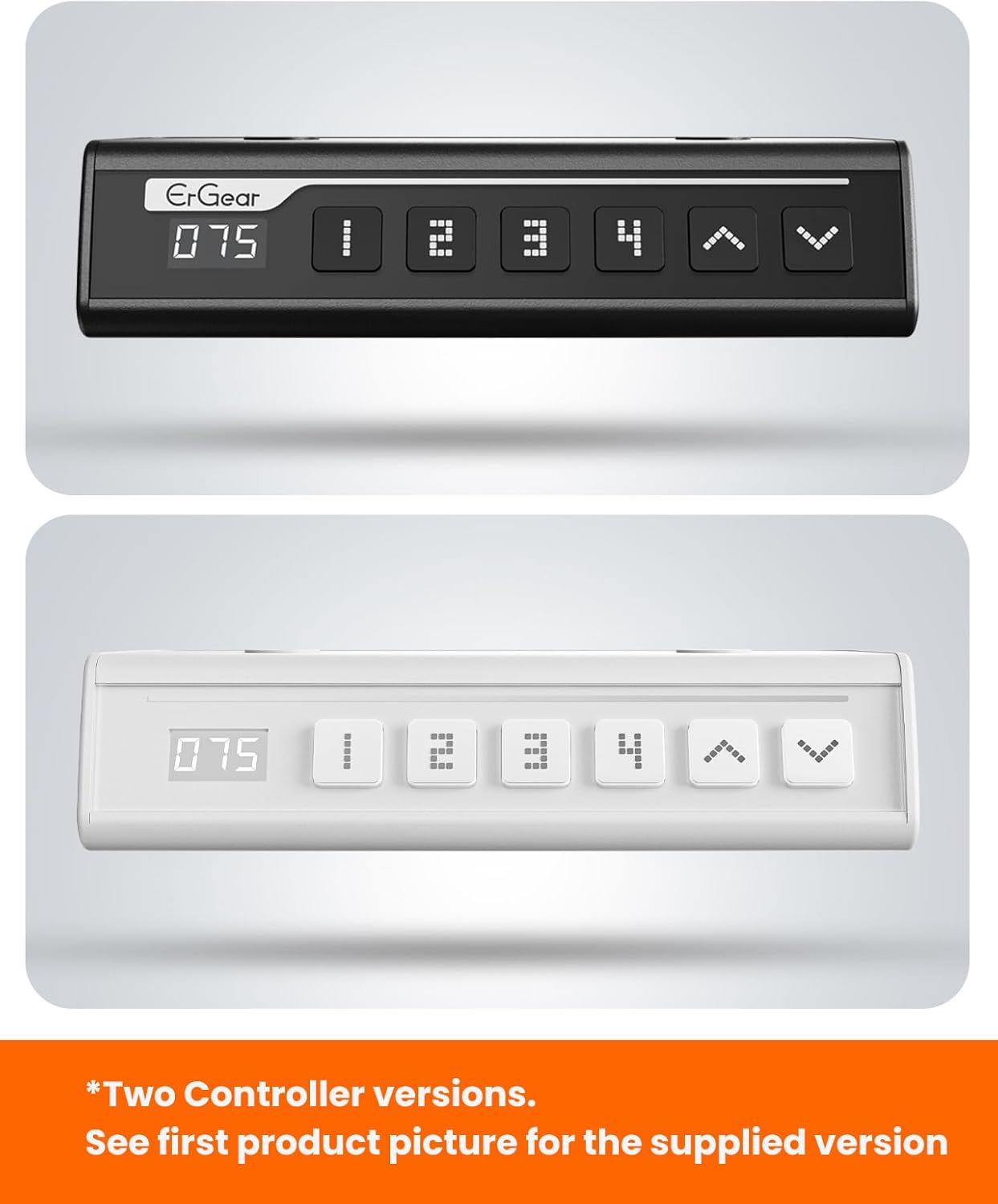
The ErGear control panel, available in two versions, features a digital height display and four programmable memory settings.
Axuste de altura
- Usa o Arriba (^) e Abaixo (v) arrows to smoothly adjust the desk height between 28.35 inches and 46.46 inches.
- Solte o botón na altura desexada.
Presets de memoria
The desk allows you to save up to 4 preferred height settings.
- Axusta o escritorio á altura desexada usando as frechas arriba/abaixo.
- Preme o M button (or equivalent memory set button). The display will flash.
- Prema un dos botóns predefinidos numerados (1, 2, 3 ou 4) within 3 seconds to save the current height to that preset.
- Para recuperar unha altura gardada, só tes que premer o botón predefinido numerado correspondente. O escritorio moverase automaticamente á posición gardada.
This video demonstrates the smooth and quiet operation of the ErGear Electric Standing Desk, showcasing its height adjustment and memory preset features.
Mantemento
- Limpeza: Limpa o escritorio e o marco cun pano suave eamp pano. Evite produtos químicos agresivos ou produtos de limpeza abrasivos.
- Inspección: Periodically check all screws and connections for tightness. Re-tighten if necessary.
- Xestión de cables Ensure cables are neatly organized and not tangled or pinched to prevent damage.
Resolución de problemas
If you encounter any issues with your ErGear Electric Standing Desk, please refer to the following common problems and solutions:
| Problema | Causa posible | Solución |
|---|---|---|
| O escritorio non se move | Power cable disconnected, motor error, overloaded desk. | Check power connections. Unplug for 30 seconds and plug back in. Reduce weight on the desk. |
| Altura irregular | Transmission rod not fully inserted or adjusted. | Refer to Step 2 of assembly to ensure the transmission rod is correctly installed and adjusted. |
| Ruído durante o funcionamento | Normal operation sound, loose screws. | A slight motor sound is normal. Check and tighten any loose screws on the frame. |
| Os preajustes de memoria non funcionan | Procedemento de gardado incorrecto. | Follow the memory preset instructions carefully (press M, then the number within 3 seconds). |
Especificacións
| Característica | Detalle |
|---|---|
| Marca | ErGear |
| Número de modelo | EGESD7W-CA |
| Deseño de escritorio | Escritorio de pé |
| Forma | Rectangular |
| Dimensións do produto (P x A x A) | 71.1 centímetros de profundidade x 160 ancho x 118 alto |
| Tamaño | 63*28 polgadas |
| Cor | Branco |
| Altura mínima | 28.35 polgadas |
| Altura máxima | 46.46 polgadas |
| Espesor da mesa | 1.5 Centímetros |
| Material base | Aceiro de aliaxe |
| Tipo de material superior | Engineered Wood (Walnut Wood finish) |
| Características especiais | Altura axustable, eléctrico, ergonómico |
| Recomendación de peso máximo | 176 libras (80 kg) |
| Requírese montaxe | Si (inclúe todas as ferramentas de montaxe) |
Garantía e Soporte
ErGear is committed to providing high-quality products and customer satisfaction. This product comes with:
- Protección de 5 anos on the desktop and desk frame.
- Protección de 2 anos on motors and electrical components.
For any questions, concerns, or warranty claims, please contact ErGear customer support. You can typically find contact information on the product packaging or the official ErGear website. Please have your model number (EGESD7W-CA) and purchase details ready when contacting support.

The ErGear Electric Standing Desk seamlessly integrates into various home office environments.
Ask a question about this manual
Ask about setup, troubleshooting, compatibility, parts, safety, or missing instructions. Manuals+ will review the question and use this page’s manual context to help answer it.