
1. Introdución
Thank you for choosing the Voistek BC3pro Bone Conduction Headphones. These open-ear headphones are designed for active lifestyles, featuring IP68 waterproofing, a built-in 32GB MP3 player, Bluetooth 5.3 connectivity, and nighttime safety lights. This manual provides detailed instructions for setup, operation, maintenance, and troubleshooting to ensure optimal performance and longevity of your device.
2. Contido do paquete
Verifique que todos os elementos estean presentes no seu paquete:
- 1x Voistek BC3pro Bone Conduction Headphones
- 1 cable de carga magnético
- 1x Adjustable Elastic Strap
- 1x Manual de usuario (este documento)
3. Produto rematadoview
The Voistek BC3pro headphones feature an ergonomic, open-ear design that rests on your cheekbones, allowing you to hear ambient sounds while enjoying audio. The flexible titanium frame ensures a secure and comfortable fit for various activities.

Image 3.1: Voistek BC3pro Bone Conduction Headphones, showcasino seu deseño impermeable.
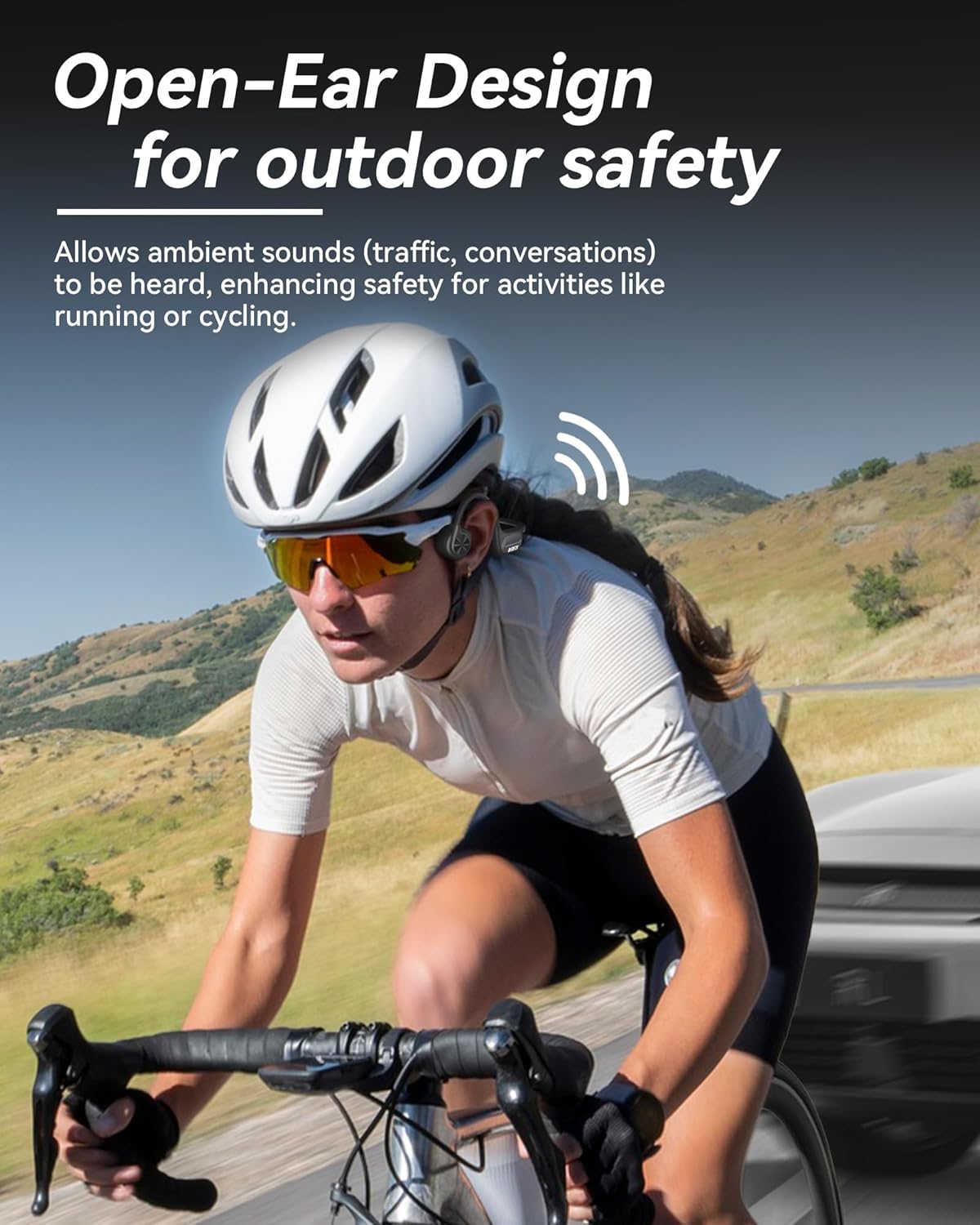
Image 3.2: Open-ear design allows awareness of surroundings, ideal for outdoor activities like cycling.

Image 3.3: The adjustable elastic band ensures a snug and comfortable fit for various head sizes.
4. Configuración
4.1 Carga dos auriculares
- Connect the magnetic charging cable to the charging port on the headphones. Ensure the magnetic connection is secure.
- Conecta o extremo USB-A do cable a un adaptador de corrente USB estándar (non incluído) ou a un porto USB do ordenador.
- The LED indicator on the headphones will show charging status. A full charge takes approximately 1.5 hours.
- Once fully charged, the headphones provide up to 8 hours of playtime.

Image 4.1: Magnetic charging connection and battery life indication.
4.2 Encendido/apagado
- Encendido: Press and hold the multi-function button for 3 seconds until the LED indicator lights up and you hear a power-on prompt.
- Apagado: Press and hold the multi-function button for 3 seconds until the LED indicator turns off and you hear a power-off prompt.
4.3 Emparejamento Bluetooth
- Asegúrese de que os auriculares estean apagados.
- Press and hold the multi-function button for approximately 5 seconds until the LED indicator flashes red and blue alternately, indicating pairing mode.
- No teu dispositivo (teléfono intelixente, tableta, ordenador), activa o Bluetooth e busca os dispositivos dispoñibles.
- Select "BC3pro" from the list of devices.
- Once connected, the LED indicator will flash blue slowly, and you will hear a connection prompt.

Image 4.2: Bluetooth 5.3 connectivity for stable pairing with devices.
4.4 MP3 Mode and Music Transfer
The headphones feature 32GB of built-in storage for offline music playback, especially useful for swimming or activities where a phone is not desired.
- Transferencia de música: Connect the headphones to a computer using the magnetic charging cable. The headphones will appear as a removable disk drive. Drag and drop your audio files (e.g., MP3 format) into the headphones' storage folder.
- Cambiar ao modo MP3: Double-tap the multi-function button to switch between Bluetooth mode and MP3 mode.

Image 4.3: MP3 mode allows music playback without a phone, ideal for swimming.
5. Instrucións de funcionamento
5.1 Funcións dos botóns
The headphones are controlled via a multi-function button and volume buttons. Refer to the diagram below for button locations and functions:

Imaxe 5.1: Acabadoview of button controls for the Voistek BC3pro headphones.
- Encendido/apagado: Press and hold multi-function button for 3 seconds.
- Reproducir/Pausa: Single tap multi-function button.
- Subir volume: Single tap '+' button.
- Baixar volume: Single tap '-' button.
- Próxima canción: Press and hold '+' button for 2 seconds.
- Canción anterior: Press and hold '-' button for 2 seconds.
- Responder/colgar chamada: Single tap multi-function button during a call.
- Rexeitar a chamada: Press and hold multi-function button for 2 seconds during an incoming call.
- Activar o Asistente de voz (Siri/Asistente de Google): Press and hold multi-function button for 2 seconds.
- Switch MP3/Bluetooth Mode: Double tap multi-function button.
- Night Light On/Off: Triple tap multi-function button.
- Restablecemento de datos de fábrica: Tap multi-function button five times.
5.2 Nighttime Lights
The integrated LED light strips enhance visibility during low-light conditions, improving safety for activities like night running or cycling.

Image 5.2: Luminous function for increased safety during nighttime activities.
5.3 Waterproof Usage (IP68)
The IP68 rating allows the headphones to be submerged in water up to 10 feet for 2 hours. This makes them suitable for swimming and other water sports.
- For underwater use, always switch to Modo MP3 as Bluetooth signals do not transmit effectively through water.
- Ensure the charging port is clean and dry before charging after water exposure.

Image 5.3: IP68 waterproof rating enables use during swimming and snorkeling.
6. Mantemento
6.1 Limpeza
- Limpe os auriculares cun suave, damp cloth after each use, especially after workouts or swimming.
- Do not use abrasive cleaners or solvents, as these can damage the materials.
- Asegúrate de que o porto de carga estea seco antes de conectar o cable de carga.
6.2 Almacenamento
- Garde os auriculares nun lugar fresco e seco, lonxe da luz solar directa e de temperaturas extremas.
- Evite colocar obxectos pesados enriba dos auriculares para evitar danar a estrutura.
7 Solución de problemas
- Sen enerxía: Ensure the headphones are fully charged. Connect to the magnetic charging cable and check the LED indicator.
- Sen son:
- Comprobe o nivel de volume tanto nos auriculares como no dispositivo conectado.
- Ensure the headphones are correctly paired via Bluetooth or are in MP3 mode.
- If in MP3 mode, ensure music files are properly loaded onto the 32GB storage.
- Problemas de desconexión/emparellamento de Bluetooth:
- Ensure the headphones are within the 10-meter Bluetooth range of your device.
- Desactiva e activa o Bluetooth no teu dispositivo.
- Forget the "BC3pro" device in your device's Bluetooth settings and attempt to re-pair.
- Perform a factory data reset (five taps on the multi-function button).
- MP3 Mode Not Working:
- Ensure the headphones are switched to MP3 mode (double-tap multi-function button).
- Verify that compatible audio files are stored on the device's internal memory.
- A luz nocturna non se activa: Ensure the headphones are powered on and triple-tap the multi-function button.
8. Especificacións
| Característica | Especificación |
|---|---|
| Nome do modelo | BC3pro |
| Tecnoloxía de conectividade | Sen fíos (Bluetooth 5.3) |
| Tecnoloxía de comunicación sen fíos | Bluetooth |
| Versión Bluetooth | 5.3 |
| Alcance Bluetooth | 10 metros |
| Nivel de resistencia á auga | IP68 (Impermeable) |
| Almacenamento incorporado | 32GB (MP3 Mode) |
| Duración da batería | Ata 8 horas |
| Tempo de carga | 1.5 horas |
| Método de carga | Cable de carga magnética |
| Tipo de controlador de audio | Condutor de condución ósea |
| Tamaño do controlador de audio | 16.3 milímetros |
| Forma do auricular | Orella aberta |
| Peso | Approximately 30g (1.06 oz) |
| Material | Acrylonitrile Butadiene Styrene (ABS), Rubber, Titanium |
| Tipo de control | Push Button, Media Control, Voice Assistant |
9. Información de seguridade
- Non desmontes, repares nin modifiques o produto. Isto podería provocar incendios, avarías electrónicas ou mesmo danos completos no produto.
- Keep the product away from fire, heat, and corrosive substances.
- Avoid using the headphones at excessively high volumes for prolonged periods to prevent hearing damage.
- While the open-ear design enhances situational awareness, always exercise caution in environments requiring full attention.
- Ensure the charging port is dry before charging to prevent short circuits.
10. Garantía e soporte
Voistek products are designed for reliability and performance. For warranty information, technical support, or service inquiries, please refer to the contact information provided with your purchase or visit the official Voistek websitio.