
1. Introdución
This manual provides comprehensive instructions for the Ailgely Digital Thermometer Hygrometer Sensor Meter. This wireless sensor is designed to measure temperature and humidity both indoors and outdoors, transmitting data to a compatible Fanju weather station. Please read this manual thoroughly before use to ensure proper setup and operation.
2. Contido do paquete
Ao desembalar, comprobe que todos os elementos enumerados a continuación estean presentes e en bo estado:
- 1 x Ailgely Digital Thermometer Hygrometer Sensor Meter
Note: 2 x AA batteries are required for operation and are not included in the package.
3. Características do produto
- Uso interior e exterior: Suitable for monitoring temperature and humidity in various environments.
- Transmisión sen fíos: Offers a 60-meter transmission range in open areas for accurate data collection.
- Deseño impermeable: IPX4 waterproof rating ensures durability in different weather conditions.
- Instalación flexible: Can be easily mounted on a wall or placed on a desktop.
- Compatibilidade: Specifically designed for use with Fanju weather stations.
4. Configuración
4.1 Instalación da batería
- Localice a tapa do compartimento da batería na parte traseira do sensor.
- Deslice ou solte a tapa con coidado para abrir o compartimento.
- Insert two (2) AA batteries, ensuring correct polarity (+ and - terminals).
- Coloque a tapa do compartimento da batería de forma segura.
4.2 Colocación e montaxe
The sensor offers versatile placement options:
- Colocación do escritorio: The sensor can stand upright on any flat surface.
- Montaxe na parede: Use the integrated hanging hole on the back of the sensor. Secure a screw (not included) into the desired wall location and hang the sensor.

Figura 1: Atrás view of the sensor with battery compartment and mounting hole.
4.3 Pairing with Fanju Weather Station
Important: This sensor is designed exclusively for use with Fanju weather stations. It may not be compatible with other brands or models.
To pair the sensor with your Fanju weather station:
- Ensure both the sensor and the Fanju weather station are powered on and within the 60-meter transmission range.
- Refer to your Fanju weather station's instruction manual for specific pairing procedures. Typically, this involves initiating a sensor search function on the weather station.
- The sensor will automatically attempt to transmit data once powered. The weather station should detect and display the sensor's readings.
5. Funcionamento
5.1 Mostrar máisview
The sensor features a clear LCD display showing current temperature and humidity readings.
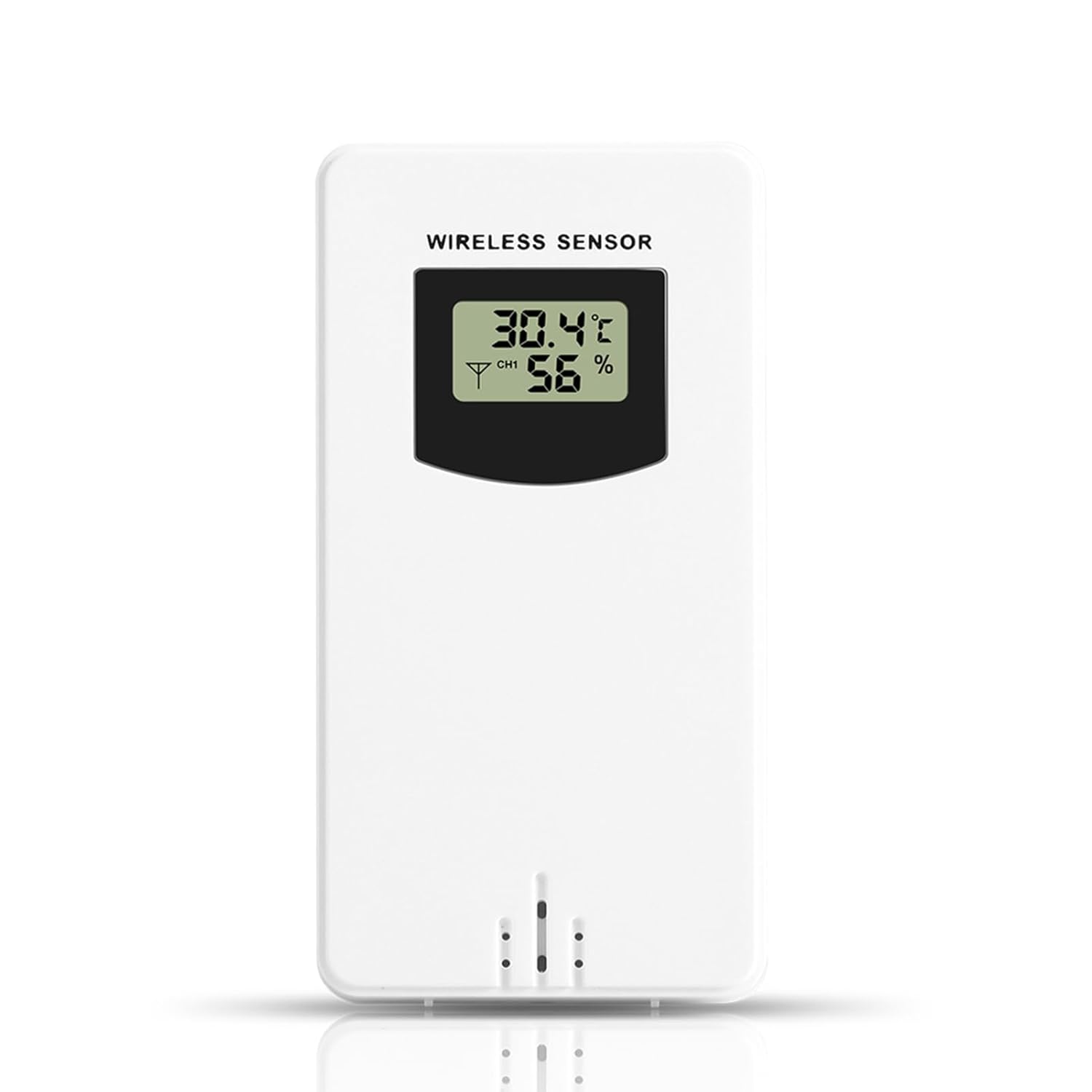
Figura 2: Fronte view of the sensor display.
- Temperatura: Displays in Celsius (°C) or Fahrenheit (°F), depending on the setting of the connected Fanju weather station.
- Humidade: Displays as a percentage (%).
- Indicador de canle: May show a channel number (e.g., CH1) if the sensor supports multiple channels or if the weather station is configured for multiple sensors.
5.2 Transmisión
The sensor wirelessly transmits temperature and humidity data to the paired Fanju weather station. Ensure there are no significant obstructions (e.g., thick walls, large metal objects) between the sensor and the weather station to maintain optimal signal strength and transmission range.
6. Mantemento
6.1 Substitución da batería
When the display becomes dim or the sensor stops transmitting data, it is time to replace the batteries. Follow the battery installation steps in Section 4.1. Always use fresh AA batteries.
6.2 Limpeza
To clean the sensor, wipe it with a soft, damp cloth. Do not use abrasive cleaners, solvents, or immerse the unit in water. Ensure the battery compartment is dry before closing.
7 Solución de problemas
- Sen visualización: Comprobe a instalación das baterías e asegúrese de que as baterías estean novas.
- No Data on Weather Station:
- Verify the sensor is within the 60m transmission range of the weather station.
- Ensure there are no major obstructions blocking the signal.
- Re-pair the sensor with the weather station according to the weather station's manual.
- Replace batteries in the sensor.
- Lecturas inexactas: Ensure the sensor is placed in a location free from direct sunlight, heat sources, or excessive moisture that could skew readings.
8. Especificacións
| Característica | Especificación |
|---|---|
| Número de modelo | Ailgelyvwcdo75mzp-5W |
| Material | ABS |
| Cor | Branco |
| Clasificación impermeable | IPX4 |
| Alcance de transmisión | Ata 60 metros (zona aberta) |
| Fonte de alimentación | 2 pilas AA (non incluídas) |
| Dimensións (aprox.) | 9.6cm (H) x 5cm (W) x 3.4cm (D) / 3.78in (H) x 1.97in (W) x 1.34in (D) |
| Peso (aprox.) | 73 g / 2.57 oz |
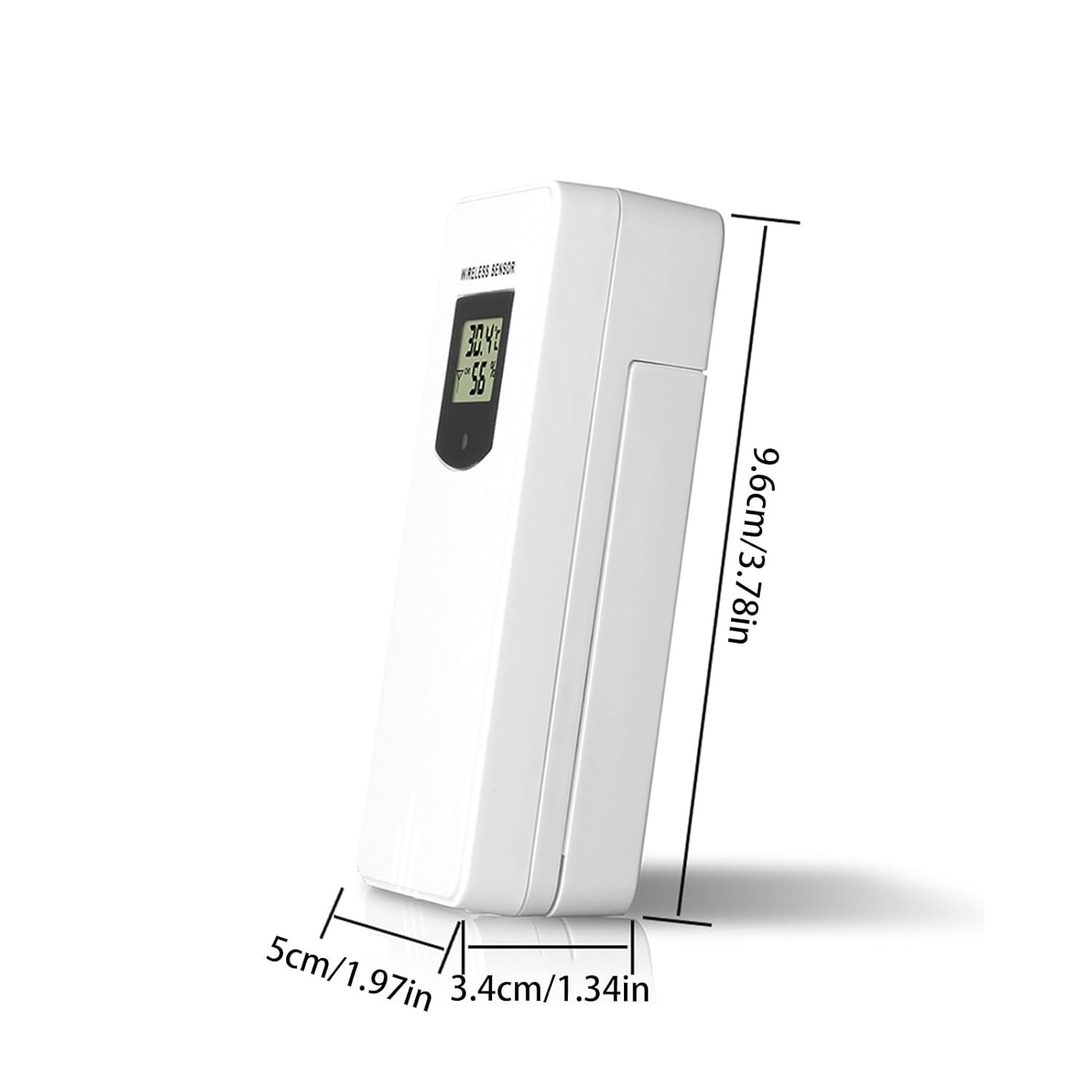
Figure 3: Sensor dimensions.
9. Garantía e soporte
For warranty information or technical support, please refer to the documentation provided with your purchase or contact the retailer. Keep your purchase receipt as proof of purchase.