
1. Produto rematadoview
The Voistek Bone Conduction Headphones are designed for active lifestyles, offering an open-ear listening experience with advanced features. These headphones utilize bone conduction technology to deliver audio, keeping your ears open to ambient sounds for enhanced awareness during activities. They feature Bluetooth 5.3 for wireless connectivity and a built-in 32GB MP3 player for local music storage, making them suitable for various environments, including swimming.
Características principais:
- Deseño de orella aberta: Ensures comfort and situational awareness.
- Clasificación de impermeabilidade IP68: Fully submersible, suitable for swimming and water sports.
- Reprodutor de MP3 de 32 GB integrado: Store up to 8,000 songs for offline listening.
- Bluetooth 5.3: Ofrece unha conexión sen fíos estable e eficiente.
- Batería de longa duración: Up to 8 hours in Bluetooth mode, 6 hours in MP3 mode.
- Micrófono integrado: Para chamadas mans libres.
- Night Running Mode: Features steady and flashing LED lights for safety.

Image 1.1: Voistek Bone Conduction Headphones (Grey).

Imaxe 1.2: Acabadoview of key features including 8-hour battery life, Hi-Fi sound, Bluetooth 5.3, open-ear safety, IP68 waterproof rating, and lightweight design. Also indicates microphone location and low battery alert.
2. Contido do paquete
Comprobe se o paquete contén os seguintes elementos:
- Voistek Bone Conduction Headphones
- Cable de carga magnética
- Manual de usuario
3. Configuración e carga
3.1 Cargo inicial
Before first use, fully charge your headphones. Connect the magnetic charging cable to the charging port on the headphones and plug the USB end into a compatible power source (e.g., computer USB port, USB wall adapter). The charging time is approximately 1.5 hours for a full charge.

Image 3.1: The magnetic charging connection point on the headphones. A quick 5-minute charge provides 30 minutes of playback.
3.2 Encendido/apagado
- Para acender: Press and hold the Power button until the indicator light illuminates and you hear a power-on prompt.
- Para apagar: Manteña premido o botón de acendido/apagado ata que o indicador luminoso se apague e escoite un aviso de apagado.
3.3 Emparejamento Bluetooth
The headphones support Bluetooth 5.3 for a stable connection up to 10 meters. They are compatible with cellphones, desktops, laptops, smartwatches, iPhones, PCs, and Android devices.
- Asegúrese de que os auriculares estean apagados.
- Press and hold the Power button until the indicator light flashes red and blue, indicating pairing mode.
- No teu dispositivo, activa o Bluetooth e busca os dispositivos dispoñibles.
- Select "Voistek Headphones" (or similar name) from the list.
- Once connected, the indicator light will turn solid blue, and you will hear a confirmation prompt.
3.4 Simultaneous Pairing
The headphones can connect to two devices simultaneously. This allows you to listen to audio from the device that is currently playing.
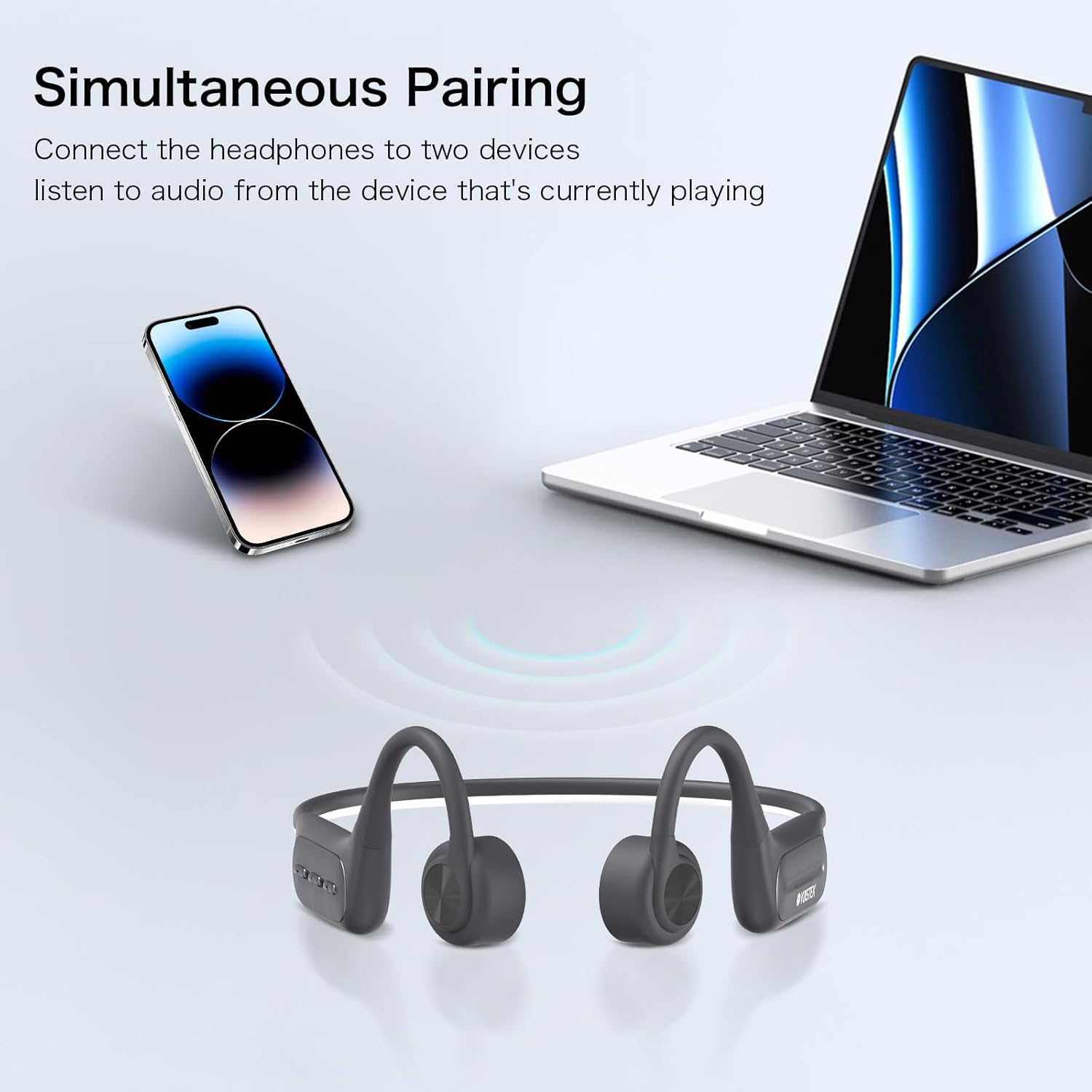
Image 3.2: The headphones can be paired with two devices, such as a smartphone and a laptop, and switch between them based on active audio playback.
3.5 MP3 Mode (Built-in 32GB Storage)
The headphones feature a built-in 32GB MP3 player, allowing you to store music directly on the device for use without a Bluetooth connection, ideal for swimming or when you prefer to save phone battery.
- Transferencia de música: Connect the headphones to your computer using the magnetic charging cable. The headphones will appear as a removable drive. Drag and drop your MP3 audio files into the drive.
- Cambiar ao modo MP3: While the headphones are on, double-tap the Mode button (refer to control layout in Section 4.1) to switch between Bluetooth and MP3 modes.
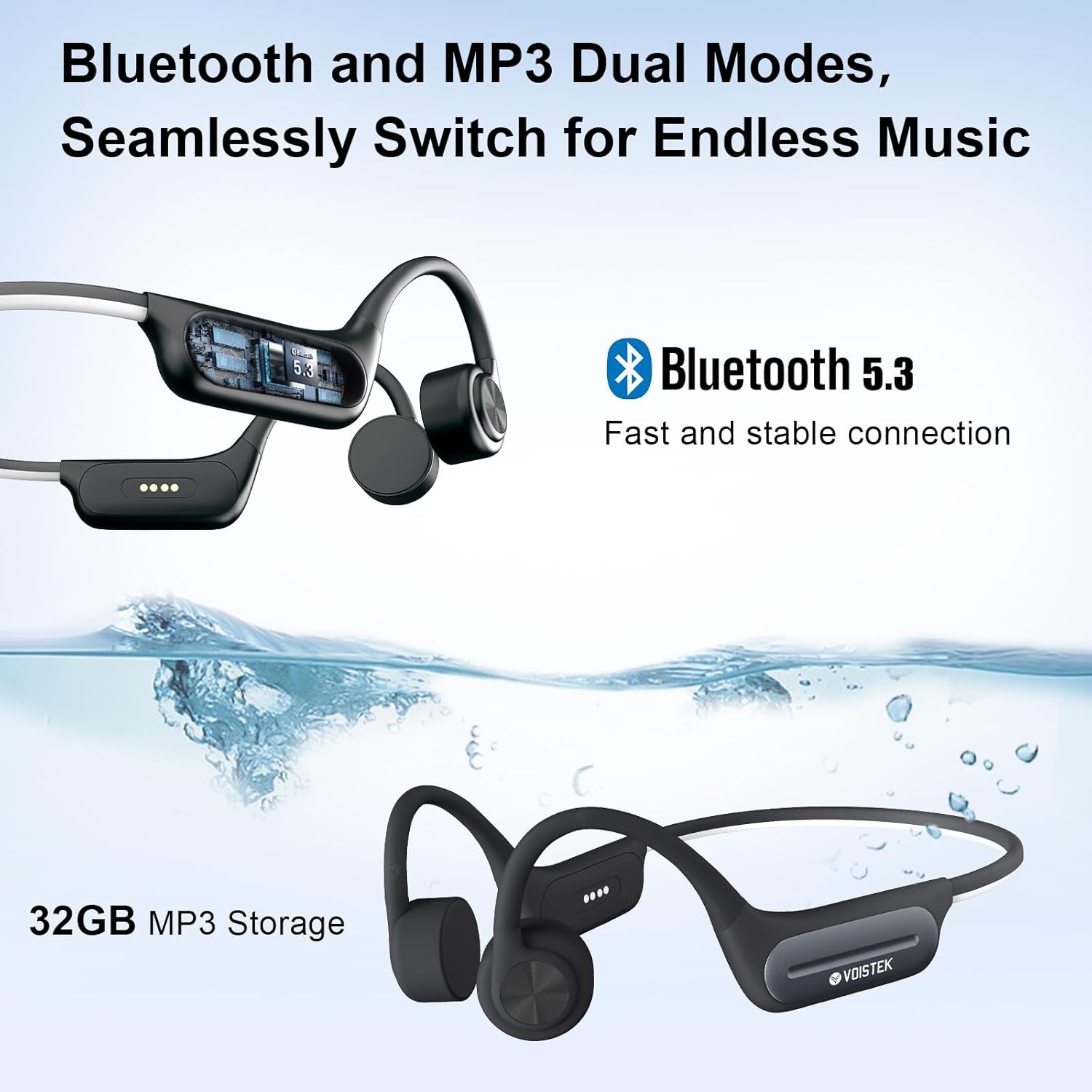
Image 3.3: The headphones support both Bluetooth 5.3 and a built-in 32GB MP3 player, allowing seamless switching between modes.
4. Instrucións de funcionamento
4.1 Botóns de control
The headphones feature intuitive button controls for media playback, volume, and calls. The specific layout and functions are typically located on one of the headphone modules.
- Botón de acendido/multifunción: Prema longamente para acender/apagar. Prema curta para reproducir/pausar música ou responder/finalizar chamadas.
- Subir volume (+)/Pista seguinte: Presión curta para subir o volume. Presión longa para a seguinte canción.
- Baixar volume (-)/Pista anterior: Presión curta para baixar o volume. Presión longa para volver á pista anterior.
- Mode Button (Double Tap): Switch between Bluetooth mode and MP3 player mode.
4.2 Reprodución de audio
- Reproducir/Pausa: Prema brevemente o botón de acendido/multifunción.
- Próxima pista: Mantén premido o botón para subir o volume (+).
- Pista anterior: Mantén premido o botón para baixar o volume (-).
- Axuste de volume: Prema brevemente os botóns para subir o volume (+) ou baixar o volume (-).
4.3 Xestión de chamadas
- Responder chamada: Prema brevemente o botón de acendido/multifunción cando entre unha chamada.
- Finalizar a chamada: Prema brevemente o botón de acendido/multifunción durante unha chamada.
- Rexeitar a chamada: Mantén premido o botón de acendido/multifunción cando entre unha chamada.
4.4 Activación do asistente de voz
The headphones support activation of voice assistants such as Siri, Alexa, and Google Assistant. Refer to your device's specific instructions for activating the voice assistant feature through connected Bluetooth devices.
4.5 Night Running Mode
For enhanced safety during low-light conditions, the headphones are equipped with an LED light strip. This feature can be activated and switched between modes:
- Modo 1: Luz constante
- Modo 2: Luz intermitente
Refer to the specific button combination in your quick start guide for activating and cycling through these modes.

Image 4.1: The headphones feature a night running mode with steady or flashing LED lights for increased visibility and safety during evening or early morning activities.
5. Waterproof Usage (IP68 Rating)
The Voistek Bone Conduction Headphones boast an IP68 waterproof rating, meaning they are fully protected against dust and can withstand immersion in water up to 2 meters deep for up to 2 hours. This makes them ideal for swimming and other water-based activities.
- For optimal performance during swimming, it is recommended to use the built-in 32GB MP3 player mode, as Bluetooth connectivity can be limited underwater.
- Ensure the charging port is dry before connecting the magnetic charging cable to prevent damage.

Image 5.1: The IP68 waterproof rating allows for underwater music playback, making the headphones suitable for swimming.
6. Mantemento e coidados
To ensure the longevity and optimal performance of your Voistek Bone Conduction Headphones, follow these maintenance guidelines:
- Limpeza: After use, especially after swimming or intense exercise, rinse the headphones with fresh water and wipe them dry with a soft, clean cloth. Do not use abrasive cleaners or solvents.
- Secado: Allow the headphones to air dry completely before charging or storing them. Pay special attention to the charging port area.
- Almacenamento: Garde os auriculares nun lugar fresco e seco, lonxe da luz solar directa e de temperaturas extremas.
- Porto de carga: Keep the magnetic charging contacts clean and free of debris.
- Evitar impacto: Non deixe caer os auriculares nin os someta a impactos fortes, xa que isto podería danar os compoñentes internos.
7 Solución de problemas
If you encounter issues with your headphones, please refer to the following common troubleshooting steps:
- Sen enerxía: Ensure the headphones are fully charged. Connect to the charger and check if the charging indicator light appears.
- Non se pode emparellar por Bluetooth:
- Asegúrate de que os auriculares estean en modo de emparellamento (luz vermella e azul intermitente).
- Desactiva e activa o Bluetooth do teu dispositivo.
- Achega os auriculares ao dispositivo (a menos de 10 metros).
- Esquece o dispositivo da configuración de Bluetooth do teu teléfono e tenta emparellalo de novo.
- Sen son:
- Comprobe o nivel de volume tanto nos auriculares como no dispositivo conectado.
- Ensure the headphones are correctly connected via Bluetooth or are in MP3 mode.
- If in MP3 mode, ensure there are valid audio files on the 32GB storage.
- Mala calidade de son:
- Ensure the bone conduction transducers are positioned correctly on your cheekbones, just in front of your ears.
- Axuste o volume.
- If using Bluetooth, ensure there are no obstructions between the headphones and your device.
- Headphones not recognized by computer for MP3 transfer:
- Ensure the magnetic charging cable is securely connected to both the headphones and the computer.
- Proba cun porto USB ou ordenador diferente.
8. Especificacións
| Característica | Especificación |
|---|---|
| Marca | Voistek |
| Nome do modelo | Gris |
| Tecnoloxía de conectividade | Sen fíos (Bluetooth) |
| Tecnoloxía de comunicación sen fíos | Bluetooth 5.3 |
| Alcance Bluetooth | 10 metros |
| Tipo de controlador de audio | Condutor de condución ósea |
| Almacenamento incorporado | Reproductor MP32 de 3 GB |
| Nivel de resistencia á auga | Impermeable IP68 |
| Duración da batería | 8 Hours (Bluetooth Mode), 6 Hours (MP3 Mode) |
| Tempo de carga | 1.5 horas |
| Tipo de control | Media Control, Button, Voice |
| Colocación do oído | Orella aberta |
| Material | Acrylonitrile Butadiene Styrene (ABS), Aluminum, Silicone |
| Peso do elemento | 150 gramos (5.3 onzas) |
| Dimensións do produto | 4 x 1.5 x 5.5 polgadas |
| Rango de frecuencias | 20 Hz a 20,000 Hz |
| Sensibilidade | 80 dB |
| Impedancia | 80 ohmios |
9. Garantía e soporte
Warranty information for your Voistek Bone Conduction Headphones is typically provided with your purchase documentation. Please refer to the packaging or any included warranty cards for details regarding coverage period and terms.
For technical support, customer service, or further inquiries, please visit the official Voistek website or contact their customer support channels as indicated in your product documentation.