
Produto rematadoview
The Statik Aktive Open Ear Bluetooth Earbuds are designed to provide high-quality audio while maintaining situational awareness. Their open-ear design ensures comfort for all-day usage and allows you to hear your surroundings. These wireless earphones feature fast charging, a long-lasting battery, and an IPX5 waterproof rating, making them suitable for various activities.
- Deseño de orella aberta: Audio transmitted without blocking your ears, enhancing awareness.
- Conciencia da situación: Safely hear your environment during activities like walking, jogging, or working out.
- Fast Charging & Long-Lasting Battery: Charging case rapidly recharges earbuds, providing extended audio playback.
- Resistente á auga IPX5: Designed to withstand sweat, rain, and dirt.
- Ajuste cómodo: Engineered for all-day wear without discomfort.
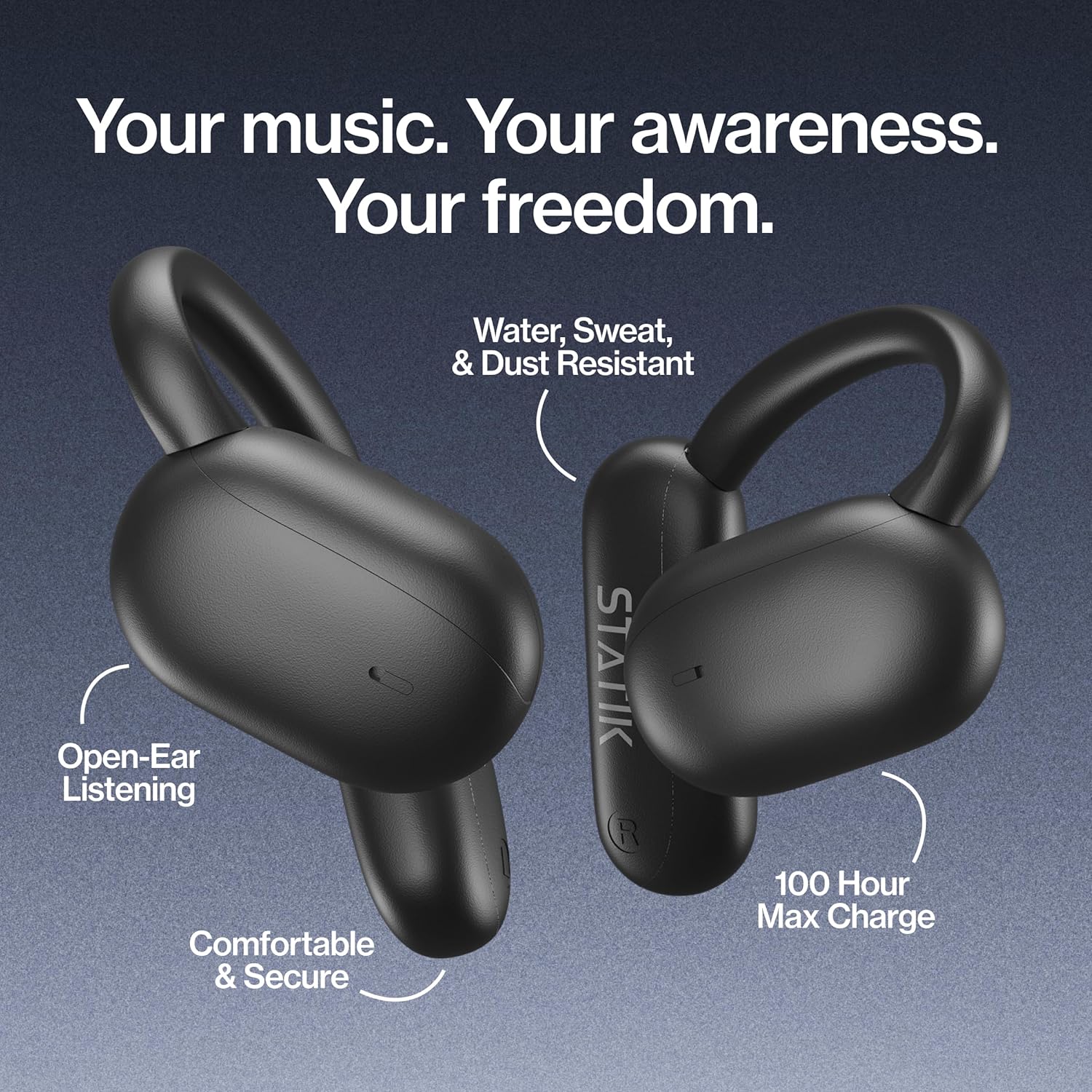
Figure 1: Statik Aktive Open Ear Bluetooth Earbuds and their charging case, highlighting key features like open-ear listening, water resistance, comfortable fit, and 100-hour max charge.
Configuración
1. Desembalaxe e carga inicial
Upon unboxing, ensure all components are present: the Statik Aktive Earbuds, the charging case, and the USB-C charging cable. It is recommended to fully charge the earbuds and case before first use. Connect the charging case to a power source using the provided USB-C cable.

Figure 2: The Statik Aktive Earbuds resting in their charging case, which displays the battery level. The case provides up to 100 hours of battery life, with 10 hours on a single earbud charge and 2 hours after a 10-minute charge.
2. Emparellamento co teu dispositivo
- Abre a caixa de carga. Os auriculares entrarán automaticamente no modo de emparellamento, o que se indicará cunha luz LED intermitente.
- No teu teléfono intelixente ou noutro dispositivo con Bluetooth, vai á configuración de Bluetooth.
- Select "Statik Aktive" from the list of available devices to connect.
- Unha vez conectado, unha mensaxe de voz confirmará o emparellamento correcto.
Vídeo 1: Un breve resumoview of the STATIK Aktive Open Earbuds, demonstrating the product and its charging case. This video shows the earbuds being removed from the case and worn, highlighting their design and ease of use.
Instrucións de funcionamento
1. Como usar os auriculares
The Statik Aktive Earbuds feature an open-ear design with ear hooks for a secure and comfortable fit. Gently place the earbud over your ear, ensuring the speaker rests just outside your ear canal. Adjust the ear hook for optimal comfort and stability.
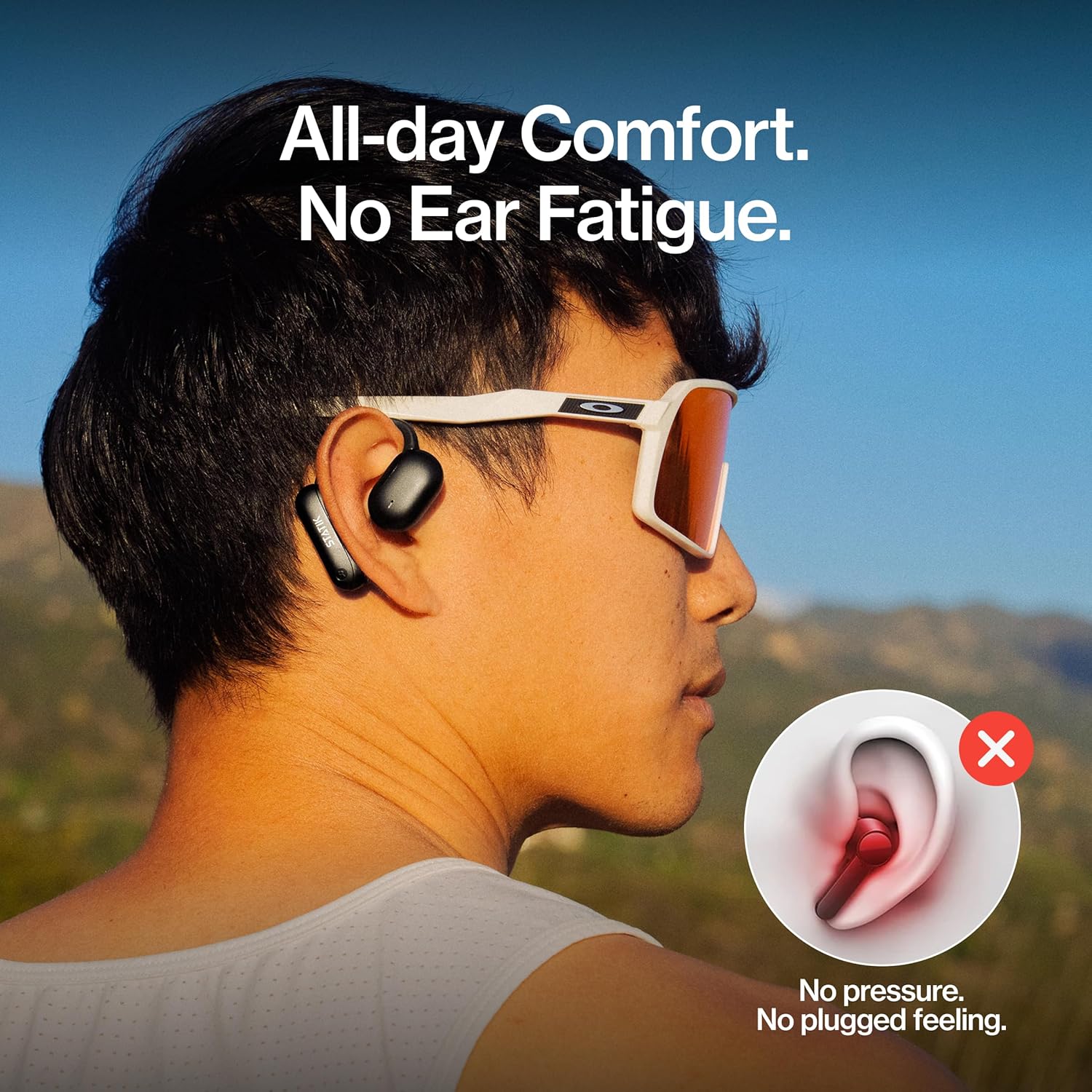
Figure 3: A person wearing the Statik Aktive Open Ear Bluetooth Earbuds, demonstrating the comfortable, no-pressure fit that avoids ear fatigue and a plugged feeling.
2. Toca Controis
The earbuds are equipped with touch-sensitive controls for easy management of audio and calls:
- Reproducir/Pausa: Toca un só auricular en calquera dos auriculares.
- Próxima pista: Toca dúas veces o auricular dereito.
- Pista anterior: Toca dúas veces o auricular esquerdo.
- Responder/Finalizar chamada: Toque unha vez en calquera dos auriculares durante unha chamada entrante ou activa.
- Rexeitar a chamada: Manteña premido calquera dos auriculares durante 2 segundos durante unha chamada entrante.
- Activar o asistente de voz: Toca tres veces en calquera dos auriculares.
- Control de volume: Adjust volume directly from your connected device.
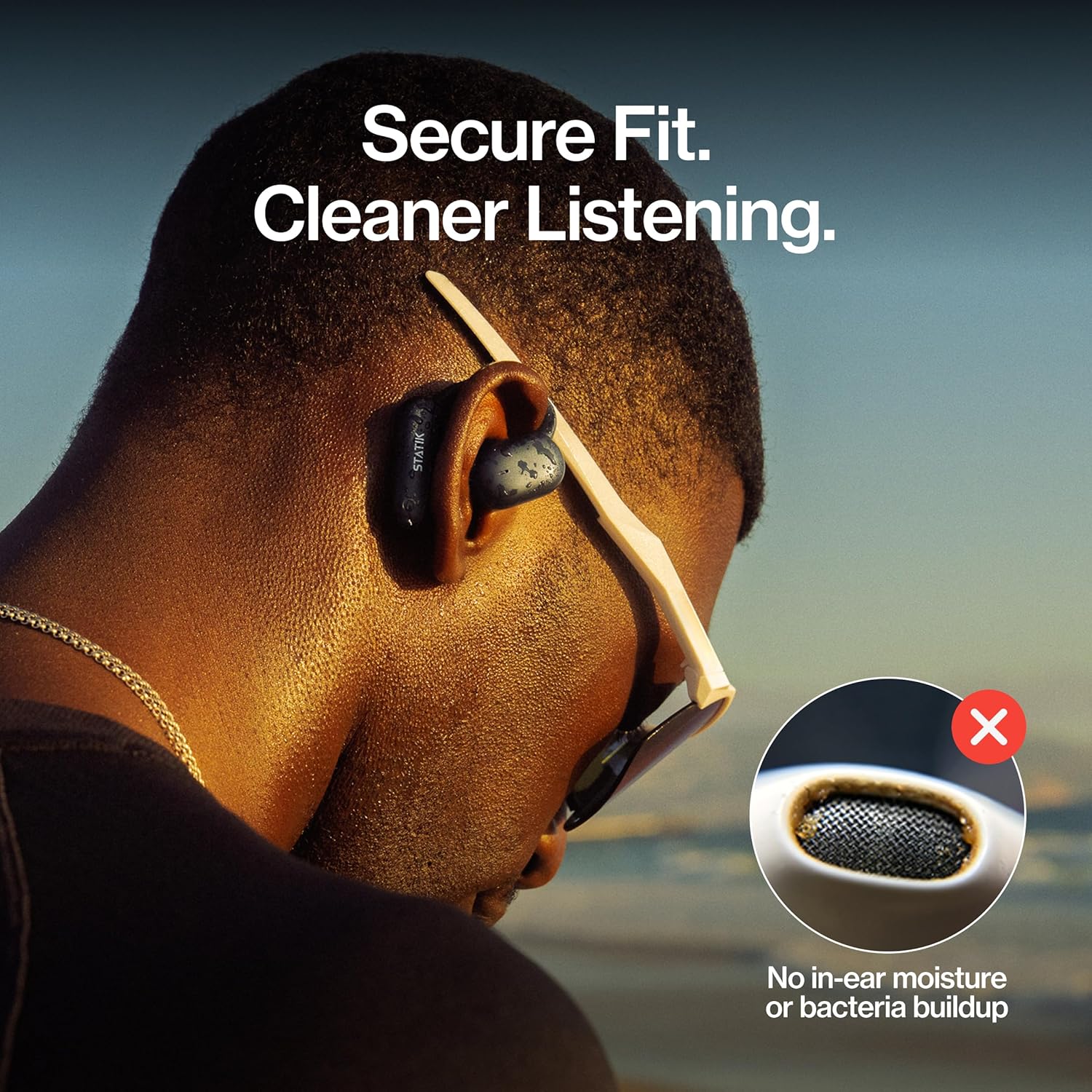
Figure 4: A close-up of a person wearing the Statik Aktive Open Ear Bluetooth Earbuds, illustrating the secure fit and the hygienic benefit of no in-ear moisture or bacteria buildup.
Mantemento
1. Limpeza
To maintain optimal performance and hygiene, regularly clean your earbuds. Use a soft, dry, lint-free cloth to wipe the earbuds and charging case. Avoid using abrasive materials or harsh chemicals. Do not submerge the charging case in water.
2. Resistencia á auga
The Statik Aktive Earbuds are IPX5 water-resistant, meaning they can withstand splashes, sweat, and light rain. They are not designed for submersion in water. Ensure the charging port cover is securely closed before exposing the earbuds to moisture.

Figure 5: A woman wearing Statik Aktive Open Ear Bluetooth Earbuds while running outdoors, demonstrating the ability to listen to music while remaining aware of her surroundings.
Resolución de problemas
- Auriculares sen emparellamento: Ensure earbuds are charged and within range of your device. Turn off and on your device's Bluetooth, then try pairing again.
- Sen son: Comproba os niveis de volume tanto no teu dispositivo como nos auriculares. Asegúrate de que os auriculares estean conectados correctamente ao teu dispositivo.
- Problemas de carga: Verify the USB-C cable is securely connected to both the case and the power source. Ensure the charging contacts on the earbuds and inside the case are clean and free of debris.
- Conexión inestable: Move closer to your connected device and away from potential interference sources (e.g., other wireless devices, microwaves).
Especificacións
| Tecnoloxía de conectividade | Sen fíos |
| Compoñentes incluídos | Estación de carga |
| Peso do elemento | 3.84 onzas |
| Número de modelo do artigo | PUP-0705-BLK |
| Baterías | 3 baterías non estándar necesarias. (incluído) |
| Marca | Estática |
| Cor | Negro |
| Colocación do oído | Orella aberta |
| Factor de forma | Orella aberta |
| Nome do modelo | Aktive Earbuds |
Garantía e Soporte
For warranty information and customer support, please refer to the documentation included with your product or visit the official Statik websitio. Garda o comprobante de compra para calquera reclamación de garantía.