
Introdución
This manual provides essential information for setting up, operating, and maintaining your HP 15 Laptop. Please read this guide thoroughly to ensure proper use and to maximize the lifespan of your device. This HP 15 Laptop features an AMD Ryzen 5 7520U processor, 16GB LPDDR5 RAM, a 1TB NVMe SSD, and runs on Windows 11.
O que hai na caixa
Comprobe que todos os elementos estean presentes na embalaxe:
- Portátil HP 15
- Power Adapter (AC smart pin)
- USB Extension Cord
- Cable HDMI
- Alfombrilla de rato
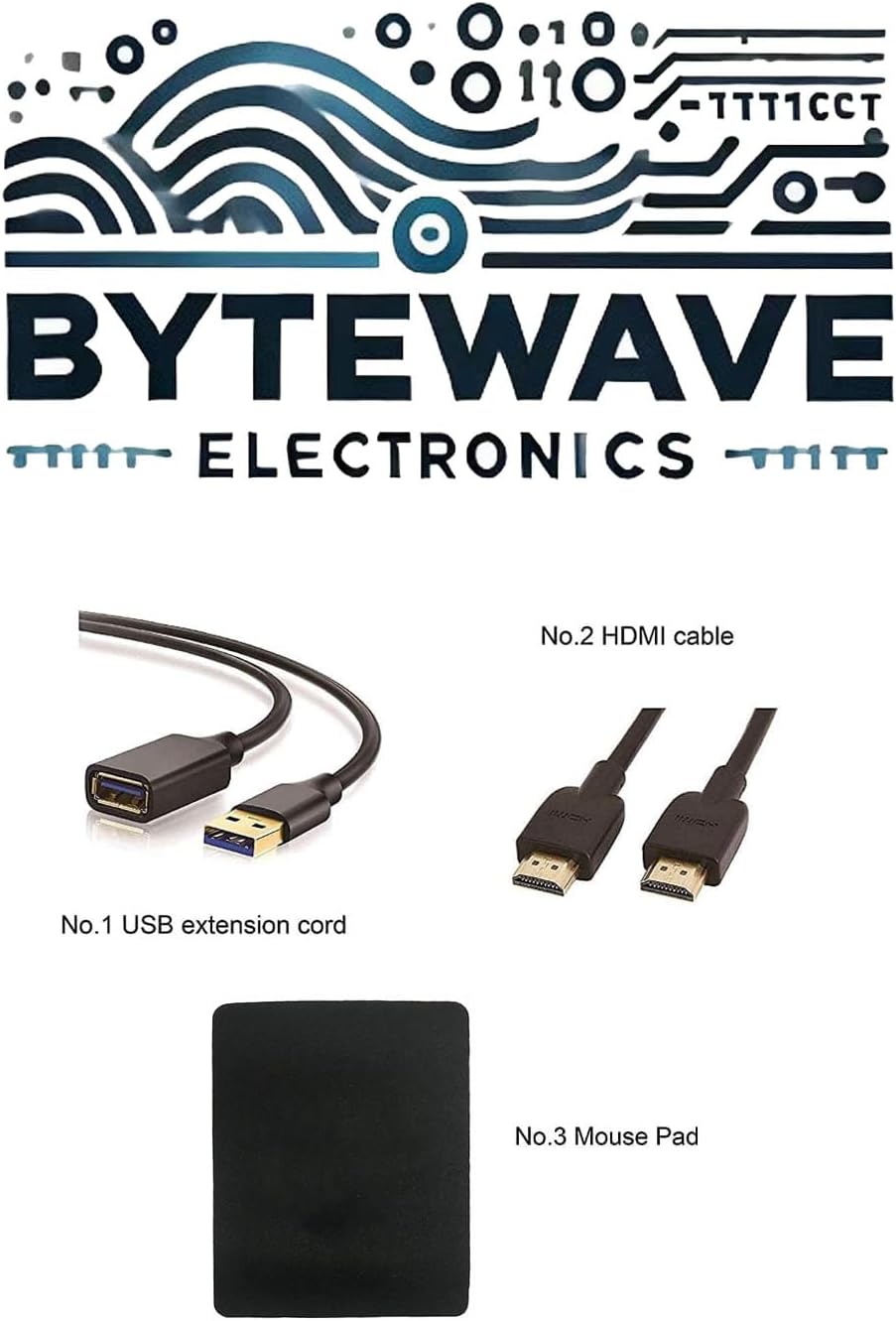
Image: Included accessories, featuring a USB extension cord, an HDMI cable, and a mouse pad.
Produto rematadoview
Fronte View

Image: The HP 15 Laptop, featuring a 15.6-inch Full HD display, AMD Ryzen 5 processor, and a full-size keyboard with numeric keypad.
Portos e conectores
The HP 15 Laptop is equipped with various ports for connectivity:
- 2 x USB Type-A 5Gbps signaling rate
- 1 x USB Type-C 5Gbps signaling rate (data transfer only, no charging or external monitors)
- 1 x AC smart pin (for power adapter)
- 1 x HDMI 1.4b
- 1 x Headphone/Microphone Combo jack

Image: A detailed diagram illustrating the various ports on the HP 15 Laptop, including USB Type-A, AC smart pin, USB Type-C, HDMI 1.4b, and the Headphone/Microphone Combo jack.
Dimensións físicas

Image: This image provides the physical dimensions of the HP 15 Laptop: 14.17 inches in width, 9.29 inches in depth, and 0.73 inches in height.
Configuración
Encendido inicial
- Desembala o portátil e todos os accesorios.
- Conecta o adaptador de corrente ao porto intelixente de CA do portátil e despois a unha toma de corrente.
- Abre a tapa do portátil e preme o botón de acendido.
- Follow the on-screen instructions to complete the initial Windows 11 setup. This includes selecting your region, language, and setting up your user account.
Switching Out of Windows 11 S Mode
Your laptop may come with Windows 11 Home in S mode, which is designed for security and performance by exclusively running apps from the Microsoft Store. If you need to install apps from outside the Microsoft Store, you can switch out of S mode:
- Click the "Start button" (bottom left of the screen).
- Select the "Settings" icon (gear icon) above the "power" icon.
- Navigate to "Update & Security" and then "Activation".
- Locate the "Switch to Windows 11 Home" or "Switch to Windows 11 Pro" section, and then select the "Go to the Store" link.
- On the "Switch out of S mode" (or similar) page that appears in the Microsoft Store, click the "Get" button.
- Once the process is complete, you will receive a confirmation message, and your device will no longer be in S mode.
Note: Switching out of S mode is a one-way process; you cannot revert to S mode.
Manexo do portátil
Mostrar características
- 15.6" FHD Display: The laptop features a 15.6-inch diagonal Full HD (1920 x 1080) micro-edge, anti-glare display with 250 nits brightness.
- DC Dimming Technology: This technology controls brightness by adjusting direct current rather than cycling the backlight, which helps eliminate screen flickering for more comfortable viewing.
Procesador e rendemento
- AMD Ryzen 5 7520U Processor: Equipped with 4 Cores and 8 Threads, a 2.80GHz base clock (up to 4.3GHz boost), and 4MB L3 Cache, providing responsive performance for daily tasks and multitasking.
- AMD Radeon 610M Graphics: Integrated graphics for visual tasks and light multimedia.
- 16GB LPDDR5 RAM: High-speed LPDDR5-5500 MHz memory supports higher data rates and contributes to longer battery life.
Almacenamento
- 1TB NVMe SSD: Provides fast boot-up times and quick application loading, offering significantly faster performance compared to traditional hard drives.
Conectividade
- Wi-Fi 6 (1x1): Para acceso a internet sen fíos de alta velocidade.
- Bluetooth 5.3: For connecting wireless peripherals and accessories.
Teclado e Webleva
- Full-size Keyboard with Numeric Keypad: A soft grey keyboard designed for comfortable typing and data entry.
- HP True Vision 720p HD Camera: For video conferencing and online communication.
Mantemento
- Limpeza: Usa un pano suave e sen fiapos para limpar a pantalla e o exterior. Evita produtos químicos agresivos.
- Actualizacións de software: Actualiza regularmente o sistema operativo e os controladores de Windows para garantir un rendemento e unha seguridade óptimos.
- Coidado da batería: Para prolongar a duración da batería, evite temperaturas extremas e intente manter a carga da batería entre o 20 % e o 80 % sempre que sexa posible.
- Ventilación: Asegúrate de que as reixas de ventilación do portátil non estean obstruídas para evitar o sobrequecemento. Usa o portátil sobre unha superficie dura e plana.
Resolución de problemas
- Sen enerxía: Asegúrate de que o adaptador de corrente estea conectado correctamente tanto ao portátil como a unha toma de corrente que funcione. Proba cunha toma diferente.
- Problemas de pantalla: Se a pantalla está en branco, proba a axustar o brillo ou conecta un monitor externo para comprobar se a pantalla ten fallos.
- Rendemento lento: Close unnecessary applications, check for malware, and ensure your system is up to date. Consider restarting the laptop.
- Problemas de conectividade: Para problemas de wifi, reinicia o router e o portátil. Para o Bluetooth, asegúrate de que o dispositivo sexa detectable e estea dentro do alcance.
- Operating System Not Responding: Press and hold the power button for 10-15 seconds to force a shutdown, then restart the laptop.
Especificacións técnicas
| Característica | Especificación |
|---|---|
| Procesador | AMD Ryzen 5 7520U (4 Cores, 8 Threads, 2.80GHz Base, up to 4.3GHz Boost) |
| Gráficos | AMD Radeon 610M Integrated Graphics |
| Mostrar | 15.6" FHD (1920 x 1080), micro-edge, anti-glare, 250 nits |
| Sistema Operativo | Windows 11 Home |
| Memoria | 16GB LPDDR5-5500 MHz RAM |
| Almacenamento | SSD NVMe de 1 TB |
| Conectividade sen fíos | Wi-Fi 6 (1x1) and Bluetooth 5.3 |
| Portos | 2x USB Type-A, 1x USB Type-C (data only), 1x HDMI 1.4b, 1x AC smart pin, 1x Headphone/Microphone Combo |
| Teclado | Full-size, soft grey keyboard with numeric keypad |
| Webleva | HP True Vision 720p HD Camera |
| Dimensións (ancho x profundo x alto) | 14.17 x 9.29 x 0.73 polgadas |
| Peso | 3.52 libras |
| Cor | Prata Natural |
Garantía e Soporte
Your HP 15 Laptop is covered by a standard manufacturer's warranty. Please refer to the warranty card included with your product for specific terms and conditions, including warranty duration and coverage details.
For technical support, driver downloads, or service inquiries, please visit the official HP support websitio:
When contacting support, please have your laptop's serial number and model information ready.