
1. Introdución
The TELE System TS4020 PRO is an advanced and versatile digital decoder designed for receiving both terrestrial and satellite television broadcasts. It features dual DVB-T/T2 and DVB-S/S2 tuners, supporting HEVC HD, HDR10, and HLG for high-quality video. This device allows access to a wide range of free-to-air TV and radio channels without a subscription. Additionally, its USB port enables media playback of music, photos, and videos, transforming the decoder into a home entertainment hub.
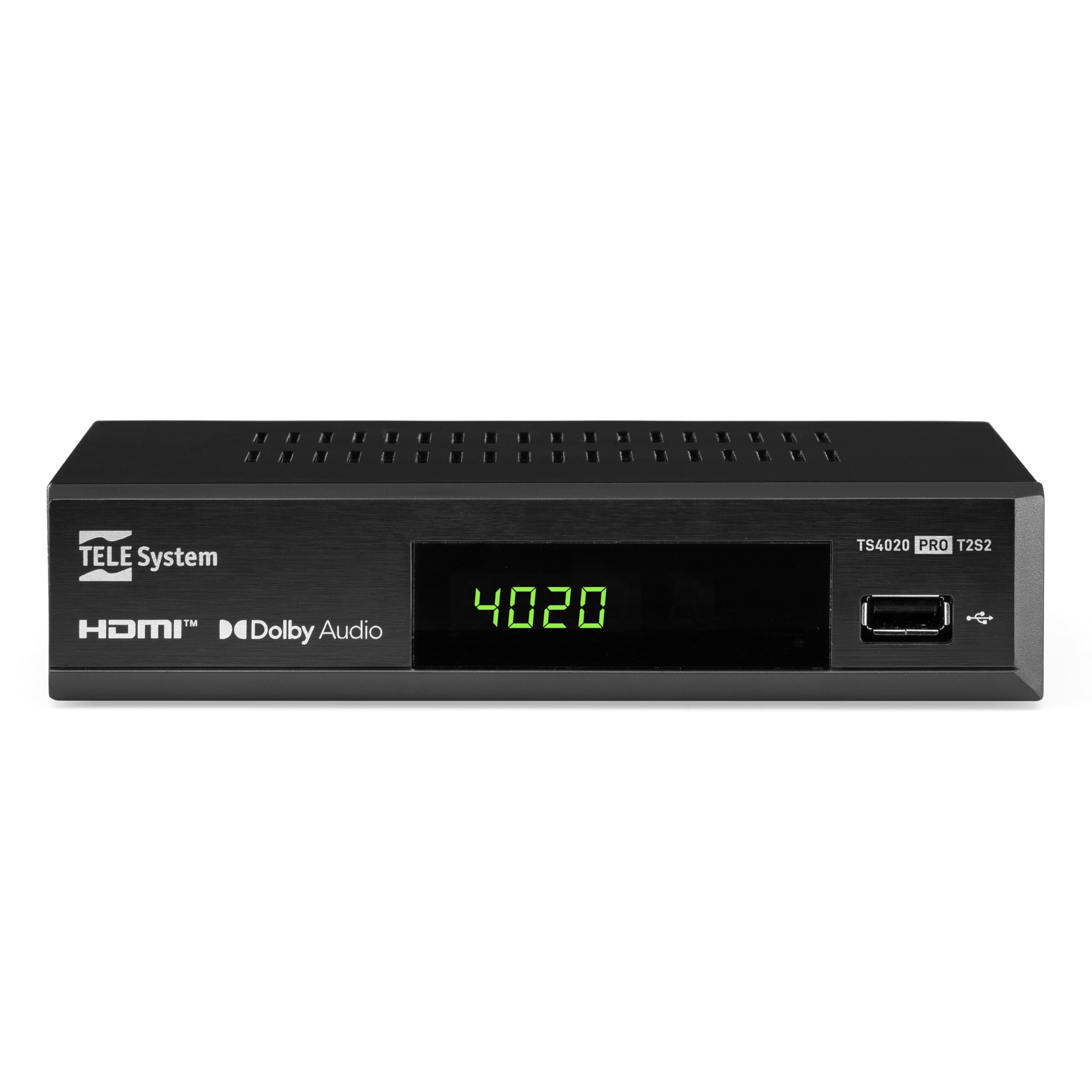
Figure 1: Tele System TS4020 PRO Decoder and included remote control.
2. Configuración
2.1 Desembalaxe e compoñentes
Desembala con coidado todos os artigos da caixa. Asegúrate de que estean presentes os seguintes compoñentes:
- Tele System TS4020 PRO Decoder
- Control remoto
- Adaptador de enerxía externo
- Manual de usuario (este documento)
2.2 Connecting the Decoder
Follow these steps to connect your decoder to your television and antenna/satellite dish.
- Conexión de alimentación: Connect the external power adapter to the DC 12V input on the back of the decoder, then plug it into a power outlet.
- Conexión HDMI: Use an HDMI cable to connect the HDMI OUT port on the decoder to an available HDMI input on your television.
- Antenna Connection (for DVB-T/T2): Conecte o cable da antena terrestre ao ENTRADA RF port on the back of the decoder.
- Satellite Connection (for DVB-S/S2): Connect your satellite dish cable to the SENTADO port on the back of the decoder.
- Conexións opcionais:
- SCART: For older televisions, connect a SCART cable from the TV SCART port on the decoder to your TV. Note that 4K resolution is not supported via SCART.
- Son coaxial: For digital audio output, connect a coaxial audio cable from the COAXIAL port to your audio receiver.
- USB: For media playback, insert a USB drive into the USB port on the front or back of the decoder.

Figure 2: Rear panel connections of the TS4020 PRO decoder, including SAT IN, RF IN, Coaxial, HDMI, and TV SCART ports.
2.3 Configuración inicial e exploración de canles
After connecting the decoder, turn on your television and select the correct HDMI input. The decoder should power on automatically or can be turned on using the remote control.
- Siga as instrucións en pantalla para a configuración inicial.
- Selecciona o teu idioma e rexión preferidos.
- The decoder features an AUTOSCAN function for quick and easy automatic channel searching and sorting for both terrestrial and satellite channels. Initiate the scan when prompted.
- Once the scan is complete, your decoder is ready for use.
3. Instrucións de funcionamento
3.1 Funcións de control remoto
The TELE System TS4020 PRO comes with a unique remote control designed to manage both the decoder and your television. It features programmable keys for added convenience.

Figure 3: Layout of the TS4020 PRO remote control.
- Botón de encendido: Turns the decoder on/off.
- AV/TV: Switches TV input source.
- VOL + / VOL-: Axusta o volume.
- PROG+/PROG-: Cambia de canle.
- DTT/SAT: Switches between terrestrial and satellite modes.
- MENÚ: Accede ao menú principal.
- OK: Confirma as seleccións.
- Teclas de frecha: Navigates menus and EPG.
- INFORMACIÓN: Mostra información do programa.
- EPG: Guía electrónica de programas.
- Media Player Controls: Reproducir, Pausar, Deter, Avanzar, Retroceder.
- Programmable TV Control Keys: These keys (usually at the top) can be programmed to control basic TV functions like power, volume, and input. Refer to the remote control section in the full manual for programming instructions.
3.2 Canle Viewing and Selection
Usa o PROG+ e PROG- buttons to navigate through channels. Press OK a view the channel list and select a channel directly. Use the DTT/SAT button to switch between terrestrial (DVB-T/T2) and satellite (DVB-S/S2) channel lists.
3.3 Reprodución multimedia a través de USB
The decoder supports media playback from a USB storage device.
- Insira unha unidade flash USB ou un disco duro externo no porto USB.
- Access the Media Player function from the main menu.
- Navega polo teu files to play music, view photos, or watch videos.
3.4 HDR Quality
The TS4020 PRO is compatible with HDR10 and HLG standards, providing enhanced image quality with improved color rendering and visual depth, especially for content with high dynamic range. Ensure your television also supports HDR10 or HLG for the best viewexperiencia ing.
4. Mantemento
- Limpeza: Use a soft, dry cloth to clean the decoder's exterior. Do not use liquid cleaners or abrasive materials.
- Ventilación: Ensure the decoder has adequate ventilation. Do not block the ventilation openings.
- Actualizacións de software: Periodically check for available software updates through the decoder's menu (if supported). Software updates can improve performance and add new features. Information regarding guaranteed software updates is not available.
- Almacenamento: Se vai gardar o dispositivo durante un período prolongado, desconécteo da corrente e gárdeo nun lugar fresco e seco.
5 Solución de problemas
If you encounter issues with your Tele System TS4020 PRO, refer to the following common problems and solutions:
| Problema | Causa posible | Solución |
|---|---|---|
| Sen poder | O adaptador de corrente non está conectado ou a toma de corrente está defectuosa. | Ensure the power adapter is securely connected to the decoder and a working power outlet. |
| Sen imaxe/son na televisión | Incorrect TV input selected, loose HDMI/SCART cable. | Select the correct HDMI/AV input on your TV. Check that the HDMI or SCART cable is securely connected at both ends. |
| No channels found or poor signal | Antenna/satellite dish not connected, misaligned, or damaged. | Check antenna/satellite cable connections. Ensure your antenna/dish is properly aligned. Perform an AUTOSCAN again. |
| O control remoto non funciona | Dead batteries, obstruction, or remote out of range. | Replace batteries. Ensure no obstructions between the remote and the decoder. Point the remote directly at the decoder. |
| HDMI output not compatible with TV | Specific TV model incompatibility. | If available, try using the SCART connection for video output. Note that 4K resolution is not supported via SCART. |
| Date resets to 1970 after reset | Internal clock issue or software bug. | Check for available software updates. If the issue persists, contact customer support. |
6. Especificacións
| Número de modelo | 21005355 |
| Marca | Sistema TELE |
| Tecnoloxía de conectividade | USB, Power, HDMI, SCART, RF IN, SAT IN, Coaxial |
| Modo de saída de audio | Envolvente |
| Total de portos HDMI | 1 |
| Dispositivos compatibles | Televisión |
| Formatos de audio admitidos | Dolby Dixital, DTS, AAC, MP3, PCM |
| Voltage | 12 voltios (DC) |
| Resolución de saída de vídeo | 1080 p |
| Estándares admitidos | DVB-T2, DVB-S2, H.265, HDR10, HLG, MP3, AAC |
| Relación de aspecto | 16:9 |
| Cor | Negro |
| País de Orixe | China |
7. Información da garantía
The Tele System TS4020 PRO decoder comes with a 2 anos de garantía do fabricante. Please retain your proof of purchase for warranty claims. For specific terms and conditions, refer to the warranty card included with your product or contact Tele System customer support.
8. Atención ao cliente
For further assistance, technical support, or inquiries regarding your Tele System TS4020 PRO decoder, please visit the official Tele System websitio ou póñase en contacto co seu departamento de atención ao cliente.
Note: Information regarding the availability of spare parts for this product is currently unavailable.