
Introdución
This manual provides detailed instructions for the JZK Voice Remote Control, designed as a replacement or secondary remote for NVIDIA Shield TV Pro models from 2015, 2017, and 2019. This remote features voice search capabilities and an ergonomic design for comfortable use. Please read this manual thoroughly before operating your device.
Contido do paquete
Verifica que todos os elementos estean presentes no teu paquete:
- 1 x JZK Voice Remote Control
- 1 x User Guide (This document)
Note: 2x AAA batteries are required and are not included in the package.

Image: Contents of the JZK remote control package, including the remote and a small user guide.
Configuración
1. Instalación da batería
- Localice o compartimento da batería na parte traseira do control remoto.
- Deslice a tapa da batería cara abaixo para abrila.
- Insira dúas (2) pilas AAA, asegurándose de manter a polaridade correcta (+ e -) como se indica no interior do compartimento.
- Deslice a tapa da batería de novo no seu lugar ata que faga clic de forma segura.

Image: The remote control with its battery cover removed, illustrating where to insert two AAA batteries.
2. Vincular o mando a distancia
The remote control uses an infrared connection. For initial setup or re-pairing, follow these steps:
- Ensure your NVIDIA Shield TV is powered on and within 1 foot (approx. 30 cm) of the remote control.
- On your NVIDIA Shield TV, navigate to Settings > Device Preferences > Remotes & Accessories.
- Manteña premido o De volta botón e o Casa button simultaneously on the JZK remote control until the remote's indicator light begins to flash.
- The NVIDIA Shield TV should detect the new remote. Select it from the list of available devices to complete the pairing process.
- Once paired, the remote's light will stop flashing, and you can begin using it.
If pairing fails, ensure the batteries are correctly installed and charged, and try the process again. You may also need to restart your NVIDIA Shield TV.
Instrucións de funcionamento
Familiarízate cos botóns e as súas funcións:

Image: Detailed button layout of the JZK remote control with labels for each function.
| Non. | Botón | Función |
|---|---|---|
| 1 | Micrófono incorporado | Used for Voice Search commands. |
| 2 | Poder | Turns the NVIDIA Shield TV on or off. |
| 3 | Configuración | Accesses the NVIDIA Shield TV settings menu. (Customizable in Settings > Devices & Accessories > Customize Settings button) |
| 4 | Anel de navegación | Navigates menus: Up, Down, Right, Left. |
| 5 | Select (OK) | Confirms selections or opens items. |
| 6 | De volta | Volve á pantalla ou menú anterior. |
| 7 | Casa | Volve á pantalla de inicio principal. |
| 8 | Avance rápido | Salta cara adiante na reprodución multimedia. |
| 9 | Reproducir/Pausa | Reproduce ou detén a reprodución multimedia. |
| 10 | Rebobinar | Salta cara atrás na reprodución multimedia. |
| 11 | Busca por voz | Activates voice command input. Press and hold, then speak your command. |
| 12 | Aumentar o volume | Aumenta o volume. |
| 13 | Diminuír o volume | Diminúe o volume. |
| 14 | Abre Netflix | Directly launches the Netflix application. |
Using Voice Search
The voice search feature allows for quick navigation and content discovery. To use it:
- Manteña premido o Busca por voz botón (11).
- Speak your command clearly into the built-in microphone (1). For example, say "Open YouTube," "Find action movies," or "Adjust volume."
- Soltar o Busca por voz button when you are finished speaking.
Mantemento
Limpeza do mando a distancia
Para limpar o mando a distancia, use un pano suave e seco. Para a sucidade persistente, dóreo lixeiramente.ampen the cloth with water or a mild, non-abrasive cleaner. Avoid using harsh chemicals or solvents, as these can damage the remote's surface or internal components.
Substitución da batería
When the remote's performance degrades or it becomes unresponsive, it's time to replace the batteries. Follow the battery installation steps outlined in the Configuración section. Always replace both AAA batteries at the same time with new ones.
Resolución de problemas
If you encounter issues with your JZK Voice Remote Control, refer to the following common problems and solutions:
| Problema | Causa posible | Solución |
|---|---|---|
| Remote is unresponsive. | Low or dead batteries. Incorrect battery installation. Remote not paired. Obstruction between remote and Shield TV. | Replace batteries. Check battery polarity. Re-pair the remote (see Setup section). Ensure clear line of sight to Shield TV. |
| Voice Search not working. | Microphone blocked. Remote not properly paired for voice functions. Software glitch. | Ensure microphone is clear. Re-pair the remote. Restart NVIDIA Shield TV. |
| Buttons are sticky or not registering presses. | Suciedade ou residuos debaixo dos botóns. | Clean the remote (see Maintenance section). |
| Remote disconnects frequently. | Interference. Low batteries. | Ensure no strong interference sources nearby. Replace batteries. Re-pair the remote. |
Especificacións
| Característica | Detalle |
|---|---|
| Marca | JZK |
| Compatibilidade de modelos | NVIDIA Shield TV Pro (2015, 2017, 2019 models), NVIDIA Shield TV Cube (2019) |
| Tipo de conexión | Infravermello (IR) |
| Fonte de enerxía | 2 pilas alcalinas AAA (non incluídas) |
| Características especiais | Voice Search, Ergonomic Design, Dedicated Netflix Button |
| Material | ABS duradeiro |
| Cor | Negro / Branco |
| Dimensións (L x W x H) | Aprox. 16.8 x 6 x 2.6 cm (6.6 x 2.4 x 1.0 polgadas) |
| Peso | Aprox. 60 gramos (2.1 onzas) |

Image: Dimensions of the JZK remote control, indicating its length, width, and thickness.
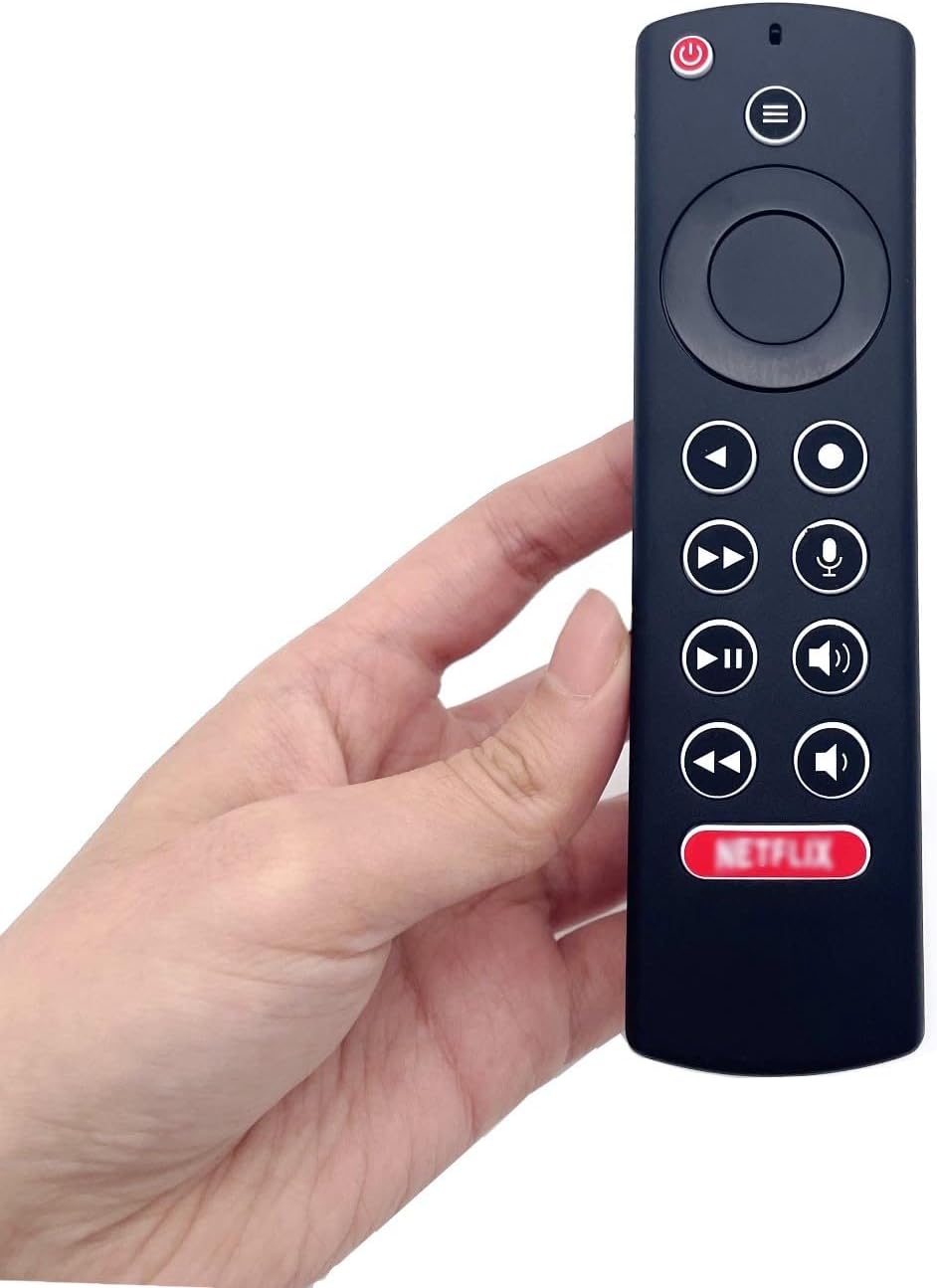
Image: The JZK remote control held in a hand, highlighting its comfortable and ergonomic design.
Información da garantía
Specific warranty details for this JZK product are not provided in the product description. Please refer to the retailer's return policy or contact JZK customer support for information regarding warranty coverage and terms.
Apoio
For further assistance, troubleshooting, or inquiries about your JZK Voice Remote Control, please contact the retailer where you purchased the product or refer to the official JZK websitio web para opcións de atención ao cliente.