
Produto rematadoview
The EDYELL C8 Max is a versatile motorcycle Bluetooth intercom headset designed for enhanced communication and recording during rides. It integrates Bluetooth 5.3 technology for clear audio, a 1080P HD camera for video recording, and an intercom system for rider-to-rider communication. The device is built with durability in mind, featuring IPX5 waterproofing and a lightweight, robust construction.

Imaxe: Máis deview of the EDYELL C8 Max Motorcycle Bluetooth Headset highlighting its key features such as 1080P camcorder, IPX6 waterproofing, fast charging, music sharing, 600m communication range, 40-hour battery life, TF card support, and AI voice assistant.
Contido do paquete
Before installation, please verify that all items listed below are present in your package:

Image: Detailed diagram illustrating the various components included in the EDYELL C8 Max package, such as the main unit, speakers, microphone, mounting hardware, and accessories.
- Motorcycle Bluetooth Headset C8 Max x1
- Hard microphone speakers x1
- 360 degree rotating clip x1
- Clamping base x1
- Microphone Velcro x2
- Speaker Velcro x2
- Double-sided adhesive paper for clip x3
- Speaker Booster Pad x2
- Cable de datos x1
- Manual de usuario x1
- 64G TF Card x1 (Note: Product specifications mention up to 256GB expandable storage, but package lists 64G TF Card)
- Fastening screws x2
- Mounting Wrench x1
Configuración e instalación
The EDYELL C8 Max is designed for easy installation on various helmet types. Follow these steps to properly mount and connect your device:
1. Mounting the Headset
Choose between the 360-degree rotating clip or the clamping base for mounting. Ensure the chosen method provides a secure fit to your helmet. The device is compatible with most helmet designs.

Image: Illustration of the EDYELL C8 Max headset's compatibility with different helmet styles.
2. Instalación do altofalante e do micrófono
Attach the hard microphone speakers inside your helmet using the provided Velcro pads. Position the speakers directly over your ears for optimal audio quality. Secure the microphone near your mouth, ensuring it is not obstructed.
3. Introducir a tarxeta TF
Locate the TF memory card slot on the device. Insert the provided 64GB TF card (or your own up to 256GB) for video recording and storage. Ensure it is inserted correctly until it clicks into place.
Instrucións de funcionamento
Familiarize yourself with the device's controls and functions for a seamless experience.

Image: Labeled diagram of the EDYELL C8 Max headset showing the location and function of each button and port.
Encender/apagar e emparellar
- Encendido/apagado: Press and hold the Power button (labeled 4 in the diagram) for approximately 3 seconds.
- Emparellamento Bluetooth: With the device off, press and hold the Power button until the indicator light flashes rapidly, indicating pairing mode. Busca "C8 Max" on your mobile device's Bluetooth settings and connect.
Comunicación por intercomunicador
The C8 Max supports two-player real-time intercom communication up to 600 meters in barrier-free outdoor environments.

Image: Visual representation of the 600-meter Bluetooth intercom communication range between two riders.
- Iniciar intercomunicador: After both devices are paired, a short press of the Intercom button (refer to diagram for specific button, usually a dedicated intercom button or a combination) will initiate communication.
- Compartir música: Double-tap the WiFi button (labeled 1 in the diagram) to start sharing music with another paired C8 Max unit.
Phone Calls and Music Playback
- Responder/Finalizar chamada: Short press the Power button (4) to answer or end a call.
- Rexeitar a chamada: Press and hold the Power button (4) to reject an incoming call.
- Axuste de volume: Use the Volume Up/Next Song (3) and Volume Down/Previous Song (2) buttons to adjust audio volume.
- Control de música: Short press Volume Up (3) for next track, short press Volume Down (2) for previous track.
Gravación de vídeo
The C8 Max features a 1080P HD camera with a 120-degree wide-angle lens.
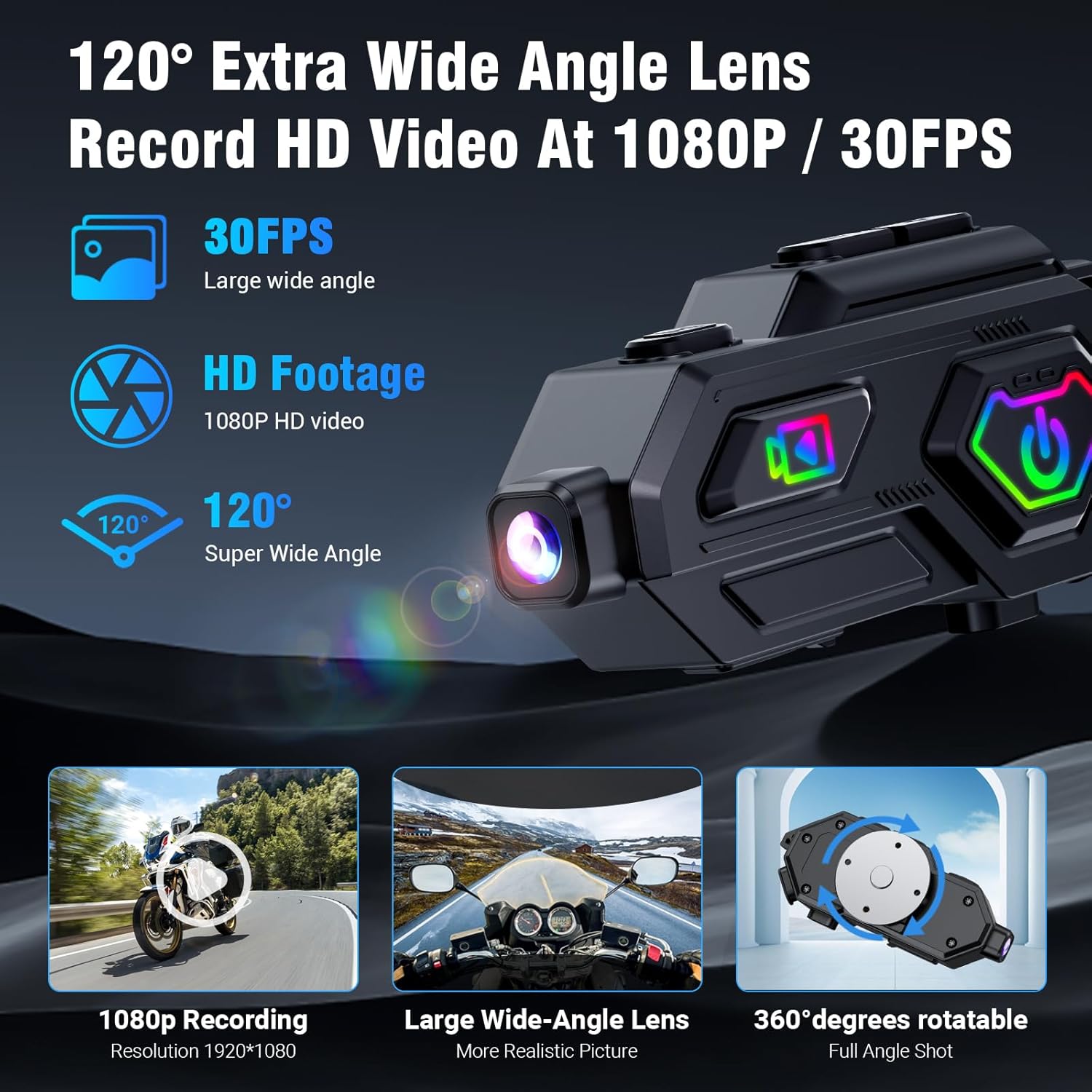
Image: Close-up of the EDYELL C8 Max camera features, including 1080P recording, wide-angle lens, and 360-degree rotation.
- Iniciar/Deter a gravación: Use the Video Switch button (labeled 10 in the diagram) to start or stop video recording.
- Rotación da cámara: The camera body can rotate 360 degrees to capture various angles.
- Detección de colisións: A built-in accelerometer automatically locks video files in the event of a collision to prevent data loss.
Radio FM
The device includes an FM radio function with automatic channel search.

Image: A rider using the EDYELL C8 Max headset, illustrating the FM radio feature with its frequency range.
- Activar a radio FM: Press the Mode Switching button (3) to switch to FM radio mode.
- Busca automática: The device will automatically search for available FM channels.
Asistente de voz AI
Access your smartphone's AI voice assistant directly from the headset.

Image: A rider interacting with the AI voice assistant feature of the EDYELL C8 Max headset, demonstrating voice commands for calls, music, and navigation.
- Activar o asistente de voz: Press the Voice Assistant/WiFi Switch button (1) once to wake up the AI voice assistant.
Características e tecnoloxía
High-Definition Audio and Noise Cancellation
The C8 Max utilizes Bluetooth 5.3 technology and supports AAC/SBC high-definition audio decoding. It features 50mm Mylar speakers for clear sound and digital noise reduction (25dB) to filter ambient noise, ensuring clear communication and an immersive music experience.
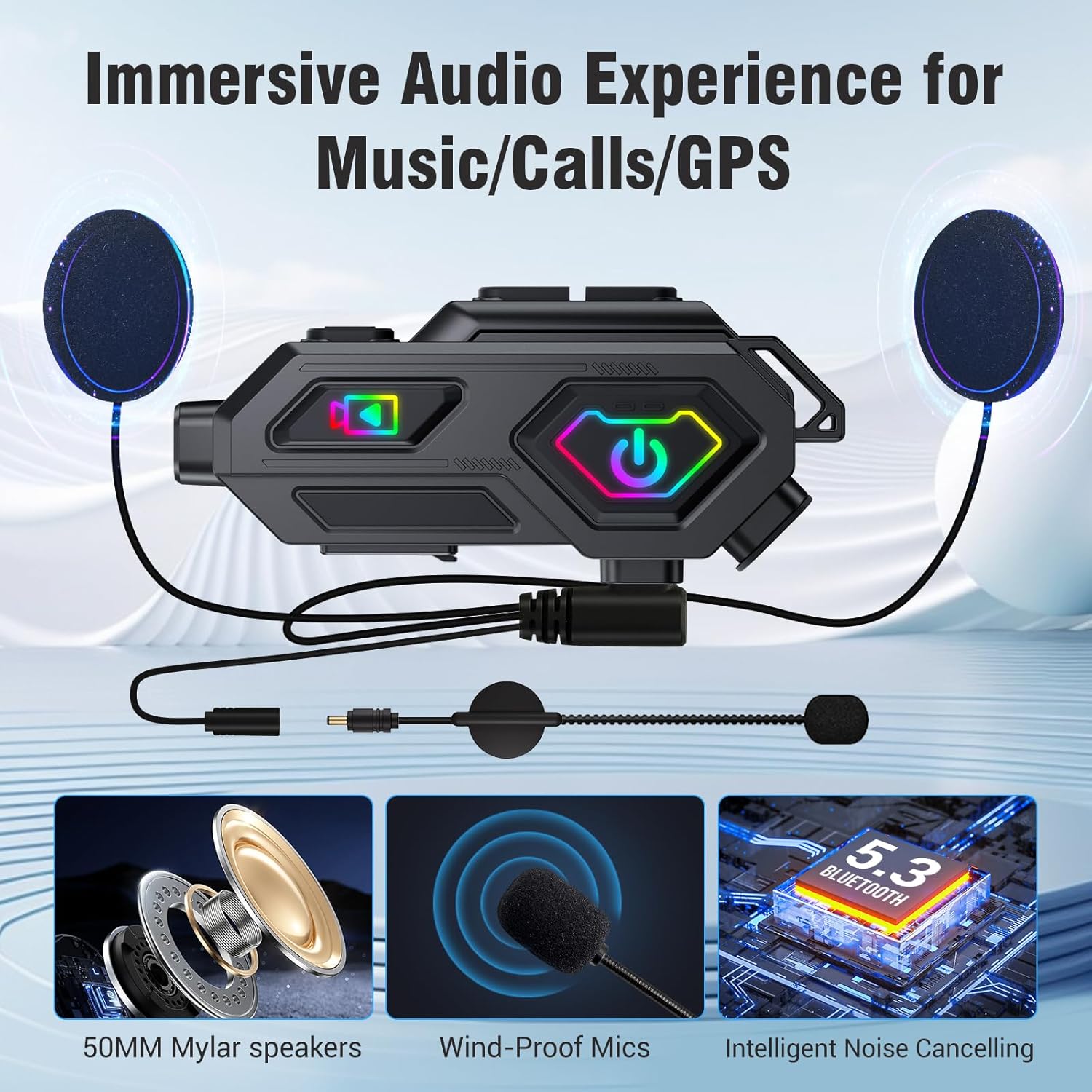
Image: Components of the EDYELL C8 Max audio system, including 50mm speakers, wind-proof microphones, and intelligent noise cancellation.
Extended Battery Life and Fast Charging
Equipped with a 1500mAh battery, the C8 Max offers up to 40 hours of music playback and 5 hours of video recording. It fully charges in 2.5 hours via Type-C and supports charging while in use, suitable for long journeys.

Image: Battery and charging features of the EDYELL C8 Max, detailing its 1500mAh capacity and usage times for various functions.
Durable and Weatherproof Design
The headset features IPX5 water and dust resistance, allowing it to function reliably in various weather conditions. Its lightweight ABS and silicone body (67.5g) is designed to withstand drops, vibrations, high temperatures, and high humidity.

Image: A helmet with the EDYELL C8 Max headset being used in rainy conditions, demonstrating its IPX5 waterproof design.
Especificacións
| Característica | Detalle |
|---|---|
| Modelo | C8 Max |
| Marca | EDYELL |
| Tecnoloxía de conectividade | Sen fíos, Bluetooth 5.3 |
| Control de ruído | Passive Noise Cancellation, Digital Noise Reduction (25dB) |
| Jack para auriculares | Sen Jack |
| Material | Acrilonitrilo Butadieno Estireno (ABS), Silicona |
| Peso do elemento | 120 gramos |
| Nivel de resistencia á auga | Impermeable IPX5 |
| Duración da batería | 40 Hours (Music Playback) |
| Tempo de carga | 2.5 horas |
| Gravación de vídeo | 1080P HD, 120° Wide-Angle Lens, 360° Rotatable, Anti-Collision Recorder |
| Almacenamento | Supports up to 256GB expandable storage (64GB TF Card included) |
| Rango de intercomunicador | Up to 600 meters (barrier-free outdoor environments) |
| Radio FM | Yes, with automatic channel search |
| Dispositivos compatibles | Helmets (Universal compatibility) |
| Fonte de enerxía | 1500mAh Lithium Ion Battery (Rechargeable, Included) |
| Dimensións do produto | 14 x 9.5 x 6 cm |
| País de Orixe | China |
Resolución de problemas
If you encounter any issues with your EDYELL C8 Max headset, please refer to the following common solutions:
- Sen enerxía: Asegúrate de que o dispositivo estea completamente cargado. Conéctao a unha fonte de alimentación usando o cable tipo C incluído.
- Non se pode emparellar Bluetooth: Make sure the headset is in pairing mode (rapidly flashing indicator light). Turn off and on your phone's Bluetooth, then try searching again. Ensure no other devices are actively connected to the headset.
- O intercomunicador non conecta: Verify both headsets are within the 600-meter range and are not obstructed. Ensure both are in intercom mode.
- Mala calidade de audio: Check speaker placement inside the helmet. Ensure the microphone is positioned correctly and not blocked. Adjust volume levels.
- Video Recording Issues: Check if the TF card is inserted correctly and has sufficient free space. Format the TF card if necessary (refer to the full manual for formatting instructions).
- O dispositivo non responde: Try performing a soft reset by pressing and holding the Power button for an extended period (e.g., 10-15 seconds) until the device powers off and then restart it.
Mantemento
To ensure the longevity and optimal performance of your EDYELL C8 Max headset, follow these maintenance guidelines:
- Limpeza: Use un suave, damp cloth to clean the exterior of the device. Avoid using harsh chemicals or abrasive materials.
- Almacenamento: Garde os auriculares nun lugar fresco e seco, lonxe da luz solar directa e de temperaturas extremas cando non os estea a usar.
- Cargando: Charge the device regularly, even if not in frequent use, to maintain battery health. Avoid overcharging.
- Exposición á auga: While IPX5 waterproof, avoid prolonged submersion in water. Ensure all ports are properly sealed before exposure to moisture.
Garantía e Soporte
For product support, warranty information, or any inquiries, please contact EDYELL INDIA customer care:
- Correo electrónico: support@fenman.in
- Teléfono: +91 8882786235
- Horario de funcionamento: Monday to Saturday, 10:00 AM to 6:30 PM (IST)
Conserve o recibo de compra para reclamacións de garantía.
Vídeo do produto
Watch the official product video for a visual guide on the EDYELL C8 Max features and usage.
Video: Official product demonstration of the EDYELL C8 Max Motorcycle Bluetooth Intercom Headset, showcasing as súas diversas funcións e beneficios.