
1. Introdución
This manual provides detailed instructions for the XBG B15pro Wireless Bluetooth Mouse. This device offers versatile connectivity options, an ergonomic design, and an intuitive LED display for enhanced user experience.
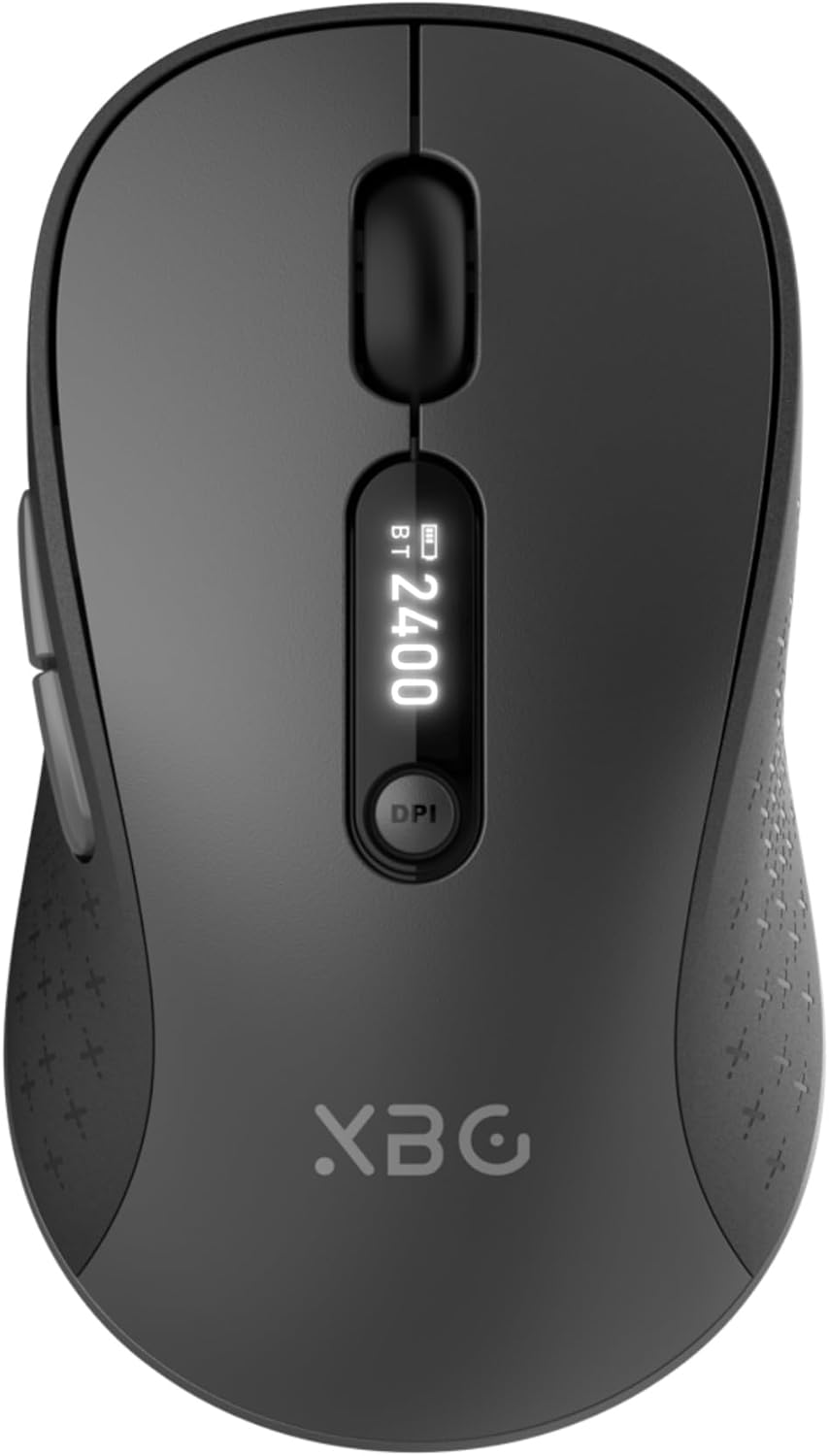
Image 1.1: The XBG B15pro Wireless Bluetooth Mouse, showcasinpolo seu elegante deseño e a súa pantalla LED.
Contido do paquete:
- 1 x XBG B15pro Wireless Bluetooth Mouse
- 1 x cable de carga USB (tipo C)
- 1 receptor USB (2.4 G)
- 1 x Manual de usuario
2. Características do produto
- Conectividade trimodo: Supports Bluetooth 5.0, Bluetooth 4.0, and 2.4GHz wireless connections, allowing seamless switching between up to three devices.
- LED Screen Display: Ofrece información en tempo real sobre a porcentaxe da bateríatage, DPI level, and current connection mode.
- DPI axustable: Five adjustable DPI levels (800/1000/1200/1600/2400) for precise cursor control.
- Batería recargable: Built-in 500 mAh lithium polymer battery, rechargeable via Type-C port.
- Botóns de clic silencioso: Main left and right buttons feature silent click technology, reducing noise in quiet environments.
- Deseño ergonómico: Contoured shape with a thumb rest and arched palm support for comfortable use during extended periods.
- Compatibilidade multisuperficie: Operates effectively on various surfaces including resin, wood, fabric, paper, and metal.

Image 2.1: The XBG B15pro mouse designed for multi-device use, highlighting its wireless capabilities.
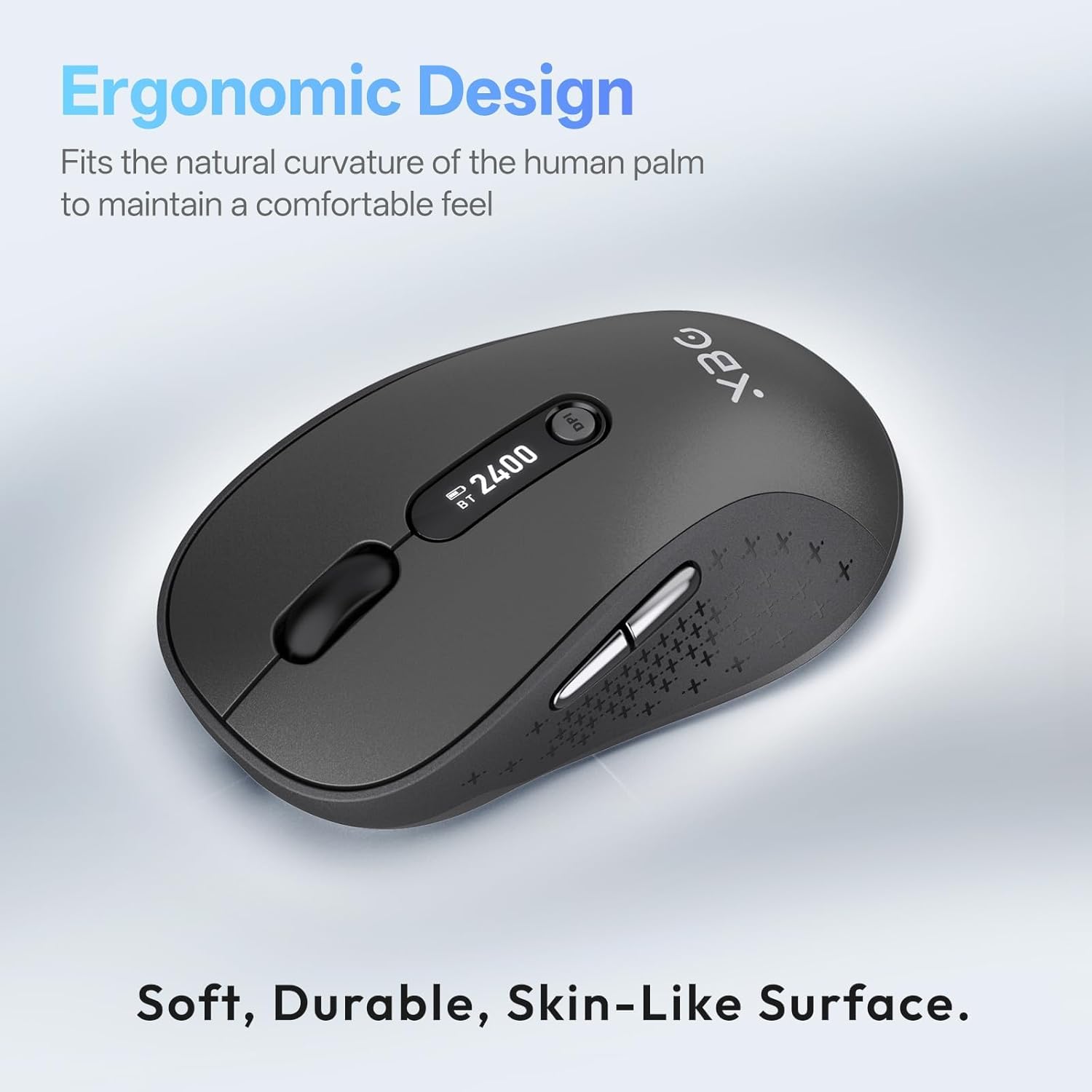
Image 2.2: The ergonomic contour of the XBG B15pro mouse, designed for comfortable hand fit.
3. Configuración
3.1 Cargar o rato
Before first use, or when the battery indicator on the LED screen shows low power, charge the mouse using the provided Type-C USB cable. Connect the cable to the mouse's Type-C port and a USB power source (e.g., computer USB port, USB wall adapter).

Image 3.1: The XBG B15pro mouse connected for charging via its Type-C port.
3.2 Conexión do rato
The XBG B15pro mouse supports three connection modes: 2.4GHz wireless (via USB receiver) and two Bluetooth channels (BT1, BT2). The mode switch is located on the bottom of the mouse.

Image 3.2: The underside of the XBG B15pro mouse, showing the ON/OFF switch, mode switch button, and USB receiver storage.
Conexión sen fíos de 2.4 GHz:
- Locate the USB receiver stored in the bottom compartment of the mouse.
- Conecte o receptor USB a un porto USB dispoñible no seu ordenador.
- Turn on the mouse using the ON/OFF switch on the bottom.
- Press the Mode Switch button on the bottom until the LED indicator shows a Luz vermella, indicating 2.4G mode. The mouse should connect automatically.
Bluetooth Connection (BT1 / BT2):
- Turn on the mouse using the ON/OFF switch on the bottom.
- Press the Mode Switch button on the bottom to select either BT1 (Luz azul) or BT2 (Luz verde).
- Press and hold the Mode Switch button for 3-5 seconds until the corresponding Bluetooth indicator light (blue or green) starts flashing rapidly. This indicates pairing mode.
- On your device (laptop, tablet, PC), go to Bluetooth settings and search for new devices.
- Select "XBG B15pro" from the list of available devices to pair.
- Unha vez vinculado, o indicador luminoso deixará de parpadear e permanecerá fijo.

Image 3.3: Illustration of the XBG B15pro mouse connecting to multiple devices via 2.4G and Bluetooth modes.
4. Instrucións de funcionamento
4.1 Pantalla LED
The integrated LED screen provides essential information at a glance:
- Batería Percentage: Mostra o nivel actual da batería.
- Nivel de DPI: Displays the active DPI setting (800/1000/1200/1600/2400).
- Modo de conexión: Indicates the active connection (2.4G, BT1, or BT2).
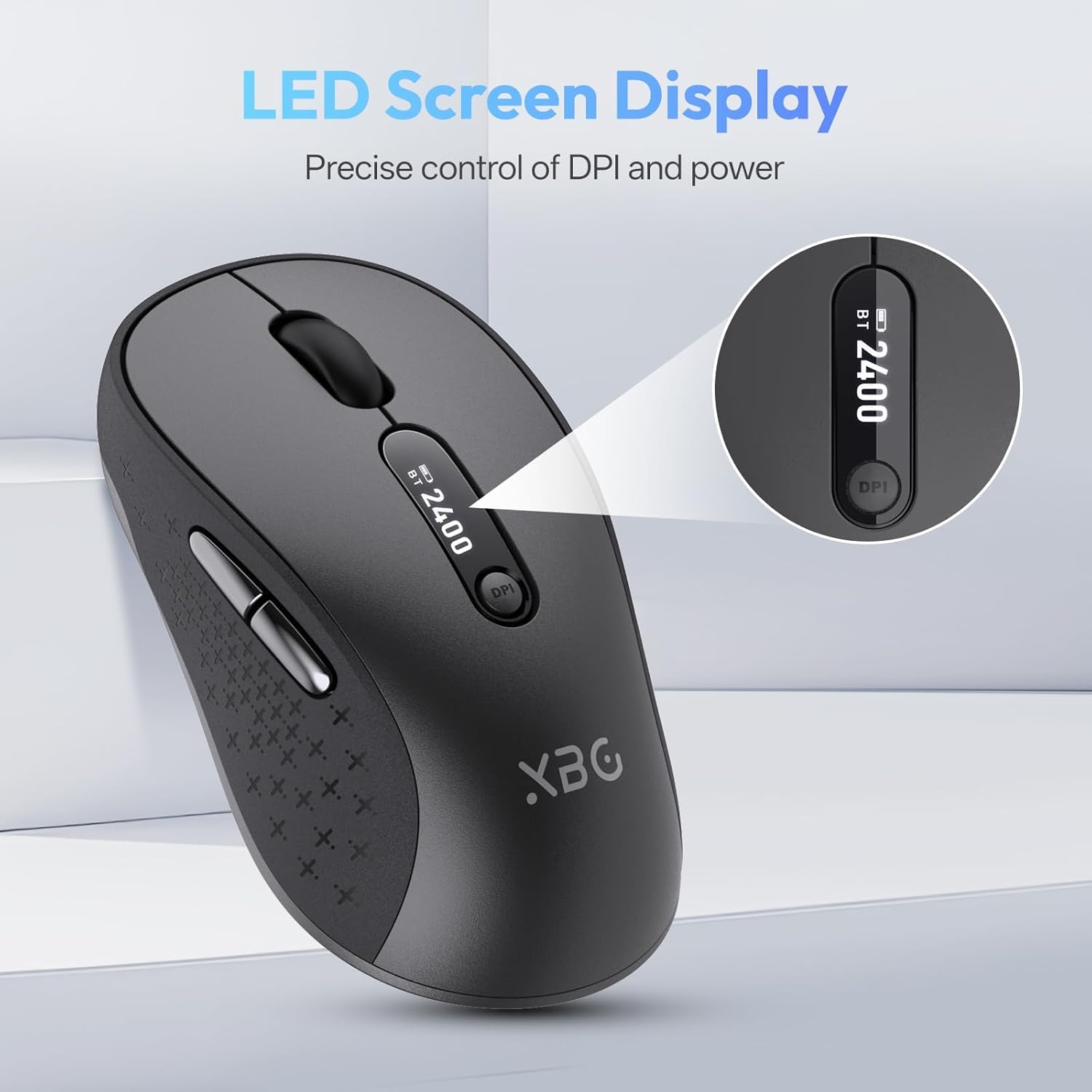
Imaxe 4.1: Detallada view of the mouse's LED screen, showing battery, DPI, and connection status.
4.2 Axuste de DPI
Press the DPI button located below the scroll wheel to cycle through the five available DPI settings (800, 1000, 1200, 1600, 2400). The current DPI level will be displayed on the LED screen.
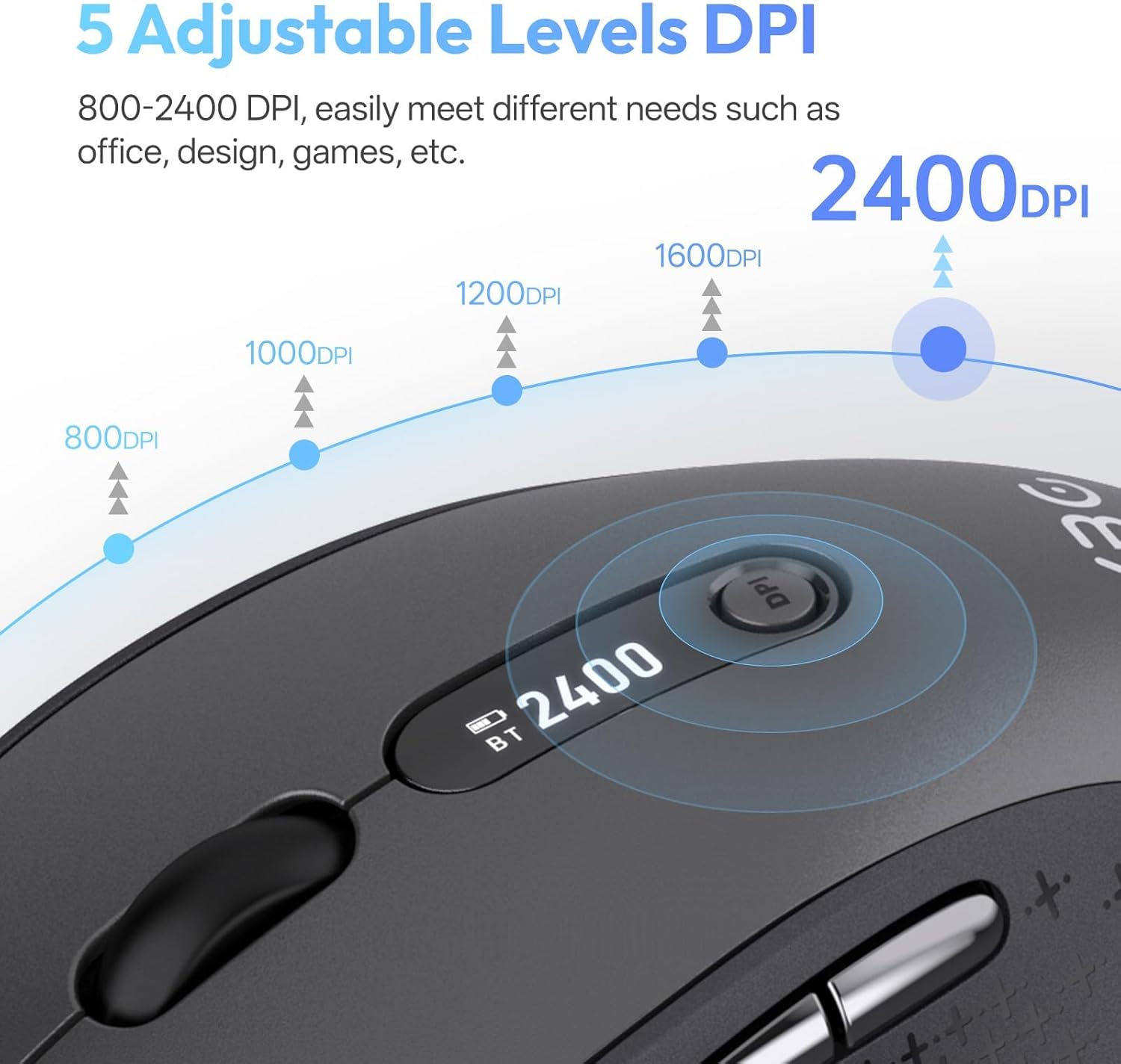
Image 4.2: Visual representation of the five adjustable DPI levels and how to change them.
4.3 Silent Click Functionality
The main left and right click buttons are designed for silent operation, providing a tactile click feel without audible noise. This feature is ideal for environments requiring minimal disturbance.

Image 4.3: A user operating the XBG B15pro mouse, illustrating its silent click feature in a quiet setting.
4.4 Modo de suspensión automático
To conserve battery, the mouse will automatically enter sleep mode after 5 minutes of inactivity. To wake the mouse, simply move it or click any button.
5. Mantemento
5.1 Coidado coa batería
- Charge the mouse fully before first use.
- Evita descargar completamente a batería con frecuencia para prolongar a súa vida útil.
- Use o cable tipo C proporcionado para cargar.
- When not in use for extended periods, turn off the mouse using the ON/OFF switch on the bottom to prevent battery discharge.

Image 5.1: The XBG B15pro mouse being charged, illustrating its fast charging capability and long-lasting battery.
5.2 Limpeza
Wipe the mouse with a soft, damp pano. Evite o uso de produtos químicos agresivos ou materiais abrasivos que poidan danar a superficie.
6 Solución de problemas
- O rato non responde:
- Asegúrate de que o rato estea acendido.
- Check the battery level on the LED screen and charge if necessary.
- Verify the correct connection mode (2.4G, BT1, BT2) is selected and properly paired.
- Para o modo 2.4G, asegúrate de que o receptor USB estea conectado correctamente ao ordenador.
- For Bluetooth mode, ensure Bluetooth is enabled on your device and re-pair if connection is lost.
- O movemento do cursor é errático ou lento:
- Axuste a configuración de DPI usando o botón DPI.
- Ensure the mouse is used on a clean, suitable surface.
- Mouse disconnects frequently:
- Ensure the mouse is within the effective range of your device (typically 10 meters for Bluetooth/2.4G).
- Minimizar as interferencias doutros dispositivos sen fíos.
- Comproba o nivel da batería.
- Mouse does not automatically enter sleep mode:
- While the mouse has an automatic sleep feature, it is recommended to manually turn off the mouse via the ON/OFF switch when not in use for extended periods to ensure maximum battery conservation.
7. Especificacións
| Característica | Especificación |
|---|---|
| Número de modelo | B15 pro |
| Tecnoloxía de conectividade | Bluetooth 5.0/4.0, 2.4GHz Wireless |
| Detección de Movemento | Óptica |
| Niveis de DPI | 800, 1000, 1200, 1600, 2400 |
| Tipo de batería | 1 Lithium Polymer (500 mAh, included) |
| Porto de carga | Tipo-C |
| Dimensións do produto | 4.55 x 2.83 x 0.04 polgadas (11.56 x 7.19 x 0.1 cm) |
| Peso do elemento | 2.65 onzas (75 gramos) |
| Características especiais | Ergonomic Design, Portable, Silent Click, LED Screen Display |

Image 7.1: A guide for recommended mouse size based on palm length and width.
8. Garantía e soporte
XBG offers a satisfaction guarantee for the B15pro Wireless Bluetooth Mouse.
- Política de devolución de 30 días: If you are not satisfied with the product, you may return it within 30 days of purchase.
- Garantía de substitución de 1 ano: The product is covered by a 1-year replacement warranty for manufacturing defects.
For further assistance or support, please refer to the contact information provided with your purchase or visit the official XBG websitio.