
Introdución
This manual provides essential information for setting up, operating, maintaining, and troubleshooting your Xiaomi Redmi Note 14 Pro 5G smartphone. Please read this guide carefully to ensure proper use and to maximize the device's performance and longevity.
Configuración
1. Que hai na caixa
Your Xiaomi Redmi Note 14 Pro 5G package includes:
- Smartphone Xiaomi Redmi Note 14 Pro 5G
- Adaptador de alimentación
- Cable USB
- Ferramenta de expulsión da SIM
2. Dispositivo rematadoview
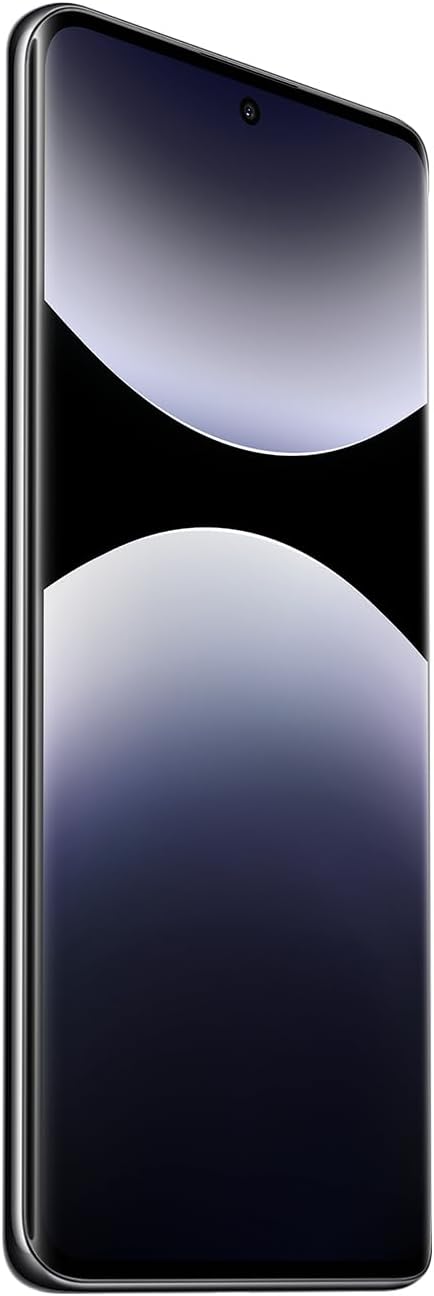
Figura 1: Fronte view of the Xiaomi Redmi Note 14 Pro 5G, showing the display and front camera.
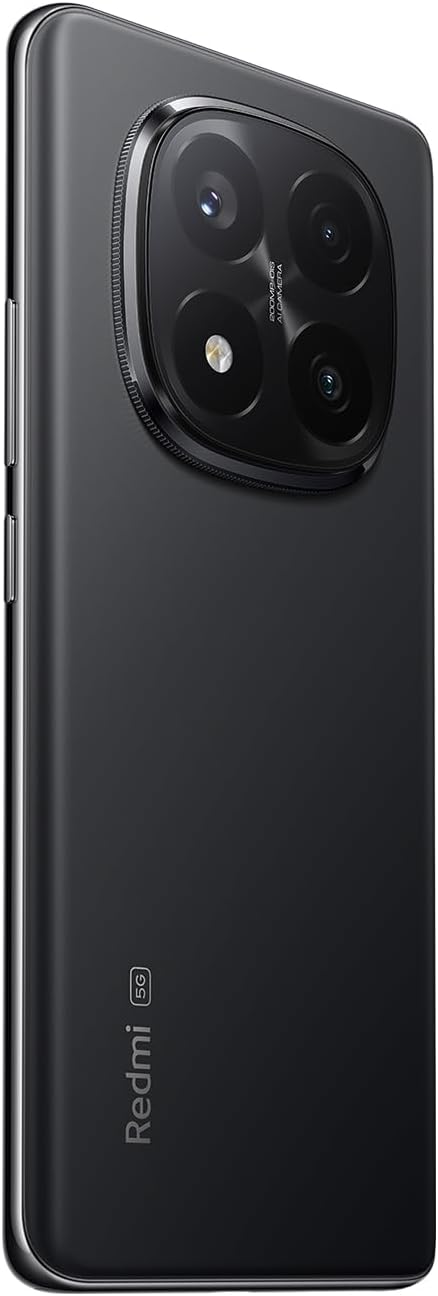
Figura 2: Atrás view of the Xiaomi Redmi Note 14 Pro 5G, highlighting the quad-camera module.
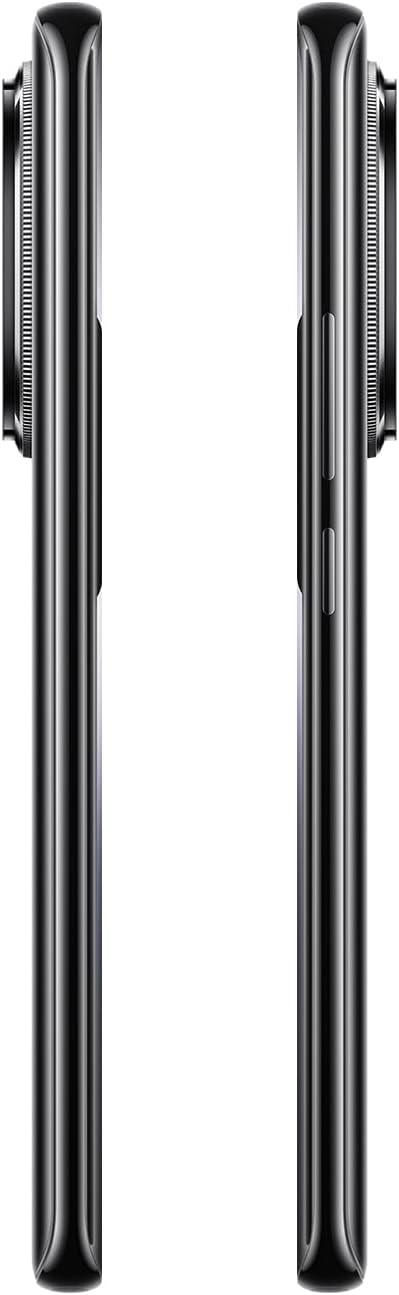
Figura 3: Lateral view of the Xiaomi Redmi Note 14 Pro 5G, illustrating the power and volume buttons.
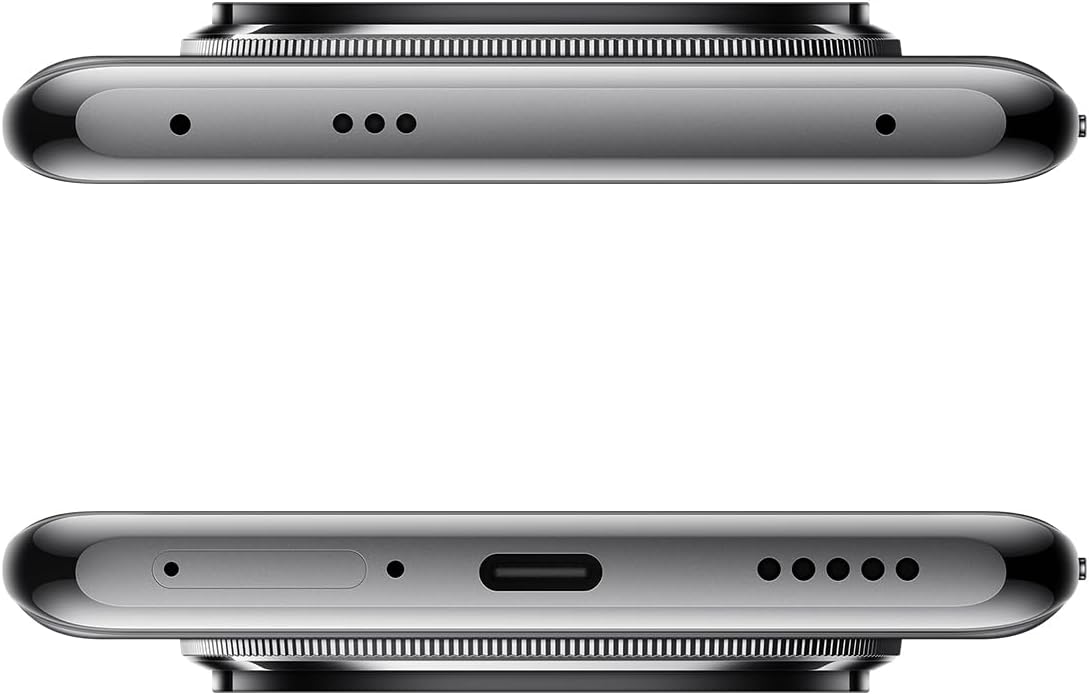
Figura 4: Arriba e abaixo views of the Xiaomi Redmi Note 14 Pro 5G, detailing the USB-C port, speakers, and SIM card tray.
3. Inserir a tarxeta SIM
- Localiza a bandexa da tarxeta SIM no lateral do dispositivo (consulta a Figura 4).
- Introduza a ferramenta de expulsión da tarxeta SIM no pequeno orificio que hai xunto á bandexa para abrila.
- Coloque a(s) tarxeta(s) nano-SIM na bandexa cos contactos dourados cara abaixo. Este dispositivo admite a dobre SIM.
- Empurre con coidado a bandexa de volta na ranura ata que encaixe no seu lugar.
4. Acendido inicial e configuración
- Press and hold the Power button (refer to Figure 3) until the Xiaomi logo appears.
- Segue as instrucións en pantalla para seleccionar o teu idioma, conectarte a unha rede wifi e configurar a túa conta de Google.
- Configure security settings, including fingerprint recognition, for enhanced device protection.
Operando o seu dispositivo
1. Pantalla e navegación
The Redmi Note 14 Pro 5G features a 6.67-inch OLED touchscreen with a 2340 x 1080 resolution and a 120Hz refresh rate for smooth visuals. Navigate the Android operating system using touch gestures.
2. Funcións da cámara
Your device is equipped with a powerful camera system:
- Cámara traseira: 200 MP main sensor with a quad-camera setup. Integrated flash.
- Cámara frontal: 32 MP sensor.
- Modos de disparo: Automatic, Portrait, Landscape, Sport, Night Mode, Macro.
To open the camera, tap the camera icon on your home screen or lock screen. Select your desired mode and tap the shutter button to capture photos or videos.
3. Conectividade
The device supports 5G cellular technology, Wi-Fi, Bluetooth, and NFC for various connectivity needs. Access these settings via the Quick Settings panel or the main Settings application.
4. Batería e carga
The Redmi Note 14 Pro 5G is powered by a 5500 mAh Lithium-ion battery. It supports 45W fast charging. Use the provided adapter and USB cable for optimal charging performance. Avoid using damaged cables or non-certified chargers.
Mantemento
1. Limpeza do dispositivo
- Usa un pano suave e sen fiapos para limpar a pantalla e o panel traseiro.
- Evite o uso de produtos químicos agresivos, materiais abrasivos ou aerosois.
- Do not expose the device to excessive moisture. Note that the device is not water-resistant.
2. Actualizacións de software
Regularly check for and install software updates to ensure your device has the latest features, security patches, and performance improvements. You can usually find this option in the device's Settings menu under "About phone" or "System updates."
3. Xestión do almacenamento
Your device comes with 256 GB of internal storage. To maintain optimal performance, regularly manage your storage by deleting unnecessary files, uninstalling unused apps, and backing up important data to cloud services or an external drive.
Resolución de problemas
Se tes problemas co teu dispositivo, proba os seguintes pasos habituais para a súa resolución:
- O dispositivo non responde: Mantén premido o botón de acendido/apagado durante uns 10-15 segundos para forzar un reinicio.
- Fallo da aplicación: Close the app and reopen it. If the issue persists, clear the app's cache and data in Settings, or uninstall and reinstall the app.
- Problemas de conectividade (Wi-Fi/Bluetooth/Móbil):
- Toggle Wi-Fi/Bluetooth/Cellular data off and on.
- Reinicia o teu dispositivo.
- Para a wifi, esquece a rede e volve conectar.
- For cellular, ensure your SIM card is properly inserted and your plan is active.
- Esgotando a batería rapidamente: Check battery usage in Settings to identify power-hungry apps. Reduce screen brightness, disable unnecessary features (GPS, Bluetooth, Wi-Fi) when not in use, and close background apps.
- Rendemento lento: Clear cache, free up storage space, and restart your device.
For more complex issues, refer to the official Xiaomi support websitio ou póñase en contacto co servizo de atención ao cliente.
Especificacións
| Característica | Detalle |
|---|---|
| Marca | XIAOMI |
| Nome do modelo | Nota 14 Pro 5G |
| Sistema Operativo | Android |
| Tamaño da RAM | 8 GB |
| Capacidade de almacenamento | 256 GB |
| Tamaño da pantalla | 6.67 polgadas |
| Resolución | 2340 x 1080 |
| Taxa de actualización | 120 Hz |
| Tipo de visualización | OLED |
| Resolución da cámara traseira | 200 MP (Quad Camera) |
| Resolución cámara frontal | 32 MP |
| Capacidade da batería | 5500 mAh (ións de litio) |
| Cargando | Carga rápida de 45 W |
| Tecnoloxía Celular | 5G |
| Conectividade | Bluetooth, NFC, Wi-Fi |
| Tipo de tarxeta SIM | Nano-SIM (Dual SIM) |
| Biometric Features | Recoñecemento de pegadas dixitais |
| Nivel de resistencia á auga | Non resistente á auga |
| Peso | 356 gramos |
| Cor | Negro |
Información da garantía
Your Xiaomi Redmi Note 14 Pro 5G comes with a 2 anos de garantía do fabricante. This warranty covers defects in materials and workmanship under normal use. For detailed terms and conditions, please refer to the warranty card included in your product packaging or visit the official Xiaomi websitio.
Conserve o comprobante de compra para reclamacións de garantía.
Soporte e Contacto
For further assistance, technical support, or to find service centers, please visit the official Xiaomi support websitio:
You may also find helpful information and FAQs on the Xiaomi community forums.