
DEVAISE ASJZ026
DEVAISE ASJZ026 L-Shaped Electric Standing Desk User Manual
Model: ASJZ026
1. Introdución
This manual provides detailed instructions for the assembly, operation, and maintenance of your DEVAISE ASJZ026 L-Shaped Electric Standing Desk. Please read this manual thoroughly before assembly and use to ensure proper function and safety. This desk features adjustable height, dual motors, and an L-shaped design for an ergonomic workspace.
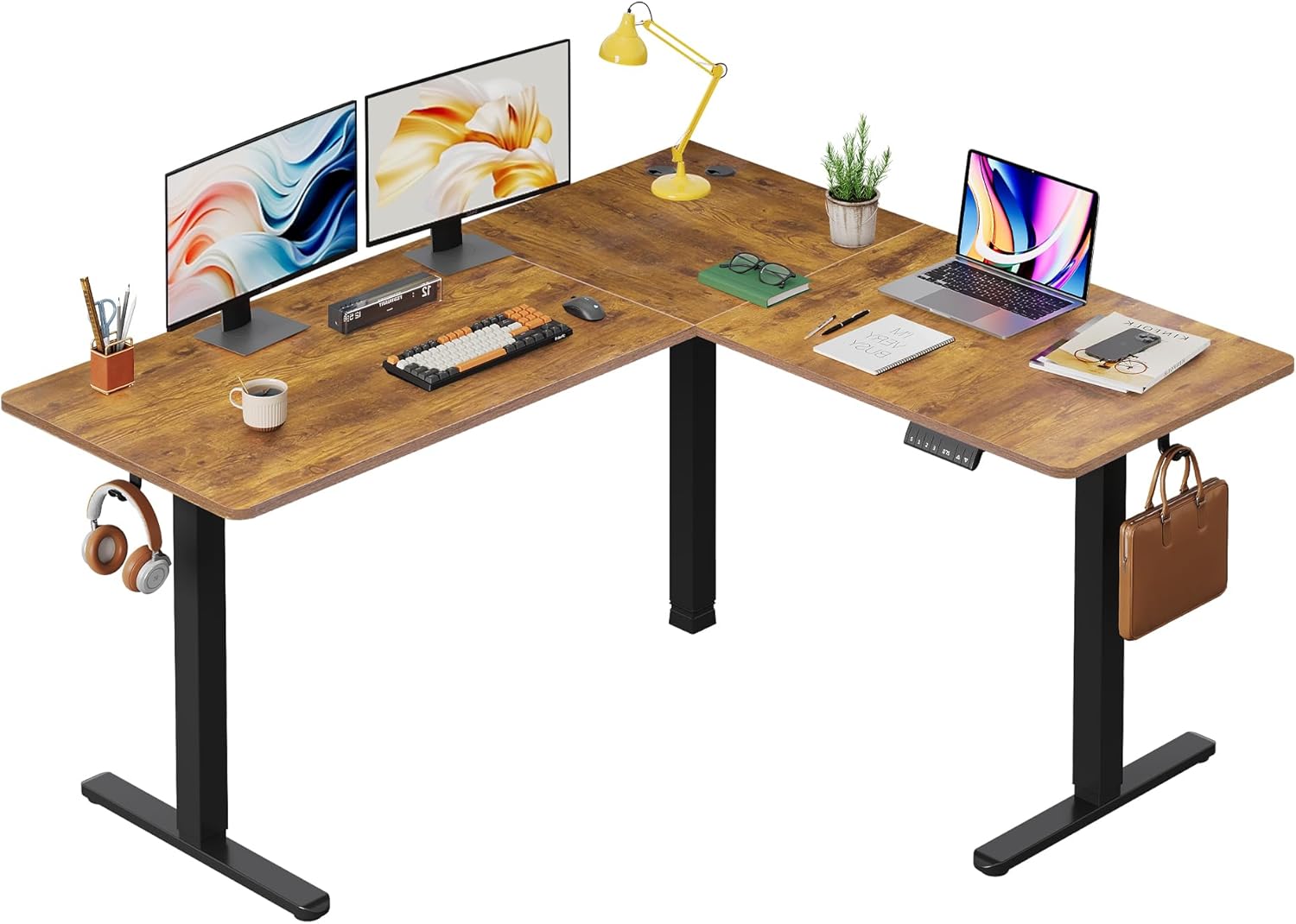
Imaxe 1.1: Acabadoview of the DEVAISE L-Shaped Electric Standing Desk.
2. Información de seguridade
ADVERTENCIA: O incumprimento destas instrucións de seguridade pode provocar lesións ou danos no produto.
- Potential hazards include injury from moving parts if not used with caution. Keep hands and objects clear of moving components during height adjustment.
- Non exceda a capacidade máxima de peso de 220 libras (100 kg). Overloading the desk can cause instability and damage.
- Always ensure proper assembly and use according to the manufacturer's instructions. Incorrect assembly can lead to structural failure.
- Manteña os nenos e as mascotas lonxe da mesa durante o funcionamento.
- Ensure the power cord is not pinched or damaged. Do not operate the desk with a damaged cord or plug.
- Desconecte a alimentación antes da limpeza ou mantemento.
3. Configuración e montaxe
Assembly of the DEVAISE L-Shaped Electric Standing Desk requires careful attention to detail. It is recommended to have two people for assembly. Please ensure all parts are present before beginning.
3.1. Desembalaxe e inspección
Carefully unpack all components and lay them out on a clean, soft surface to prevent scratches. Verify that all parts listed in the packing list (not provided in this document, refer to your product packaging) are present and undamaged.
3.2. Desk Orientation
The L-shaped desk can be configured for either a left-sided or right-sided return, offering flexibility to suit your workspace layout.

Image 3.1: Flexible left or right orientation of the L-shaped desk.
3.3. General Assembly Steps (Consult provided assembly guide for detailed steps)
- Assemble the desk frame components, including the legs and crossbars, ensuring all screws are tightened securely.
- Attach the dual motors to the frame as per the assembly instructions.
- Secure the tabletop sections to the assembled frame. Ensure the splice board is correctly aligned.
- Connect the control panel and power supply to the motor system.
- Install accessories such as headphone hooks and cable clips as desired.
- Adjust the leveling feet to ensure the desk is stable on uneven surfaces.

Image 3.2: Illustration of the dual motor system for smooth height adjustment.
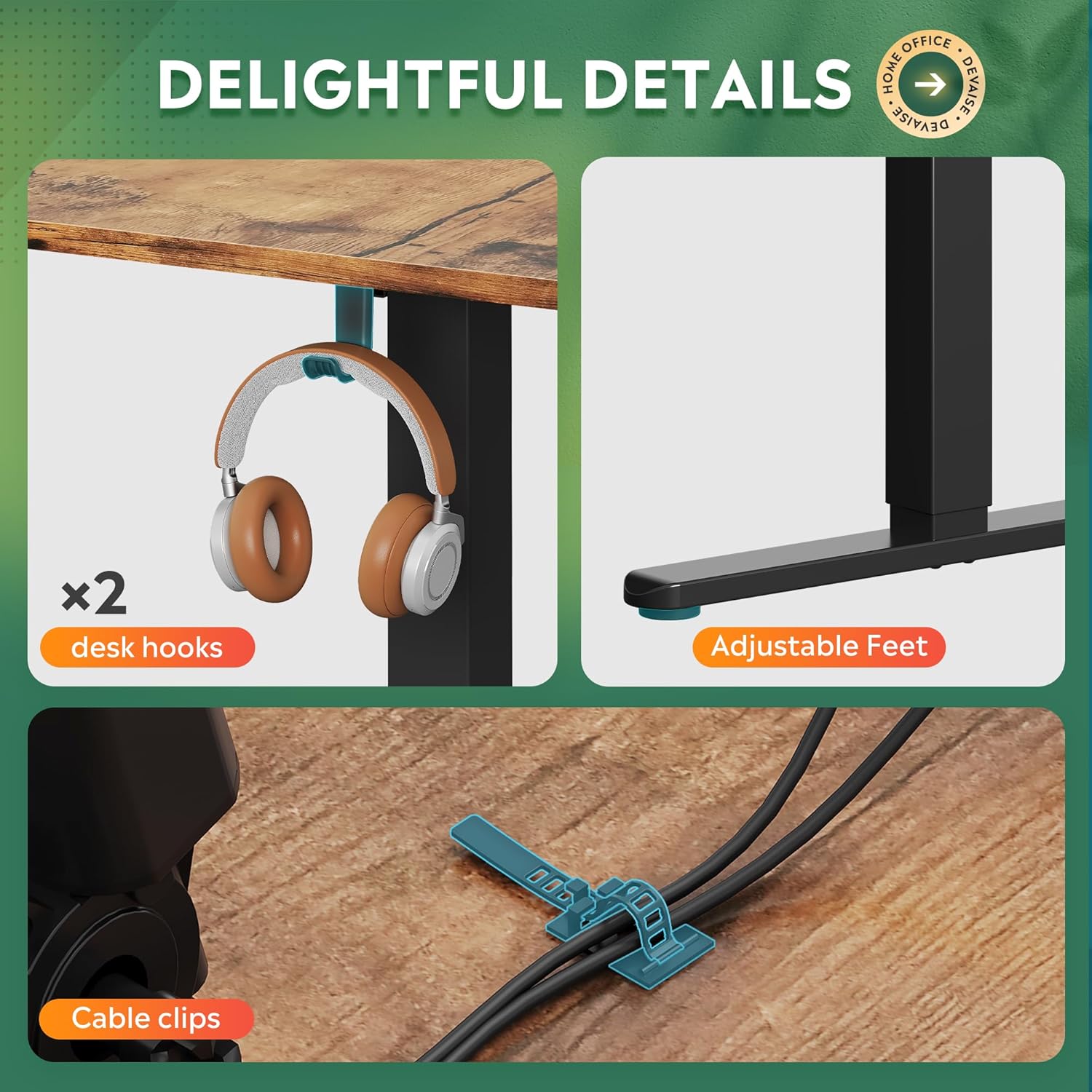
Image 3.3: Included accessories: two desk hooks, adjustable feet, and cable clips for organization.
4. Instrucións de funcionamento
The DEVAISE ASJZ026 desk features an electric height adjustment system with a multi-function control panel.

Image 4.1: Multi-function control panel for height adjustment and memory settings.
4.1. Basic Height Adjustment
Usa o Arriba (▲) e Abaixo (▼) botóns do panel de control para axustar manualmente a altura do escritorio. A altura actual mostrarase na pantalla LED.

Image 4.2: The desk's height can be adjusted from 28.5 inches to 47.2 inches.
4.2. Configuración de predefinicións de memoria
O panel de control permíteche gardar ata tres axustes de altura preferidos:
- Adjust the desk to your desired height using the Up or Down buttons.
- Preme o "S" button (Set/Save). The LED display will flash.
- Immediately press one of the memory buttons ("1", "2", ou "3") before the display stops flashing. The height is now saved to that preset.
4.3. Usando predefinicións de memoria
To move the desk to a saved height, simply press the corresponding memory button ("1", "2", ou "3"). The desk will automatically adjust to the saved position.
4.4. Anti-Collision Feature
The desk is equipped with an anti-collision system. If the desk encounters an obstacle during height adjustment, it will automatically stop and reverse slightly to prevent damage. Ensure the area around the desk is clear during operation.
5. Mantemento
Regular maintenance ensures the longevity and optimal performance of your DEVAISE standing desk.
- Limpeza: Limpa a superficie e a estrutura do escritorio cun pano suave eamp pano. Evite produtos de limpeza abrasivos ou produtos químicos agresivos que poidan danar o acabado.
- Xestión de cables Periodically check cable clips and ensure all cables are neatly organized and not pinched or strained.
- Comprobación do motor: Listen for any unusual noises during operation. If you hear grinding or excessive noise, discontinue use and consult the troubleshooting section or contact support.
- Distribución de peso: Distribute weight evenly across the desk surface to prevent undue stress on the frame and motors.
6 Solución de problemas
If you encounter issues with your DEVAISE standing desk, refer to the following common problems and solutions:
| Problema | Causa posible | Solución |
|---|---|---|
| Desk does not move or respond to control panel. | Power cord disconnected, circuit breaker tripped, motor error. | Check power connections. Ensure the outlet is functional. Unplug and replug the desk after 30 seconds. If error persists, contact support. |
| O escritorio móvese de xeito irregular ou fai ruídos pouco comúns. | Uneven weight distribution, loose connections, motor issue. | Ensure weight is evenly distributed. Check all assembly screws for tightness. If noise persists, contact support. |
| Anti-collision feature triggers frequently. | Obstruction in the desk's path, sensitive setting. | Clear any objects from the desk's path. Refer to the full product manual for potential anti-collision sensitivity adjustments (if available). |
| Memory presets are not saving or recalling correctly. | Incorrect saving procedure, temporary glitch. | Review Section 4.2 for correct saving procedure. Unplug the desk for 30 seconds and try again. |
7. Especificacións
| Característica | Detalle |
|---|---|
| Marca | DEVAISAR |
| Número de modelo | ASJZ026 |
| Dimensións do produto (P x A x A) | 23.62" D x 62.99" W x 25.84" H |
| Altura mínima | 28.5 polgadas |
| Altura máxima | 47.2 polgadas |
| Cor | Marrón Rústico |
| Tipo de material superior | Madeira de enxeñería |
| Material base | Ferro |
| Peso do elemento | 80.7 libras |
| Recomendación de peso máximo | 220 libras |
| Característica especial | Adjustable Height, Dual Motor, Anti-Collision Technology |
| Compoñentes incluídos | Headphone Hook, Cable Clips |
| Montaxe necesaria | Si |

Image 7.1: Key dimensions and load capacity of the L-shaped standing desk.
8. Garantía e soporte
8.1. Información da garantía
This DEVAISE ASJZ026 L-Shaped Electric Standing Desk comes with a Garantía limitada. Please refer to the warranty card included with your product for specific terms, conditions, and duration of coverage.
8.2. Atención ao cliente
For technical assistance, missing parts, or warranty claims, please contact DEVAISE customer support. Contact information can typically be found on the product packaging, the official DEVAISE websitio web ou a través da túa plataforma de compra.
Vendedor: DEVAISAR
Ask a question about this manual
Ask about setup, troubleshooting, compatibility, parts, safety, or missing instructions. Manuals+ will review the question and use this page’s manual context to help answer it.