
Introdución
Thank you for choosing the RORSOU B8 Bluetooth Headphones. These over-ear headphones are designed to provide a superior audio experience with deep bass and Hi-Fi stereo sound, powered by a 40mm audio driver and advanced Bluetooth 5.4 technology. Enjoy extended listening with up to 50 hours of playtime and versatile connectivity options. This manual will guide you through the setup, operation, and maintenance of your new headphones.

Figure 1: RORSOU B8 Bluetooth Headphones (Beige White)
The RORSOU B8 headphones feature a sleek beige white finish with gold accents, designed for comfort and portability.
O que hai na caixa
- Manual de usuario
- Almofadas para os oídos (preinstaladas)
- Protective Case (Drawstring Bag)
- Cable de carga USB-C
- Cable de audio AUX de 3.5 mm

Figure 2: Included accessories with the RORSOU B8 Headphones.
The box contains the headphones, a user manual, a USB-C charging cable, a 3.5mm AUX cable, and a soft drawstring protective case.
Produto rematadoview & Controis
Familiarize yourself with the buttons and ports on your RORSOU B8 headphones for optimal use.

Figura 3: detallada view de controis e portos para auriculares.
The right earcup features the main controls including the EQ button, USB-C charging port, 3.5mm audio jack, and power/playback buttons.
- Botón de acendido/reproducir/pausa: Prema longamente para acender/apagar. Prema curta para reproducir/pausar música ou responder/finalizar chamadas.
- Botón para subir o volume (+): Prema curta para aumentar o volume. Prema longa para saltar á seguinte pista.
- Botón para baixar o volume (-): Prema curta para baixar o volume. Prema longa para ir á pista anterior.
- Botón EQ: Press to cycle through 6 preset EQ modes (Standard, Classical, Metal, Jazz, Rock, Bass).
- Porto de carga USB-C: Para cargar os auriculares.
- Conector de audio de 3.5 mm: Para a conexión por cable usando o cable AUX.
- Micrófono: Para chamadas mans libres.
Configuración
Cargando os teus auriculares
- Connect the USB-C charging cable to the headphone's charging port.
- Conecta o outro extremo do cable USB a unha fonte de alimentación USB compatible (por exemplo, un porto USB do ordenador, un adaptador de parede).
- O indicador LED mostrará o estado de carga. Unha carga completa tarda aproximadamente 2 horas.
- Once fully charged, the headphones provide up to 50 hours of playtime.
Emparejamento Bluetooth
- Asegúrese de que os auriculares estean apagados.
- Long press the Power/Play/Pause button until the LED indicator flashes blue and red alternately. This indicates pairing mode.
- No teu dispositivo (teléfono intelixente, tableta, PC), activa o Bluetooth e busca os dispositivos dispoñibles.
- Select "RORSOU B8" from the list of found devices.
- Once successfully paired, the LED indicator will turn solid blue or flash blue slowly.
- The headphones can be paired with two devices simultaneously and seamlessly switch between them.
Wired Connection (AUX)
If your headphones run out of battery or you prefer a wired connection, you can use the included 3.5mm AUX cable.
- Connect one end of the 3.5mm AUX cable to the headphone's 3.5mm audio jack.
- Conecta o outro extremo á saída de son do teu dispositivo.
- Os auriculares cambiarán automaticamente ao modo con fío.
Instrucións de funcionamento
Encendido/apagado
- Encendido: Long press the Power/Play/Pause button until the LED indicator lights up.
- Apagado: Long press the Power/Play/Pause button until the LED indicator turns off. The headphones will automatically shut down after 5 minutes if no device is connected.
Control de volume
- Aumentar o volume: Prema brevemente o botón para subir volume (+).
- Diminuír o volume: Prema brevemente o botón para baixar o volume (-).
Control de reprodución
- Reproducir/Pausa: Short press the Power/Play/Pause button.
- Próxima pista: Mantén premido o botón para subir o volume (+).
- Pista anterior: Mantén premido o botón para baixar o volume (-).
Xestión de chamadas
- Responder a chamada entrante: Short press the Power/Play/Pause button.
- Finalizar a chamada: Short press the Power/Play/Pause button during a call.
- Rexeitar a chamada: Long press the Power/Play/Pause button when a call is incoming.
- Call Back Last Number: Double click the Power/Play/Pause button.
Modos de ecualización
The RORSOU B8 headphones offer 6 preset EQ modes to optimize your listening experience for different music genres.
- Modo estándar: Profesional de son equilibradofile.
- Classical Mode: Enhanced for classical music.
- Modo Metal: Optimized for heavy metal and rock.
- Modo Jazz: Adaptado para música jazz.
- Modo Rock: Boosted for rock music.
- Modo de graves: Enhanced bass for powerful low-end sound.
To switch between modes, press the EQ button on the right earcup.
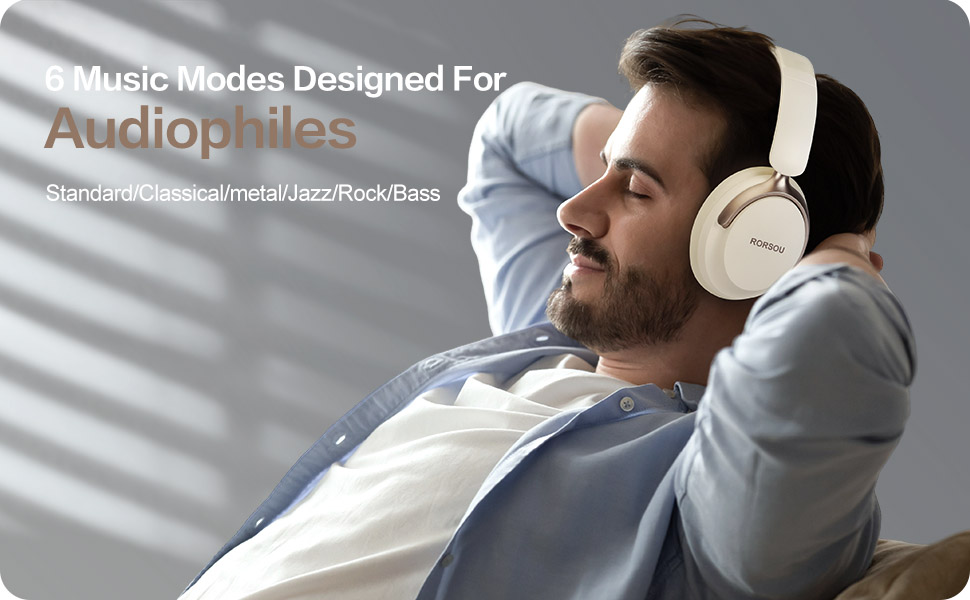
Figure 4: Experience optimized sound with 6 EQ modes.
The EQ modes allow users to customize the audio output to match their preferred music style.

