
1. Produto rematadoview
The Lenovo Legion 5 (Model 15IRX9) is a high-performance gaming laptop designed for demanding tasks and immersive gaming experiences. It features a 13th Gen Intel Core i7-13650HX processor and NVIDIA GeForce RTX 4060 graphics, ensuring powerful performance for both gaming and professional applications.
As características principais inclúen:
- Procesador: Intel Core i7-13650HX (13th Gen) with speeds up to 4.9GHz, 14 Cores, 20 Threads, and 24MB Cache.
- Gráficos: NVIDIA GeForce RTX 4060 with 8GB GDDR6 dedicated memory, Boost Clock 2370MHz, and 140W max TGP. Supports Free-Sync and G-Sync.
- Visualización: 15.6-inch FHD (1920x1080) IPS panel, 300 nits brightness, anti-glare, 100% sRGB, and a 144Hz refresh rate.
- Memoria: 24GB DDR5-4800 RAM (2x12GB), expandable up to 24GB.
- Almacenamento: 512GB SSD M.2 2280 PCIe 4.0x4 NVMe.
- Refrixeración: Legion ColdFront Hyper thermal system with innovative fan design and a dedicated hyperchamber for efficient heat dissipation.
- AI Engine+: Enhances FPS and performance with Auto Detect and Auto Optimisation modes.
- Sistema operativo: Windows 11 Home.
- Conectividade: Wi-Fi 6E (11ax 2x2) and Bluetooth 5.2.
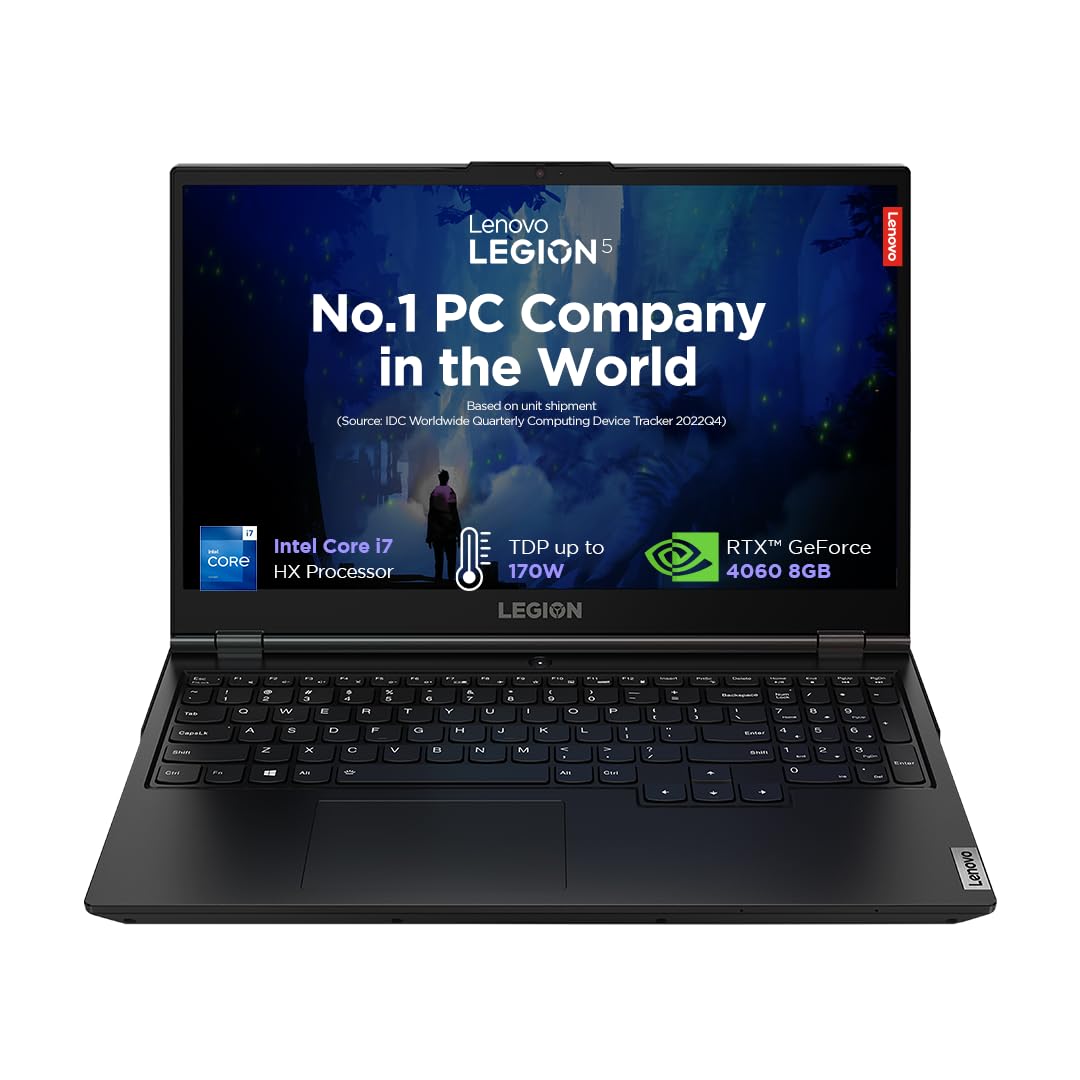
Figure 1: Lenovo Legion 5 Gaming Laptop. This image shows the laptop from the front, open, with a game displayed on the screen, highlighting its sleek design and display capabilities.
2. Configuración inicial
2.1 Desembalaxe e contido
Retire con coidado todos os compoñentes da embalaxe. Asegúrese de que estean presentes os seguintes elementos:
- Lenovo Legion 5 Laptop
- Adaptador de alimentación
- Guía do usuario (este documento)
2.2 Conexión do adaptador de corrente
- Connect the power adapter cable to the power connector port on the rear of the laptop.
- Conecte o adaptador de alimentación a unha toma eléctrica conectada a terra.
2.3 Primeiro acendido
Press the power button located on the laptop to turn it on. Follow the on-screen instructions to complete the initial Windows 11 setup, including language selection, network connection, and user account creation.
2.4 Conexión de periféricos
Connect external devices such as a mouse, keyboard, or external display using the available ports. Refer to the 'Ports' section for port locations and types.
3. Manexo do portátil
3.1 Características de visualización
The 15.6-inch Full HD IPS display offers vibrant visuals with a 144Hz refresh rate for smooth motion and G-SYNC support to eliminate screen tearing. The anti-glare coating reduces reflections, enhancing visibility in various lighting conditions.

Figure 2: Display Features. This image highlights the key specifications of the laptop's display, including its size, resolution, brightness, aspect ratio, refresh rate, and G-SYNC compatibility.
3.2 Teclado e entrada
The Legion TrueStrike keyboard features a white backlight, 1.5mm key travel distance, and 100% anti-ghosting for precise input during gaming. Swappable keycaps allow for customization.

Figure 3: Keyboard Features. This image illustrates the design and features of the laptop's keyboard, emphasizing its gaming-oriented attributes like anti-ghosting and key travel.
3.3 Sistema de audio
Experience optimized audio with stereo speakers (2W x2) enhanced by Nahimic Audio technology, providing immersive sound for gaming and multimedia.
3.4 Portos e conectividade
O portátil ofrece unha ampla selección de portos para diversas necesidades de conectividade:
- Portos traseiros: Ethernet (RJ-45), HDMI®, USB-C (USB 10Gbps, with PD 140 & DP 1.4), USB-A (USB 5Gbps), Power connector.
- Portos laterais: USB-A (USB 5Gbps), USB-C (USB 10Gbps, with DP 1.4), Headphone/microphone combo jack (3.5mm), E-shutter switch.

Figure 4: Port Layout. This image provides a visual guide to all the input/output ports available on the Lenovo Legion 5 laptop, detailing their types and locations.
3.5 Xestión da batería
The laptop is equipped with a 60 Watt-hour Lithium Polymer battery, providing approximately 6 hours of battery life under normal usage. For optimal performance during gaming or intensive tasks, it is recommended to keep the laptop plugged into the power adapter.
4. Mantemento e coidados
4.1 Limpeza xeral
Regularly clean the laptop's exterior with a soft, lint-free cloth. For the screen, use a specialized screen cleaner and a microfiber cloth. Avoid harsh chemicals or abrasive materials.
4.2 Coidado do sistema de refrixeración
The Legion ColdFront Hyper cooling system requires clear airflow. Ensure that the air vents (located on the sides and rear) are not obstructed when using the laptop. Periodically inspect and gently clean any dust accumulation from the vents using compressed air.
Figure 5: Cooling System. This image provides an internal view of the laptop's advanced cooling system, highlighting its copper thermal components and fan design for efficient heat management.
4.3 Actualizacións de software
Keep your operating system, drivers (especially graphics drivers), and Lenovo Vantage software updated to ensure optimal performance, security, and access to the latest features.
4.4 Xestión do almacenamento
The laptop comes with a 512GB SSD. Regularly manage your storage by deleting unnecessary files and uninstalling unused applications. For users requiring more space, consider upgrading the SSD or utilizing external storage solutions.
5 Solución de problemas
This section addresses common issues you might encounter. For more complex problems, refer to the Lenovo support resources.
5.1 Problemas de rendemento
- Rendemento lento: Ensure all drivers are updated. Check for background applications consuming resources. Verify that the laptop is in 'Performance' mode via Lenovo Vantage or Windows power settings when gaming.
- Sobrequecemento: Ensure vents are clear. Use the laptop on a hard, flat surface. Monitor temperatures using Lenovo Vantage.
5.2 Problemas de visualización
- Desgarro/tartamudeo da pantalla: Verify G-SYNC is enabled in NVIDIA Control Panel. Ensure graphics drivers are up to date.
- Fantasma: If experiencing ghosting with G-SYNC, try disabling G-SYNC in the NVIDIA Control Panel to see if the issue resolves.
5.3 Battery Not Charging / Short Battery Life
- Asegúrate de que o adaptador de corrente estea conectado correctamente tanto ao portátil como á toma de corrente.
- Check power settings in Windows to optimize battery usage. Reduce screen brightness and close unnecessary applications.
5.4 Ruído do ventilador
High fan noise is normal during intensive tasks like gaming, as the cooling system works to dissipate heat. If fan noise is excessively loud during light usage, check for background processes or dust accumulation in the vents.
6. Especificacións técnicas
| Característica | Especificación |
|---|---|
| Marca | Lenovo |
| Nome do modelo | Lexión 5 |
| Número de modelo | 15IRX9 |
| Procesador | Intel Core i7-13650HX (13th Gen) |
| Velocidade do procesador | 2.6 GHz (Base) - 4.9 GHz (Max) |
| Núcleos / Fíos | 14 núcleos / 20 fíos |
| Gráficos | NVIDIA GeForce RTX 4060 8GB GDDR6 |
| Max TGP | 140 W |
| Mostrar | 15.6" FHD (1920x1080) IPS, 300nits, 144Hz, 100% sRGB, Anti-glare, G-SYNC |
| RAM | 24GB DDR5-4800 (2x12GB), Max 24GB |
| Almacenamento | 512GB SSD M.2 2280 PCIe 4.0x4 NVMe |
| Sistema Operativo | Windows 11 Home |
| Conectividade sen fíos | Wi-Fi 6E (11ax 2x2), Bluetooth 5.2 |
| Portos | 5x USB (various types), 1x HDMI, 1x Ethernet (RJ-45), 1x Headphone/mic combo jack |
| Batería | 60 Wh Lithium Polymer, up to 6 hours |
| Dimensions (L x W x Thickness) | 26.1L x 35.8W x 2.1Th Centimeters |
| Peso | 2.3 kg |
| Teclado | Backlit, Anti Glare Coating, HD Audio, Memory Card Slot |
| UPC | 198155448898 |
7. Garantía e soporte
7.1 Información da garantía
Your Lenovo Legion 5 laptop comes with the following warranty coverage:
- 1 ano de protección contra danos accidentais
- 1 Year Legion Ultimate Support
- 1 Year On-Site Warranty
For detailed terms and conditions, please refer to the warranty documentation included with your product or visit the official Lenovo support websitio.
7.2 Manufacturer and Importer Contact
Fabricante: Lenovo (Various manufacturing facilities, refer to packaging for specific details).
Información de contacto do importador:
Lenovo (India) Private Limited
RBD Icon, Level 2, Doddenakundi Village
Marathahalli Outer Ring Road, K. R. Puram Hobli
Bangalore 560037, Karnataka, India
7.3 Soporte en liña
For further assistance, driver downloads, and troubleshooting guides, please visit the official Lenovo support websitio: support.lenovo.com