
GGSTOPWATER XG99
AI Translate True Wireless OWS Headset XG99
Manual de instrucións do usuario
1. Introdución
The GGSTOPWATER AI Translate True Wireless OWS Headset XG99 is an innovative open-ear audio device designed for seamless communication and immersive listening. Featuring advanced AI technology, it supports real-time translation across 150 languages, making it an ideal companion for travel, business, and daily interactions. Its open-ear design ensures comfort and situational awareness, while Bluetooth 5.4 connectivity provides stable and efficient performance.

Figure 1.1: The XG99 Open-Ear Headset and its Portable Charging Case.
2. Configuración
2.1. Charging the Headset and Case
Before first use, fully charge the headset and its charging case. Place the earbuds into the charging case. Connect the charging case to a USB power source using the provided charging cable. The digital display on the charging case will indicate the battery level. A full charge typically takes approximately 1.5 hours.

Figure 2.1: The XG99 Charging Case with Digital Battery Indicator.
2.2. Emparellamento Bluetooth
- Ensure the headset earbuds are charged and removed from the charging case. They will automatically enter pairing mode.
- No teu teléfono intelixente ou dispositivo, activa o Bluetooth.
- Busca available devices and select "XG99" from the list.
- Unha vez conectado, unha mensaxe de voz confirmará o emparellamento correcto.
2.3. Instalación da aplicación
To utilize the full AI translation capabilities, download the "EarJoy Intelligence APP" from your device's app store (available for iOS and Android). Follow the on-screen instructions to complete the app setup and connect your XG99 headset.
3. Instrucións de funcionamento
3.1. Acendido/apagado
- Encendido: Retira os auriculares da caixa de carga. Acenderanse automaticamente.
- Apagado: Volve colocar os auriculares na caixa de carga. Apagaranse automaticamente e comezarán a cargar.
3.2. Music Playback and Calls
Control music playback and manage calls using the touch controls on the earbuds. Refer to the app or quick start guide for specific touch commands (e.g., single tap for play/pause, double tap for next track, etc.).
3.3. Función de tradución da IA
The XG99 headset, in conjunction with the EarJoy Intelligence APP, provides real-time translation for 150 languages. This feature supports various modes, including AI binaural translation (both users wear an earbud), Headphone + mobile phone translation (one user wears an earbud, the other speaks into the phone), and AI chat.

Figure 3.1: Using the XG99 for enhanced communication in professional settings.

Figure 3.2: The XG99 facilitates barrier-free communication across multiple languages.
3.4. Open-Ear Design Benefits
The XG99 features an open-ear design, meaning the earbuds do not enter your ear canal. This allows you to enjoy audio while remaining aware of your surroundings, enhancing safety during outdoor activities and comfort during prolonged use. The ergonomic hook design ensures a secure and comfortable fit.

Figure 3.3: Open-Ear Design for Comfort and Awareness.

Figure 3.4: The XG99's comfortable open-ear fit compared to traditional designs.
3.5. Calidade do son
The XG99 delivers high-fidelity audio with low distortion, providing a rich and vibrant sound experience. Its design focuses on reproducing clear and immersive sound for both music and voice communication.

Figure 3.5: Internal components contributing to the XG99's sound quality.
3.6. Duración da batería
The XG99 headset provides approximately 6 hours of listening time on a single charge. The portable charging case extends the total usage time significantly, offering multiple recharges. The case itself can hold a charge for extended periods, providing up to 30 hours of standby time when the device is not connected, and up to 120 days when the device is turned off.

Figure 3.6: XG99 Battery Life Indicators.
3.7. Uso en varios escenarios
The durable and comfortable design of the XG99 makes it suitable for various activities, including driving, cycling, sports, and work, ensuring reliable performance throughout your day.

Figure 3.7: Versatile Use of the XG99 Headset.
4. Mantemento
4.1. Limpeza
Regularly clean your headset and charging case with a soft, dry, lint-free cloth. Avoid using abrasive materials or harsh chemicals. Do not submerge the headset or case in water.
4.2. Almacenamento
When not in use, store the headset in its charging case to protect it from dust and damage. Store in a cool, dry place away from direct sunlight and extreme temperatures.
4.3. Resistencia á auga e ao po
The XG99 headset is designed with dustproof and waterproof features, making it suitable for active use. However, it is not designed for submersion. Avoid exposing it to excessive moisture or liquids.
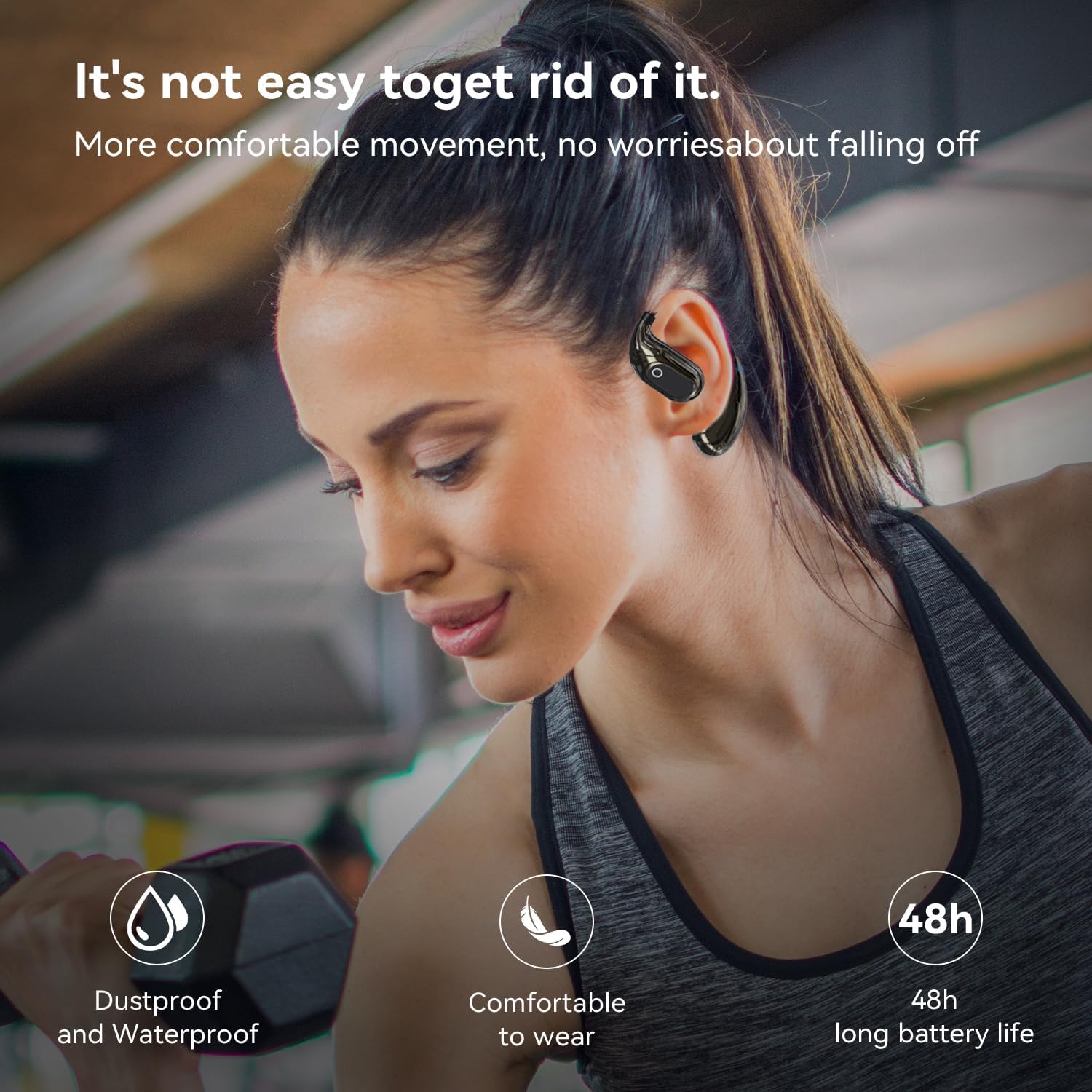
Figure 4.1: The XG99's durability for active lifestyles.
5 Solución de problemas
| Problema | Causa posible | Solución |
|---|---|---|
| Os auriculares non se acende. | Batería baixa. | Charge the headset and charging case fully. |
| Non se pode emparellar co dispositivo. | O Bluetooth está desactivado no dispositivo; os auriculares non están en modo de emparellamento; están demasiado lonxe do dispositivo. | Ensure Bluetooth is on; place earbuds in case then remove to re-enter pairing mode; keep devices within 10 meters. |
| Sen son ou mala calidade de son. | Volume too low; headset not properly connected; interference. | Adjust volume; re-pair headset; move away from sources of interference. |
| Translation function not working. | App not connected; internet connection issues; incorrect app settings. | Ensure headset is connected to app; check internet connection; verify language settings in EarJoy Intelligence APP. |
6. Especificacións
| Característica | Detalle |
|---|---|
| Nome do modelo | XG99 |
| Marca | GGSTOPAUGA |
| Tecnoloxía de conectividade | Sen fíos (Bluetooth) |
| Versión Bluetooth | 5.4 |
| Alcance Bluetooth | Ata 10 metros |
| Colocación do oído | Orella aberta |
| Forma do auricular | Aberto |
| Impedancia | 40 ohmios |
| Duración da batería (escoitando) | Aprox. 6 horas |
| Método de control | App / Touch Controls |
| Compoñentes incluídos | Estuche de carga sen fíos |
| Dispositivos compatibles | Teléfonos intelixentes, portátiles, tabletas, altofalantes intelixentes |
| Peso do elemento | 3.52 onzas |
| Dimensións do paquete | 4.57 x 4.13 x 1.46 polgadas |
| País de Orixe | China |
7. Garantía e soporte
7.1. Información da garantía
The GGSTOPWATER AI Translate True Wireless OWS Headset XG99 comes with a standard manufacturer's warranty against defects in materials and workmanship. Please retain your proof of purchase for warranty claims. Specific warranty terms and duration may vary by region and retailer.
7.2. Atención ao cliente
For technical assistance, troubleshooting, or warranty inquiries, please contact GGSTOPWATER customer support through the retailer where you purchased the product or visit the official GGSTOPWATER websitio para información de contacto.
Ask a question about this manual
Ask about setup, troubleshooting, compatibility, parts, safety, or missing instructions. Manuals+ will review the question and use this page’s manual context to help answer it.