
1. Introdución
This manual provides instructions for the SEUNKWANG GX710S Wired Backlit Computer Keyboard. This keyboard features a simple white backlight, upgraded water drop pudding keycaps, an ergonomic design, and a durable metal panel. It is designed for use with various operating systems and devices.

Image 1: The SEUNKWANG GX710S Wired Backlit Computer Keyboard.
2. Contido do paquete
- SEUNKWANG GX710S Wired Backlit Computer Keyboard
- Manual de usuario (este documento)
3. Instrucións de configuración
The SEUNKWANG GX710S keyboard is a plug-and-play device, requiring no additional driver installation for basic functionality.
- Locate an available USB-A port on your computer (PC, laptop, etc.).
- Insert the USB connector of the keyboard into the USB-A port.
- O sistema operativo detectará e instalará automaticamente os controladores necesarios.
- The keyboard is ready for use once detected.

Image 2: The keyboard is compatible with various operating systems including Windows, Mac OS, Android, Google, and Linux, and devices such as PCs, laptops, tablets, and gaming consoles.
4. Instrucións de funcionamento
Control de retroiluminación 4.1
The GX710S keyboard features a simple white backlight with adjustable brightness.
- Axustar o brillo: Preme Fn + PU to increase brightness (5 levels).
- Axustar o brillo: Preme Fn + PD para diminuír o brillo (5 niveis).
- Activar/desactivar a retroiluminación: Preme Fn + Menu key (usually the key next to the right Ctrl key) to toggle the backlight.

Image 3: Illustration of Fn key combinations for backlight adjustment and on/off.
4.2 Ergonomic Design and Stability
The keyboard is designed for comfortable typing.
- Reposapés axustable: Two foldable footrests on the bottom allow for a 7° tilt, enhancing typing comfort.
- Adhesivos antideslizantes: Four anti-slip stickers ensure stability during use.
- Concave & Convex Keycaps: The keycap surface is shaped to fit fingertips, promoting smoother typing.
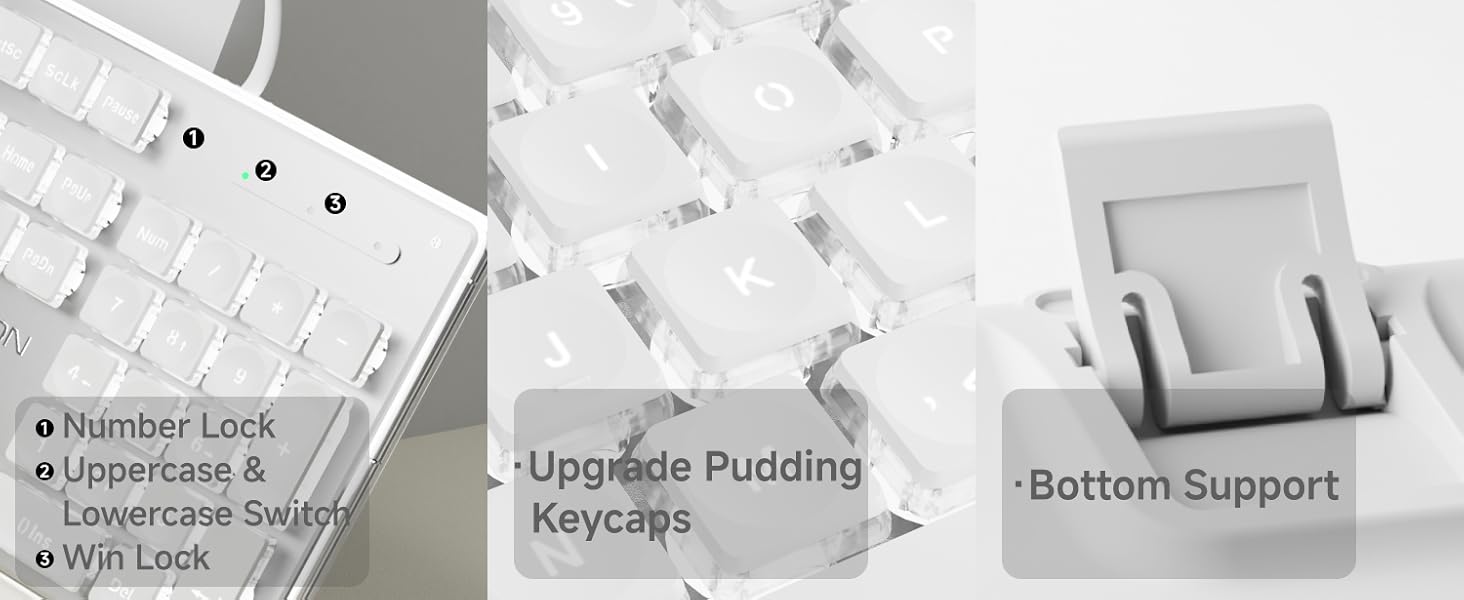
Image 4: Details of the keyboard's ergonomic design, including foldable stands and anti-slip feet.
4.3 Antighosting
The keyboard supports 26-key anti-ghosting, allowing multiple keys to be pressed simultaneously without conflict. This feature is beneficial for fast typing and gaming.

Image 5: Close-up showing indicator lights for Number Lock, Caps Lock, and Win Lock, along with the pudding keycap design and bottom support.
5. Mantemento
To ensure the longevity and optimal performance of your SEUNKWANG GX710S keyboard, follow these maintenance guidelines:
- Limpeza: Use a soft, dry cloth to wipe the surface of the keyboard. For dust and debris between keys, use compressed air. The suspended keycap design facilitates easier cleaning.
- Teclas: The dual-color injection-molded pudding keycaps are designed to resist fading and remain non-greasy. Avoid using harsh chemicals or abrasive materials on the keycaps.
- Verquidos: In case of liquid spills, immediately disconnect the keyboard from your computer. Gently blot away excess liquid and allow the keyboard to air dry completely before reconnecting.
- Almacenamento: Garde o teclado nun lugar limpo e seco, lonxe de temperaturas extremas e da luz solar directa.
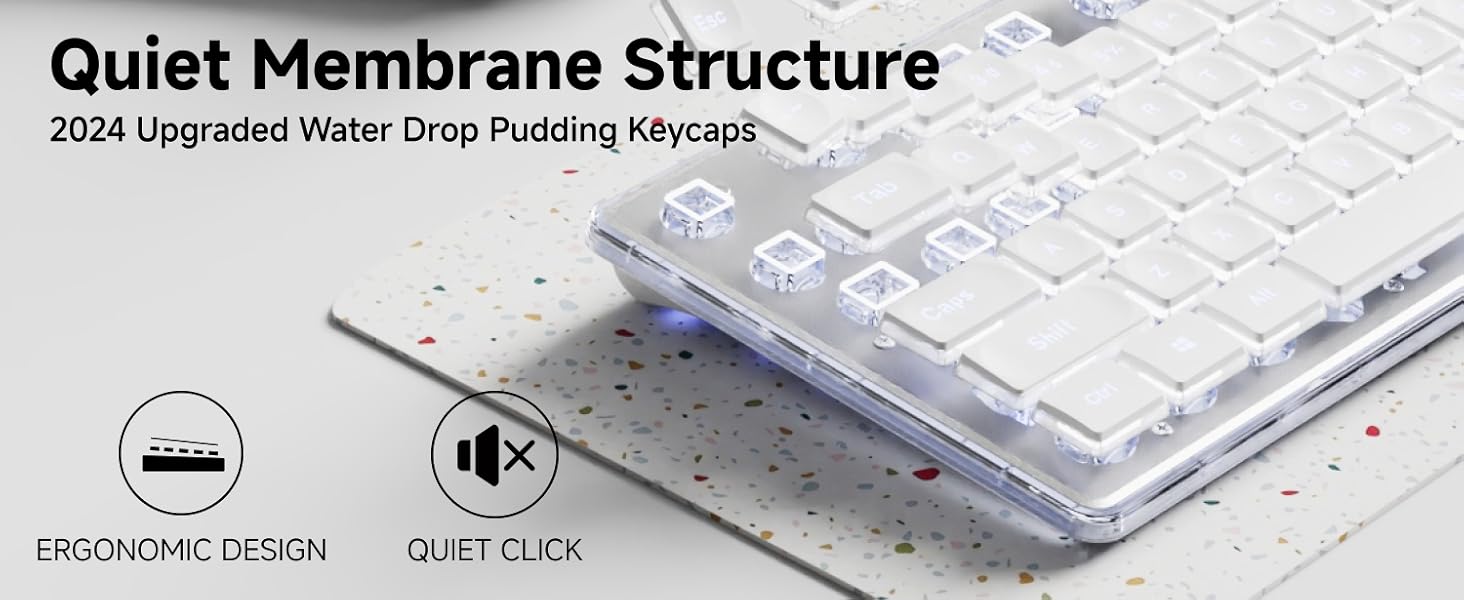
Image 6: Illustration highlighting the durability and non-fading properties of the dual-color injection-molded keycaps compared to standard keycaps.
6 Solución de problemas
If you encounter issues with your SEUNKWANG GX710S keyboard, please refer to the following common solutions:
| Problema | Causa posible | Solución |
|---|---|---|
| O teclado non responde | Conexión USB solta, porto USB defectuoso, problema co controlador do sistema. |
|
| A retroiluminación non funciona ou é tenue | Backlight turned off, brightness set to lowest level. |
|
| Keys not registering correctly (ghosting) | Software conflict, extreme number of simultaneous key presses. |
|
Se o problema persiste, póñase en contacto co servizo de atención ao cliente.
7. Especificacións
| Característica | Detalle |
|---|---|
| Número de modelo | GX710S |
| Tecnoloxía de conectividade | USB-A (con cable) |
| Tipo de teclado | Quiet Wired Membrane Keyboard |
| Retroiluminación | Simple White Backlight (5 adjustable levels) |
| Chaves | Upgraded Water Drop Pudding Keycaps, Dual-color Injection-molded |
| Anti-Ghosting | 26-key Anti-ghosting |
| Material do panel | Thickened Metal Panel with Frosted Matte Finish |
| Ergonomía | Concave & Convex keys, 7° adjustable tilt with footrests |
| Dispositivos compatibles | PC, Laptop, Notebook, Gaming Console, Projector, Smart TV, Smartphone, Tablet |
| Sistemas operativos compatibles | Windows, Linux, Chrome, Mac, Android |
| Dimensións do produto | 17.32" de longo x 5.11" de ancho x 0.78" de alto (44 x 13 x 2 cm) |
| Peso do elemento | 1.61 libras (0.73 kg) |
8. Garantía e soporte
SEUNKWANG provides comprehensive support for its products.
- Garantía: The SEUNKWANG GX710S keyboard comes with 48-month brand support.
- Atención ao cliente: For any questions, troubleshooting assistance, or support regarding your product, please contact our expert team.
- Información de contacto: Soporte por correo electrónico: eweadnkeyboard@outlook.com

Imaxe 7: Acabadoview of after-sales support, including pre-sales Q&A, troubleshooting, accessories reissue, and returns/exchanges.