
RAINPOINT B245-040-BSP
RAINPOINT Smart Irrigation System User Manual
Model: B245-040-BSP
1. Introdución
This user manual provides comprehensive instructions for the installation, operation, and maintenance of your RAINPOINT WiFi Irrigation Computer. Designed for efficient garden watering, this smart system features a 2-zone timer, an antenna gateway for stable connectivity, and robust brass components. Please read this manual carefully before use to ensure optimal performance and longevity of your device.
2. Información de seguridade
- Ensure the device is installed in a location protected from extreme weather conditions, despite its IP65 rating.
- Non desmonte nin intente reparar o dispositivo vostede mesmo. Póñase en contacto co servizo de atención ao cliente para obter asistencia.
- Manter fóra do alcance dos nenos.
- Use only the specified power adapter for the gateway.
- Protect the device from freezing temperatures to prevent damage.
3. Contido do paquete
Verifica que todos os elementos estean presentes no paquete:

Figura 3.1: Contido do paquete
The package includes the RainPoint 2-Zone WiFi Water Timer, the WiFi Antenna Gateway, PTFE tape, an adapter, a Type-C USB cable, a user manual, and a quick start guide.
- RAINPOINT 2-Zone WiFi Irrigation Computer
- Antenna Gateway (HWG040)
- Cinta de PTFE
- Adaptador
- Cable USB tipo C
- Manual de usuario
- Guía de inicio rápido
4. Configuración
4.1 Gateway Connection
The HWG040 Antenna Gateway provides stable connectivity for your irrigation system. It supports both 2.4G WiFi and Ethernet cable connections, ensuring a reliable signal up to 150 meters.

Figure 4.1: Gateway Connectivity Options
The gateway offers both 2.4GHz WiFi and Ethernet connection methods for enhanced stability and range.
- Connect the gateway to a power source using the provided adapter and Type-C USB cable.
- For Ethernet connection: Connect an Ethernet cable from your router to the Ethernet port on the gateway.
- For WiFi connection: Ensure your router broadcasts a 2.4G WiFi signal. Follow the in-app instructions to connect the gateway to your WiFi network.
4.2 Instalación do temporizador
The irrigation computer features a durable 100% brass water inlet and an IP65 waterproof design for enhanced longevity and weather resistance.

Figure 4.2: IP65 Waterproof Design
The irrigation computer is designed with an IP65 rating, making it waterproof and dustproof for outdoor use.
- Attach the irrigation computer to your outdoor faucet. Ensure a tight connection to prevent leaks. PTFE tape can be used for a better seal.
- Connect your garden hoses to the two independent water outlets (L and R) on the timer.
- Ensure the timer is securely mounted and the battery compartment is accessible for future maintenance.
4.3 Instalación e emparellamento da aplicación
The RainPoint app allows for remote control and management of your irrigation system.

Figura 4.3: Sistema superadoview con App
The complete RainPoint smart irrigation system, including the timer, gateway, and the intuitive mobile application for control.
- Download the "RainPoint" app from your smartphone's app store (iOS or Android).
- Crea unha conta ou inicia sesión se xa tes unha.
- Follow the in-app instructions to add your gateway and then pair your irrigation computer(s) to the gateway. One gateway can support up to 39 timers.
5. Instrucións de funcionamento
5.1 Remote Control and Voice Control
Manage your irrigation system from anywhere using the RainPoint app or integrate with smart home assistants.

Figure 5.1: Smart Features Overview
The system supports APP remote control, rain delay, has a built-in flow meter, is compatible with Alexa and Google Assistant, and boasts an IP65 waterproof rating.
- Control da aplicación: Open the RainPoint app to view device status, adjust schedules, or manually start/stop watering for each zone.
- Control de voz: The system is compatible with Amazon Alexa and Google Assistant. Link your RainPoint account in the respective smart home app to enable voice commands for watering control.
5.2 Watering Modes and Frequencies
The smart irrigation computer offers flexible scheduling options for up to two independent zones, with up to 6 schedules per valve.
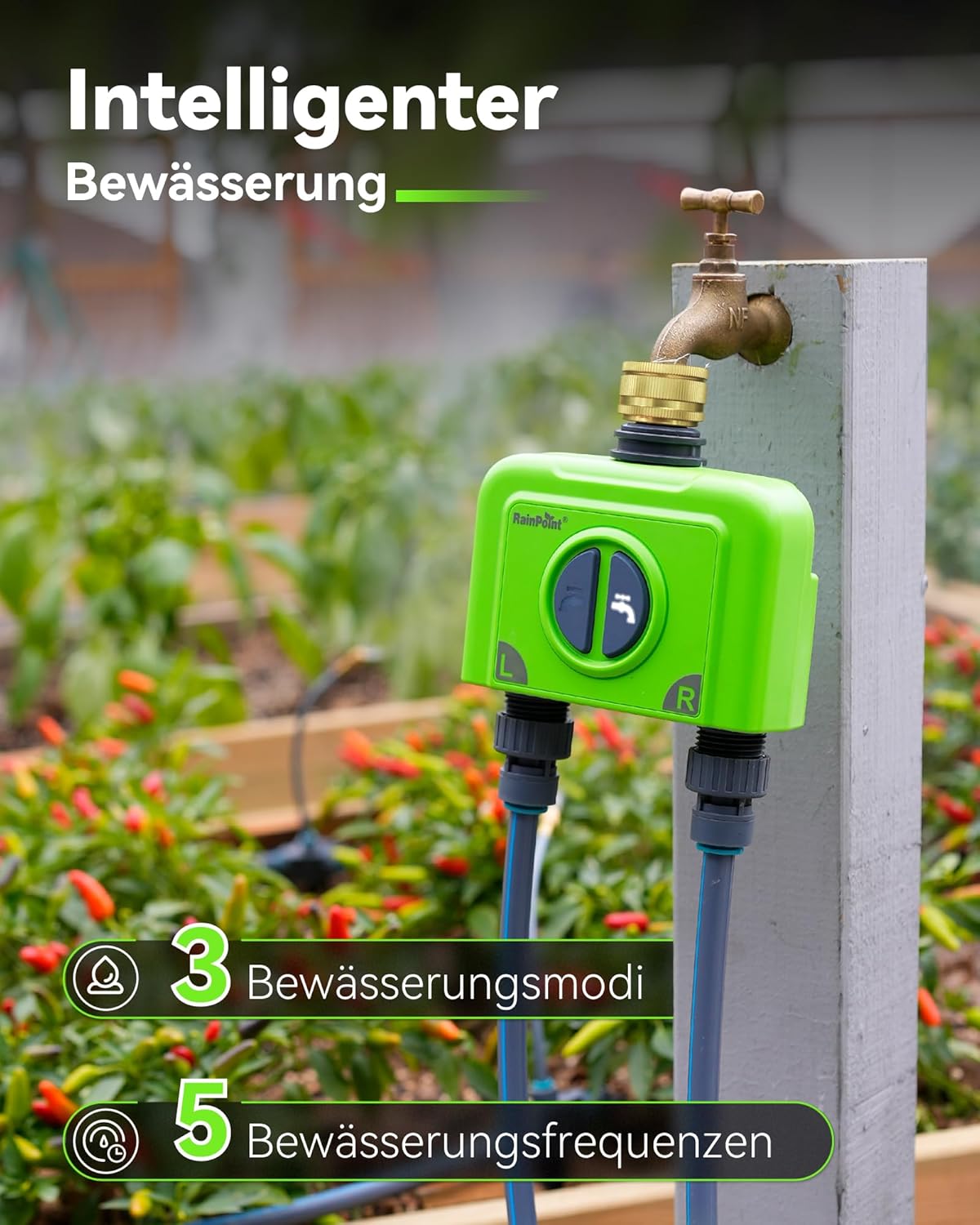
Figure 5.2: Watering Modes and Frequencies
The system provides 3 distinct watering modes and 5 frequency options to customize your irrigation needs.
- Watering Modes:
- Normal Irrigation: Water for a set duration (1 minute to 12 hours).
- Interval Irrigation: Water for a short period, then pause, then repeat (1 second to 60 minutes).
- Cycle Irrigation: Water for a set duration, then wait for a set duration, then repeat (1 minute to 12 hours).
- Watering Frequencies:
- Diariamente
- Días impares
- Días mesmos
- Semanalmente
- Every 2 to 30 days
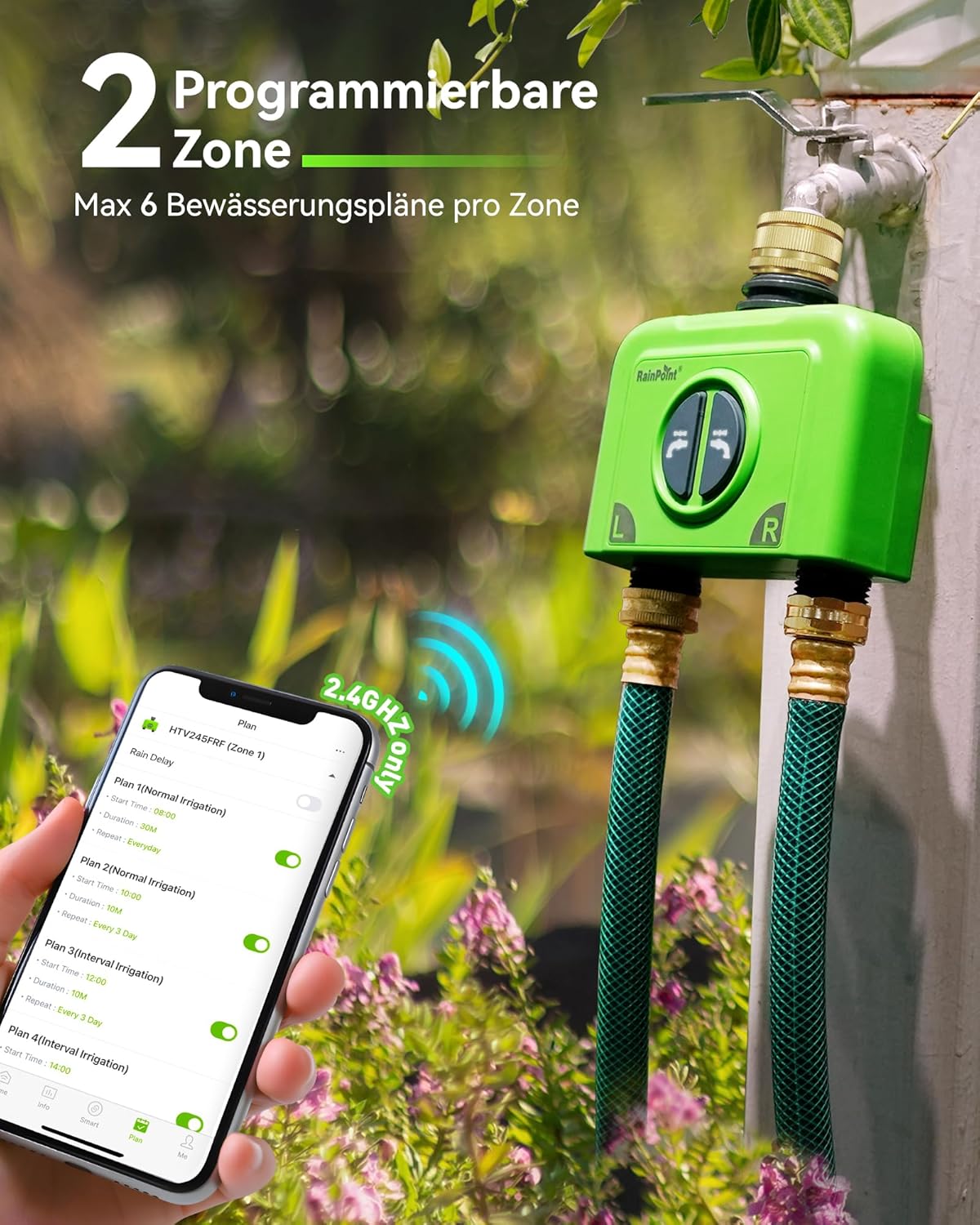
Figure 5.3: Programmable Zones
The app allows for setting up to 6 watering plans for each of the two independent zones.
5.3 Weather-Based Watering
Synchronize your irrigation schedule with local weather conditions to optimize water usage and save money.

Figure 5.4: Weather-Based Adjustments
The system can automatically adjust watering schedules based on local weather, including rain, snow, and cloud cover.
- Enable weather synchronization in the app settings.
- Set conditions for delayed irrigation (e.g., on rainy days) or increased irrigation (e.g., during high temperatures).
5.4 Water Flow Monitoring
The integrated high-precision water flow meter allows you to track and manage your water consumption.

Figure 5.5: Water Consumption Monitoring
The built-in flow meter allows you to manage and monitor your water usage, with historical data available in the app.
- View daily and monthly water consumption data within the app.
- Use this data to adjust your irrigation plans for optimal water efficiency.
5.5 Rego manual
You can manually initiate watering directly from the device or through the app, overriding scheduled plans temporarily.
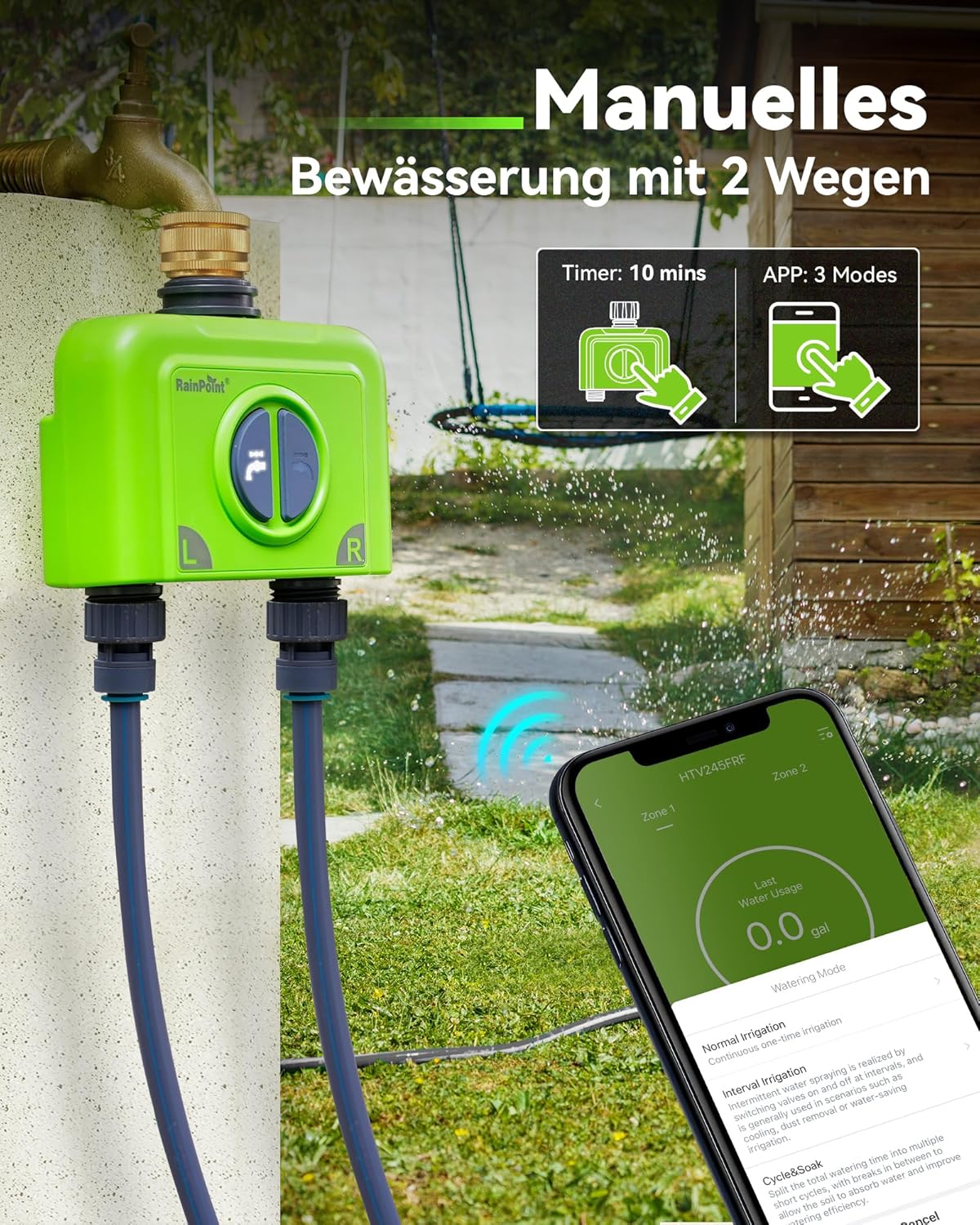
Figure 5.6: Manual Watering Options
Manual watering can be initiated directly from the timer for a fixed duration or through the app with various modes.
- No dispositivo: Press the button on the timer to start a quick manual watering cycle (e.g., 10 minutes).
- A través da aplicación: Use the app's manual control feature to start or stop watering for specific zones, choosing from available modes.
6. Mantemento
- Limpeza: Limpa o dispositivo cun anuncioamp pano. Non use produtos de limpeza abrasivos.
- Invernización: Disconnect the timer from the faucet and store it indoors in a dry, frost-free location during winter months to prevent damage from freezing water.
- Substitución da batería: The app will notify you of a low battery. Replace batteries promptly to ensure continuous operation.
7 Solución de problemas
The system provides real-time alerts to help you identify and resolve issues.
| Problema | Causa posible | Solución |
|---|---|---|
| Timer Offline / Weak Signal | Gateway out of range, interference, or gateway offline. |
|
| Valve Failure Alert | Obstruction in valve, low water pressure, or mechanical issue. |
|
| Alerta de batería baixa | Timer batteries are low. | Replace the batteries in the irrigation computer immediately. |
| Water Consumption Reads 0 (for drip irrigation) | Flow rate is too low for the sensor to register. | This is expected for very low flow rates. The timer will still operate, but flow data may not be accurate. |
8. Especificacións
| Característica | Detalle |
|---|---|
| Marca | PUNTO DE CHUVIA |
| Número de modelo | B245-040-BSP |
| Cor | Verde |
| Dimensións do produto | 17.8 x 17 x 9 cm |
| Material | Latón |
| Peso do elemento | 850 g |
| Clasificación impermeable | IP65 |
| Conectividade de pasarela | 2.4G WiFi, Ethernet |
| Gateway Range | Ata 150 m |
| Timer Zones | 2 zonas independentes |
| Schedules per Zone | Ata 6 |
| Watering Modes | Normal, Interval, Cycle |
| Control de voz | Alexa, Asistente de Google |
| Medidor de caudal | Integrated high-precision |
9. Garantía e soporte
RAINPOINT offers a comprehensive warranty and dedicated customer support for your product.
- Garantía: Enjoy a 5-year warranty upon product registration.
- Atención ao cliente: RAINPOINT provides 24-hour local customer service. For any inquiries or technical assistance, please refer to the contact information provided in the quick start guide or on the official RAINPOINT websitio.
Ask a question about this manual
Ask about setup, troubleshooting, compatibility, parts, safety, or missing instructions. Manuals+ will review the question and use this page’s manual context to help answer it.