
Micool BT-X easy
Micool BT-X Easy On-Ear Headphones User Manual
Model: BT-X easy
Introdución
Thank you for choosing the Micool BT-X Easy On-Ear Headphones. These headphones are designed to provide a comfortable listening experience with high-quality audio and extended battery life. Featuring Bluetooth 5.4 technology and a unique open-ear design, they are perfect for various activities, from sports to daily commutes.
O que hai na caixa
- Micool BT-X Easy On-Ear Headphones (Left & Right)
- Estuche de carga sen fíos
- Cable de carga USB-C
- Manual de usuario
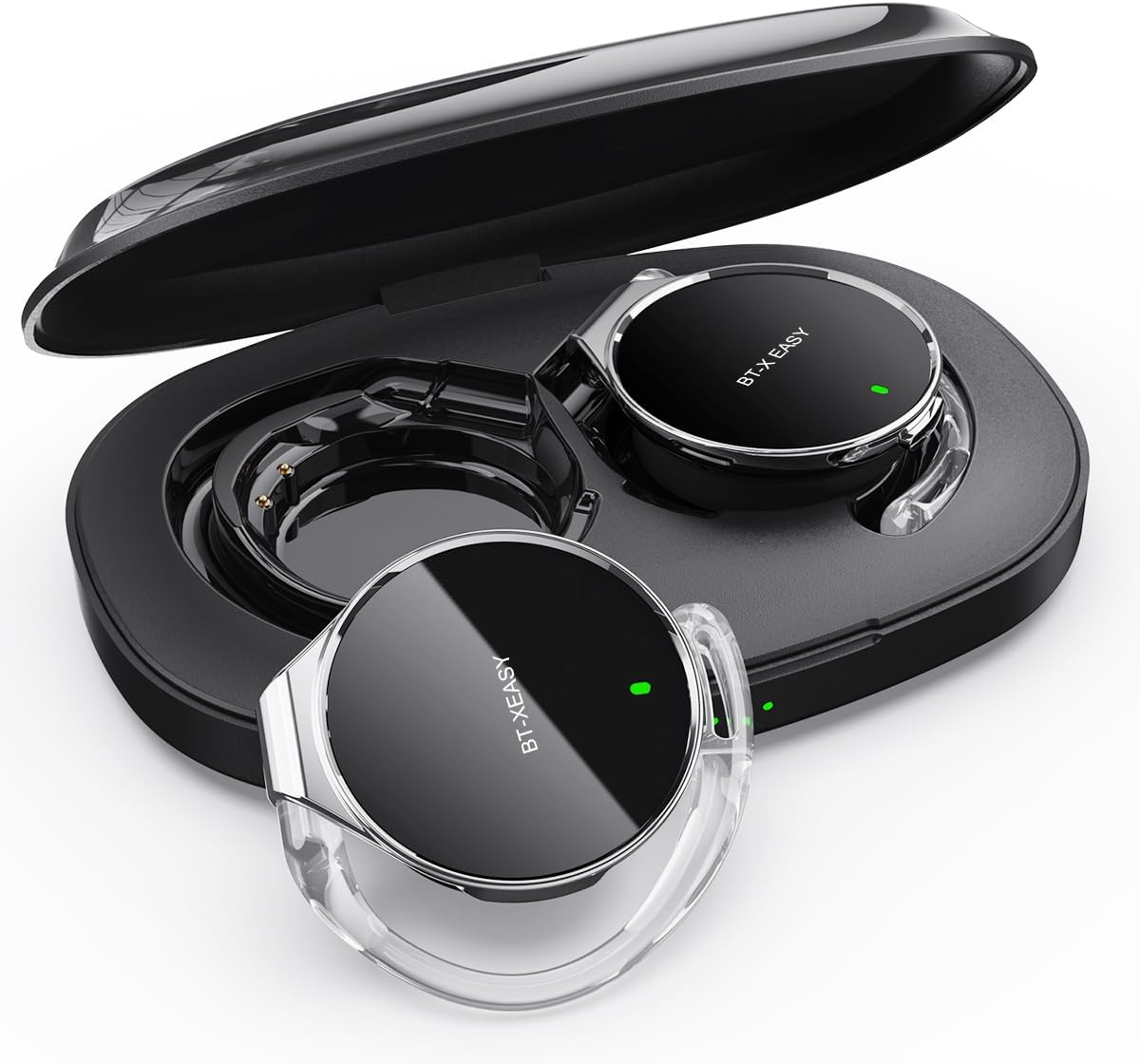
Image: Micool BT-X Easy On-Ear Headphones and their charging case, showing the headphones placed inside the open case.
Características do produto
- Audio estéreo HD: 28mm speakers for rich bass and clear sound.
- Bluetooth 5.4: Fast pairing, stable connection, and reliable use.
- Redución de ruído: ANC+ENC adaptive noise reduction for clearer calls with 4 microphones.
- Batería de longa duración: Up to 18 hours of music playback on a single charge, and up to 52 hours total with the charging case.
- Ajuste cómodo: Small, lightweight 36mm diameter with sponge earcup design for comfortable wear without ear compression.
- Conexión multipunto: Connect to two devices simultaneously (e.g., phone, laptop, tablet).
- Controis intuitivos: Easy control of music and calls via multifunction buttons.
- Resistente á auga: Deseñado para soportar salpicaduras e suor.

Imaxe: Primeiro plano view of the headphone highlighting its compact design and touch control area.
Configuración
1. Carga inicial
Before first use, fully charge the headphones and the charging case. Connect the provided USB-C cable to the charging case and a power source. The 4-stage power indicator lights on the case will show the charging progress (each light represents 25% battery capacity).

Image: The charging case displaying its 4-stage battery indicator lights.
2. Emparejamento cun dispositivo
- Abre a caixa de carga. Os auriculares entrarán automaticamente no modo de emparellamento.
- No teu dispositivo (teléfono intelixente, tableta, portátil), activa o Bluetooth.
- Busca "BT-XEASY" in the list of available Bluetooth devices and select it to connect.
- Unha vez conectado, unha mensaxe de voz confirmará o emparellamento correcto.
3. Multi-point Connection (Optional)
To connect to a second device, disconnect the headphones from the first device's Bluetooth settings. Then, pair with the second device following the steps above. Reconnect to the first device from its Bluetooth settings. The headphones will now be connected to both devices simultaneously.
Instrucións de funcionamento
Usando os auriculares
- Paso 1: Open the ear-hook at a 30° angle.
- Paso 2: Rotate the headphone around your ear to the bottom of the ear-hook.
- Paso 3: Preme os auriculares e clamp them tightly to your ear.
- Paso 4: Adjust the angle to make wearing more comfortable.

Image: Step-by-step visual guide on how to properly wear the on-ear headphones.
Controis táctiles
The BT-X Easy headphones feature intuitive touch controls on each headset for easy management of audio and calls.
| Función | Acción |
|---|---|
| Reproducir/Pausa música | Fai clic en x1 |
| Responder/Finalizar chamada | Fai clic en x1 |
| Rexeitar a chamada | Prensa longa |
| Mute (in call) | Click x2 (prompt sound will confirm) |
| Próxima pista | Click x2 (Right Headphone) |
| Pista anterior | Click x2 (Left Headphone) |
| Subir volume | Hold (Right Headphone) |
| Baixar o volume | Hold (Left Headphone) |

Image: Diagram illustrating the touch control functions on the headphone.
Vídeo oficial do produto
Video: An official product video from Micool demonstrating the features and usage of the BT-X Easy On-Ear Headphones. This video provides a visual guide to the product's design, comfort, and functionality, including how to wear them and use the touch controls.
Mantemento
- Limpeza: Usa un pano suave e seco para limpar os auriculares e a caixa de carga. Non empregues produtos de limpeza abrasivos nin disolventes.
- Almacenamento: When not in use, store the headphones in their charging case to protect them and ensure they are charged for next use.
- Coidado da batería: Para prolongar a duración da batería, evite descargar completamente os auriculares con frecuencia. Cárgueos regularmente, mesmo se non os usa durante períodos prolongados.
- Resistencia á auga: The headphones are water-resistant, but not waterproof. Avoid submerging them in water or exposing them to heavy rain. Dry them thoroughly if they get wet.
Resolución de problemas
| Problema | Posible Solución |
|---|---|
| Os auriculares non se emparellan | Ensure headphones are charged. Turn off and on Bluetooth on your device. Forget "BT-XEASY" from your device's Bluetooth list and re-pair. |
| Sen son nin baixo volume | Check device volume and headphone volume. Ensure headphones are properly connected. Try playing different audio sources. |
| Un auricular non funciona | Place both headphones back in the charging case, close the lid, wait a few seconds, then open and try again. Ensure both are charged. |
| O estuche de carga non se está cargando | Check USB-C cable and power adapter. Ensure proper connection. |
| Conexión inestable | Move closer to your device. Avoid strong electromagnetic interference. Ensure no other devices are trying to connect simultaneously. |
Especificacións
| Característica | Detalle |
|---|---|
| Nome do modelo | BT-X easy |
| Tecnoloxía de conectividade | Sen fíos (Bluetooth 5.4) |
| Tipo de controlador de audio | Dynamic Driver (28mm speakers) |
| Duración da batería (auriculares) | Ata 18 horas |
| Duración total da batería (con funda) | Ata 52 horas |
| Control de ruído | Active Noise Cancellation (ANC+ENC for calls) |
| Micrófonos | 4 Micrófonos |
| Nivel de resistencia á auga | Resistente á auga |
| Material | Acrilonitrilo Butadieno Estireno (ABS) |
| Peso do elemento | 5 onzas |
| UPC | 775494925862 |
Garantía e Soporte
Micool provides 24-hour after-sales service for all purchased items. For any issues or inquiries, please contact Micool customer support through the official brand store or the platform where you purchased the product.
For detailed warranty information, please refer to the warranty card included in your product packaging or visit the official Micool websitio. Tamén poden estar dispoñibles plans de protección para unha cobertura ampliada.
Micool Brand Store: Visit Micool Store on Amazon
Ask a question about this manual
Ask about setup, troubleshooting, compatibility, parts, safety, or missing instructions. Manuals+ will review the question and use this page’s manual context to help answer it.