
1. Información importante de seguridade
Please read all instructions carefully before using the Socool K200 Portable Waist Fan. Keep this manual for future reference.
- Seguridade da batería: This product contains a P76 lithium battery. Do not attempt to disassemble, puncture, or expose the battery to extreme temperatures or fire. Do not sell standalone lithium batteries with the product.
- Exposición á auga: Avoid exposing the fan to water or excessive moisture. This product is not waterproof.
- Limpeza: Disconnect the fan from any power source before cleaning. Use a dry, soft cloth. Do not use liquid cleaners.
- Nenos: Keep out of reach of small children. Ensure proper supervision if used by children.
- Ventilación: Do not block the air intake or outlet during operation to prevent overheating.
2. Contido do paquete
Verifica que todos os elementos estean incluídos no teu paquete:
- 1 x Socool K200 Portable Waist Fan
- 1 x cable de carga USB-C
- 1 x Adjustable Neck Strap
- 1 x Manual de usuario (este documento)
3. Produto rematadoview
The Socool K200 Portable Waist Fan is a versatile 5-in-1 device designed for personal cooling in various environments. It integrates functions as a waist clip fan, desk table fan, handheld fan, neck fan, and an emergency power bank with an LED light.
Características principais:
- Multifuncionalidade 5 en 1: Can be clipped onto clothing, worn around the neck, used handheld, or placed on a desk.
- Batería de longa duración: Equipped with a 14500mAh rechargeable battery, providing up to 67 hours of cooling at low speed.
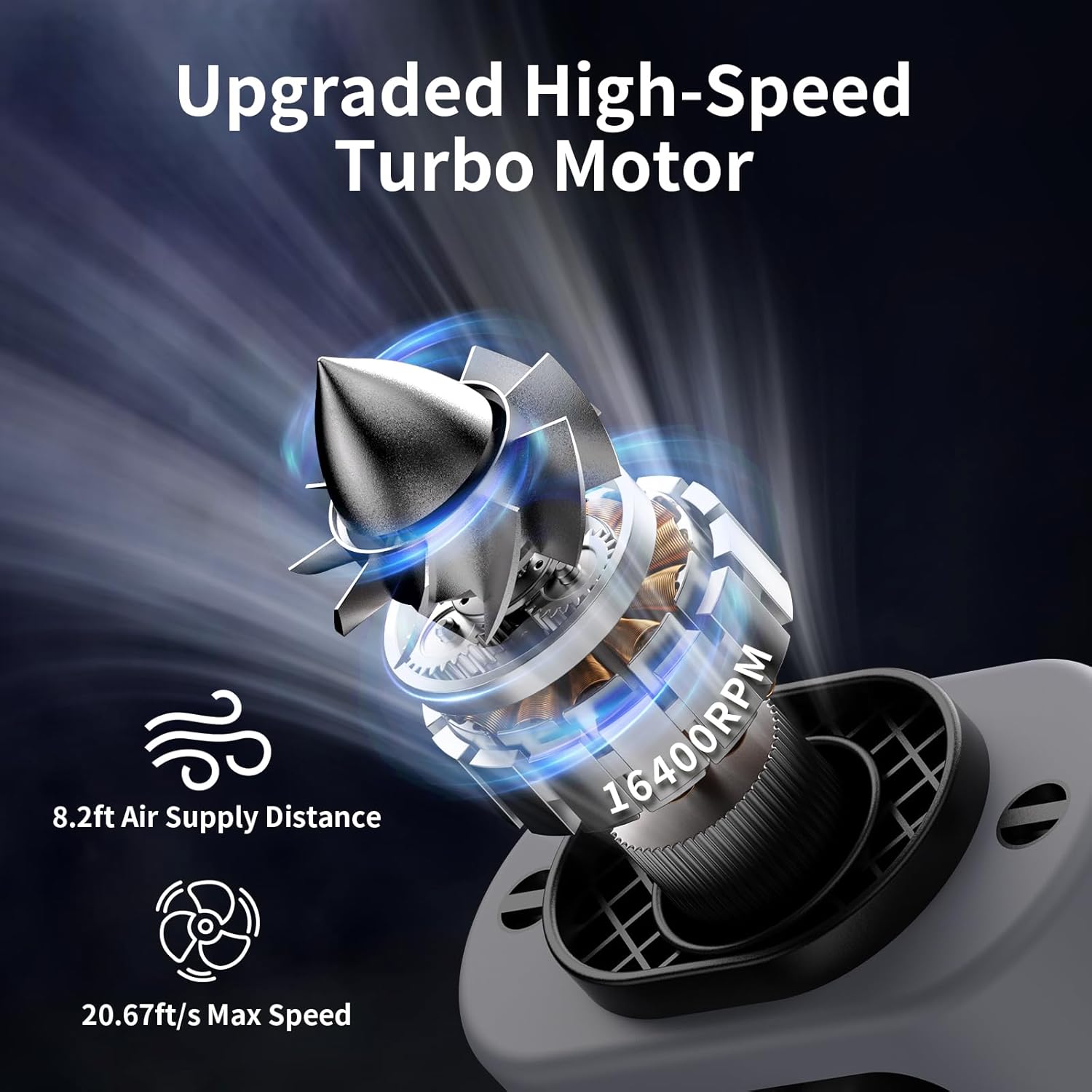
- Potente fluxo de aire: Features a high-speed turbo motor with 5 adjustable wind speeds, including a "Storm Wind" mode, reaching up to 14600 RPM.
- 360° Rotating Belt Clip: Allows for versatile airflow direction (upwards, downwards, sideways) when clipped to a belt. Includes a separate shirt clip to prevent obstruction.
- Emergency LED Light & Power Bank: Built-in flashlight with SOS function and a USB-A output port to charge other devices.
- Deseño duradeiro: Comes with a high-quality protective silicone cover for enhanced durability.


4. Configuración
4.1 Carga inicial
Before first use, fully charge the fan. Connect the provided USB-C cable to the fan's Type-C input port (located under the weather-proof flap) and plug the other end into a compatible USB power adapter (not included) or a computer USB port. The display will show the charging percentage. A full charge takes approximately 6.5 hours.

4.2 Fixación da correa do pescozo
To use as a neck fan, attach the adjustable neck strap to the designated loops on the top of the fan. Ensure it is securely fastened before wearing.
4.3 Using the Belt Clip and Kickstand
The fan features a 360° rotating belt clip for attaching to your belt or waistband. A separate fixed clip is available to prevent your shirt from obstructing airflow. The integrated kickstand allows for desktop use.

5. Instrucións de funcionamento
5.1 Power On/Off and Fan Speed Adjustment
The fan has independent buttons for fan speed, flashlight, and storm wind mode.
- To Power On/Off Fan: Long press the fan button (middle button with fan icon) to turn the fan on or off.
- Para axustar a velocidade do ventilador: Once on, short press the fan button to cycle through 4 regular speed levels (1-4).
- To Activate Storm Wind: Short press the storm wind button (rightmost button with spiral icon) to activate the highest "Storm Wind" speed. Press again to return to regular fan speeds.


5.2 Using the LED Emergency Flashlight
- To Turn On/Off Light: Long press the light button (leftmost button with sun icon) to turn the LED flashlight on or off.
- To Activate SOS Mode: While the light is on, short press the light button to switch to SOS flashing mode. Short press again to return to steady light or long press to turn off.
5.3 Uso como batería externa
Open the weather-proof flap on the side of the fan. Connect your device's USB-A charging cable to the USB-A output port on the fan. The fan's internal battery will then charge your connected device.
5.4 Wearing and Placement Options
- Clip de cintura: Clip the fan onto your belt or pants. Use the 360° rotating clip to direct airflow as needed. The smaller fixed clip helps keep your shirt clear of the fan's intake.
- Abanico de pescozo: Attach the adjustable neck strap and wear the fan around your neck for hands-free cooling.
- Desktop Fan: Utilize the integrated kickstand to prop the fan up on any flat surface for stationary cooling.
- Ventilador de man: Simply hold the fan in your hand for direct cooling.

6. Mantemento
- Limpeza: Regularly wipe the exterior of the fan with a dry, soft cloth. Ensure the fan is powered off and disconnected from any power source before cleaning. Do not use abrasive cleaners or immerse the fan in water.
- Almacenamento: Store the fan in a cool, dry place away from direct sunlight and extreme temperatures when not in use.
- Coidado da batería: To prolong battery life, avoid fully discharging the battery frequently. Recharge the fan regularly, even if not in constant use.
7 Solución de problemas
- O ventilador non se acende:
- Asegúrate de que a batería estea cargada. Conéctaa a unha fonte de alimentación e inténtao de novo.
- Long press the fan button for 3 seconds to power on.
- Fluxo de aire débil:
- Check the current speed setting and increase if necessary.
- Asegúrate de que a entrada e a saída de aire non estean obstruídas.
- Charge the battery if the power level is low.
- A luz LED non funciona:
- Long press the light button for 3 seconds to activate.
- Comproba o nivel da batería.
- O dispositivo non se carga coa función de batería externa:
- Ensure your device's charging cable is correctly inserted into the USB-A output port.
- Verify the fan has sufficient battery charge.
- Ensure your device is compatible with 5V-2A USB charging.
8. Especificacións
| Característica | Detalle |
|---|---|
| Marca | Ventilador de Socool |
| Nome do modelo | K200 Portable Waist Fan |
| Cor | K200 Gray |
| Fonte de enerxía | Alimentado por batería |
| Capacidade da batería | 14500 mAh (batería P76 incluída) |
| Working Time (Min Speed) | Ata 67 horas |
| Tempo de carga | Aprox. 6.5 horas |
| Velocidade máxima | 14600 RPM |
| Capacidade de caudal de aire | 20.5 pés cúbicos por minuto |
| Air Supply Distance | 8.2 pés |
| Número de niveis de potencia | 5 (4-Speed & Storm Wind) |
| Nivel de ruído | 36 dB |
| Dimensións do produto | 5.7" D x 2.48" W x 3.74" H |
| Peso do elemento | 14.6 onzas (aprox. 380 gramos) |
| Saída USB | 5V-2A |
| Entrada tipo C | 5V-2A |
| Características especiais | Emergency LED Light & Power Supply, 360° Rotating Belt Clip, Portable & Lightweight |
9. Garantía e soporte
For warranty information or technical support, please refer to the product packaging or contact Socool fan customer service directly. Keep your purchase receipt for any warranty claims.
Visit the official Socool fan store for more products and support: Socool fan Store