
Introdución
The SEUNKWANG GX710S is a full-size wired USB computer keyboard designed for comfortable and efficient typing. It features a simple white backlight, upgraded water drop pudding keycaps for enhanced light transmittance and reduced noise, and an ergonomic design for extended use. This manual provides detailed instructions for setting up, operating, and maintaining your keyboard.
Configuración
Conectando o teclado
Locate the USB-A cable attached to your GX710S keyboard.
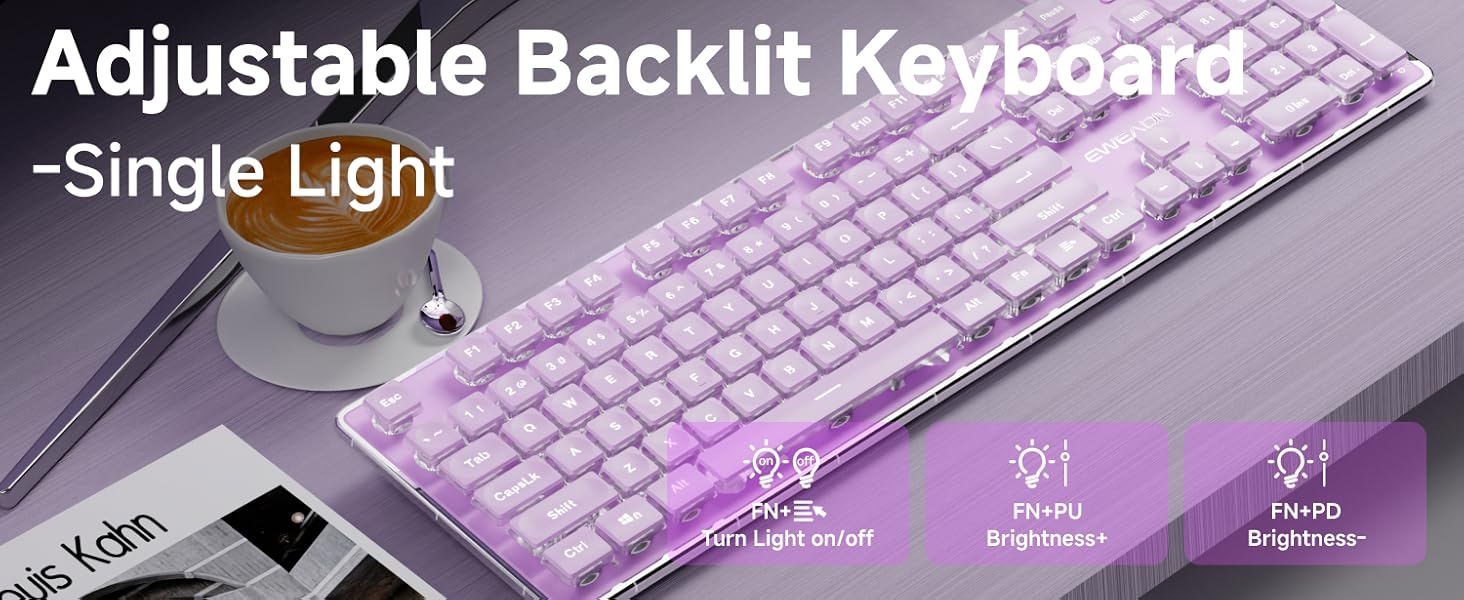
Image: The GX710S keyboard with its wired USB-A cable, illustrating the 'Plug and Play' functionality.
Plug the USB-A connector into an available USB port on your computer (PC, desktop, laptop, or notebook).
The keyboard is plug-and-play, meaning it should be recognized automatically by your operating system without requiring additional driver installation.
Instrucións de funcionamento
Control de retroiluminación
The GX710S keyboard features a simple white backlight with adjustable brightness levels and a breathing light mode.
- Axuste do brillo: Preme FN + PU to increase the backlight brightness. Press FN + PD to decrease the backlight brightness. There are 5 levels of brightness adjustment.
- Turning On/Off Backlight: Preme FN + Light Mode Key (often indicated by a light bulb icon) to toggle the backlight on or off.
- Modo de luz de respiración: The keyboard supports a breathing light mode, which can be activated or adjusted using the FN key combinations.
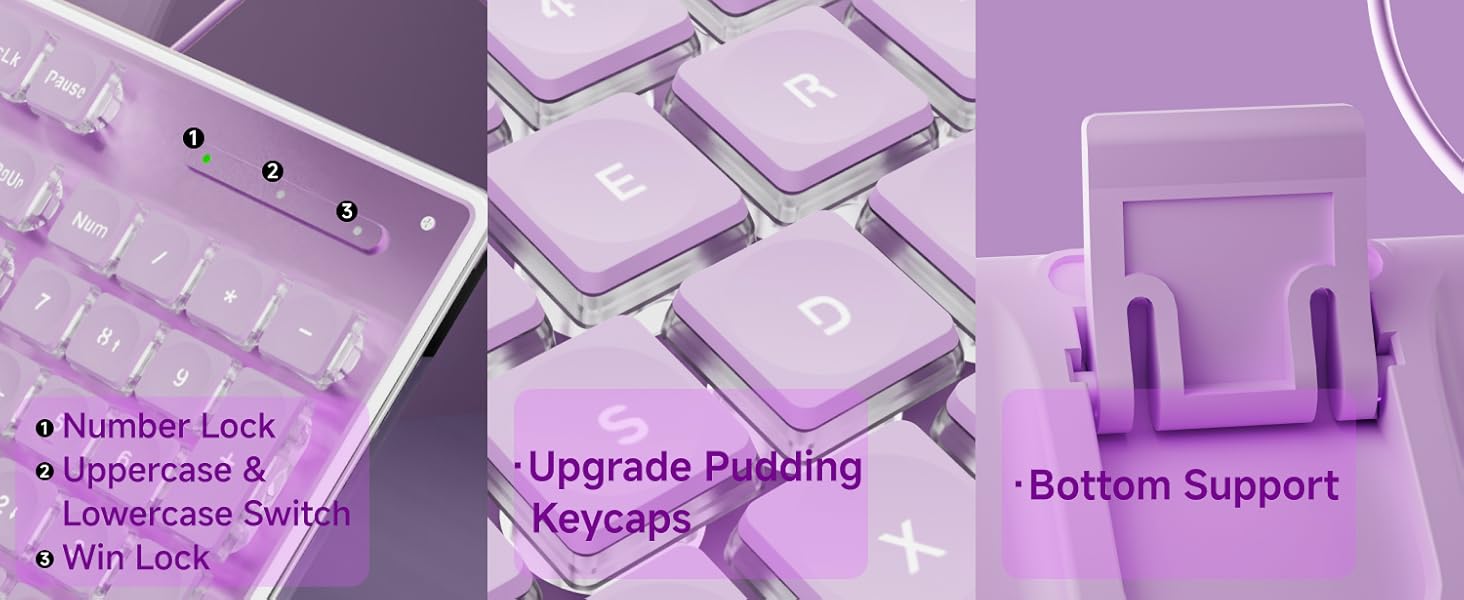
Image: Close-up of the keyboard showing the FN key and dedicated keys for adjusting backlight brightness and toggling the light mode.
Funcións multimedia
Utilize the FN key in combination with the F1-F12 keys for various multimedia and system shortcuts:
| Combinación de teclas | Función |
|---|---|
| FN + F1 | Open Multimedia Player |
| FN + F2 | Diminución do volume |
| FN + F3 | Aumento de volume |
| FN + F4 | Silenciar |
| FN + F5 | Deixar de xogar |
| FN + F6 | Reproducir a canción anterior |
| FN + F7 | Reproducir/Pausa |
| FN + F8 | Toca a seguinte canción |
| FN + F9 | Abrir correo electrónico |
| FN + F10 | Open My Home Page |
| FN + F11 | Bloquear o teclado |
| FN + F12 | Calculadora |
| FN+WIN | Win Lock |
| FN+W/A/S/D | Interchange arrow keys with W/A/S/D |
Características clave
- Water Drop Pudding Keycaps: The upgraded suspended water drop keycaps feature a transparent pudding structure, enhancing light transmission. Their concave and convex surface is designed for comfortable typing and gaming.
- Experiencia de escritura silenciosa: The silent membrane keyboard design, combined with the water drop keycaps, reduces typing noise by up to 95%, making it suitable for quiet environments.
- Antighosting de 26 teclas: This feature allows up to 26 keys to be pressed simultaneously without conflict, ensuring accurate and fast responses during typing or gaming.
- Deseño ergonómico: The keyboard features concave and convex keys that fit your fingertips, promoting smoother typing. It includes two adjustable footrests and four anti-slip bottom stickers, allowing for a 7° tilt to enhance typing comfort and reduce hand fatigue.
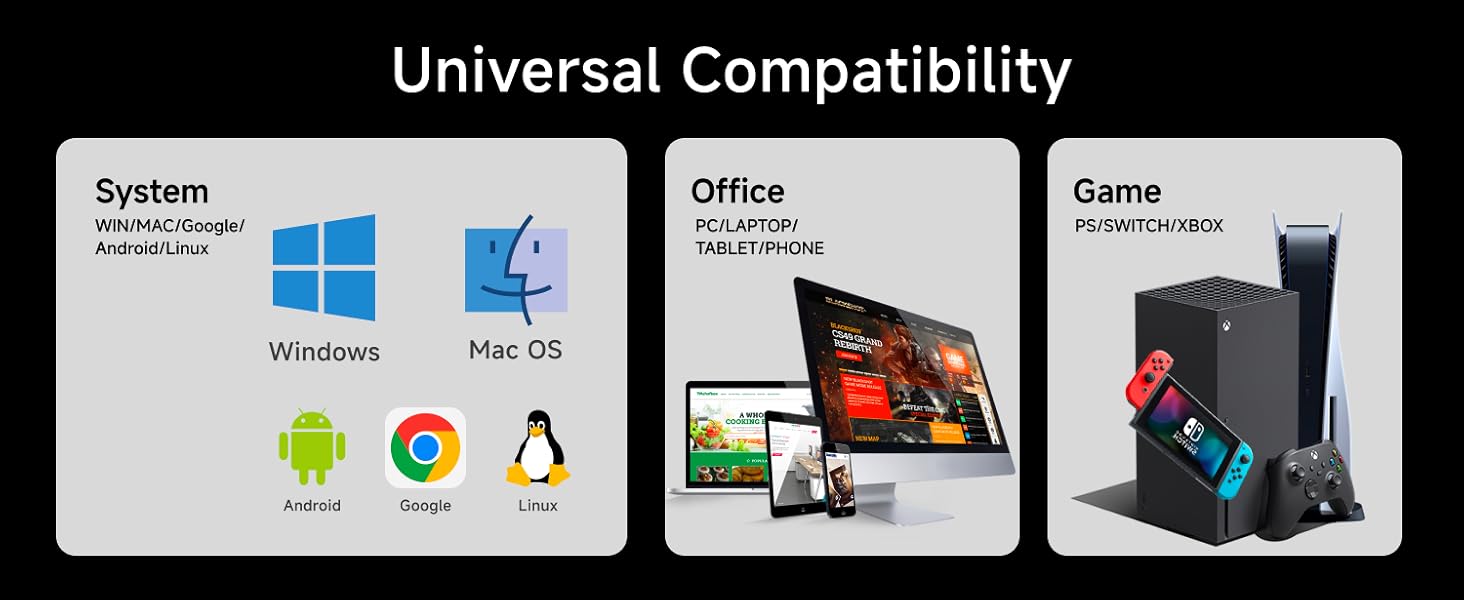
Image: A user typing on the GX710S keyboard, highlighting its comfortable ergonomic design.
Compatibilidade
The SEUNKWANG GX710S keyboard offers broad compatibility with various operating systems and devices:
- Sistemas operativos: Windows, Linux, Chrome, Mac OS.
- Dispositivos: PC, desktop, laptop, notebook, gaming consoles, smart TVs, smartphones, tablets.

Image: A visual representation of the keyboard's universal compatibility across different systems and devices.
Mantemento
Para garantir a lonxevidade e o rendemento óptimo do teclado, siga estas pautas de mantemento:
- Limpeza: Regularly wipe the keyboard surface with a soft, damp cloth. For deeper cleaning, use compressed air to remove dust and debris from between the keys. Avoid using harsh chemicals or abrasive materials.
- Prevención de vertidos: Keep liquids away from the keyboard to prevent damage. In case of a spill, immediately unplug the keyboard and allow it to dry completely before reconnecting.
- Almacenamento: Cando non o use, garde o teclado nun lugar limpo e seco, lonxe de temperaturas extremas.
Resolución de problemas
If you encounter any issues with your GX710S keyboard, try the following steps:
- O teclado non responde:
- Asegúrate de que o cable USB estea conectado correctamente tanto ao teclado como ao ordenador.
- Tenta conectar o teclado a un porto USB diferente do teu ordenador.
- Reinicia o teu ordenador.
- A luz de fondo non funciona:
- Asegúrese de que a retroiluminación estea activada usando o botón FN + Light Mode Key combinación.
- Axusta o brillo usando FN + PU/PD.
- As chaves non se rexistran correctamente:
- Clean the affected keys to ensure no debris is obstructing their movement.
- Proba o teclado noutro ordenador para determinar se o problema é co teclado ou co software/controladores do ordenador.
Especificacións
| Característica | Detalle |
|---|---|
| Número de modelo | GX710S |
| Marca | SEUNKWANG (Manufactured by EWEADN) |
| Tecnoloxía de conectividade | USB-A (con cable) |
| Descrición do teclado | Quiet Wired Membrane Keyboard |
| Características especiais | Backlit, Ergonomic, Foldable (via footrests), Lightweight, Quiet |
| Cor de retroiluminación | Single White Color |
| Material | Metal, Plástico |
| Peso do elemento | 1.57 libras |
| Dimensións do paquete | 17.76 x 6.85 x 1.5 polgadas |
| Color (Current Product) | Roxo |
Garantía e Soporte
The SEUNKWANG GX710S keyboard comes with 48-month brand support. For any questions, troubleshooting, accessory reissues, or returns and exchanges, please contact the seller directly.
You can typically find seller contact information on the product's purchase page or through your order history.

Image: A guide illustrating how to contact customer support for inquiries before or after placing an order.
Vídeos de produtos
Taro Purple Silent Keyboard Overview
Video: A short demonstration of the Taro Purple Silent Keyboard, showcasing its design and quiet operation.
Aesthetic & Effective Keyboard Preview
Vídeo: Unha breve introduciónview highlighting the aesthetic appeal and effective functionality of the keyboard, including its backlighting.