
1. Introdución
Grazas pola compraasing the AGPTEK A02XT MP3 Player. This device is designed to provide a high-quality audio experience with its HIFI lossless sound and Bluetooth 5.3 connectivity. It features a compact design, button operation, and various functions including FM radio, voice recording, and a pedometer. This manual will guide you through the setup, operation, and maintenance of your new MP3 player.

Figure 1.1: AGPTEK A02XT MP3 Player with accessories.
2. Produto rematadoview
2.1 Contido do paquete
- AGPTEK A02XT MP3 Player (1)
- Cable de carga USB-C (1)
- Manual de usuario (1)
- Earphones (1 pair) - May vary by region/package

Figure 2.1: Contents of the AGPTEK A02XT package.
2.2 Disposición e controis do dispositivo
Familiarize yourself with the buttons and ports on your A02XT MP3 player.

Figura 2.2: Fronte view of the A02XT MP3 Player.
- Pantalla: Displays menus, music information, and settings.
- Botón M: Menu/Back button. Long press to lock/unlock the screen.
- Botón Reproducir/Pausa: Inicia ou pon en pausa a reprodución.
- Botóns Anterior/Seguinte: Navigates through tracks or menu options.
- Botón VOL: Control de volume.
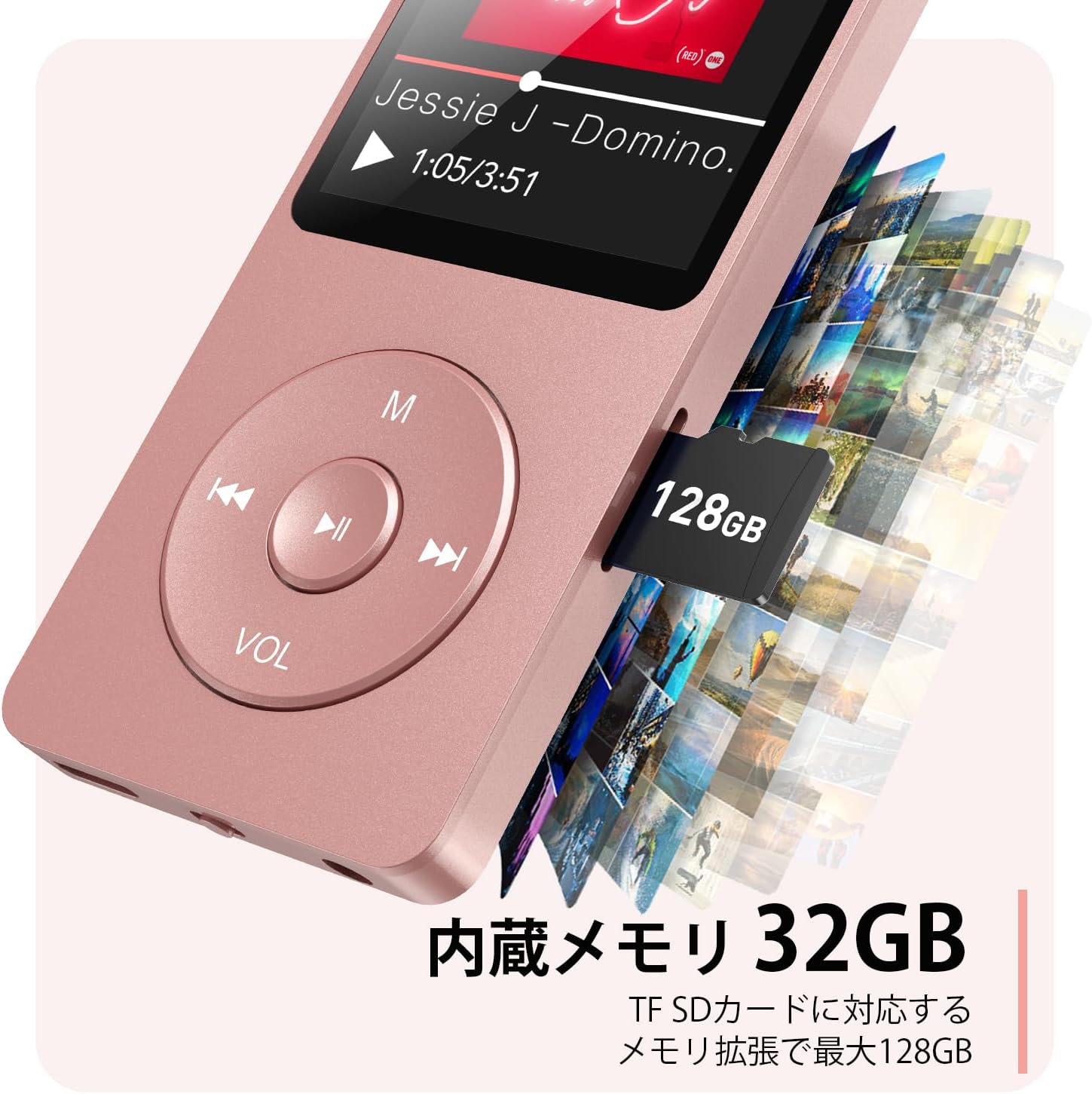
Figura 2.3: Lateral view with microSD card slot.
- Porto USB-C: Para carga e transferencia de datos.
- Conector para auriculares de 3.5 mm: Para saída de audio con cable.
- Ranura para tarxetas MicroSD: Para almacenamento ampliable de ata 64 GB.
3. Configuración
3.1 Carga do dispositivo
Before first use, fully charge the MP3 player. Connect the provided USB-C cable to the player's USB-C port and the other end to a USB power adapter (not included) or a computer's USB port. The screen will indicate charging status. A full charge takes approximately 2 hours and provides up to 40 hours of music playback.

Figure 3.1: MP3 Player charging indication.
3.2 Inserción dunha tarxeta MicroSD
The player has 32GB of internal storage. To expand storage, insert a microSD card (up to 64GB, not included) into the microSD card slot until it clicks into place. Ensure the card is inserted correctly to avoid damage.
3.3 Transferencia de música Files
- Connect the MP3 player to your computer using the USB-C cable.
- The player will appear as a removable disk on your computer.
- Arrastra e solta a túa música files (MP3, WMA, OGG, WAV, APE, FLAC, AAC, ACELP) into the 'Music' folder on the player or microSD card.
- Expulsa o dispositivo do ordenador de forma segura antes de desconectar o cable.
4. Instrucións de funcionamento
4.1 Encendido/apagado
- Encendido: Long press the Power button (usually on the side or top edge) until the screen lights up.
- Apagado: Long press the Power button until the 'Power Off' option appears, then select it.
4.2 Navegación básica
Use the navigation buttons (Previous, Next, Play/Pause, M) to move through menus and select options. The Play/Pause button often acts as a 'Confirm' button in menus.

Figure 4.1: Main menu interface with various functions.
4.3 Reprodución de música
- No menú principal, selecciona "Música".
- Browse by Artist, Album, Songs, Playlists, etc.
- Selecciona unha canción para comezar a reprodución.
- Use the Previous/Next buttons to skip tracks, and Play/Pause to control playback.
- Adjust volume using the VOL button.
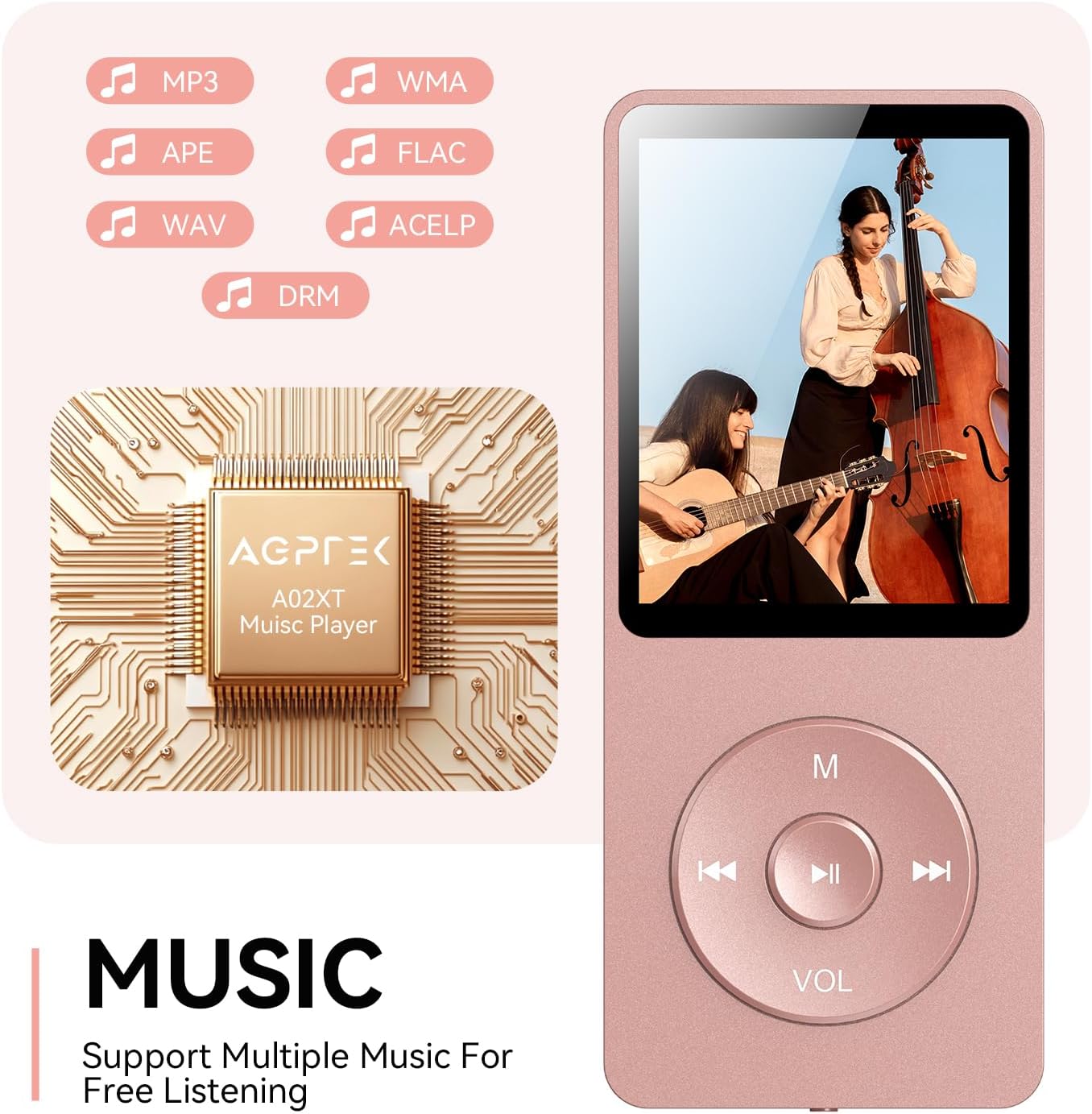
Figure 4.2: Music playback screen and supported formats.
4.4 Conexión Bluetooth
The A02XT supports Bluetooth 5.3 for wireless audio output to headphones or speakers.
- From the main menu, select 'Bluetooth'.
- Activa o Bluetooth no reprodutor.
- Asegúrate de que os teus auriculares/altofalante Bluetooth estean en modo de emparellamento.
- The player will search for nearby devices. Select your device from the list to pair.
4.5 Radio FM
- Connect wired earphones to the 3.5mm jack; they act as the antenna.
- No menú principal, selecciona "Radio FM".
- Use the navigation buttons to scan for stations or manually tune.
4.6 Gravación de voz
- From the main menu, select 'Record'.
- Choose 'Start Voice Recording' to begin.
- Press Play/Pause to stop and save the recording.
4.7 Bloqueo da pantalla
To prevent accidental button presses, long press the 'M' button to lock the screen. Repeat the action to unlock.
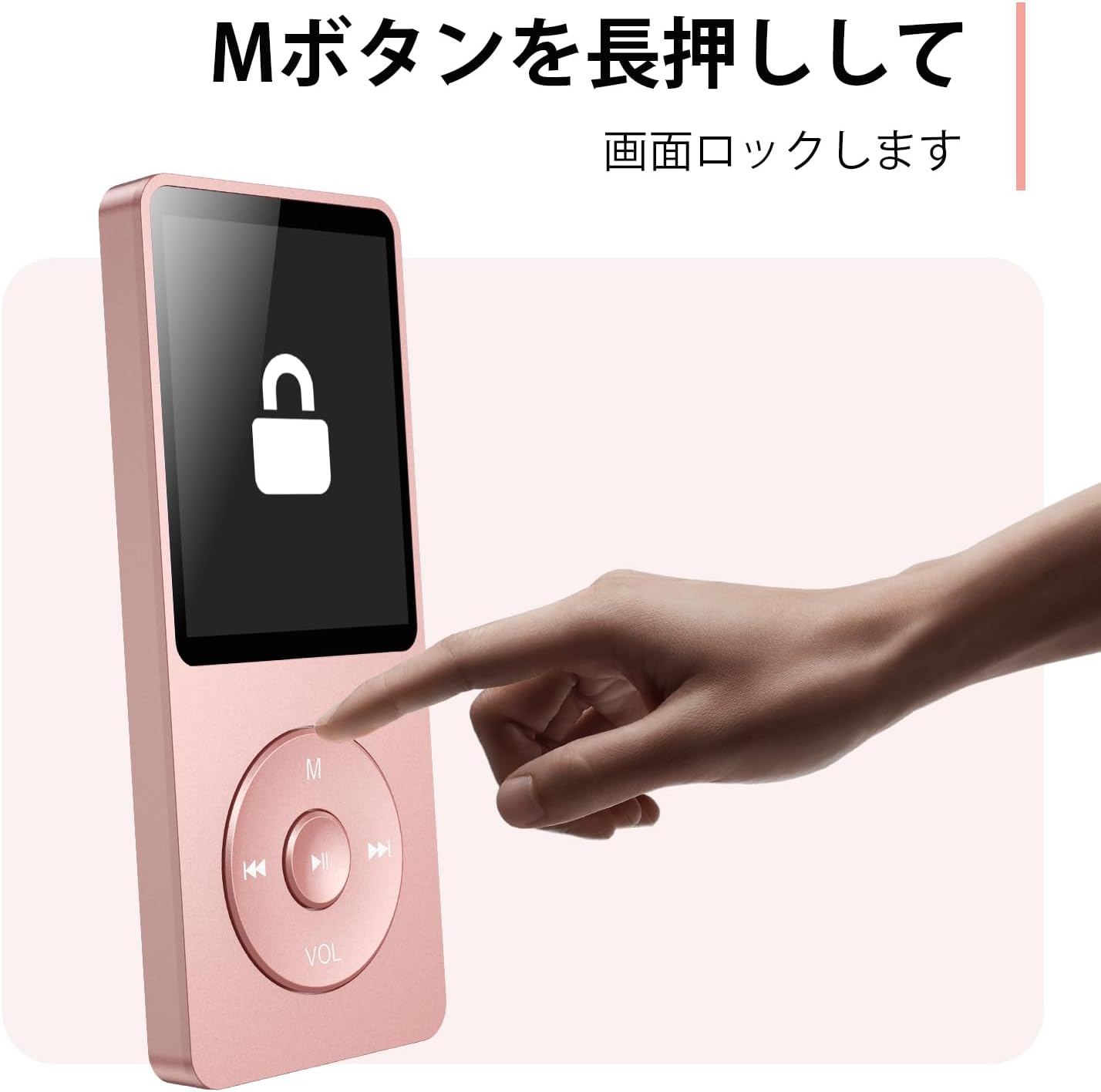
Figure 4.3: Screen lock function using the M button.
5. Mantemento
5.1 Limpeza
- Limpa o dispositivo cun pano suave e seco.
- Non empregue produtos de limpeza líquidos nin disolventes.
5.2 Almacenamento
- Garde o reprodutor nun lugar fresco e seco, lonxe da luz solar directa e de temperaturas extremas.
- Evite deixar caer ou someter o dispositivo a fortes impactos.
5.3 Coidado coa batería
- Cargue a batería regularmente, mesmo se non a está a usar, para manter o seu bo estado.
- Evita descargar completamente a batería con frecuencia.
6 Solución de problemas
6.1 O dispositivo non se acende
- Asegúrate de que a batería estea cargada. Conéctaa a unha fonte de alimentación e inténtao de novo.
- Realiza un reinicio completo premendo e mantendo premido o botón de acendido durante 10-15 segundos.
6.2 Non se pode transferir Files
- Check the USB-C cable connection. Try a different cable or USB port.
- Ensure the device is properly recognized by your computer.
- Verifique que o file O formato é compatible co reprodutor.
6.3 Bluetooth Pairing Issues
- Ensure both the player and the Bluetooth device are in pairing mode and within range.
- Turn off and on Bluetooth on both devices.
- Elimina as vinculacións anteriores e tenta a vinculación de novo.
6.4 Sen son
- Comprobe o nivel de volume.
- Ensure headphones are properly connected or Bluetooth device is paired.
- Test with different headphones or Bluetooth device.
7. Especificacións
| Marca | AGPTEK |
| Nome do modelo | A02XT |
| Capacidade de almacenamento da memoria | 32 GB (expandable up to 64 GB via microSD card) |
| Cor | Rosa |
| Tamaño da pantalla | 8.9 centímetros (aprox. 3.5 polgadas) |
| Tipo de medios | tarxeta microSD |
| Tecnoloxía de visualización | LCD |
| Formatos de audio admitidos | MP3, WMA, OGG, WAV, APE, FLAC, AAC, ACELP |
| Duración da batería | Ata 40 horas |
| Peso do elemento | 130 gramos |
8. Garantía e soporte
8.1 Información da garantía
This AGPTEK A02XT MP3 Player comes with a 1 ano de garantía desde a data de compra. Esta garantía cobre defectos de fabricación e avarías en condicións de uso normal. Non cobre danos causados por mal uso, accidentes, modificacións non autorizadas ou desgaste normal.
8.2 Atención ao cliente
If you encounter any issues or have questions regarding your AGPTEK A02XT MP3 Player, please refer to the troubleshooting section of this manual first. If the problem persists, contact AGPTEK customer support through the official website or your retailer's support channels. Please have your purchase receipt and product model number (A02XT) ready when contacting support.