
Introdución
Welcome to the HP OmniDesk Desktop PC M02-0340 user manual. This document provides essential information to help you set up, operate, and maintain your new desktop computer. Please read this manual thoroughly to ensure optimal performance and longevity of your device.

Acabadoview of the HP OmniDesk Desktop PC M02-0340, showcasing its AMD Ryzen 7 8700G processor, AMD Radeon 780M Graphics, 16 GB RAM, 512 GB SSD, Wi-Fi 6, Bluetooth 5.4, and Windows 11 operating system.
Guía de configuración
Follow these steps to set up your HP OmniDesk Desktop PC.
1. Desembalaxe e contido da embalaxe
Retire con coidado todos os compoñentes da embalaxe. Comprobe que estean presentes todos os elementos que se indican a continuación.

Image showing the HP OmniDesk Desktop PC, HP black wireless keyboard, HP black wireless mouse, 280 W 80 Plus Platinum certified power supply, and setup instructions included in the box.
- HP OmniDesk Desktop PC M02-0340
- HP Black Wireless Keyboard
- HP Black Wireless Mouse
- 280 W 80 Plus Platinum Certified Power Supply
- Instrucións de configuración
2. Conexión de periféricos
Connect your monitor, keyboard, mouse, and other devices to the appropriate ports on the desktop PC.

Detailed diagram illustrating the front and rear ports of the HP OmniDesk Desktop PC. Front ports include a headphone/microphone combo jack, USB Type-A 5Gbps, USB Type-A 10Gbps, USB Type-C 5Gbps, and USB Type-C 10Gbps. Rear ports include 4 USB 2.0 Type-A, 1 RJ-45 (Ethernet), 1 HDMI Out, and 1 DisplayPort 1.4.
- Monitor: Connect your monitor to the HDMI Out or DisplayPort 1.4 on the rear of the PC.
- Teclado e rato: The included wireless keyboard and mouse connect via a USB receiver. Insert the receiver into any available USB Type-A port.
- Potencia: Connect the power supply to the PC and then to a wall outlet.
- Rede: For a wired connection, connect an Ethernet cable to the RJ-45 port. For wireless, ensure your Wi-Fi network is available during initial setup.
3. Acendido inicial
Press the power button located on the front of the desktop. Follow the on-screen instructions to complete the Windows 11 Home setup process.
Instrucións de funcionamento
Your HP OmniDesk Desktop PC is designed for efficient daily productivity and immersive experiences.
Rendemento do sistema
The PC is equipped with an AMD Ryzen 7 8700G processor and 16 GB DDR5 RAM, providing responsive multitasking and fast loading times. The 512 GB PCIe Gen4 NVMe M.2 SSD ensures quick data access and system boot-up.

A user engaged in work on the HP OmniDesk Desktop PC, illustrating the system's capability for productivity tasks and highlighting the quick access to Microsoft Copilot for AI assistance.
Graphics and Display
Experience impressive visual fidelity with the integrated AMD Radeon 780M Graphics. The system supports up to four displays, allowing for enhanced productivity and immersive computing environments.
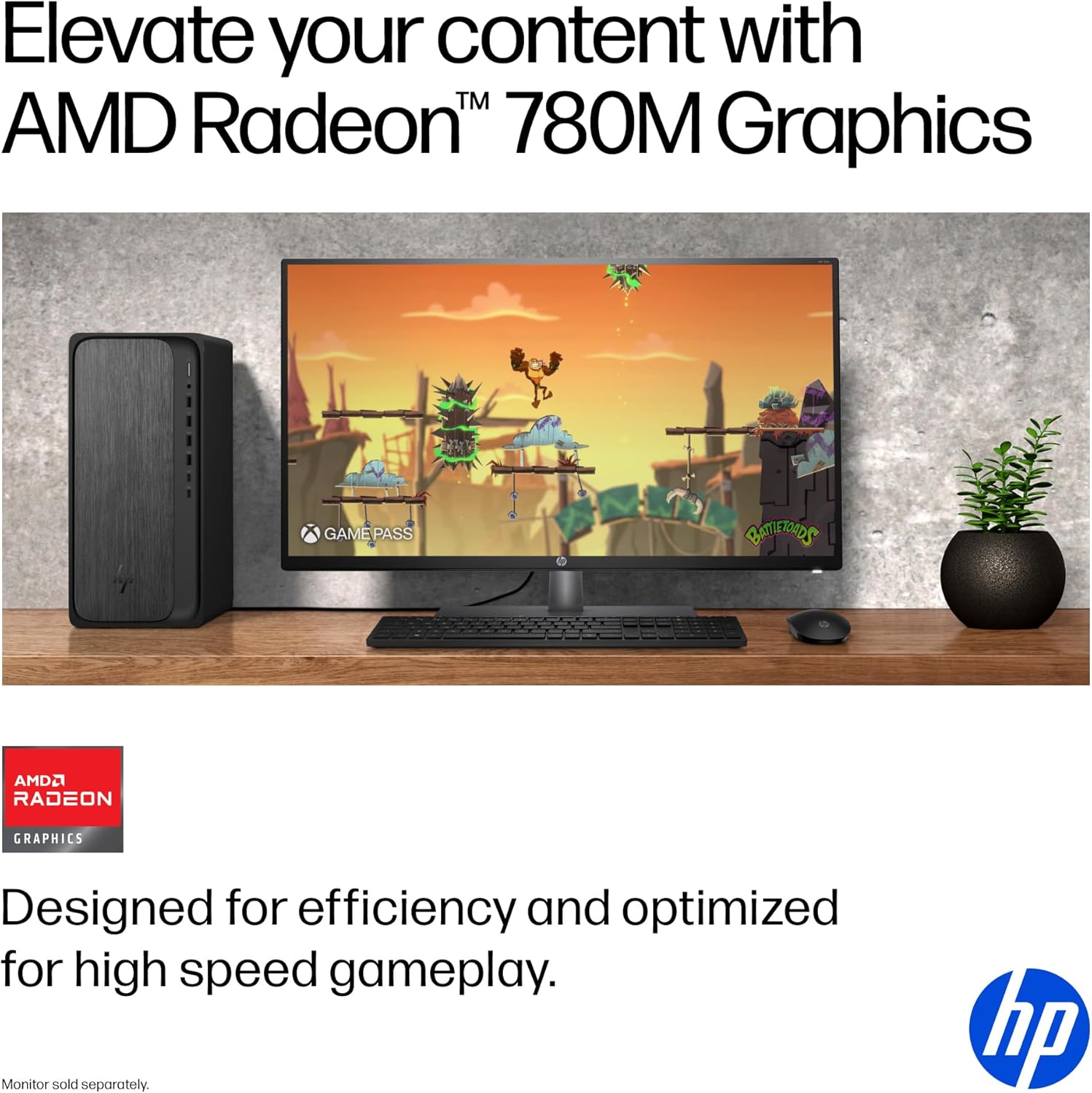
The HP OmniDesk Desktop PC displaying a high-definition game, demonstrating the capabilities of its AMD Radeon 780M Graphics for entertainment and gaming.

A user working efficiently with multiple monitors connected to the HP OmniDesk Desktop PC, showcasing its quad display support for enhanced multitasking.
Conectividade
The PC features Wi-Fi 6 and Bluetooth 5.4 for fast and reliable wireless connections. A variety of USB ports (Type-A and Type-C) are available for connecting external devices.
Características do software
- Windows 11 Home: Provides a modern and intuitive operating system experience.
- Copiloto de Microsoft: Integrated AI assistance to boost productivity and creativity.
- PC Game Pass: Includes 3 months of PC Game Pass for access to a library of games.
- MyHP: A dedicated application to customize, optimize, and secure your device.
Mantemento
Proper maintenance ensures the longevity and optimal performance of your HP OmniDesk Desktop PC.
Atención Xeral
- Limpeza: Use a soft, dry cloth to clean the exterior of the PC. For stubborn marks, lightly dampEnxágüe o pano con auga. Evite produtos químicos agresivos.
- Ventilación: Ensure the PC's ventilation openings are clear of obstructions to prevent overheating.
- Actualizacións de software: Regularly update your Windows operating system and drivers to maintain security and performance.
Consideracións ambientais
The HP OmniDesk Desktop PC is designed with sustainability in mind, incorporating recycled materials and holding EPEAT Gold with Climate+ and ENERGY STAR certifications.

The HP OmniDesk Desktop PC, highlighting its construction with 20% recycled metal and 50% post-consumer recycled plastic, along with EPEAT Gold with Climate+ and ENERGY STAR certifications.
Resolución de problemas
This section addresses common issues you might encounter with your HP OmniDesk Desktop PC.
Sen Poder
- Ensure the power cable is securely connected to both the PC and a working electrical outlet.
- Verifica que a toma de corrente funcione conectando outro dispositivo.
- Comprobe se hai algunha luz indicadora na fonte de alimentación.
Sen visualización no monitor
- Confirm the monitor is powered on and its video cable is securely connected to the PC's HDMI or DisplayPort.
- Tenta conectar o monitor a un porto de saída de vídeo diferente no PC, se está dispoñible.
- Test the monitor with another device or use a different cable if possible.
Peripheral Not Responding
- For wireless devices (keyboard/mouse), ensure the USB receiver is properly inserted and the device batteries are charged.
- Tenta conectar o periférico a un porto USB diferente.
- Reinicie o ordenador.
Desaceleración do sistema
- Pecha as aplicacións innecesarias que se executan en segundo plano.
- Comprobe e instale as actualizacións pendentes de Windows.
- Ensure your storage drive is not full.
Especificacións
Especificacións técnicas detalladas do PC de escritorio HP OmniDesk M02-0340.

Image illustrating the physical dimensions of the HP OmniDesk Desktop PC: 13.27 inches (length), 6.10 inches (width), and 12.40 inches (height).
| Característica | Detalle |
|---|---|
| Número de modelo | M02-0340 (SKU: B5RV7AA#ABA) |
| Procesador | AMD Ryzen 7 8700G (5.1 GHz) |
| RAM | 16 GB de DDR5 (5200 MHz) |
| Almacenamento | Unidade de estado sólido (SSD) M.2 NVMe PCIe de 4.ª xeración de 512 GB |
| Gráficos | AMD Radeon 780M Graphics (Integrated) |
| Sistema Operativo | Windows 11 Home |
| Conectividade sen fíos | Wi-Fi 6 (802.11ax), Bluetooth 5.4 |
| Portos (frontais) | Headphone/microphone combo, USB Type-A 5Gbps, USB Type-A 10Gbps, USB Type-C 5Gbps, USB Type-C 10Gbps |
| Portos (traseiros) | 4 USB 2.0 Tipo A, 1 RJ-45, 1 saída HDMI, 1 DisplayPort 1.4 |
| Dimensións (LxWxH) | 13.27 x 6.1 x 12.4 polgadas |
| Peso do elemento | 11.78 libras |
| Cor | Gray wood, jack black chassis |
| Fonte de alimentación | 280 W 80 Plus Platinum certified |
Garantía e Soporte
Your HP OmniDesk Desktop PC M02-0340 comes with comprehensive support.
Información da garantía
This HP computer includes a Garantía limitada de hardware de 1 anos. Esta garantía cobre os defectos nos materiais e na fabricación no uso normal.
Soporte técnico
You are provided with 1-year limited technical support for software and initial setup assistance. For further support, please visit the official HP support websitio web ou póñase en contacto co servizo de atención ao cliente de HP.
For the most current support information, drivers, and troubleshooting guides, please visit the Soporte HP Websitio.