
Introdución
This manual provides comprehensive instructions for the Gravity C28 Rugged Smartwatch. Please read this manual carefully before using the device to ensure proper operation and maintenance. Keep this manual for future reference.
The Gravity C28 is designed for durability and advanced functionality, featuring a 2.02-inch TFT high-resolution display, AI-generated watch faces, and over 100 sports modes. It includes health monitoring features such as heart rate and sleep tracking, Bluetooth calling, and smart notifications. The smartwatch is built to withstand various environments with its 1 ATM waterproof, shockproof, and dustproof design.
O que hai na caixa
- Gravity C28 Smartwatch
- Cable de carga
- Manual de usuario (este documento)
The product package includes the Gravity C28 Smartwatch and its essential accessories for charging and initial setup.
Produto rematadoview

Figura 1: Fronte view of the Gravity C28 Smartwatch, showcasing its rugged design and digital display with time, date, and health metrics.
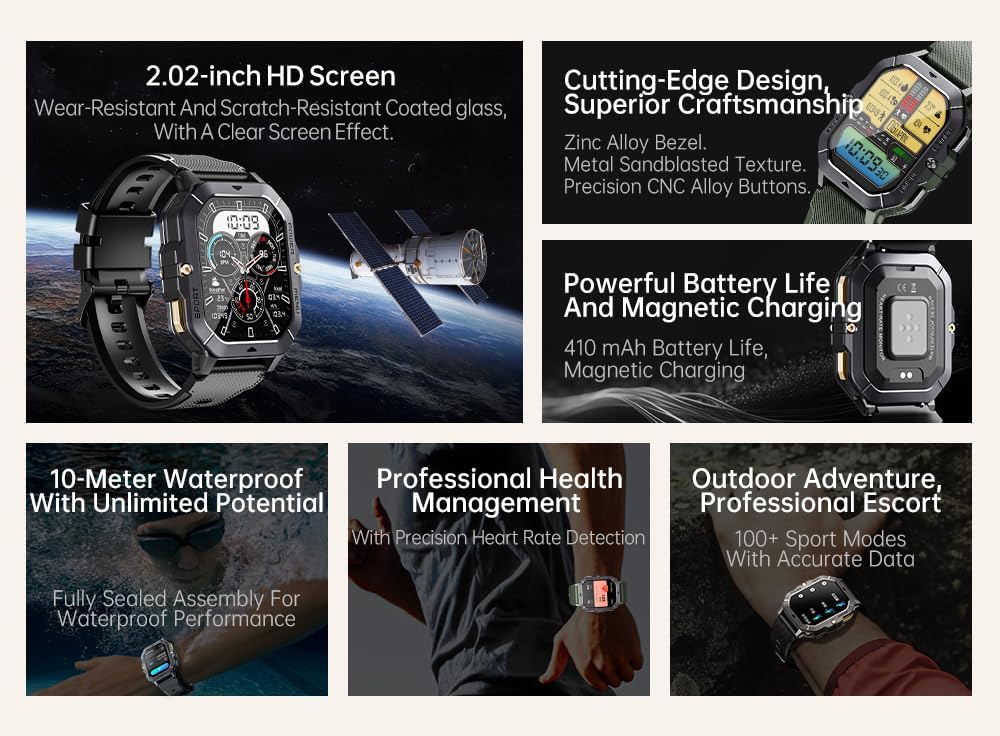
Figura 2: Acabadoview of key features including 2.02-inch HD screen, cutting-edge design, powerful battery, 10-meter waterproof rating, professional health management, and 100+ sport modes.
Configuración
1. Cargando o dispositivo
Before first use, fully charge your Gravity C28 Smartwatch. Connect the magnetic charging cable to the charging points on the back of the watch and plug the USB end into a power adapter (not included) or a computer's USB port.

Figura 3: Close-up of the Gravity C28 Smartwatch's rear, showing the magnetic charging contacts and heart rate sensor. The watch easily attaches to the charging dock via strong magnetic force for secure and convenient charging.

Figura 4: The Gravity C28 Smartwatch highlighting its 410mAh battery, providing long-lasting endurance for worry-free travel.
- Ensure the charging contacts on the watch and cable are clean and dry.
- Unha carga completa adoita tardar aproximadamente 2 horas.
- The watch has a 410mAh battery, providing up to 25 days of standby time.
2. Descarga da aplicación Da Fit
The Gravity C28 Smartwatch requires the "Da Fit" application for full functionality and synchronization with your smartphone.
- Scan the QR code provided in the quick start guide or search for "Da Fit" in your smartphone's app store (Google Play Store for Android, Apple App Store for iOS).
- Descarga e instala a aplicación.
3. Emparellamento co teu teléfono intelixente
- Asegúrate de que o Bluetooth estea activado no teu smartphone.
- Abre a aplicación "Da Fit".
- Follow the on-screen instructions to add your device. The app will search for available smartwatches. Select "Gravity C28" from the list.
- Confirma a solicitude de emparellamento tanto no teu teléfono como no reloxo intelixente.
Note: For optimal performance, ensure the Da Fit app has necessary permissions enabled (e.g., location, notifications, background refresh).
Instrucións de funcionamento
Navegación básica
- Botón de encendido: Press and hold to power on/off. Short press to return to the watch face or wake the screen.
- Botón de menú: Short press to access the main menu.
- Botón de deporte: Short press to quickly access sports modes.
- Xestos na pantalla táctil:
- Pase o dedo cara arriba: View notificacións.
- Swipe down: Access quick settings.
- Swipe left/right: Navigate through widgets (e.g., activity, heart rate, weather).
- Tap: Select an item or open an application.

Figura 5: Illustration of various menu display modes available on the Gravity C28 Smartwatch, including Grid View, Surface, Parallel, and Helm, allowing for flexible switching.
Vixilancia da Saúde
The Gravity C28 provides comprehensive health tracking features:
- Monitorización da frecuencia cardíaca: Real-time heart rate tracking throughout the day. Access the heart rate widget or app on the watch for detailed data.
- Monitorización do sono: Rexistra automaticamente os teus patróns de sono, incluíndo o sono profundo, o sono lixeiro e as horas de vixilia. View sleep data in the Da Fit app.
- Oxíxeno no sangue (SpO2): Mide os teus niveis de saturación de osíxeno no sangue.
- Presión arterial: Provides an estimate of blood pressure. For medical accuracy, consult a healthcare professional.
- Monitorización do estrés: Tracks stress levels based on heart rate variability.
- Seguimento da actividade: Rexistra os pasos, a distancia e as calorías queimadas.

Figura 6: Display of various health tracking metrics available on the Gravity C28, including heart rate, SpO2, blood pressure, stress levels, sleep patterns, and cycle tracking.
Modos deportivos
With over 100 sports modes, the Gravity C28 can accurately track various physical activities. To start a workout:
- Press the Sport button or navigate to the Sports app from the main menu.
- Select your desired activity (e.g., Running, Cycling, Swimming).
- Tap to start the activity. The watch will display real-time metrics such as duration, heart rate, and calories.
- To end the activity, swipe right or press the power button and select "End".
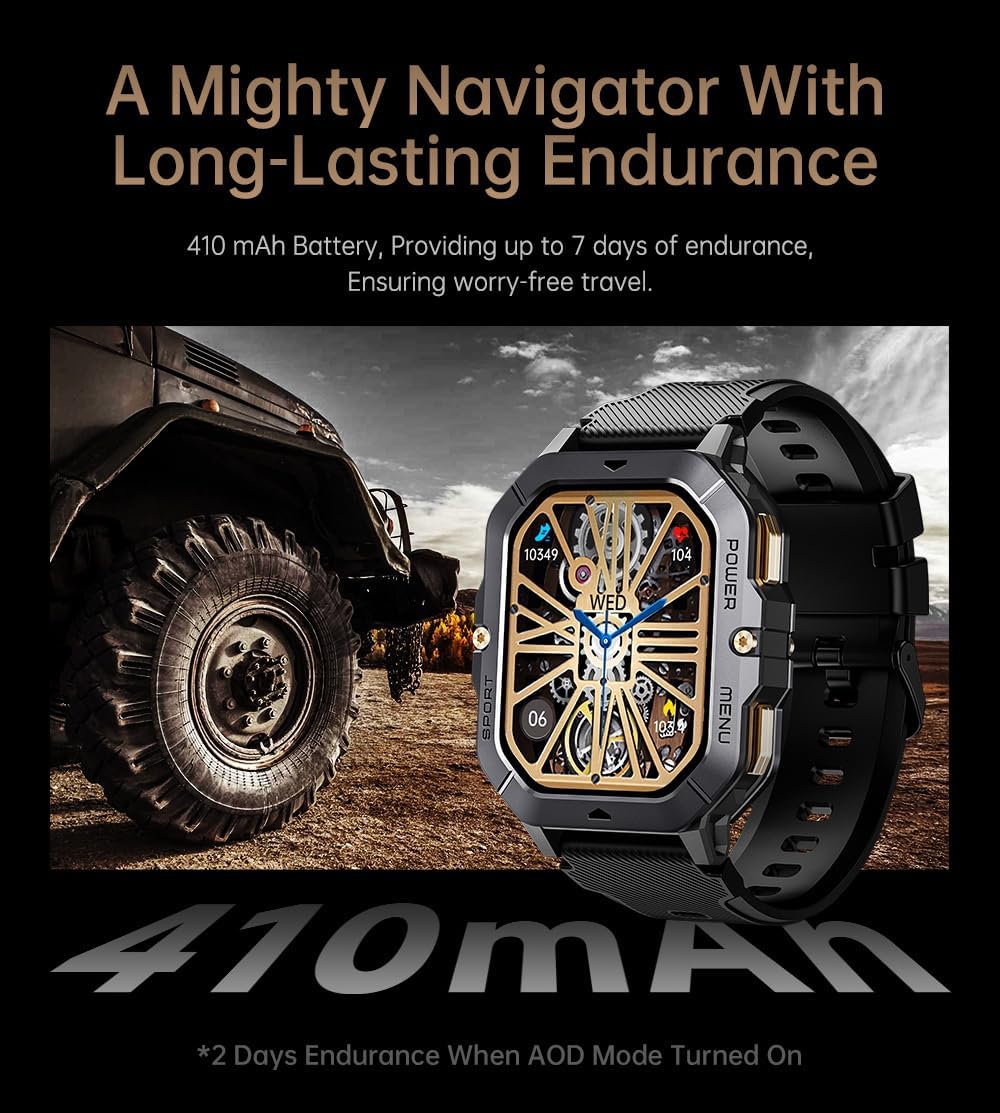
Figura 7: The Gravity C28 Smartwatch being used during snorkeling, illustrating its 1 ATM waterproof capability suitable for various water activities like daily cleaning, sweating, and rain exposure.
Bluetooth Calling & Notifications
The smartwatch supports Bluetooth calling and smart notifications:
- Chamadas Bluetooth: Once paired, you can answer incoming calls directly from your wrist. The watch has a built-in microphone and speaker.
- Notificacións intelixentes: Receive alerts for calls, messages, and social media apps (e.g., WhatsApp, Facebook) directly on your watch. Configure notification settings within the Da Fit app.

Figura 8: Two Gravity C28 smartwatches demonstrating the Bluetooth call and message alert functionality, showing an incoming call screen.
Personalización
- Ver caras: Change watch faces directly on the device or through the Da Fit app. The app offers a wide selection and supports AI-generated watch faces for personalization.
- Estilo de menú: The watch supports various menu display modes (e.g., Grid View, List View) which can be changed in settings.

Figura 9: Explanation of the DA GPT and AI Watch Face features, showing how users can interact with DA GPT for new ideas and conveniently change watch faces, including generating images from text prompts.
Mantemento e coidados
- Limpeza: Limpa regularmente o teu reloxo intelixente e a correa cun pano suave eamp pano. Evite o uso de produtos químicos agresivos ou materiais abrasivos.
- Resistencia á auga: The Gravity C28 is 1 ATM waterproof. It is suitable for daily use, hand washing, rain, and shallow water activities like swimming. Do not use it for diving or high-pressure water activities. Avoid hot water or steam.
- Temperatura: The watch is designed to withstand temperatures from -24°C to 60°C. Avoid exposing it to extreme temperatures outside this range.
- Cargando: Always ensure the charging contacts are dry before charging to prevent corrosion.
- Almacenamento: When not in use for extended periods, store the watch in a cool, dry place. Charge it periodically to maintain battery health.
Resolución de problemas
| Problema | Causa posible | Solución |
|---|---|---|
| O reloxo non se acende | Batería baixa; Dispositivo conxelado | Charge the watch for at least 30 minutes. If still unresponsive, press and hold the power button for 10-15 seconds to force restart. |
| Non se pode emparellar co teléfono | Bluetooth off; App not running; Watch not discoverable; Interference | Ensure Bluetooth is on. Restart both watch and phone. Make sure the Da Fit app is open. Forget previous pairings on phone. Try pairing in a different location. |
| Datos sanitarios inexactos | Improper fit; Sensor obstruction; Movement during measurement | Ensure the watch is snug but comfortable on your wrist. Clean the sensor on the back of the watch. Remain still during measurements. |
| Notificacións non recibidas | App permissions; Notification settings; Bluetooth disconnected | Check Da Fit app permissions for notifications. Verify notification settings within the app. Ensure Bluetooth connection is stable. |
| Batería de curta duración | Frequent use of features; High screen brightness; AOD mode enabled | Reduce screen brightness. Limit continuous heart rate monitoring. Disable Always-On Display (AOD) if not needed. Close unused apps on the watch. |
Especificacións
| Característica | Detalle |
|---|---|
| Número de modelo | W4-C28 |
| Mostrar | 2.02-inch TFT, 320x390 resolution |
| Capacidade da batería | 410 mAh |
| Duración da batería (en espera) | Ata 25 días |
| Resistencia á auga | 1 ATM (Waterproof, Shockproof, Dustproof) |
| Temperatura de funcionamento | -24°C a 60°C |
| Conectividade | Bluetooth |
| Compatibilidade | Android OS, iOS (via Da Fit app) |
| Vixilancia da Saúde | Heart Rate, Sleep, SpO2, Blood Pressure, Stress, Activity |
| Modos deportivos | 100+ |
| Peso do elemento | 1 libras |
| Dimensións do paquete | 9 x 4 x 1 polgadas |
Garantía e Soporte
Gravity provides a standard manufacturer's warranty for the C28 Smartwatch against defects in materials and workmanship under normal use. Please refer to the warranty card included with your product or visit the official Gravity websitio web para obter información detallada sobre os termos e condicións da garantía.
For technical support, troubleshooting assistance, or warranty claims, please contact Gravity customer service through their official websitio web ou a información de contacto que se inclúe na embalaxe do produto.
Recursos en liña:
- Official Gravity Websitio: www.gravity.com
- Da Fit App Support: Refer to the help section within the Da Fit application.