
Produto rematadoview
The Gravity C28 Rugged Smartwatch is designed for durability and comprehensive health and fitness tracking. It features a 2.02-inch TFT high-resolution display, AI-generated watch faces, and over 100 sports modes. This device also includes Bluetooth calling, smart notifications, and robust water, shock, and dust resistance.

Imaxe: Fronte view of the Gravity C28 Rugged Smartwatch, showcasinpolo seu deseño robusto e a súa pantalla dixital.
Características clave
- 2.02" HD Display: Clear visuals with 320x390 resolution and customizable watch faces.
- Seguimento integral da saúde: Monitors heart rate, sleep patterns, step count, and calories.
- Máis de 100 modos deportivos: Tracks various activities including running, cycling, and hiking.
- Bluetooth Calling & Smart Alerts: Answer calls and receive notifications directly from the wrist.
- Duradeiro e resistente ás inclemencias meteorolóxicas: 1 ATM waterproof, shockproof, and dustproof design.
- Batería de longa duración: Up to 25 days standby time with a 410mAh battery.
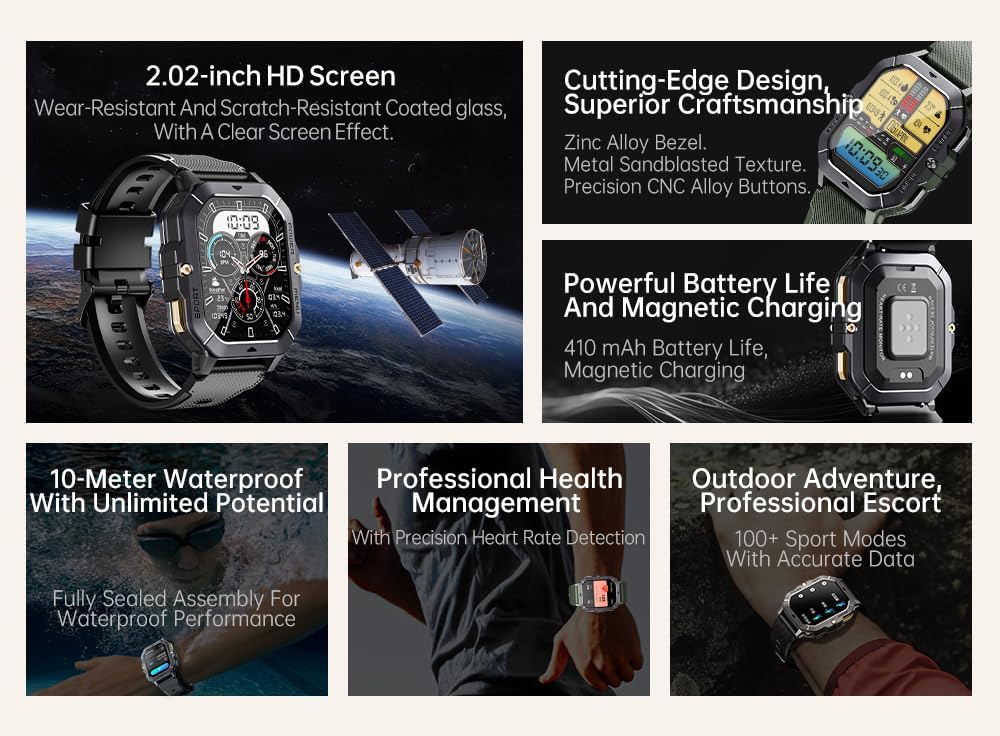
Image: Visual summary of the smartwatch's features, including HD screen, craftsmanship, battery life, waterproofing, health management, and sports modes.
O que hai na caixa
Upon unboxing your Gravity C28 Smartwatch, please ensure all components are present:
- Gravity C28 Smartwatch
- Cable de carga
- Manual de usuario (este documento)
Configuración
1. Cargando o dispositivo
Before first use, fully charge your Gravity C28 Smartwatch. Connect the magnetic charging cable to the charging points on the back of the watch and plug the USB end into a compatible power adapter (not included) or a computer USB port.

Image: Close-up of the smartwatch's rear, showing the magnetic charging pins and the charging cable attached.
2. Acendido/apagado
- Encendido: Press and hold the 'POWER' button (typically the top right button) until the screen illuminates.
- Apagado: Press and hold the 'POWER' button, then select 'Power Off' on the screen, or continue holding until the device shuts down.
3. Instalación e emparellamento da aplicación
The Gravity C28 Smartwatch uses the Da Fit application for full functionality and data synchronization. The app is compatible with both Android and iOS devices.
- Download the 'Da Fit' app from your device's app store (Google Play Store for Android, Apple App Store for iOS).
- Abre a aplicación Da Fit e segue as instrucións que aparecen na pantalla para crear unha conta ou iniciar sesión.
- Asegúrate de que o Bluetooth estea activado no teu smartphone.
- In the Da Fit app, navigate to 'Add Device' or 'Bind Device'.
- Seleccione "C28" da lista de dispositivos dispoñibles.
- Confirma a solicitude de emparellamento tanto no teu teléfono intelixente como no reloxo intelixente.
Funcionamento do reloxo intelixente
Navegación
- Pantalla táctil: Swipe left, right, up, or down to navigate through menus and access different functions. Tap to select.
- 'POWER' Button: Prema brevemente para volver á esfera do reloxo ou activar a pantalla. Prema de xeito prolongado para activar as opcións de acendido e apagado.
- 'MENU' Button: Short press to access the main menu.
- 'SPORT' Button: Short press to quickly access sports modes.

Imaxe: Examples of different menu display modes available on the smartwatch, such as Grid View, Surface, Parallel, and Helm.
Bluetooth Calling and Smart Alerts
Once paired with your smartphone, the Gravity C28 allows you to manage calls and notifications directly from your wrist.
- Responder chamadas: When an incoming call is received, the watch will display the caller ID. Tap the green phone icon to answer.
- Facer chamadas: Access the dial pad or contact list through the watch's menu to initiate calls.
- Notificacións: Receive alerts for messages, social media, and other app notifications. Swipe down from the watch face to view notificacións recentes.

Image: Two Gravity C28 smartwatches displaying an incoming call and a message alert, demonstrating the Bluetooth call and message alert features.
AI Watch Face and DA GPT
The smartwatch supports AI-generated watch faces for personalization and integrates with DA GPT for interactive features.
- AI Watch Face: Customize your watch face by providing text prompts to the AI, which will generate unique designs.
- DA GPT: Interact with the DA GPT feature to explore new ideas or learn new things directly from your watch.

Image: Diagram illustrating the DA GPT interaction flow and the AI Watch Face generation process, showing how users can request custom watch face backgrounds.
Modos deportivos
The Gravity C28 offers over 100 sports modes to accurately track your physical activities. Access these modes via the 'SPORT' button or the main menu.
- Select your desired sport (e.g., running, cycling, swimming).
- The watch will begin tracking relevant metrics such as duration, distance, calories burned, and heart rate.
- End your workout by following the on-screen prompts. Data will sync with the Da Fit app.
Vixilancia da Saúde
The smartwatch provides continuous monitoring of various health metrics.
- Frecuencia cardíaca: Monitorización da frecuencia cardíaca en tempo real.
- Monitorización do sono: Analyzes sleep patterns, including deep sleep, light sleep, and awake times.
- Step Counter & Calories: Tracks daily steps and estimated calories burned.
- SpO2, Blood Pressure, Stress: Provides readings for blood oxygen saturation, blood pressure, and stress levels.

Image: Screenshots of the smartwatch display showing various health metrics: Heart Rate, SpO2, Blood Pressure, Stress, Sleep, and Cycle Tracking.
Mantemento
Limpeza
Regular cleaning helps maintain the smartwatch's appearance and functionality.
- Limpe a pantalla e o corpo cun pano suave e sen fiapos.
- Para a sucidade persistente, d lixeiramenteampEnxágüe o pano con auga. Evite produtos químicos agresivos ou materiais abrasivos.
- Asegúrate de que os contactos de carga estean limpos e secos antes de cargar.
Resistencia á auga
The Gravity C28 is 1 ATM waterproof, meaning it can withstand splashes, rain, and brief immersion in shallow water. It is suitable for daily cleaning, sweating, and getting wet by rain.

Image: The smartwatch being used underwater, illustrating its 1 ATM waterproof capability for activities like snorkeling, and icons for daily cleaning, sweat, and rain resistance.
Importante: While waterproof, avoid prolonged exposure to hot water, steam, or high-pressure water jets. Do not operate buttons underwater.
Almacenamento
Garda o reloxo intelixente nun lugar fresco e seco, lonxe da luz solar directa e de temperaturas extremas, cando non o uses durante períodos prolongados.
Resolución de problemas
- O reloxo non se acende: Asegúrate de que o reloxo estea completamente cargado. Conéctao ao cargador durante polo menos 30 minutos.
- Non se pode emparellar co teléfono:
- Asegúrate de que o Bluetooth estea activado no teléfono e no reloxo.
- Asegúrate de que o reloxo estea dentro do alcance do Bluetooth (aproximadamente 10 metros).
- Reinicia tanto o reloxo como o teléfono.
- Borra a caché de Bluetooth no teu teléfono (Android) ou esquece o dispositivo e volve emparellalo (iOS).
- Datos sanitarios inexactos:
- Asegúrate de levar o reloxo ben axustado ao pulso, nin demasiado solto nin demasiado axustado.
- Limpa o sensor que está na parte traseira do reloxo.
- Evitar movementos excesivos durante as medicións.
- Non aparecen as notificacións:
- Check notification permissions in the Da Fit app and your phone's settings.
- Ensure the Da Fit app is running in the background.
- Verifica que o reloxo estea conectado por Bluetooth.
- Autonomía curta da batería:
- Reduce o brillo da pantalla.
- Desactiva a monitorización continua da frecuencia cardíaca se non é necesario.
- Limitar o número de notificacións activas.
- Ensure background app refresh for Da Fit is enabled on your phone.
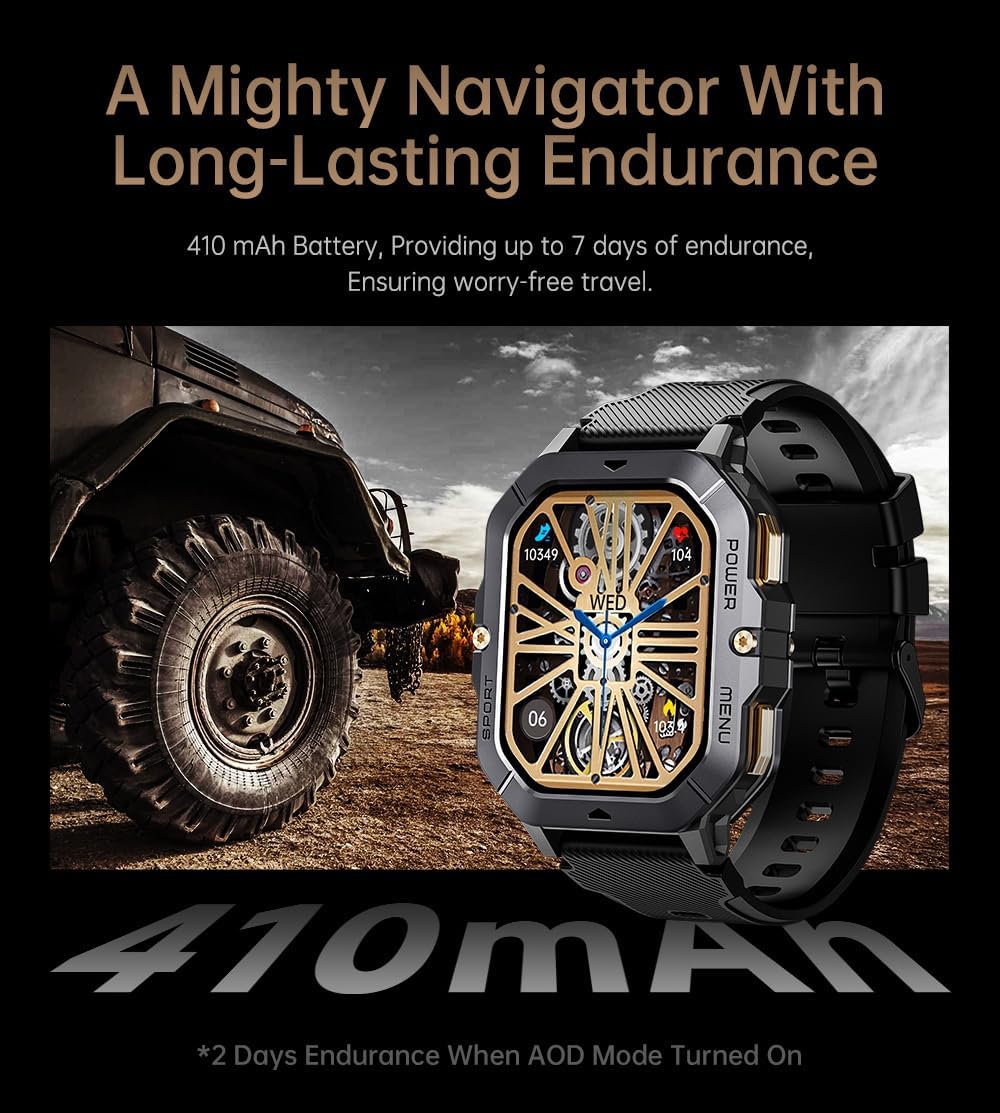
Image: The smartwatch displayed next to a large tire, emphasizing its ruggedness and long-lasting 410 mAh battery, providing up to 7 days of endurance (2 days with AOD mode).
Especificacións
| Característica | Detalle |
|---|---|
| Número de modelo | W4-C28 |
| Tamaño de visualización | 2.02 Inches TFT |
| Capacidade da batería | 410 mAh |
| Sistema Operativo | Android OS (compatible with Android & iOS via Da Fit app) |
| Conectividade | Bluetooth |
| Resistencia á auga | 1 ATM |
| Peso do elemento | 1 libras |
| Dimensións | 9 x 4 x 1 polgadas (embalaxe) |
| Tipo de batería | Polímero de litio |
Garantía e Soporte
Información da garantía
Warranty details for the Gravity C28 Smartwatch are typically provided with your purchase documentation. Please refer to the warranty card or contact your retailer for specific terms and conditions regarding coverage and duration.
Atención ao cliente
For technical assistance, troubleshooting not covered in this manual, or inquiries regarding your device, please contact Gravity customer support through the contact information provided on the product packaging or the official Gravity websitio.