
1. Introdución
The ANENG DM3004A is a high-accuracy handheld metal detector designed for quickly locating small metallic objects. It is suitable for various applications, including security checks, finding lost items, and educational purposes. This manual provides essential information for the safe and effective use of your device, covering setup, operation, maintenance, and troubleshooting.
2. Información de seguridade
- Le todas as instrucións antes de utilizar o dispositivo.
- Non expoñas o dispositivo a temperaturas extremas, humidade nin luz solar directa.
- Ensure correct battery polarity when installing batteries.
- Retire as pilas se non vai usar o dispositivo durante un período prolongado para evitar fugas.
- Manteña o dispositivo lonxe de campos magnéticos fortes.
- This device is not a toy; keep out of reach of children.
3. Contido do paquete
Comprobe o contido do paquete ao recibilo. Se falta algún artigo ou está danado, póñase en contacto co servizo de atención ao cliente.
- 1 x ANENG DM3004A Handheld Metal Detector
- 1 x Manual de usuario

Figure 3.1: ANENG DM3004A Metal Detector with its retail packaging and included user manual.
4. Produto rematadoview
Familiarize yourself with the components of your ANENG DM3004A metal detector.
- Detection Coil: The circular part responsible for detecting metallic objects.
- Manexar: Deseñado ergonomicamente para un agarre cómodo.
- Interruptor de alimentación: Toggles the device ON/OFF.
- Zumbador: Emits an audible alarm when metal is detected.
- Indicador LED: Lights up to visually indicate metal detection.
- Compartimento de batería: Located at the base of the handle for battery installation.

Figure 4.1: Detail of the ON/OFF switch and the buzzer alarm area on the ANENG DM3004A.
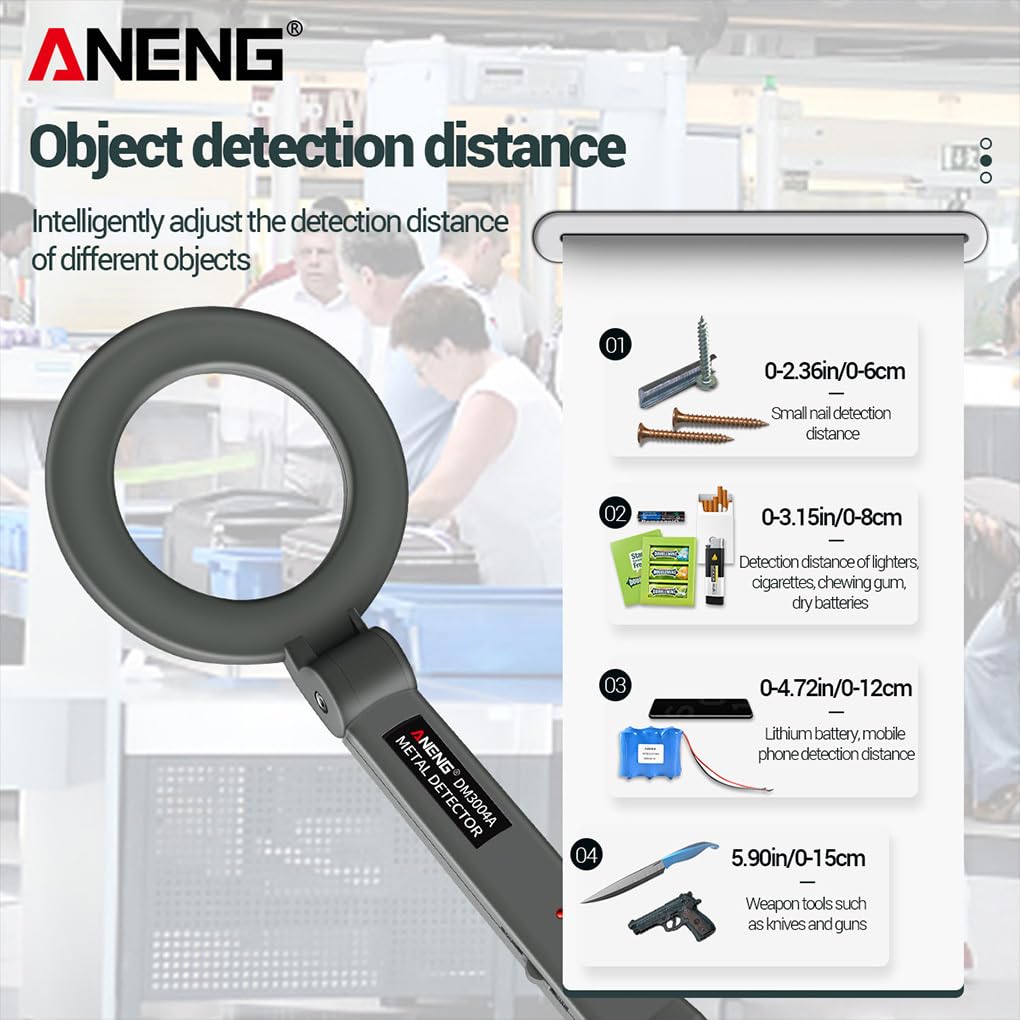
Figure 4.2: The red LED indicator illuminates upon metal detection. The probe head can be rotated up to 180 degrees for versatile use.
5. Configuración
5.1 Instalación da batería
- Localice a tapa do compartimento das baterías na parte inferior da asa.
- Deslice ou solte a tapa para abrir o compartimento.
- Insert one DC9V 6F22 battery, ensuring correct polarity (+ and - terminals match the markings inside the compartment).
- Pecha a tapa do compartimento da batería de forma segura.
Nota: The battery is not included in the package and must be purchased separately.
6. Instrucións de funcionamento
6.1 Acendido/Apagado
- To turn on the device, slide the power switch to the "ON" position. The device will emit a short beep, indicating it is ready for use.
- Para apagar o dispositivo, deslice o interruptor de alimentación á posición "OFF".
6.2 Metal Detection
- Hold the metal detector by the handle, keeping the detection coil away from your body and other metallic objects.
- Slowly sweep the detection coil over the area you wish to scan. Maintain a consistent distance from the surface.
- When a metallic object is detected, the device will emit an audible alarm (buzzer) and the red LED indicator will light up. The intensity of the alarm and light may increase as you get closer to the object.
- Pinpoint the exact location by moving the coil slowly in a cross-pattern over the detected area.

Figura 6.1: Example of using the ANENG DM3004A for security scanning.
6.3 Detection Distances
The detection distance varies depending on the size, shape, and composition of the metallic object.
- Small nails: 0-6 cm (0-2.36 inches)
- Lighters, cigarettes, chewing gum, dry batteries: 0-8 cm (0-3.15 inches)
- Lithium batteries, mobile phones: 0-12 cm (0-4.72 inches)
- Weapon tools (e.g., knives, guns): 0-15 cm (0-5.90 inches)
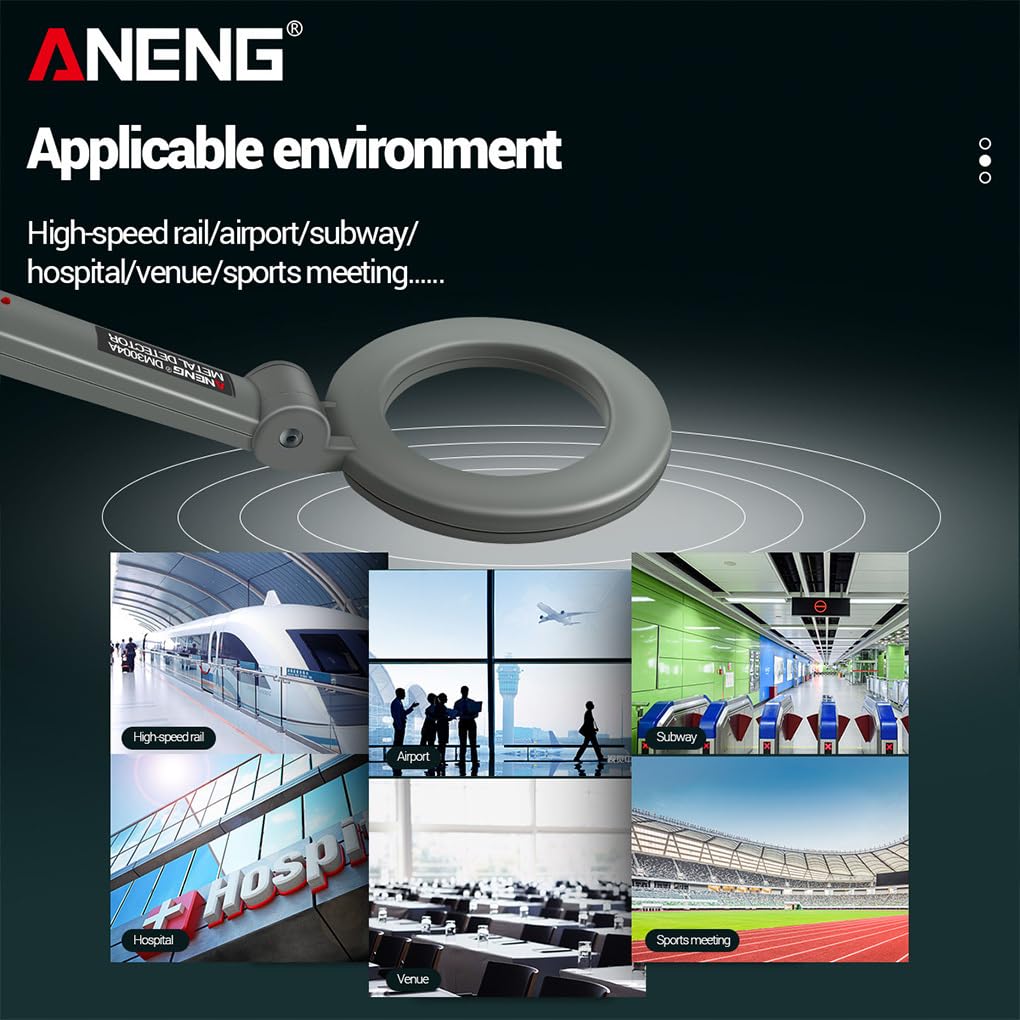
Figure 6.2: Approximate detection distances for common metallic objects.
6.4 Applicable Environments
The ANENG DM3004A is suitable for use in various environments where metal detection is required.
- High-speed rail stations
- Aeroportos
- Metros
- Hospitais
- Event venues
- Sports meetings

Figura 6.3: Examples of suitable environments for the ANENG DM3004A metal detector.
7. Mantemento
- Limpeza: Limpe o dispositivo cun pano suave e seco. Non empregue produtos de limpeza abrasivos nin disolventes.
- Substitución da batería: Replace the 9V battery when the detection performance decreases or the device fails to power on.
- Almacenamento: Store the metal detector in a cool, dry place when not in use. Remove the battery if storing for extended periods.
- Evitar impacto: Protexa o dispositivo de caídas e impactos fortes.
8 Solución de problemas
| Problema | Causa posible | Solución |
|---|---|---|
| O dispositivo non se acende. | A batería está descargada ou instalada incorrectamente. | Check battery polarity; replace with a new 9V battery. |
| No alarm or LED indication when metal is present. | Battery low; object too small or too far; device malfunction. | Replace battery; ensure object is within detection range; contact customer support if issue persists. |
| False alarms or continuous beeping. | Interference from other electronic devices or large metallic structures nearby. | Move away from sources of interference; ensure no metal is near the coil during startup. |
9. Especificacións
| Característica | Detalle |
|---|---|
| Modelo | DM3004A |
| Tipo de batería | DC9V 6F22 (Not Included) |
| Temperatura de funcionamento | -10 ℃ ~ 50 ℃ (14 °F ~ 122 °F) |
| Consumo actual | <3 mA |
| Peso do elemento | 244 g (sen batería) |
| Product Dimensions (Stretch) | Approx. 394x140mm (15.51x5.51 inch) |
| Search Head Diameter | 140 mm |
| Precisión de medición | 90 % |
| País de Orixe | China |
10. Garantía e soporte
10.1 Información da garantía
This product comes with a standard manufacturer's warranty against defects in materials and workmanship. The specific terms and duration of the warranty may vary by region and retailer. Please retain your proof of purchase for warranty claims. The warranty does not cover damage caused by misuse, accidents, unauthorized modifications, or normal wear and tear.
10.2 Atención ao cliente
If you encounter any issues or have questions regarding your ANENG DM3004A metal detector that are not covered in this manual, please contact the retailer or the manufacturer's customer service for assistance. Provide your product model number and a detailed description of the issue when seeking support.