
1. Introdución
This manual provides detailed instructions for the installation, operation, and maintenance of your Inefala 9-inch Android 15 Car Radio. Please read this manual thoroughly before using the product to ensure proper function and safety. Keep this manual for future reference.

Image: Comparison of the car dashboard before and after installing the Inefala car radio, showing the seamless integration of the new 9-inch display.
2. Características do produto
Your Inefala car radio is equipped with advanced features designed to enhance your driving experience:
- Android 15 System with 2GB RAM + 64GB Storage: Enjoy powerful and stable processing with ampalmacenamento para aplicacións e medios.
- Wireless Carplay/Android Auto & Mirror Link: Seamlessly integrate your smartphone for navigation, communication, and entertainment.
- 9-inch Split Screen Display: Operate two applications simultaneously for enhanced multitasking.
- Navegación GPS: Supports both online and offline maps, with the ability to download navigation apps via WiFi.
- Conectividade WiFi: Download apps, music, and videos directly to the device.
- Bluetooth: Connect your phone for music playback, file transfer, and hands-free calls.
- FM RDS Radio & EQ: Access radio stations with RDS information and customize your audio experience with the built-in equalizer.
- AHD Reversing Camera Support: Automatically displays high-definition rear view ao dar marcha atrás.
- Control do volante (SWC): Safely adjust volume and answer calls directly from your steering wheel.
- 26 Customizable UI Themes: Personalize the interface to match your preferences.
- Dual USB Input: Connect multiple USB devices for media playback or charging.
3. Que hai na caixa
Verifique que todos os seguintes compoñentes estean incluídos no seu paquete:
- Inefala Car Radio Unit for Peugeot 301/Citroen Elysee
- 2 x cables eléctricos
- Caixa Canbus
- Cabo RCA
- Antena GPS
- Reversing Camera Input Cable
- AHD Emergency Camera
- Micrófono externo
- 2 x cables USB
- Original Car USB Cable
- Radio Antena
- Adaptador de antena
- Soporte de montaxe
- Ferramenta de instalación

Image: Visual representation of all included accessories and detailed port connections for the car radio.
4. Configuración e instalación
4.1 Conexións de cableado
Carefully connect all cables according to the provided wiring diagrams. Ensure all connections are secure before powering on the unit.

Image: Detailed wiring diagram for the reversing camera and Canbus, highlighting positive (red) and negative (black) connections.
Reversing Camera Wiring:
- Red Cable (1): Connects to the positive terminal of the car's reverse light cable.
- Black Cable (2): Connects to the negative terminal of the car's reverse light cable.
- The reverse input cable must be plugged in even if the reverse camera is not being used. Otherwise, it may affect Bluetooth and WiFi signal reception.
4.2 Control do volante (SWC)
The unit supports steering wheel controls for convenience and safety.

Image: Illustration of steering wheel control integration and the role of the CANBUS decoder.
Without CANBUS Decoder:
Connect the plugs or the steering wheel control wires (Key1/Key2) in the power cable to the corresponding port or wire of your original car. Then, go to "SWC manual match" in the settings to activate the button function.
With CANBUS Decoder:
Connect the Canbus before powering on the radio. Follow this path: Car Settings > Factory (000000) > CarType Setting to make SWC work properly. First, select the brand of the Canbus decoder, then select the matching model and year according to the actual situation.
5. Instrucións de funcionamento
5.1 Wireless Carplay / Android Auto & Mirror Link
Connect your smartphone to the car radio via USB cable or WiFi to use Wireless Carplay, Android Auto, or Mirror Link. This allows you to access phone functions like calls, messages, music, and navigation directly on the car radio screen.

Image: Visual guide to connecting your smartphone for CarPlay, Android Auto, and Mirror Link functionalities.
5.2 GPS Navigation & WiFi
The unit supports GPS navigation with pre-installed maps. You can also download online navigation applications via WiFi. Connect to a local WiFi network to access online maps, download apps, and stream media.
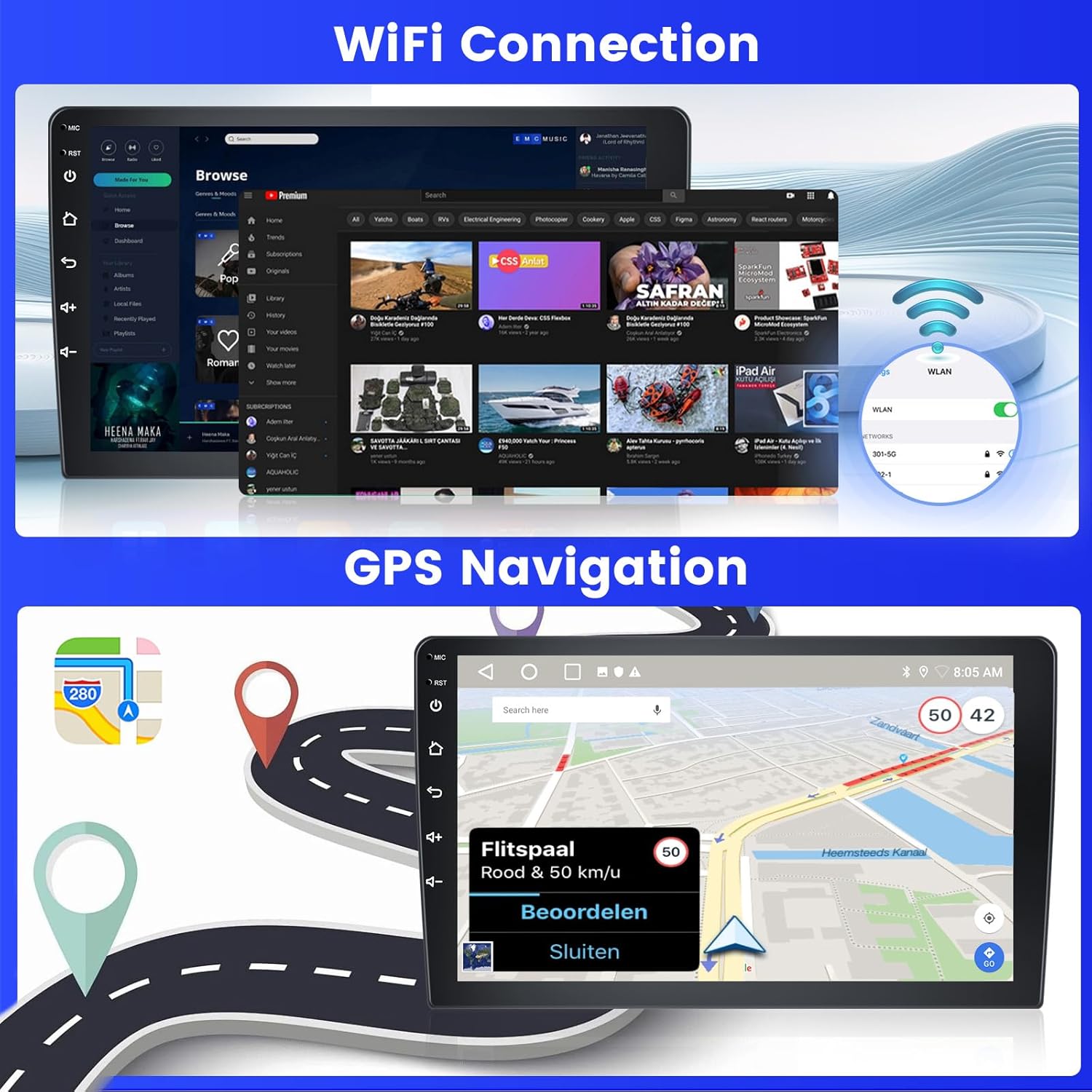
Image: Demonstrates WiFi connectivity for internet access and the GPS navigation interface with map display.
5.3 FM/RDS Radio & EQ
Tune into your favorite FM radio stations. The RDS (Radio Data System) feature displays station information. Use the built-in Equalizer (EQ) to adjust audio frequencies for a personalized listening experience.

Image: The FM/RDS radio interface, showing available frequencies and station selection options.
5.4 Funcionalidade Bluetooth
Pair your phone via Bluetooth to stream music, transfer files, and make or receive hands-free calls. Access your phonebook directly from the car radio.

Image: Bluetooth interface showing music playback controls and options for hands-free calling and phonebook access.
5.5 Split Screen & UI Themes
Utilize the split-screen feature to run two applications side-by-side, such as navigation and music. Customize the look of your interface with 26 available UI themes.
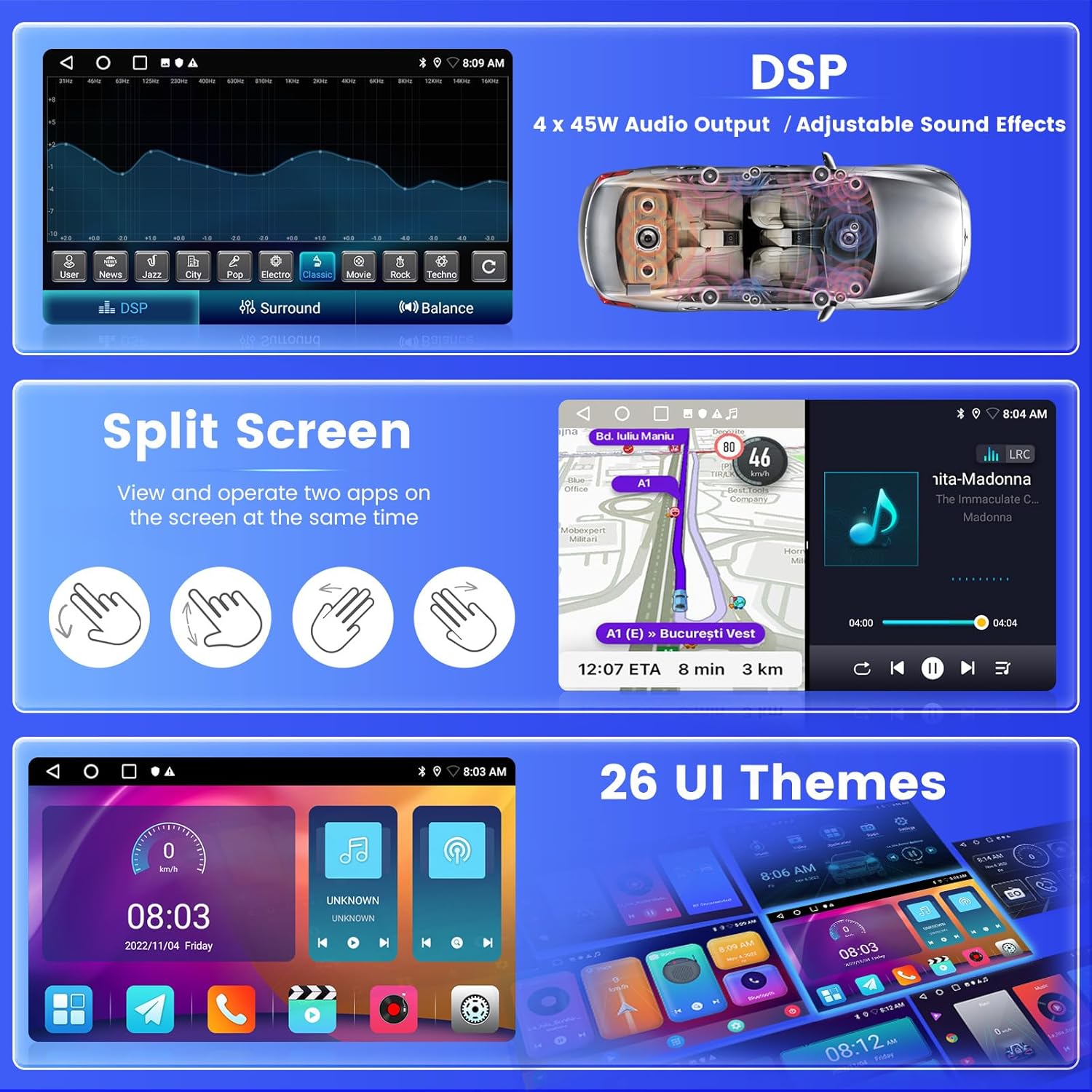
Imaxe: Examples of the split-screen mode, digital sound processing (DSP) settings, and different user interface themes.
5.6 Backup Camera
When the vehicle is put into reverse, the AHD backup camera automatically displays a high-definition image on the screen, providing a clear view of the area behind your car for safer parking and maneuvering.
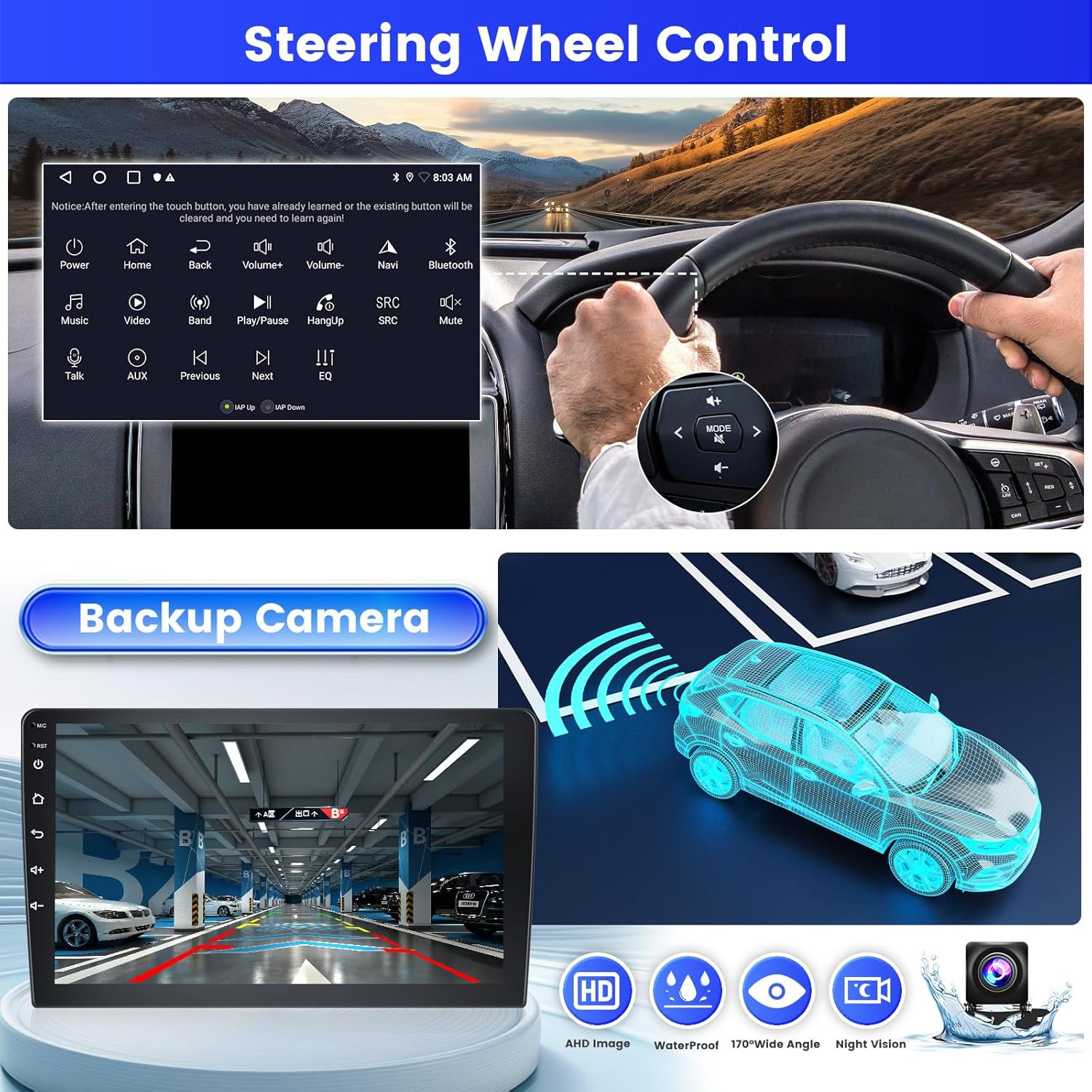
Image: The backup camera display with parking assistance lines, alongside an illustration of steering wheel controls.
6. Mantemento
To ensure the longevity and optimal performance of your Inefala car radio, follow these maintenance guidelines:
- Limpeza: Usa un pano suave e seco para limpar a pantalla e o exterior. Evita produtos de limpeza abrasivos ou solventes que poidan danar a superficie.
- Temperatura: Evite expoñer a unidade a temperaturas extremas, tanto frías como quentes, durante períodos prolongados.
- Humidade: Manteña a unidade seca. Non a expoña á auga nin a humidade excesiva.
- Actualizacións de software: Periodically check for and install available software updates to ensure the system runs efficiently and securely.
7 Solución de problemas
If you encounter issues with your car radio, refer to the following common troubleshooting steps:
- Sen enerxía: Check all power cable connections. Ensure the car's ignition is on. Verify the fuse.
- Sen son: Check speaker connections. Ensure volume is not muted or set to zero. Verify audio output settings.
- Problemas de conexión Bluetooth: Asegúrate de que o Bluetooth estea activado tanto na radio do coche como no teu teléfono intelixente. Elimina as vinculacións anteriores e tenta conectar de novo.
- Perda de sinal GPS: Asegúrese de que a antena GPS estea instalada correctamente e teña unha visión clara view of the sky. Move to an open area if signal is weak.
- Pantalla táctil sen resposta: Tenta reiniciar a unidade. Se o problema persiste, pode ser necesario restablecer os valores de fábrica (nota: isto borrará todos os datos do usuario).
- Reversing Camera Not Displaying: Check the camera's power and video input connections. Ensure the reverse input cable is correctly connected to the car's reverse light circuit.
For persistent issues, please contact Inefala customer support.
8. Especificacións
| Característica | Especificación |
|---|---|
| Marca | Inefala |
| Nome do modelo | A7684A3796A4MI2IT53 |
| Tamaño da pantalla | 9 polgadas |
| Sistema Operativo | Android 15 |
| Capacidade de almacenamento da memoria | 64 GB |
| Tecnoloxía de conectividade | Bluetooth, USB, Wi-Fi |
| Características especiais | Carplay, Android Auto, Mirror Link, FM RDS Radio, EQ, WIFI, 2GB RAM, Bluetooth, GPS, 26 UI Themes, SWC, Dual USB Input |
| Sistema de navegación por satélite compatible | GPS |
| Tipo de visualización | Pantalla táctil |
| Método de control | Toca |
| Modo de saída de audio | APE/FLAC/WAV/MP3/WMA |
| Tipo de montaxe | Montaxe do panel de control |
| Tipo de vehículo compatible | Car (Peugeot 301/Citroen Elysee 2013-2018) |
| Pilas incluídas | Non |
| Fabricante | Inefala |
| País de Orixe | China |
9. Garantía e soporte
9.1 Información da garantía
Your Inefala car radio comes with a 24 meses de garantía. This warranty covers manufacturing defects and ensures the product meets quality standards.
9.2 Atención ao cliente
For any inquiries, technical assistance, or warranty claims, Inefala offers lifetime online support. We aim to respond to all queries within 24 hours.
You can contact us via email at: inefalaservices@163.com
Alternatively, you can reach out through the Amazon platform:
- Vaia á páxina do produto en Amazon.
- Click on the seller's name (Inefala).
- Select the option to "Ask a question" or "Contact Seller."