
Introdución
Grazas pola compraasing the RadioShack 240W Retro Style Bluetooth Vintage Speaker. This manual provides essential information for the safe and efficient use of your speaker. Please read it thoroughly before operation and retain it for future reference.

Figure 1: RadioShack Retro Style Bluetooth Vintage Orador
Contido do paquete
Verifica que todos os elementos estean presentes no paquete:
- Retro style speaker
- 1 x mando a distancia
- 1x cable de alimentación
- 1x Audio input cord

Figura 2: Contido do paquete
Configuración
- Conexión de alimentación: Connect the provided power cord to the speaker's power input and then to a standard electrical outlet.
- Colocación: Place the speaker on a stable, flat surface. Ensure adequate ventilation around the unit.
- Antenna (FM Radio): Extend the FM antenna for optimal radio reception.
- Conexión de dispositivos externos:
- Entrada AUX: Use the included audio input cord to connect devices via the AUX port.
- Entrada USB: Insira unha unidade USB con MP3 files no porto USB para a reprodución.
- Optical/ARC Input: Connect compatible devices using an optical cable or HDMI ARC cable (not included) to the respective ports.
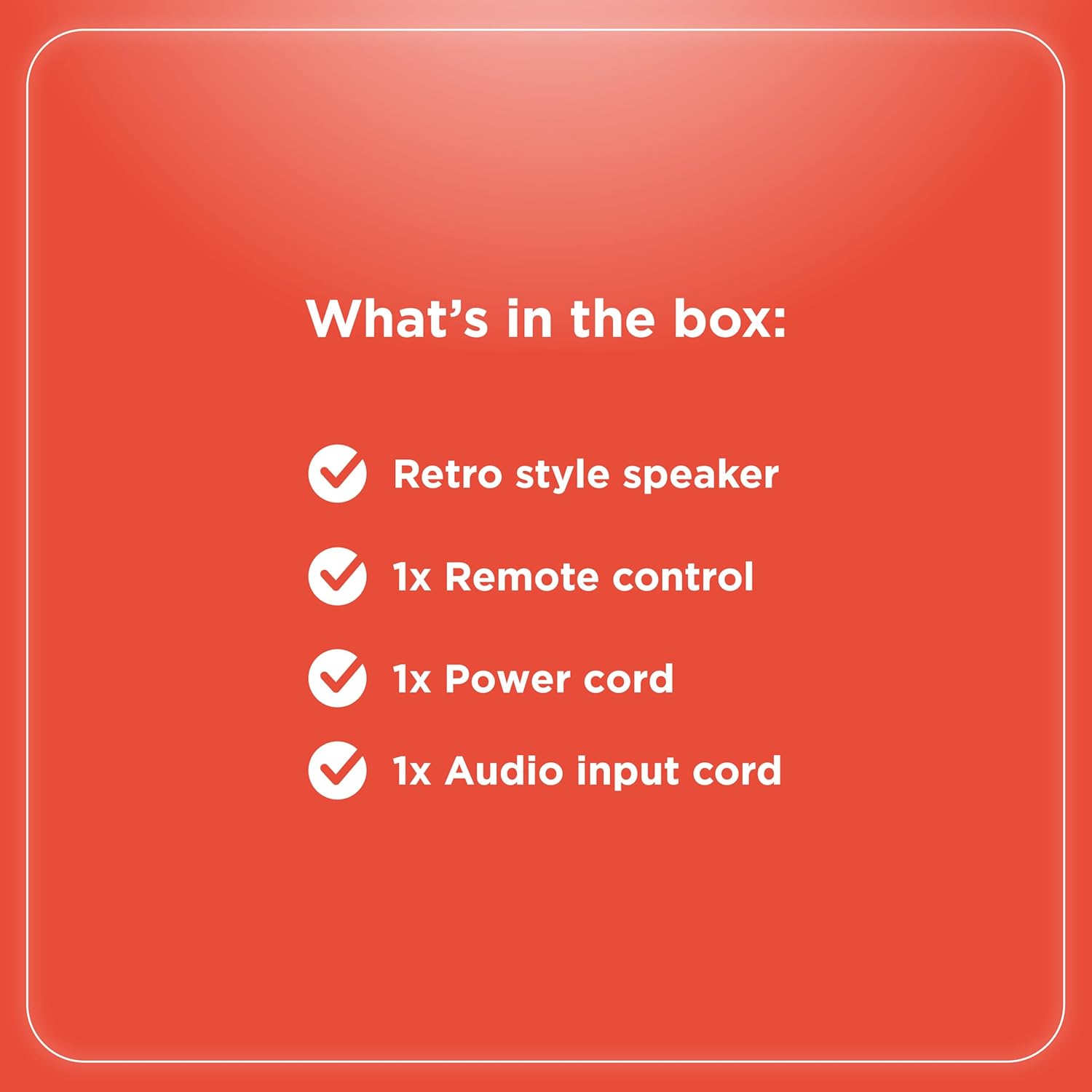
Figura 3: Conexións do panel traseiro

Figura 4: Opcións de conectividade
Instrucións de funcionamento
Máis controisview
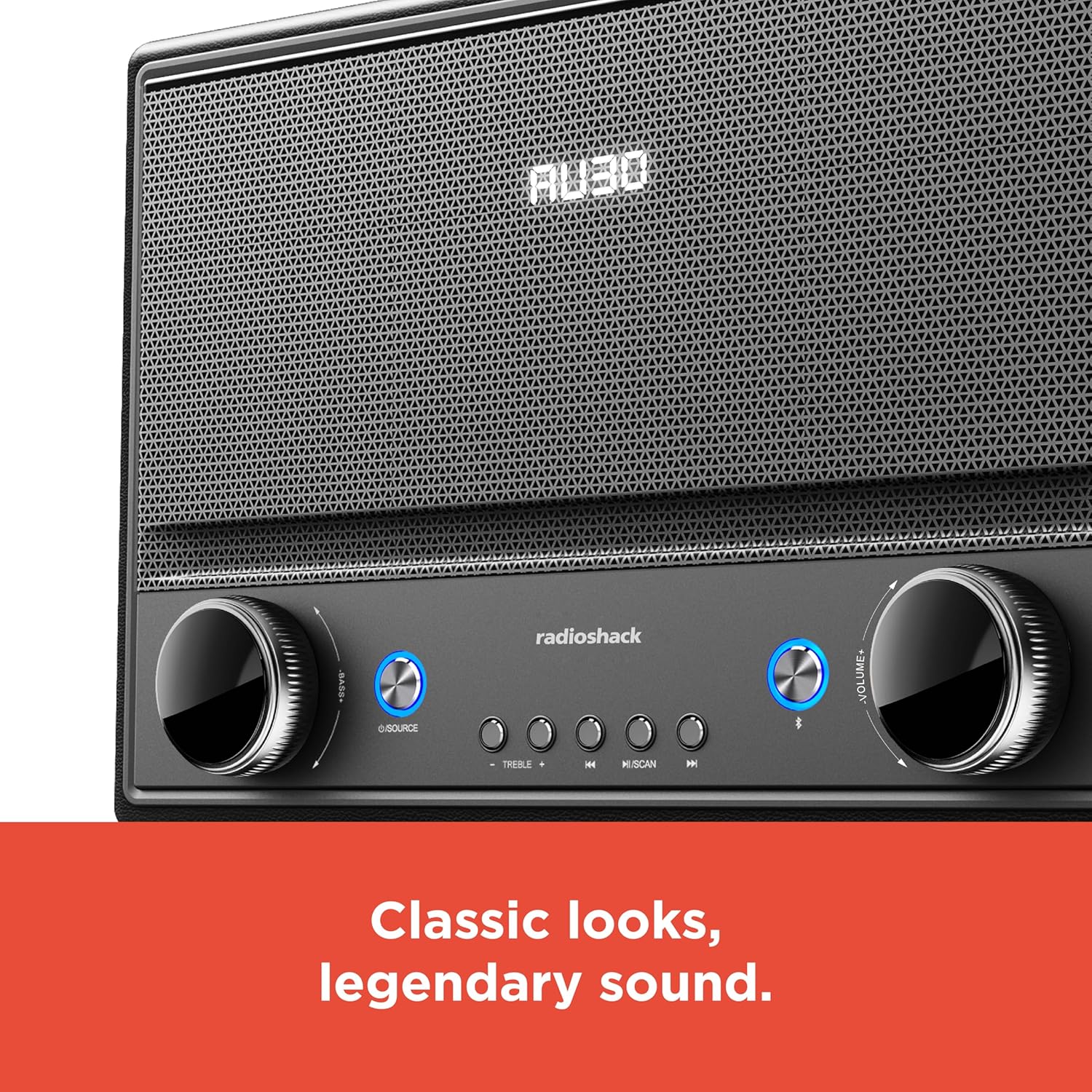
Figura 5: Controis do panel frontal
- Encendido/apagado: Press the Power button (usually located on the front panel or remote) to turn the speaker on or off.
- Selección da fonte: Press the "SOURCE" button repeatedly to cycle through input modes: Bluetooth, FM Radio, USB, AUX, Optical, ARC.
- Axuste de volume: Rotate the "VOLUME" knob clockwise to increase volume and counter-clockwise to decrease it. Alternatively, use the volume buttons on the remote control.
- Control de ton: Use the "BASS" and "TREBLE" knobs to adjust the low and high frequencies of the audio output.
- Emparellamento Bluetooth:
- Select Bluetooth mode using the "SOURCE" button. The speaker will enter pairing mode, indicated by a flashing LED.
- On your device (smartphone, tablet, etc.), enable Bluetooth and search for "RadioShack Speaker".
- Selecciona o altofalante da lista para emparellalo. Soará un ton de confirmación ao conectar correctamente.
- Funcionamento da radio FM:
- Selecciona o modo de radio FM.
- Press the "SCAN" button to automatically scan and save available FM stations.
- Use the "PREV" and "NEXT" buttons to navigate between saved stations or manually tune.
- Reprodución USB:
- Inserir unha unidade USB que conteña son MP3 files no porto USB.
- Select USB mode. Playback should begin automatically.
- Use the "PLAY/PAUSE", "PREV", and "NEXT" buttons to control playback.

Figure 6: Intuitive Controls
Mantemento
- Limpeza: Use a soft, dry cloth to clean the speaker's exterior. Do not use liquid cleaners or abrasive materials, especially on the leather body and metal grill.
- Almacenamento: Cando non o use durante períodos prolongados, garde o altofalante nun lugar fresco e seco, lonxe da luz solar directa e de temperaturas extremas.
- Evitar a humidade: Keep the speaker away from water and high humidity to prevent damage to internal components.
Resolución de problemas
| Problema | Causa posible | Solución |
|---|---|---|
| Sen poder | Cable de alimentación non conectado; toma de corrente non activa. | Asegúrate de que o cable de alimentación estea conectado correctamente tanto ao altofalante como a unha toma de corrente que funcione. |
| Sen son | Volume too low; incorrect source selected; device not connected properly. | Increase volume. Select the correct input source. Check all cable connections or Bluetooth pairing. |
| Bluetooth non se conecta | O altofalante non está en modo de emparellamento; o dispositivo está demasiado lonxe; interferencias. | Ensure speaker is in Bluetooth pairing mode. Move device closer to speaker. Disconnect other Bluetooth devices. |
| Mala recepción FM | Antena non estendida; sinal débil. | Estenda completamente a antena FM. Tente recolocar o altofalante para obter un mellor sinal. |
Especificacións
- Marca: RadioShack
- Número de modelo: 4001974
- Potencia de saída: 240 vatios
- Tecnoloxía de conectividade: Bluetooth, USB, AUX, FM Radio, Optical, ARC
- Dimensións do produto (L x W x H): 8.98" x 15.75" x 10.79"
- Fonte de enerxía: Eléctrico con cable
- Tecnoloxía do sintonizador: FM
- Bandas de radio admitidas: 2 bandas
- Material: Leather, Metal
- Característica especial: Estilo Retro
Garantía
The manufacturer's warranty information is not provided in the product details. Please refer to your purchase receipt or contact the retailer for specific warranty terms.
Apoio
For further assistance or inquiries, please visit the official RadioShack website or contact their customer support. Keep your model number (4001974) handy when seeking support.
Official RadioShack Store: RadioShack Store on Amazon