
1. Produto rematadoview
Walker's Suppressor Earbuds are engineered to provide superior hearing protection by effectively canceling dangerous-level noises, such as those encountered at a gun range or during target shooting. These earbuds also feature advanced technology to enhance desired environmental sounds, offering a comprehensive noise protection and best-in-class sound enhancement solution. They boast HD sound, a 36-hour battery life with the charging case, and a waterproof design for versatile use.
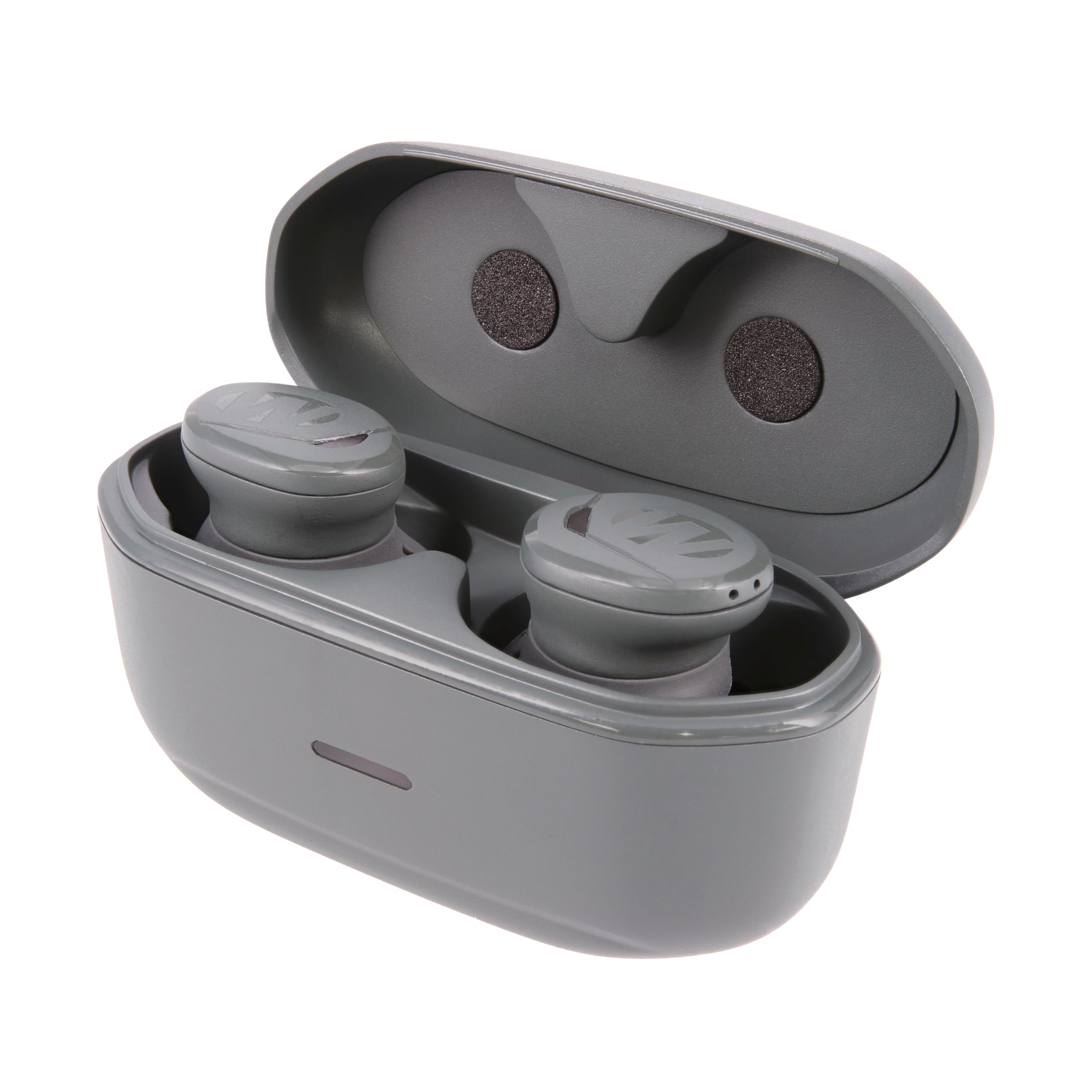
Image 1: Walker's Suppressor Earbuds and their charging case.
2. Que hai na caixa
- Walker's Suppressor Earbuds (1 pair)
- Estuche de carga portátil
- Cable de carga USB-C
- 3 sizes of Sure-Lock Fins for secure fit
- 3 sizes of Memory Foam Tips for optimal noise isolation and comfort
- 4 sizes of Silicone Tips for versatile fit and comfort

Image 2: Included ear tips and locking fins for customized fit.
3. Guía de configuración
3.1 Carga inicial
- Coloque os dous auriculares no estoxo de carga.
- Conecta o cable de carga USB-C ao porto de carga da carcasa e a unha fonte de alimentación.
- The LED indicator on the case will show charging status. Ensure the earbuds and case are fully charged before first use.
3.2 Emparellamento co teu dispositivo
- Open the lid of the charging case. The earbuds will automatically enter pairing mode, indicated by flashing blue and red lights.
- No teu dispositivo móbil, vai á configuración de Bluetooth.
- Select "Walker's Suppressor" from the list of available devices to connect.
- Once connected, the LED indicators on the earbuds will stop flashing.
3.3 Conseguindo un axuste óptimo
A proper fit is crucial for both comfort and effective noise reduction. Experiment with the included ear tips and locking fins to find the best combination for your ears.
- Consellos para oídos: Choose between memory foam (for maximum noise isolation) and silicone tips. Select the size that creates a snug seal in your ear canal.
- Locking Fins: Attach the appropriate size locking fin to each earbud. These fins are designed to tuck into the folds of your outer ear, providing stability during active use.

Image 3: Proper placement of the earbud in the ear for a secure fit.
4. Instrucións de funcionamento
4.1 Encendido/apagado
The earbuds automatically power on when removed from the charging case and power off when returned to the case.
4.2 Noise Reduction & Sound Enhancement
The Suppressor Earbuds feature Sound Activated Compression (SAC), which instantly mutes loud, harmful noises (like gunshots) while amplifying ambient sounds for improved situational awareness. The earbuds utilize multiple microphones (3x per earbud) to provide directional sound, allowing you to identify the source of sounds around you.
4.3 App Control (Walker's Link App)
For advanced control and customization, download the Walker's Link app on your mobile device. The app allows you to:
- Adjust ambient sound volume.
- Select from 4 sound settings: Universal, Clear Voice, High Frequency, Power Boost.
- Monitorizar os niveis da batería.
- Update auto shut-off time.
4.4 Controis táctiles
The earbuds feature intuitive touch controls for managing audio and calls:
- Toca simple: Play/Pause music, Answer/End phone call.
- Toca dúas veces: Skip to next music track, Deny incoming phone call.
- Toca tres veces: Skip to previous music track.
Video 1: Official product video demonstrating the features and use of Walker's Suppressor Earbuds.
5. Features & Benefits
- Protección auditiva: 25dB Noise Reduction Rating (NRR) with Sound Activated Compression (SAC) to protect against harmful loud noises.
- Mellora do son: Clear digital hearing enhancement and superior audio quality, allowing you to hear environmental sounds and conversations clearly.
- Comfort Fit: Includes multiple sizes of Sure-Lock fins, memory foam tips, and silicone tips for a secure and comfortable fit during extended wear.
- App Supported: Customizable settings via the Walker's Link app for personalized sound profiles e controis.
- Batería de longa duración: Up to 36 hours of total use with the portable charging case (6 hours per earbud charge, case provides 3 additional charges).
- Deseño impermeable: Water-resistant construction ensures durability in various environments.
- Directional Sound: 3 microphones per earbud provide directional sound for enhanced situational awareness.
6. Especificacións
| Característica | Especificación |
|---|---|
| Marca | O de Walker |
| Número de modelo | GWP-SUPR |
| Clasificación de redución de ruído (NRR) | 25 dB |
| Duración da batería (auriculares) | 6 horas |
| Duración total da batería (con funda) | 36 horas |
| Tecnoloxía de conectividade | Sen fíos (Bluetooth) |
| Nivel de resistencia á auga | Resistente á auga |
| Método de control | Toca |
| Colocación do oído | En Orella |
| Material | Blend, Memory Foam, Silicone |
7. Mantemento
To ensure the longevity and optimal performance of your Walker's Suppressor Earbuds, follow these maintenance guidelines:
- Limpeza: Regularly clean the ear tips and the earbuds themselves with a soft, dry cloth. For earwax buildup, gently wipe with a slightly damp pano e deixar secar completamente ao aire antes de usalo.
- Contactos de carga: Periodically inspect and clean the charging contacts on both the earbuds and inside the charging case to ensure a reliable connection. Use a dry cotton swab or soft brush.
- Almacenamento: Always store the earbuds in their charging case when not in use to protect them from dust, debris, and physical damage.
- Evita condicións extremas: Do not expose the earbuds or charging case to extreme temperatures, direct sunlight for prolonged periods, or corrosive liquids.
8 Solución de problemas
If you encounter issues with your Suppressor Earbuds, try the following solutions:
- Sen enerxía/Sen carga: Ensure the charging case is charged and the earbuds are correctly seated in the case with contacts aligned. Try a different USB-C cable and power adapter.
- Problemas de emparellamento: Make sure Bluetooth is enabled on your device and the earbuds are in pairing mode (flashing blue/red). Forget the device from your phone's Bluetooth list and attempt to re-pair.
- Poor Sound Quality/Noise Reduction: Check that the ear tips are the correct size and form a tight seal in your ear canal. Clean any debris from the ear tips and earbud speakers.
- Conexión intermitente: Ensure your device is within the Bluetooth range of the earbuds. Avoid physical obstructions between the earbuds and your device.
- A aplicación non se conecta: Ensure the earbuds are paired to your phone's Bluetooth. Close and reopen the Walker's Link app. Check for app updates.
9. Garantía e soporte
For detailed warranty information and customer support, please refer to the manufacturer's official website or contact their customer service directly. The warranty description is available from the manufacturer.