
1. Introdución
This manual provides essential information for setting up, operating, maintaining, and troubleshooting your HP 14 inch Laptop. This device features an HD touchscreen display, an AMD Ryzen 5 7520U processor, 8 GB of RAM, a 512 GB SSD, and AMD Radeon Graphics, running on Windows 11 Home. It is designed for everyday productivity and entertainment, offering a balance of performance and portability.
The HP 14 inch Laptop is built with sustainability in mind, incorporating ocean-bound plastic in speaker enclosures and post-consumer recycled plastic in keyboard components. It is EPEAT Gold registered and ENERGY STAR Certified.
2. Que hai na caixa
Upon unboxing your HP 14 inch Laptop, verify that all components are present:
- HP Laptop 14-em0499nr
- Adaptador de alimentación de CA de 45 W
- Instrucións de configuración

Image: The HP 14 inch Laptop, its 45W AC power adapter, and a setup guide are included in the box.
3. Primeiros pasos (Configuración)
3.1 Encendido inicial
- Conectar enerxía: Plug the 45 W AC power adapter into the laptop's AC smart pin port and then into a wall outlet.
- Encendido: Abre a tapa do portátil e preme o botón de acendido, que normalmente se atopa na plataforma do teclado.
- Configuración inicial: Follow the on-screen prompts to complete the Windows 11 Home setup process. This includes selecting your region, connecting to a Wi-Fi network, creating a user account, and accepting terms and conditions.
3.2 Conectando a Wi-Fi
During the initial setup, you will be prompted to connect to a wireless network. If you skip this step or need to connect later:
- Fai clic na icona Wi-Fi na barra de tarefas (esquina inferior dereita).
- Seleccione a rede desexada da lista.
- Introduza o contrasinal da rede se se lle solicita e faga clic en "Conectar".
4. Using Your Laptop (Operating Instructions)
4.1 Pantalla e pantalla táctil
Your HP 14 inch Laptop features a 14-inch HD (1366 x 768) micro-edge touchscreen display. This allows for intuitive interaction with your PC using pinch, tap, and swipe gestures. The display is anti-glare and offers 250 nits brightness with 45% NTSC color gamut.
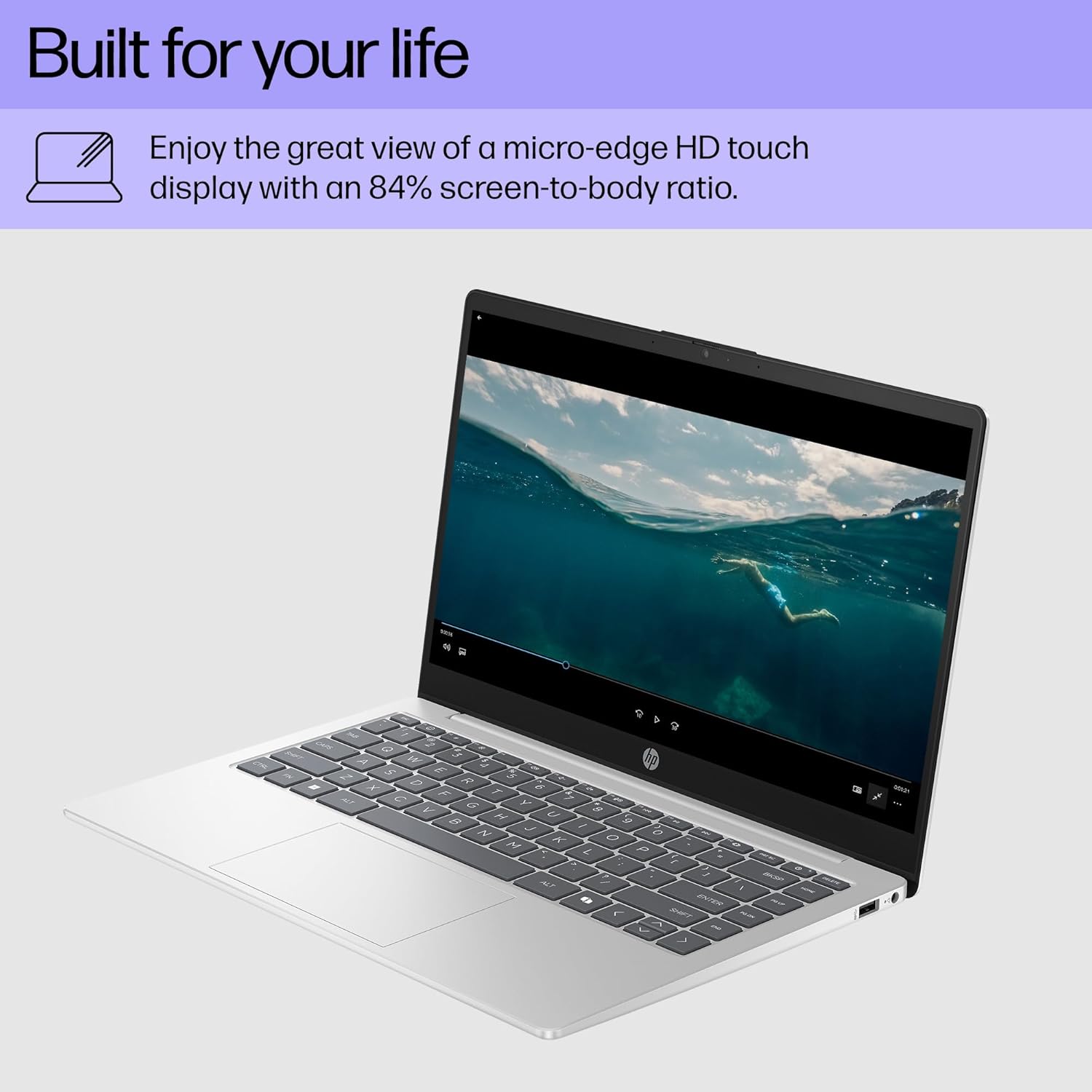
Image: The laptop's micro-edge HD touchscreen display provides an immersive viewing experience for media consumption.
4.2 Rendemento e almacenamento
The laptop is powered by an AMD Ryzen 5 7520U processor (up to 4.3 GHz max boost clock, 4 MB L3 cache, 4 cores, 8 threads) and integrated AMD Radeon Graphics, providing reliable performance for daily tasks and entertainment. It includes 8 GB of LPDDR5-5500 MT/s onboard RAM and a 512 GB PCIe NVMe M.2 Solid State Drive (SSD) for fast boot times and application loading.

Image: Key specifications of the HP 14 inch Laptop, including processor, memory, storage, graphics, operating system, and display type.
4.3 Windows 11 Home and Microsoft Copilot
The laptop comes pre-installed with Windows 11 Home, offering a refreshed user interface and new features for productivity and creativity. It also includes a dedicated Microsoft Copilot key on the keyboard for quick access to AI assistance and intelligent answers.

Image: The Microsoft Copilot key on the keyboard provides one-touch access to AI assistance.
4.4 Camera and Audio Features
For communication, the laptop is equipped with an HP True Vision HD Camera and AI Noise Reduction technology. This enhances video chat clarity, even in low-light conditions, and filters out background noise in multi-person environments. For privacy, a physical camera shutter and a dedicated microphone mute button with an active LED light are included.

Image: The HP True Vision HD Camera and AI Noise Reduction facilitate clear video calls, with privacy features like a camera shutter.
4.5 Conectividade e portos
The laptop offers various ports for connecting peripherals and external devices:
- 1 USB Type-C 5Gbps signaling rate (data transfer only)
- 2 USB Type-A 5 Gbps taxa de sinalización
- 1 pin intelixente de CA.
- 1 HDMI 1.4b
- 1 Conector combinado de auriculares/micrófono
Wireless connectivity includes 802.11ax Wi-Fi and Bluetooth.

Imaxe: Unha detallada view of the laptop's side ports, illustrating its connectivity options.
4.6 Xestión da batería
The laptop provides an average battery life of up to 12 hours. It supports HP Fast Charge, allowing the battery to go from 0 to 50% charge in approximately 45 minutes.
5. Coidados e mantemento
5.1 Limpeza do portátil
- Pantalla: Use un pano suave e sen pelusa dampLavar con auga ou cun limpador de pantallas. Evitar produtos químicos agresivos.
- Teclado e chasis: Usa un pano suave e seco. Para a sucidade persistente, un pano lixeiramente seco.amp cloth can be used. Ensure no liquid enters the device.
- Portos: Use aire comprimido para limpar con coidado o po dos portos.
5.2 Actualizacións de software
Regularly update your Windows operating system and drivers to ensure optimal performance, security, and compatibility. Windows Update can be accessed via Settings > Windows Update.
5.3 Coidado coa batería
To prolong battery life, avoid extreme temperatures and fully discharging the battery frequently. For long-term storage, charge the battery to about 50%.
6 Solución de problemas
| Problema | Posible Solución |
|---|---|
| O portátil non se acende | Ensure the AC adapter is securely connected to both the laptop and a working power outlet. Try a different outlet. If the battery is completely drained, it may take a few minutes to respond after plugging in. |
| A pantalla está en branco ou negra | Check if the laptop is powered on. Press the brightness keys (usually F2/F3 or similar) to ensure the display is not dimmed. Connect an external monitor to check if the issue is with the laptop's display. |
| Rendemento lento | Close unnecessary applications. Check for background processes using Task Manager (Ctrl+Shift+Esc). Ensure Windows and drivers are up to date. Consider running a disk cleanup. |
| Problemas de conectividade wifi | Restart your router and modem. Ensure Wi-Fi is enabled on your laptop (check network settings). Try forgetting and re-connecting to the network. Update Wi-Fi drivers. |
| A pantalla táctil non responde | Restart the laptop. Check Device Manager for any issues with touchscreen drivers. Ensure the screen is clean and free of obstructions. |
7. Especificacións
| Característica | Detalle |
|---|---|
| Nome do modelo | HP Laptop 14-em0499nr |
| Procesador | AMD Ryzen 5 7520U (up to 4.3 GHz max boost clock, 4 MB L3 cache, 4 cores, 8 threads) |
| Gráficos | Gráficos AMD Radeon (integrados) |
| RAM | 8 GB LPDDR5-5500 MT/s (onboard) |
| Almacenamento | Unidade de estado sólido (SSD) M.2 NVMe PCIe de 512 GB |
| Mostrar | 14-inch HD (1366 x 768) micro-edge, anti-glare, 250 nits, 45% NTSC, Touchscreen |
| Sistema Operativo | Windows 11 Home |
| Conectividade sen fíos | Wi-Fi 802.11ax, Bluetooth |
| Portos | 1 USB Type-C 5Gbps (data only), 2 USB Type-A 5Gbps, 1 AC smart pin, 1 HDMI 1.4b, 1 Headphone/microphone combo |
| Duración da batería | Up to 12 hours (average mixed usage) |
| Carga rápida | 0 to 50% in approximately 45 minutes |
| Dimensións (LxWxH) | 12.74 x 8.46 x 0.7 polgadas |
| Peso | 3.09 libras |
| Cor | Prata Natural |
8. Garantía e soporte
8.1 Garantía limitada do hardware
This HP computer comes with a 1-year limited hardware warranty. For specific terms and conditions, please refer to the warranty documentation included with your product or visit the official HP support websitio.
8.2 Soporte técnico
HP provides 90-days limited technical support for software and initial setup. Web support is available 24 hours a day, 7 days a week. For assistance, visit the official HP support websitio web ou póñase en contacto co servizo de atención ao cliente de HP.
For additional information and resources, please visit the Tenda HP en Amazon.