Introdución
Thank you for choosing the M73 Wireless Earphones. These earphones are designed to provide advanced connectivity and high-fidelity sound quality, offering an unparalleled audio experience. Featuring a mini design, liquid silicone ear tips for comfort, and fingerprint touch controls, they are ideal for extended wear, including during sleep. This manual will guide you through the setup, operation, and maintenance of your new earphones.
Información de seguridade
Please read all safety instructions carefully before using this product. Failure to follow these instructions may result in injury or damage to the device.
- Non expoñas os auriculares nin a caixa de carga a temperaturas extremas, humidade ou líquidos.
- Evite deixar caer, golpear ou desmontar o dispositivo.
- Manter fóra do alcance dos nenos e animais.
- Empregue só os cables de carga fornecidos ou certificados.
- Non empregue os auriculares a volumes excesivamente altos durante períodos prolongados para evitar danos auditivos.
Contido do paquete
- M73 Wireless Earphones (Left and Right)
- Estuche de carga
- Cable de carga USB tipo C
- Manual de usuario
- (Potentially) Different sized ear tips (liquid silicone)
Produto rematadoview

Figure 1: M73 Wireless Earphones and Charging Case (White)
The image above displays the M73 Wireless Earphones nestled within their open charging case. The case features a digital display indicating the battery level. Both earphones are visible, showcasing their compact design and ear hooks for secure fit.

Figure 2: Individual Earphone and Charging Case
This image provides a closer look at one M73 earphone, detached from its charging case. It highlights the earphone's ergonomic shape and the charging contacts inside the case.
Compoñentes:
- Auriculares: Left and Right, with integrated ear hooks and touch control areas.
- Estuche de carga: Houses and charges the earphones, features a digital battery display and a Type-C charging port.
- Indicador LED: On earphones and case, indicating charging status and connection.
- Micrófono: Para chamadas e asistente de voz.
Configuración
1. Carga dos auriculares e da funda
Before first use, fully charge both the earphones and the charging case.
- Place the earphones into the charging case. Ensure they are correctly seated; the LED indicators on the earphones should light up.
- Conecta o cable de carga USB tipo C ao porto de carga da carcasa e o outro extremo a un adaptador de corrente USB (non incluído) ou ao porto USB dun ordenador.
- A pantalla dixital da caixa de carga mostrará a porcentaxe da bateríatage during charging. Once fully charged, the display will indicate 100%.
2. Emparellamento co teu dispositivo
The earphones will automatically enter pairing mode when removed from the charging case.
- Open the charging case and remove both earphones. They will automatically power on and attempt to pair with each other.
- No teu dispositivo (teléfono intelixente, tableta, etc.), vai á configuración de Bluetooth.
- Busca dispositivos dispoñibles e seleccione "M73" da lista.
- Once connected, a voice prompt will confirm the successful pairing. The earphones will automatically reconnect to the last paired device when removed from the case.
3. Como usar os auriculares
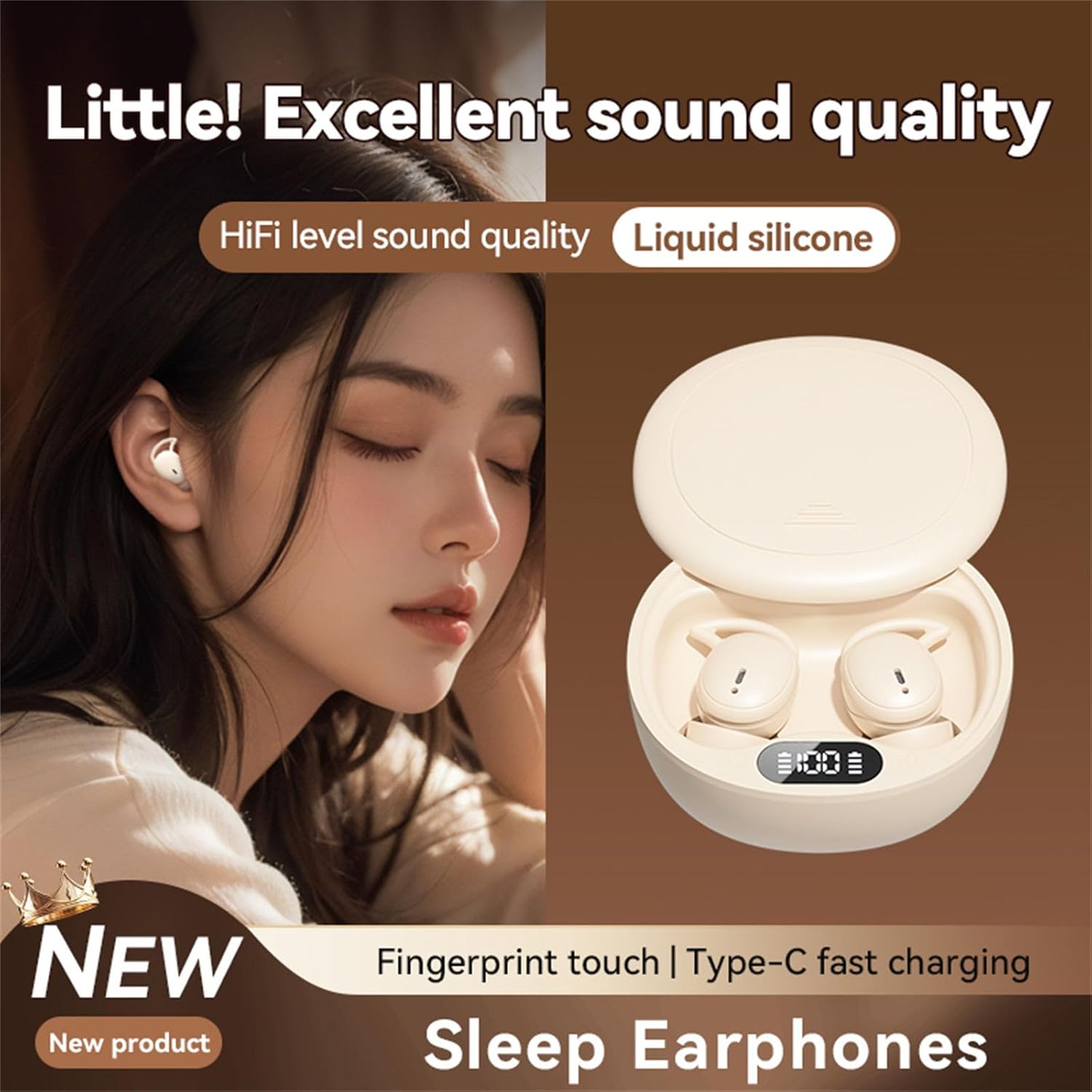
Figure 3: Earphone in Use
This image shows an M73 earphone being worn, highlighting its ergonomic design and how it sits comfortably in the ear, suitable for extended periods, including sleep.
- Identifica os auriculares esquerdo (E) e dereito (R).
- Gently insert the earphone into your ear canal and rotate it slightly to ensure the ear hook sits securely around your earlobe.
- Adjust for a comfortable and snug fit to optimize sound quality and passive noise isolation. The liquid silicone material is designed for comfort during prolonged wear.
Instrucións de funcionamento
The M73 earphones feature intuitive fingerprint touch controls for various functions.
| Función | Acción |
|---|---|
| Encender | Retire os auriculares da caixa de carga. |
| Apagado | Place earphones back into the charging case. |
| Reproducir/Pausa música | Un só toque en calquera dos auriculares. |
| Próxima pista | Double tap on the Right earphone. |
| Pista anterior | Double tap on the Left earphone. |
| Subir volume | Triple tap on the Right earphone. |
| Baixar o volume | Triple tap on the Left earphone. |
| Responder/Finalizar chamada | Un só toque en calquera dos auriculares durante unha chamada entrante. |
| Rexeitar a chamada | Manteña premido calquera dos auriculares durante 2 segundos durante unha chamada entrante. |
| Activa o asistente de voz | Press and hold either earphone for 3 seconds (when not on a call). |
Sleep Mode Features:
Designed for comfort during sleep, the M73 earphones offer immersive sound quality suitable for relaxation or masking ambient noise. Their mini design and liquid silicone ear tips ensure they remain comfortable even when lying down.
Mantemento
Limpeza:
- Limpe os auriculares e a caixa de carga cun pano suave, seco e sen fiapos.
- Non empregue produtos de limpeza abrasivos, alcol nin disolventes químicos.
- Gently clean the charging contacts on both the earphones and the case with a dry cotton swab if necessary.
Almacenamento:
When not in use, store the earphones in their charging case to protect them and keep them charged. Store in a cool, dry place away from direct sunlight.
Coidado da batería:
- To prolong battery life, avoid fully discharging the earphones and case frequently.
- Cargue o dispositivo regularmente, mesmo se non o usa con frecuencia.
Resolución de problemas
| Problema | Solución |
|---|---|
| Os auriculares non se emparellan co dispositivo. |
|
| Só funciona un auricular. |
|
| Os auriculares non cargan. |
|
| Mala calidade de son. |
|
Especificacións
| Característica | Detalle |
|---|---|
| Número de modelo | TqcSXToXQ |
| Conectividade | Sen fíos (Bluetooth) |
| Porto de carga | USB tipo C |
| Tipo de control | Fingerprint Touch Control |
| Ear Tip Material | silicona líquida |
| Calidade de audio | HiFi Level, Hi-Res Audio Support |
| Característica de deseño | Mini Design, Sleep Specific |
| Dimensións (caso) | Approximately 6.5cm / 2.55in (width) |

Figura 4: Dimensións da caixa de carga
This image illustrates the approximate width of the M73 charging case, measured at 6.5 cm or 2.55 inches, indicating its compact size.
Garantía e Soporte
Para obter información sobre a garantía e asistencia técnica, consulte a documentación incluída coa súa compra ou póñase en contacto directamente co vendedor/fabricante. Garde o comprobante de compra para reclamacións de garantía.