
1. Introdución
Thank you for choosing the Micool BT-X EASY Wireless Open-Ear Bluetooth 5.4 Headphones. These headphones are designed to provide a comfortable listening experience with advanced features like Bluetooth 5.4 connectivity, call noise reduction, and long battery life. This manual will guide you through the setup, operation, and maintenance of your new headphones.
2. Produto rematadoview
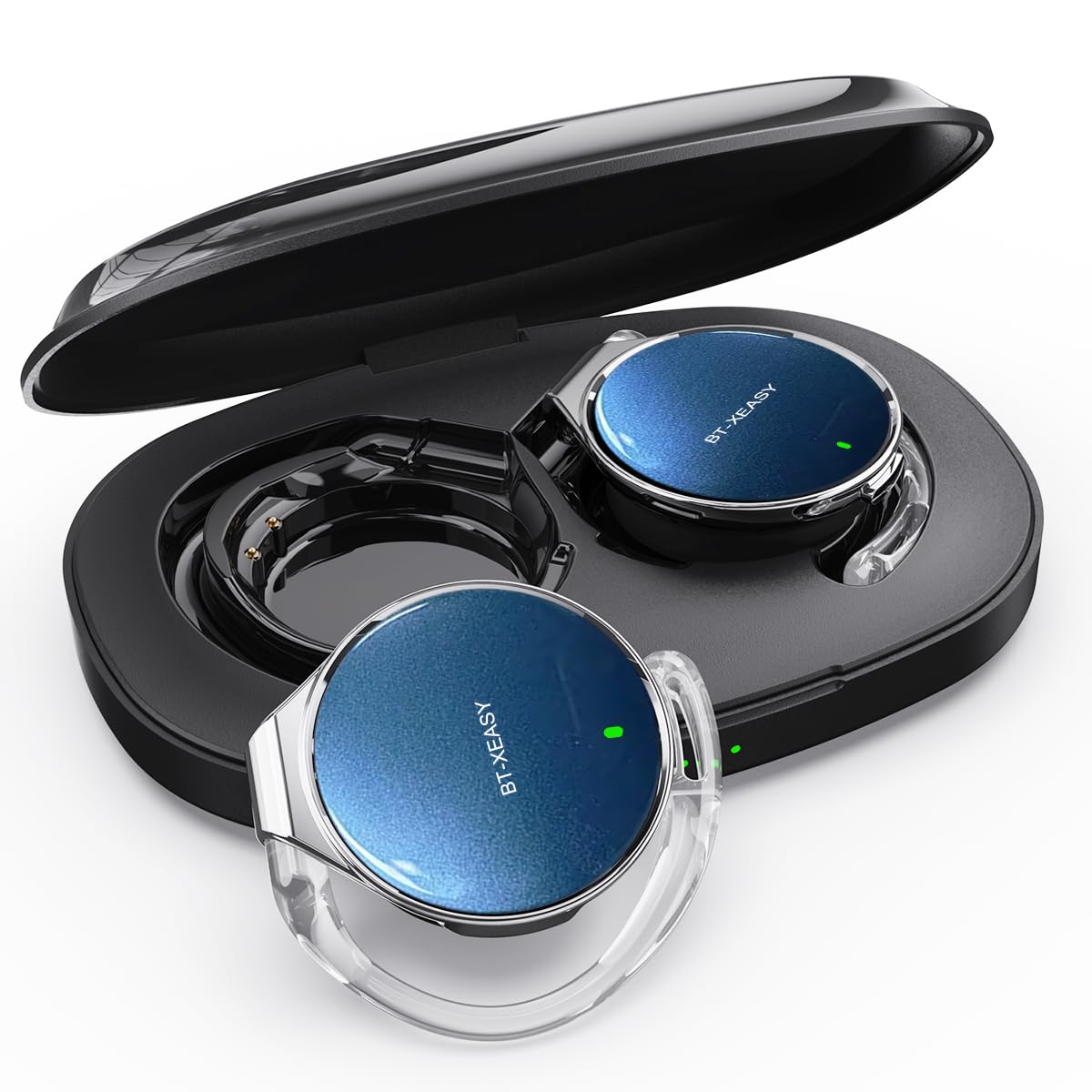
The Micool BT-X EASY headphones feature an open-ear design for comfort and awareness of your surroundings. Key features include:
- HD Stereo Audio & One-Button Control: Equipped with 28mm speakers for rich bass and an ANC+ENC adaptive noise reduction chip for clear calls. Easy control via multi-function buttons on each headset.
- Duración prolongada da batería: Up to 18 hours of music playback on a single charge. The charging case extends total listening time to up to 52 hours.
- High-Speed Bluetooth 5.4 Connectivity: Ensures fast pairing, stable connection, and reliable performance.
- Estuche de carga portátil: Includes a large-capacity charging case with a 4-stage power indicator and USB-C charging.
- Deseño cómodo: Small, lightweight ear-hook design with sponge ear cups for comfortable wear without pressure. Headphone diameter is 36mm.
- Conexión de dobre dispositivo: Connects to two devices simultaneously (e.g., smartphone, laptop, tablet) for seamless switching between music and calls.
Contido do paquete:
- Micool BT-X EASY Wireless Open-Ear Headphones
- Estuche de carga
- Cable de carga USB-C
- Manual de usuario
Produto rematadoview:
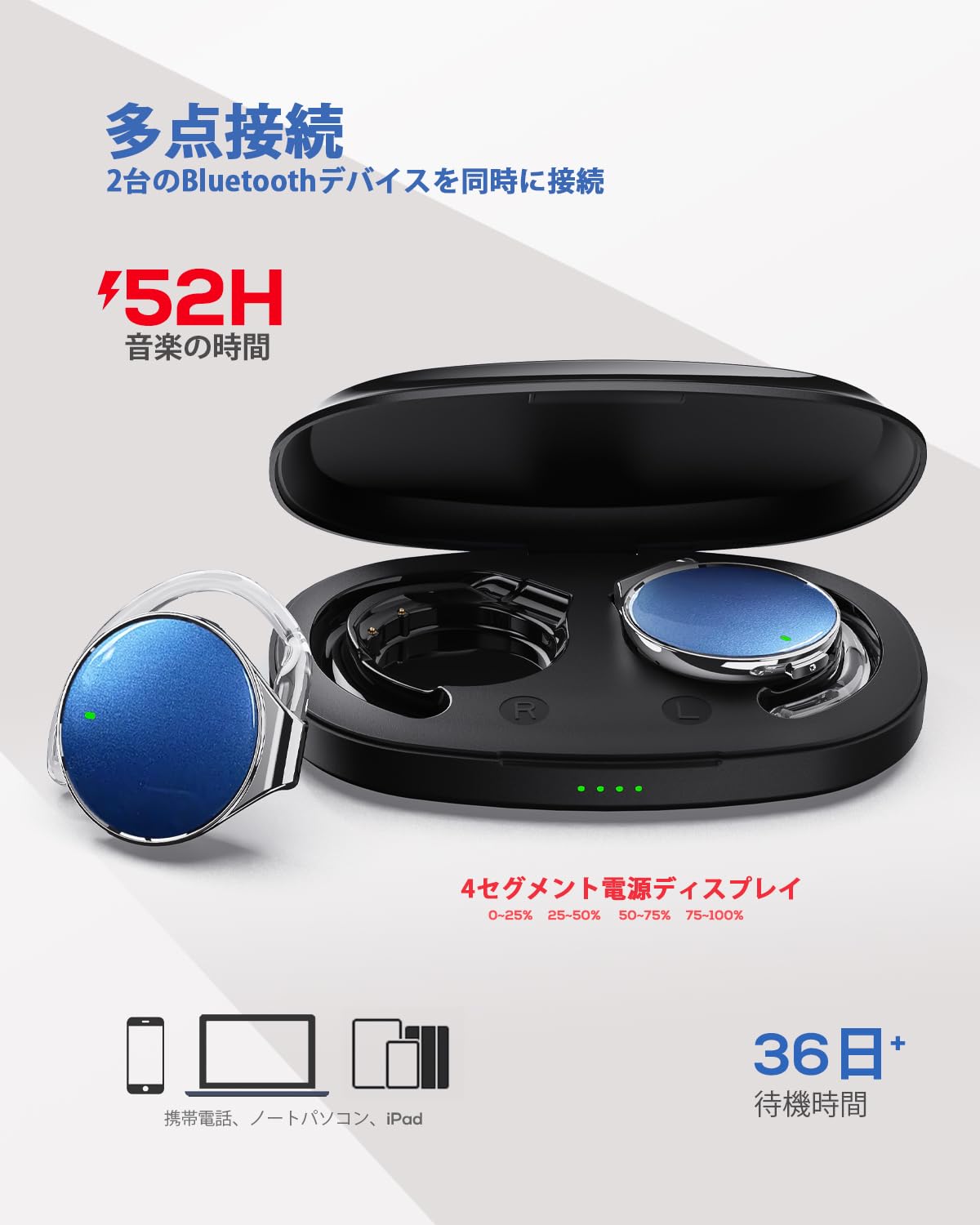
This image displays the Micool BT-X EASY headphones alongside their charging case, illustrating their compact and portable design and the concept of multi-point connection.
3. Configuración
3.1 Carga dos auriculares e da funda
Antes do primeiro uso, carga completamente os auriculares e a caixa de carga.
- Coloque os auriculares na caixa de carga.
- Conecta o cable de carga USB-C ao porto de carga da carcasa e a unha fonte de alimentación.
- Os 4-stage LED indicators on the charging case will show the charging status. Each light represents 25% of the battery capacity.
- Once fully charged, all four indicator lights will be solid.

This image illustrates the charging case with its four-stage battery indicator, providing a visual representation of the remaining charge.
3.2 Como usar os auriculares
Siga estes pasos para un axuste cómodo e seguro:
- Paso 1: Open the ear hook to approximately a 30-degree angle.
- Paso 2: Rotate the ear hook around your ear until it rests comfortably below your earlobe.
- Paso 3: Gently press the headphone against your ear to secure it.
- Paso 4: Adjust the angle for the most comfortable wearing experience.

This visual guide demonstrates the four steps to correctly and comfortably wear the open-ear headphones.
3.3 Emparejamento Bluetooth
The headphones will automatically enter pairing mode when removed from the charging case or when the case is opened. For initial pairing:
- Abre a caixa de carga. Os auriculares entrarán automaticamente no modo de emparellamento.
- No teu dispositivo (teléfono intelixente, tableta, portátil), activa o Bluetooth.
- Busca "BT-X EASY" in the list of available Bluetooth devices.
- Select "BT-X EASY" to connect. A voice prompt will confirm successful pairing.
- For dual device connection, pair the first device, then temporarily disconnect the headphones from the first device's Bluetooth settings. Pair with the second device. Reconnect to the first device from its Bluetooth settings. The headphones will now be connected to both.
4. Instrucións de funcionamento
4.1 Controis táctiles
The headphones feature intuitive touch controls on each earbud. Refer to the diagram below for specific functions:
This diagram illustrates the various touch controls on the headphones, including single-click, double-click, and long-press actions for managing music playback and phone calls.
- Reproducir/Pausa: Fai clic en x1
- Próxima pista: Click x2 (Right earbud)
- Pista anterior: Click x2 (Left earbud)
- Subir volume: Long press (Right earbud)
- Baixar volume: Long press (Left earbud)
- Responder/Finalizar chamada: Fai clic en x1
- Rexeitar a chamada: Presión longa
- Mute (during call): Click x2 (A prompt tone will sound)
4.2 Funcións de chamada
The headphones support hands-free calling with 4 microphones and ENC noise reduction for clear conversations.
- Responder chamadas: Preme o botón multifunción unha vez.
- Finalizando chamadas: Prema o botón multifunción unha vez durante unha chamada.
- Rexeitando chamadas: Manteña premido o botón multifunción durante 2 segundos.
- Silenciar o micrófono: Double-click the multi-function button during a call.
5. Mantemento
- Limpeza: Regularly wipe the headphones and charging case with a soft, dry cloth. Do not use abrasive cleaners or immerse in water.
- Almacenamento: Store the headphones in their charging case when not in use to protect them from dust and damage. Keep in a cool, dry place away from extreme temperatures.
- Coidado da batería: Para prolongar a duración da batería, evite descargar completamente os auriculares con frecuencia. Cárgueos regularmente, mesmo se non os usa durante períodos prolongados.
6 Solución de problemas
| Problema | Posible Solución |
|---|---|
| Os auriculares non se acenden. | Ensure the headphones are charged. Place them in the charging case and connect the case to power. |
| Non se pode emparellar co dispositivo. |
|
| Sen son ou volume baixo. |
|
| Conexión intermitente. |
|
7. Especificacións
| Característica | Detalle |
|---|---|
| Marca | Micool |
| Modelo | BT-X EASY |
| Versión Bluetooth | 5.4 |
| Estilo de auriculares | Open-Ear (Ear-hook style) |
| Conectividade | Sen fíos (Bluetooth) |
| Tamaño do altofalante | Altavoz dinámico de 28 mm |
| Redución de ruído | ANC+ENC Adaptive Noise Reduction (for calls) |
| Micrófonos | 4 microphones (for hands-free calls) |
| Tempo de reprodución de música | Up to 18 hours (headphones), up to 52 hours (with charging case) |
| Porto de carga | USB-C |
| Headphone Diameter | 36 mm |
| Material | Plástico |
| Cor | Black Silver Blue |
| UPC | 775494926203 |
8. Garantía e soporte
The Micool BT-X EASY headphones come with a 6 meses de garantía desde a data de compra. Esta garantía cobre defectos de fabricación e man de obra. Non cobre danos causados por mal uso, accidentes, modificacións non autorizadas ou desgaste normal.
For technical support, warranty claims, or any questions regarding your product, please contact Micool customer service through the retailer where you purchased the product or visit the official Micool store on Amazon.
Ligazón á tenda de Amazon: Micool Amazon Store
9. Información importante de seguridade
- Non empregue os auriculares a un volume alto durante períodos prolongados para evitar danos auditivos.
- Non empregues os auriculares en situacións nas que a incapacidade de escoitar os sons ambientais poida ser perigosa (por exemplo, conducir, ir en bicicleta ou camiñar polo tráfico).
- Manteña o produto lonxe da auga e da humidade.
- Non intente desmontar ou reparar o produto vostede mesmo.
- Manter fóra do alcance dos nenos.