
Introdución
Thank you for choosing the XINDADA F7 Ultra Smart Watch. This manual provides essential information to help you set up, operate, and maintain your device. Please read these instructions carefully before use to ensure optimal performance and longevity of your smartwatch.
1. Configuración
1.1 Contido do paquete
- 1 x F7 Ultra Smart Watch
- 1 x USB Wireless Magnetic Charging Cable
- 1 x Manual de usuario
1.2 Carga do reloxo intelixente
Before first use, fully charge your F7 Ultra Smart Watch. Connect the USB wireless magnetic charging cable to a power source and attach the magnetic end to the charging points on the back of the watch. The watch will indicate charging status on its screen.
1.3 Instalación e emparellamento da aplicación
- Descarga o RDFit application from your smartphone's app store (compatible with Android 4.4 and above, and iOS 9.0 and above).
- Asegúrate de que o Bluetooth estea activado no teu smartphone.
- Open the RDFit app and follow the on-screen instructions to search for and connect to your F7 Ultra Smart Watch via Bluetooth 5.0.
- Confirma a solicitude de emparellamento tanto no teu teléfono intelixente como no reloxo.
2. Instrucións de funcionamento
2.1 Navegación básica
- Levantar para espertar: Levanta o pulso para activar a pantalla automaticamente.
- Cover to Turn Off Screen: Place your palm over the screen to turn it off.
- Pantalla sempre activa (AOD): Configure this mode in the watch settings for continuous time display.
- Lado Lamp: Utilize the side lamp feature for illumination in low-light conditions.
2.2 Características principais
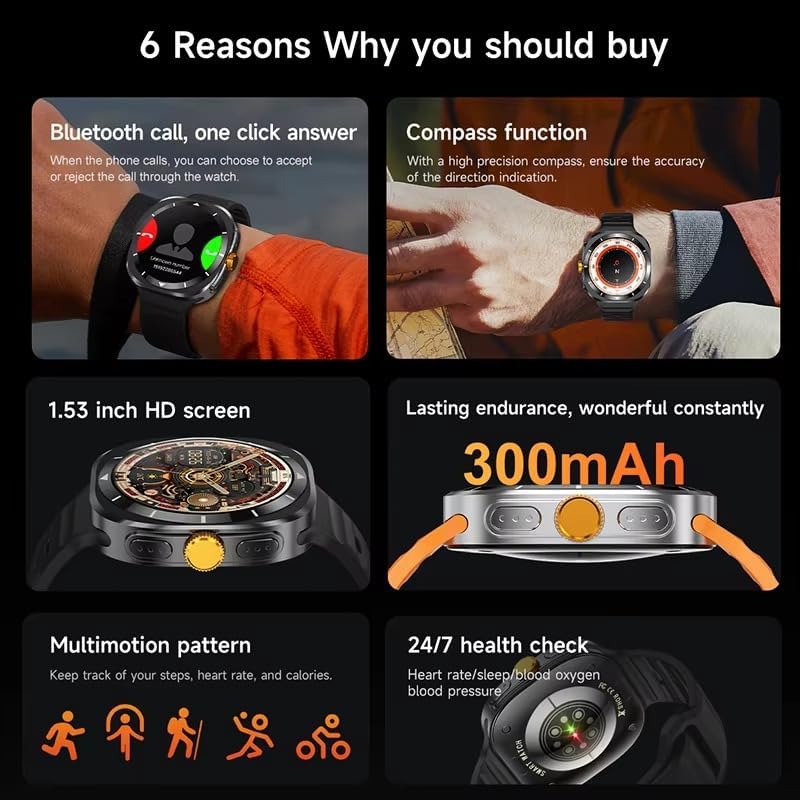
This image illustrates several key features of the F7 Ultra Smart Watch, including its Bluetooth call capability, compass function, 1.53-inch HD screen, 300mAh battery, various sports modes, and continuous health monitoring.
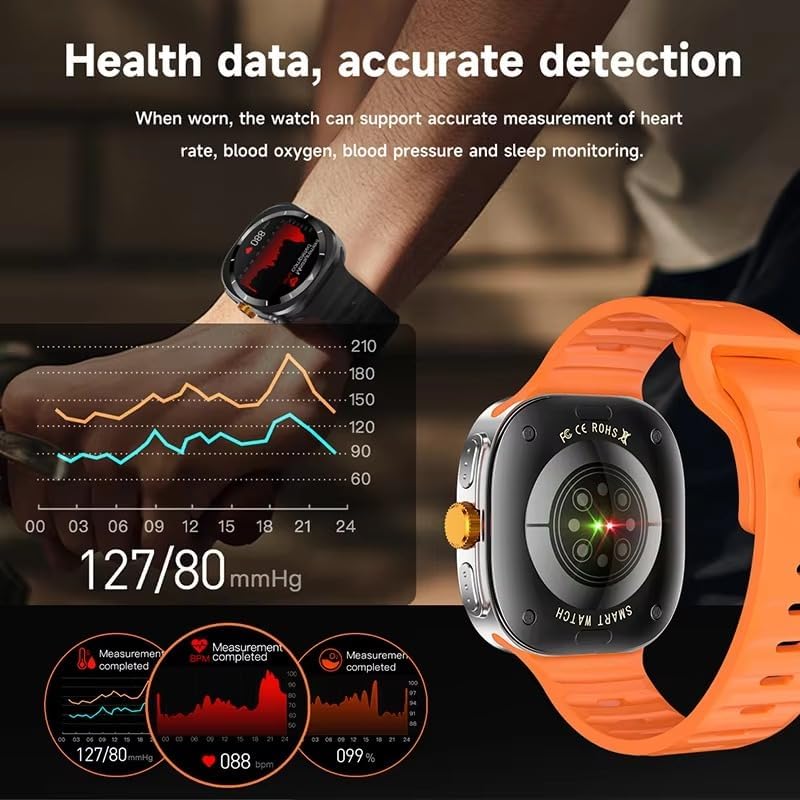
The watch provides accurate health data detection, including real-time heart rate, blood oxygen, and blood pressure monitoring, as shown with graphical representations.

Expand your exercise routine with multiple sports modes such as mountaineering, basketball, and running, each with precise record-keeping to help achieve fitness goals.

The GPS motion track feature accurately records your position during outdoor activities, enhancing safety and providing meaningful data for your adventures.
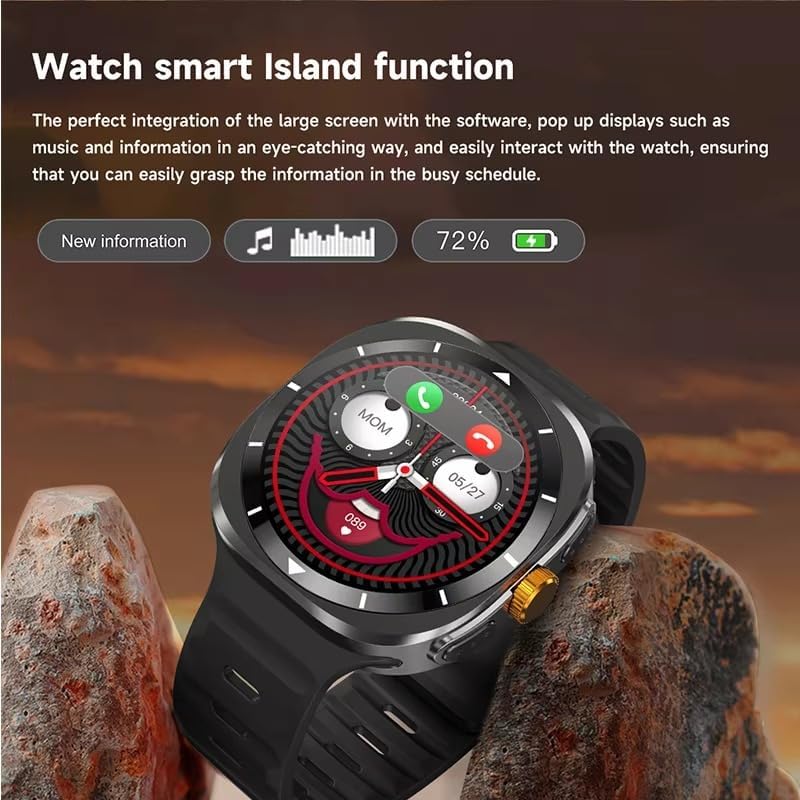
The Smart Island function integrates seamlessly with the large screen, providing eye-catching pop-up displays for new information, music controls, and battery status, allowing easy interaction even during a busy schedule.
- Chamadas Bluetooth: Answer or reject calls directly from your watch when connected to your phone.
- Función de compás: Utilize the high-precision compass for accurate direction indication.
- Vixilancia da saúde: Track heart rate, blood pressure, blood oxygen, and sleep patterns 24/7.
- Modos deportivos: Access 156 sports algorithms, including mountaineering, basketball, and running, with GPS motion tracking.
- Smart Island Function: Experience dynamic pop-up notifications for calls, music, and other information.
- NFC Door Access: Use your watch for convenient NFC-enabled door access.
- Notificacións: Receive app notifications directly on your wrist.
- Control de música e cámara: Remotely control music playback and your smartphone camera.
- Utilidades: Features include weather updates, 'Find My Phone', password protection, calculator, split screen, quick widgets, Alipay, QR code, Qibla finder, and AI voice assistant.
2.3 Apoio lingüístico
The F7 Ultra Smart Watch supports multiple languages, including Chinese, English (default), Russian, Spanish, German, Italian, French, Portuguese, Polish, Dutch, Greek, Turkish, Romanian, Japanese, Traditional Chinese, Hebrew, Czech, Slovak, Hungarian, Arabic, Indonesian, Korean, Vietnamese, Thai, Persian, Ukrainian, Malay, and Burmese.
3. Mantemento
3.1 Resistencia á auga
The watch has an IP67 waterproof rating, meaning it is resistant to splashes and brief immersion in water. It is not suitable for swimming, diving, or high-pressure water activities. Avoid exposing the watch to hot water or steam.
3.2 Limpeza
Limpe o reloxo e a correa regularmente cun pano suave e seco. Se é necesario, use un pano lixeiramente seco.amp un pano e despois secar completamente. Evitar o uso de produtos químicos agresivos ou materiais abrasivos.
3.3 Coidado coa batería
To prolong battery life, avoid extreme temperatures. Charge the watch using only the provided magnetic charging cable. Do not attempt to replace the battery yourself.
4 Solución de problemas
- O reloxo non se acende: Asegúrate de que o reloxo estea completamente cargado. Conéctao ao cargador durante polo menos 30 minutos.
- Non se pode emparellar co teléfono: Make sure Bluetooth is enabled on both devices. Restart both the watch and your phone. Ensure the RDFit app is open and running.
- Datos sanitarios inexactos: Asegúrate de levar o reloxo ben axustado ao pulso, nin demasiado axustado nin demasiado solto. Limpa o sensor da parte traseira do reloxo.
- Notificacións non recibidas: Check app notification settings on your phone and within the RDFit app to ensure they are enabled for the watch.
- Autonomía curta da batería: Reduce screen brightness, disable unnecessary features, and limit background app refresh.
5. Especificacións
| Tamaño da pantalla | 1.54 inch HD large screen |
| Resolución de pantalla | 360 x 360 píxeles |
| Dimensións do reloxo | 47 x 45 x 12.5 mm |
| Versión Bluetooth | Bluetooth 5.0 |
| Chip integrado | Jerry 7012F6 |
| Nivel impermeable | IP67 |
| Tipo de carga | Carga magnética sen fíos |
| Capacidade da batería | 300 mAh |
| Estilos de menú | 5 tipos |
| Compatibilidade | Android 4.4 e superior, iOS 9.0 e superior |
| Aplicación complementaria | RDFit |
6. Garantía e soporte
For warranty information and technical support, please refer to the documentation provided with your purchase or contact XINDADA customer service. Keep your purchase receipt for any warranty claims. This user manual is included in the product package for your convenience.