
1. Introdución
The Delton S22 Vertical Wireless Mouse is designed to provide a comfortable and efficient computing experience. Its ergonomic vertical design aims to reduce wrist strain and promote a natural hand posture, making it suitable for extended use. This manual provides instructions for setting up, operating, maintaining, and troubleshooting your Delton S22 mouse.

This image illustrates the ergonomic benefits of the Delton S22 Vertical Wireless Mouse. It compares the unnatural wrist position required by a traditional mouse with the natural, handshake-like grip promoted by the vertical mouse, highlighting how it reduces strain and is recommended by rheumatologists.
2. Produto rematadoview e Compoñentes
Familiarize yourself with the various parts of your Delton S22 Vertical Wireless Mouse:

Este diagrama proporciona unha información detallada view of the Delton S22 mouse, pointing out its key components: Left Button, Scroll Wheel, Right Button, DPI Switch, Detachable Wrist Pad, Optical Sensor, USB Receiver Compartment, Back Cover, 2*AA Battery Slot, Glide Pads, Forward Button, Back Button, and Power On/Off switch.
- Botón esquerdo: Función estándar do clic esquerdo.
- Botón dereito: Función estándar do clic dereito.
- Roda de desprazamento: Para desprazamento vertical e función de clic co botón central.
- Botón de avance: Navega cara adiante web navegadores ou file exploradores.
- Botón Atrás: Navega cara atrás en web navegadores ou file exploradores.
- Interruptor DPI: Adjusts cursor sensitivity (800/1600/2400 DPI).
- Interruptor de encendido/apagado: Conserves battery life when the mouse is not in use.
- Sensor óptico: Rastrexa o movemento do rato.
- Compartimento do receptor USB: Stores the 2.4G USB dongle.
- Ranura para batería: Alimenta dúas pilas AA (non incluídas).
- Detachable Wrist Pad: Provides additional wrist support and reduces friction.
3. Configuración
- Instalar baterías: Open the battery compartment on the underside of the mouse. Insert two AA batteries, ensuring correct polarity. Close the compartment.
- Conectar o dongle USB: Locate the USB receiver (dongle) stored in its compartment on the underside of the mouse. Plug the USB dongle into an available USB-A port on your computer (PC, laptop, or tablet PC).
- Encendido: Flip the Power On/Off switch on the underside of the mouse to the "On" position.
- Emparejamento automático: The mouse should automatically pair with the USB dongle. Your computer's operating system will typically install the necessary drivers automatically.
- Attach Wrist Pad (Optional): If desired, attach the detachable wrist pad to the base of the mouse for enhanced comfort.
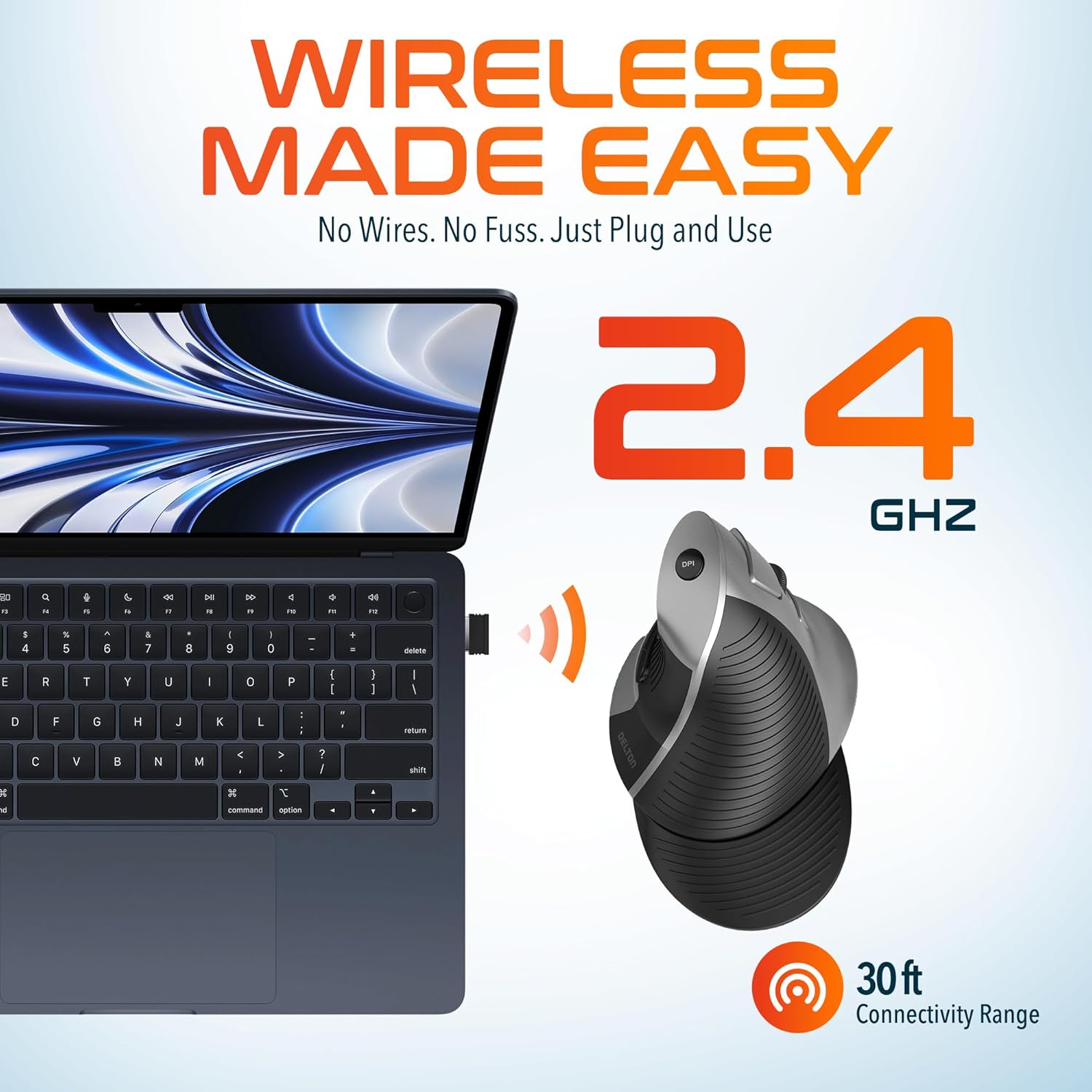
This image demonstrates the wireless connectivity of the Delton S22 mouse. It shows the mouse operating wirelessly with a laptop, emphasizing the 2.4 GHz connection and a 30 ft connectivity range, indicating a simple plug-and-use setup.
4. Instrucións de funcionamento
Funcións dos botóns
The Delton S22 mouse features 6 buttons for enhanced functionality:
- Clic esquerdo: Selección e activación primarias.
- Clic dereito: Accesses context menus.
- Roda de desprazamento: Desprázase verticalmente polos documentos e web pages. Pressing it acts as a middle-click.
- Botón de avance: Navigates to the next page in supported applications.
- Botón Atrás: Navigates to the previous page in supported applications.
- Interruptor DPI: Percorre ciclicamente a configuración de DPI.
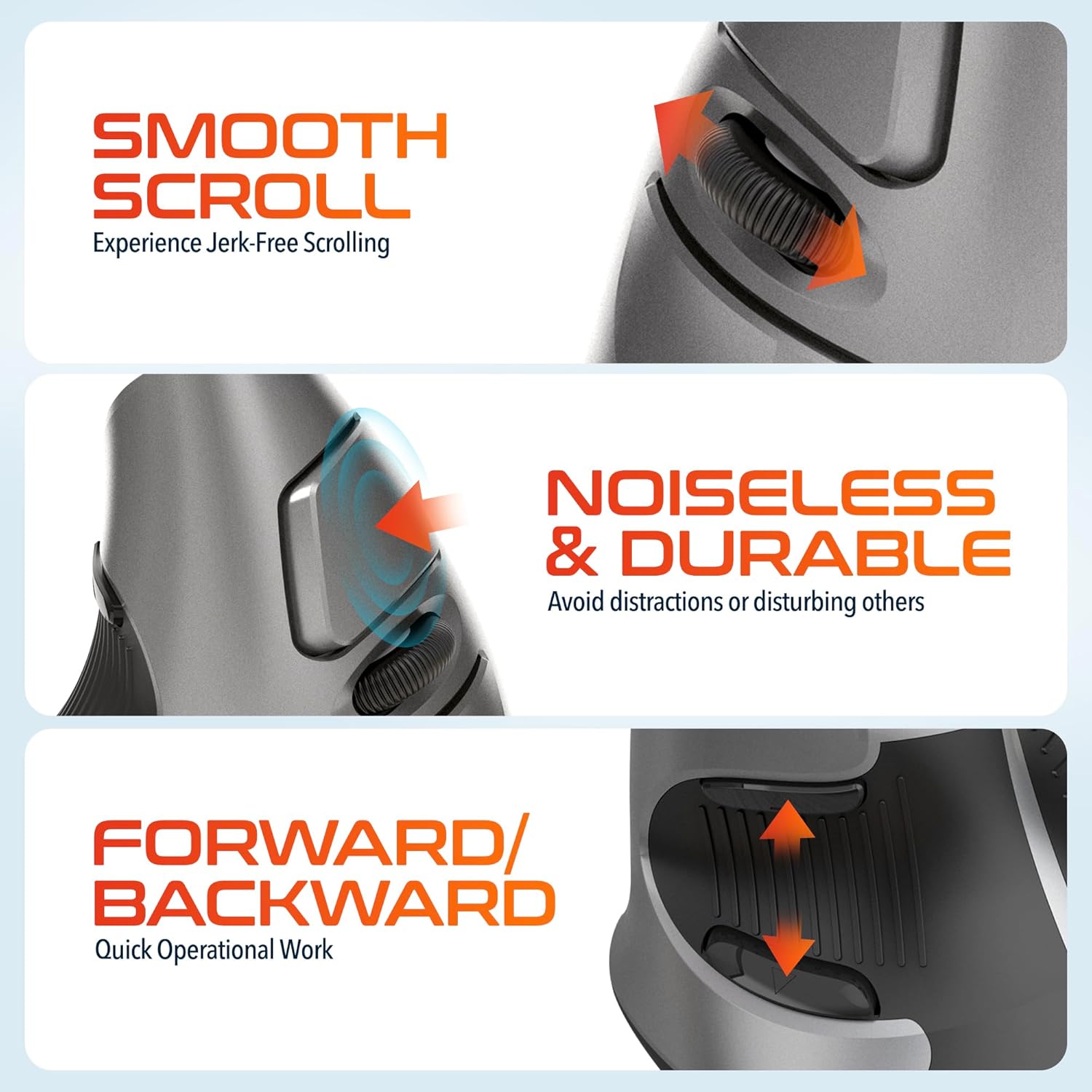
This composite image highlights three key operational features: the smooth, jerk-free scrolling experience, the noiseless and durable buttons designed to prevent distractions, and the convenient forward/backward buttons for quick navigation.
Axuste de DPI
The DPI (Dots Per Inch) switch allows you to adjust the cursor sensitivity to match your preference or task requirements. Press the DPI button located on the top of the mouse to cycle through the following settings:
- 800 DPI: Lower sensitivity for precise tasks.
- 1600 DPI: Medium sensitivity for general use.
- 2400 DPI: Higher sensitivity for faster cursor movement.

This image focuses on the high precision control offered by the Delton S22 mouse. It shows the DPI switch button and how it allows users to toggle between 800, 1600, and 2400 DPI settings for customized cursor sensitivity.
Xestión de enerxía
To conserve battery life, switch the mouse to the "Off" position using the power switch on the underside when not in use for extended periods.
5. Compatibilidade
The Delton S22 Vertical Wireless Mouse is designed for broad compatibility with various operating systems and devices:
- Sistemas operativos: Windows, macOS, iOS, Android, Chrome OS, Linux.
- Dispositivos compatibles: Laptop, Personal Computer, Tablet.
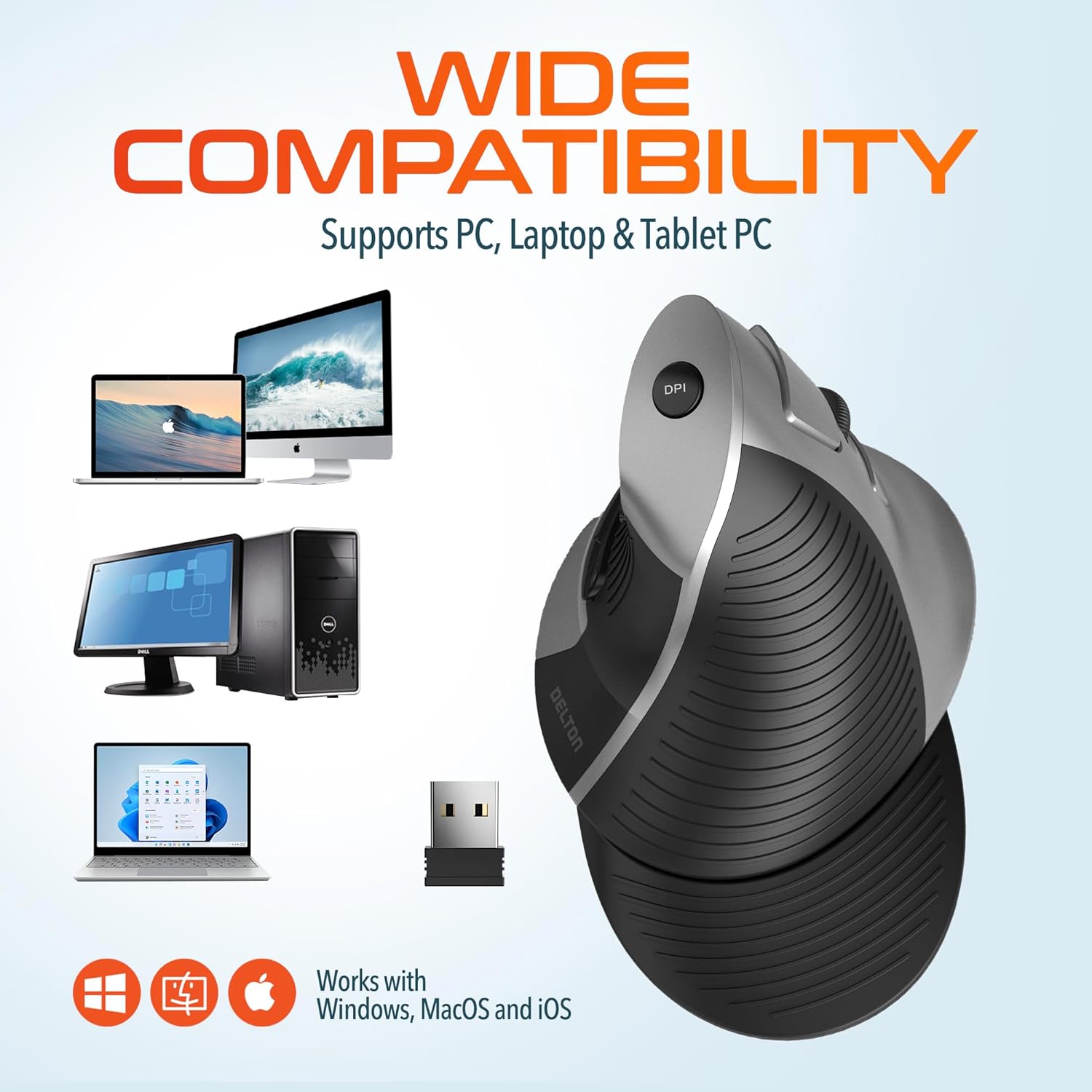
This image illustrates the wide compatibility of the Delton S22 mouse, showing it works seamlessly with PCs, laptops, and tablet PCs across Windows, macOS, and iOS operating systems. The USB dongle is also depicted as the connection method.
6. Mantemento
- Limpeza: Usa un pano suave e seco para limpar o rato. Para a sucidade persistente, dórao lixeiramenteampEnxágüe o pano con auga ou unha solución de limpeza suave. Evite produtos químicos agresivos ou materiais abrasivos.
- Substitución da batería: When the mouse performance degrades or it stops responding, replace the two AA batteries. Ensure the power switch is off before replacing batteries.
- Almacenamento: When transporting or storing the mouse, ensure the USB dongle is securely placed in its dedicated compartment to prevent loss.
7 Solución de problemas
| Problema | Posible Solución |
|---|---|
| O rato non responde. |
|
| O movemento do cursor é errático ou irregular. |
|
| DPI setting is not changing. |
|
| Forward/Back buttons not working. |
|
8. Especificacións
| Característica | Detalle |
|---|---|
| Marca | Delton |
| Número de modelo | S22 |
| Tecnoloxía de conectividade | Conexión sen fíos 2.4G (adaptador USB) |
| Característica especial | Vertical, Ergonomic Design, Wireless |
| Tecnoloxía de detección de movemento | Óptica |
| Cantidade de botóns | 6 |
| Orientación das mans | Certo |
| Dispositivos compatibles | Ordenador portátil, ordenador persoal, tableta |
| Compatibilidade do sistema operativo | Windows, macOS, iOS, Android, Chrome OS, Linux |
| Fonte de enerxía | Alimentado por pilas (2 pilas AA, non incluídas) |
| Niveis de DPI | 800, 1600, 2400 |
| distancia wireless | Ata 30 pés |
| Cor | Negro |
| Dimensións do artigo (L x W) | 5.3" de longo x 3.7" de ancho |
| UPC | 802029086375 |
9. Garantía e soporte
The Delton S22 Vertical Wireless Mouse comes with a 1 ano de garantía do fabricante. Esta garantía cobre os defectos nos materiais e na fabricación no uso normal.
For warranty claims, technical support, or any questions regarding your product, please refer to the contact information provided with your purchase or visit the official Delton websitio para recursos de apoio.
Recursos en liña: For additional information, FAQs, or driver downloads (if applicable), please visit the Delton Store on Amazon.